BeyondTrust Remote Support for Zendesk Marketplace
BeyondTrust Remote Support is the #17 ranked video app on Zendesk, with a 4.0 average rating from 14 reviews, with a free plan available, as of Sep 3, 2026.
BeyondTrust Remote Support is a Zendesk Marketplace app by BeyondTrust Corporation. With a rating of 4.0★ from 14 reviews, it currently ranks #17 in the Video category.
AppRanks data: BeyondTrust Remote Support ranks #17 in Video on Zendesk Marketplace, placing it in the top 19% of that category.
AppRanks verdict
Generated from live marketplace data — refreshed daily
BeyondTrust Remote Support is a well-rated Zendesk app with a limited review volume. It is listed in the Video category on Zendesk Marketplace, which AppRanks treats as the canonical taxonomy node for ranking and competitor comparison. 14 reviews put it in the early-traction tier — useful for early-stage stores willing to be on the leading edge. Early-traction review counts are sensitive to single launch periods or feature events, so a 30-day re-check before bigger commitments often resolves whether the trend is sustained. The free tier lets you trial the entry feature set without committing a payment method. AppRanks tracks rating, review count, pricing tier, and category position daily — the figures on this page reflect the most recent scrape from the canonical Zendesk Marketplace listing.
Pros
- +Free tier available — no card required to evaluate
- +Published by BeyondTrust Corporation — established developer track record
Cons
- −Limited review base (14) — ratings can shift significantly with new feedback
Looking to switch from BeyondTrust Remote Support?
See BeyondTrust Remote Support's alternatives ranked by audit score, rating, and review velocity.
About BeyondTrust Remote Support
How BeyondTrust Remote Support works
Show full descriptionShow less
Simply locate the BeyondTrust Remote Support app in the Zendesk Apps Marketplace (Admin > Apps > Marketplace) and click Install.
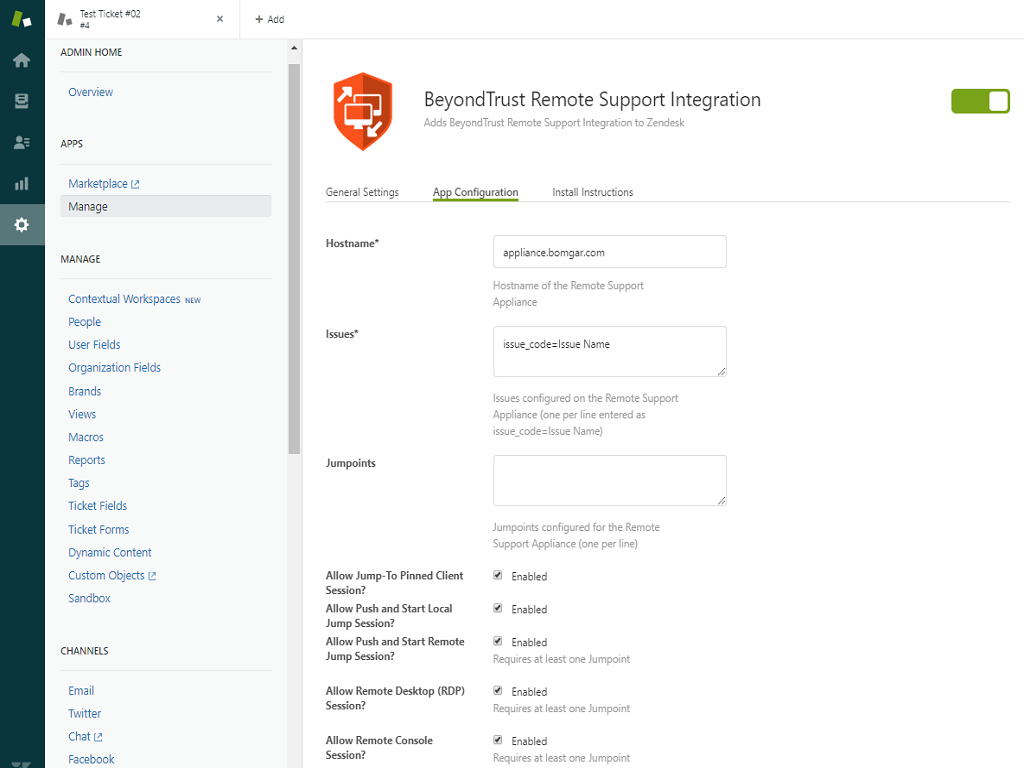
Settings for the app include (required settings in bold text):
Title – Name of the app provided in upload step; can be overridden here
Hostname – Hostname of the BeyondTrust Remote Support appliance
Issues – A list of issues from which an end-user can choose when using the ‘Get Support Now’ button to start a chat session. These should be entered one per line in the format issuecode=IssueName where issuecode is the issue code configured for the issue in the Remote Support appliance /login interface and IssueName is the user-friendly name that will be displayed to the end-user in the dropdown list.
Jumpoints – A list of Jumpoints configured for the Remote Support appliance from which an agent can choose entered one per line.
Allow Jump-To Pinned Client Session – Determines whether jump method is available to agents
Allow Push and Start Local Jump Session – Determines whether jump method is available to agents
Allow Push and Start Remote Jump Session – Determines whether jump method is available to agents (if enabled, requires at least one Jumpoint to be entered)
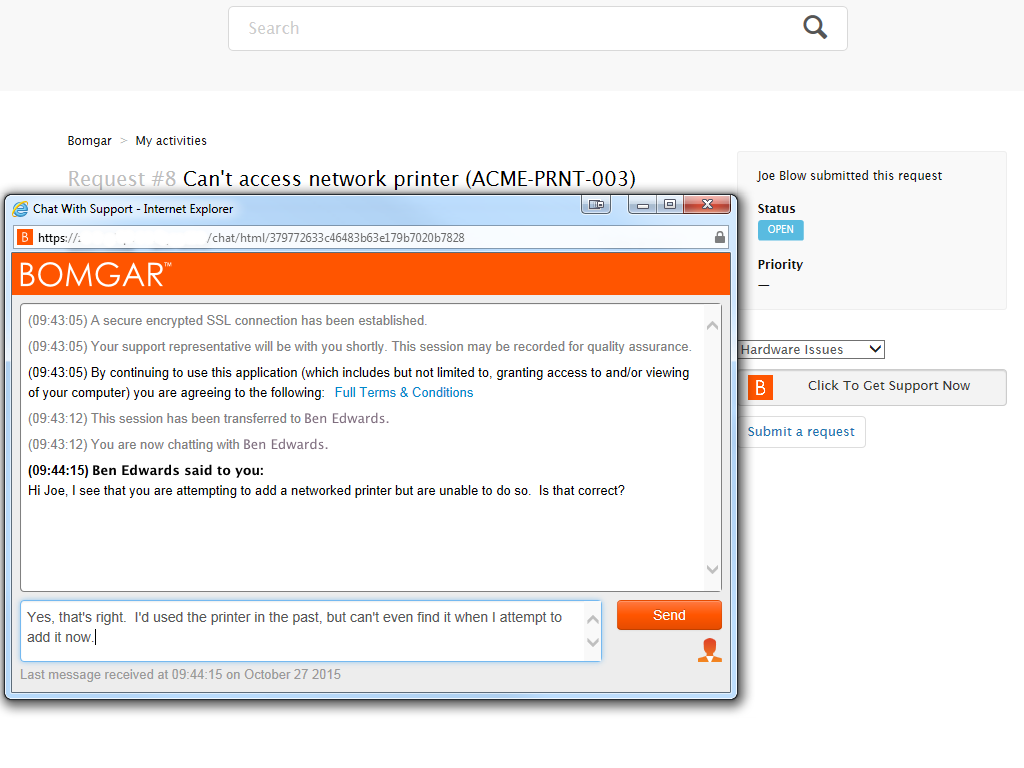
Allow Remote Desktop (RDP) Session – Determines whether jump method is available to agents (if enabled, requires at least one Jumpoint to be entered)
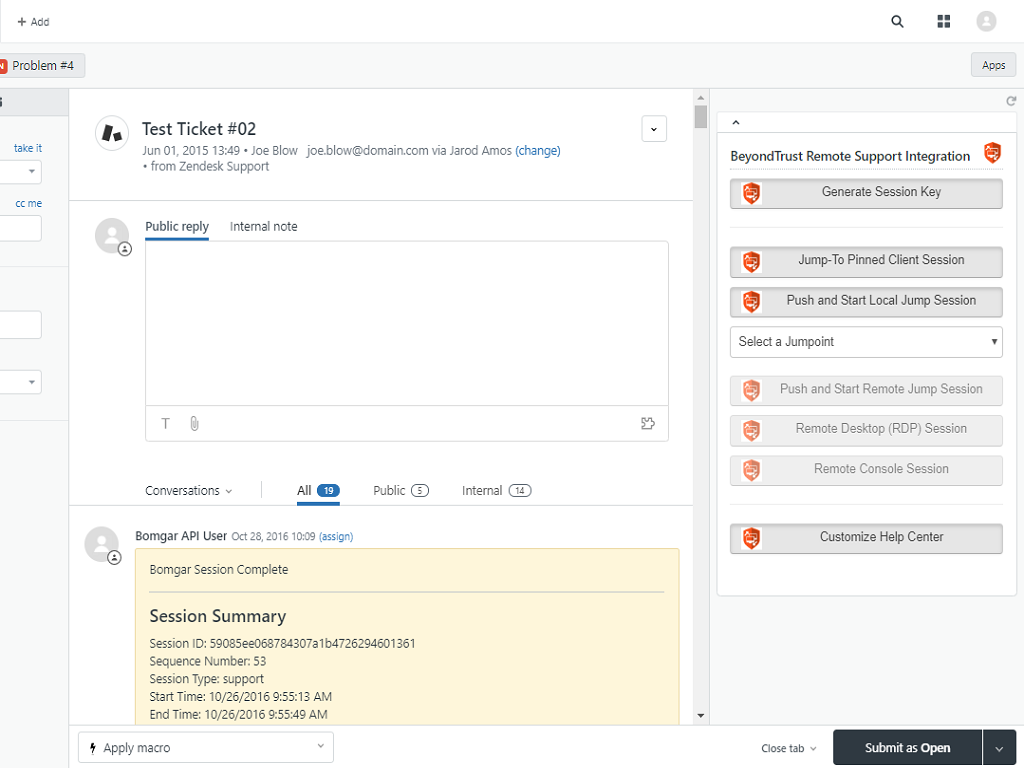
Allow Remote Console Session – Determines whether jump method is available to agents (if enabled, requires at least one Jumpoint to be entered)
Enable role restrictions – This is a standard Zendesk app setting that allows you to customize which (agent) roles will see the UI elements provided by the app
Once the app is installed and configured, you should see the UI elements (buttons) in the appropriate section when viewing an existing ticket or creating a new ticket.
The final portion of the app is for end-users and must also be configured by an administrator. Just as with the Generate Session Key and Jump buttons, when viewing a ticket administrator users will see an additional button labelled Customize Help Center. Clicking the button will open a modal dialog with instructions for editing the current theme to add the support button to ticket views for end-users. When clicked, a chat support session tied to the selected ticket will be started and routed to the appropriate team based on the issue selected by the user prior to clicking the button.
Screenshots


Category rankings
As of Sep 4, 2026See 90-day rank history for each category
Track daily rank changes, category shifts, and position volatility.
Competitors & alternatives
BeyondTrust Remote Support doesn't have curated competitor matchups yet. Other tracked video apps on Zendesk:
Where BeyondTrust Remote Support stands in the Video category
BeyondTrust Remote Support ranks #17 of 90 apps in the Video category, placing it in the top 19% of the listing.
Frequently asked questions
What is BeyondTrust Remote Support?
BeyondTrust Remote Support is an app for Zendesk. It currently holds a 4.0-star rating from 14 merchant reviews, and AppRanks has been tracking its public marketplace data on the refresh cadence published in our methodology. It is listed under the Video category on AppRanks, where you can see its current category position, review-velocity trend, and how it compares against the top alternatives in the same space. Developed by BeyondTrust Corporation.
Who uses BeyondTrust Remote Support?
BeyondTrust Remote Support is actively installed across Zendesk stores tracked by AppRanks. Its review base is still building, which usually maps to early-stage merchants and stores piloting a new workflow. It is part of the Video category on Zendesk.
Where does BeyondTrust Remote Support rank on Zendesk?
BeyondTrust Remote Support currently sits at position #17 in the Video category on Zendesk. That places it in the top 19% of 90 apps tracked in the same category. Category positions are read from the live marketplace ranking and refresh on each scrape, so the number you see here reflects the most recent crawl rather than a long-running average.