
Fields Manager is the #124 ranked agent productivity app on Zendesk, with a 5.0 average rating from 1 review, priced multiple plans available, as of Sep 4, 2026.
Fields Manager is a Zendesk Marketplace app by Beri. With a rating of 5.0★ from 1 reviews, it currently ranks #124 in the Agent Productivity category.
AppRanks data: Fields Manager ranks #124 in Agent Productivity on Zendesk Marketplace, placing it in the top 31% of that category.
AppRanks verdict
Generated from live marketplace data — refreshed daily
Fields Manager is a category-leading Zendesk app with a limited review volume. It is listed in the Agent Productivity category on Zendesk Marketplace, which AppRanks treats as the canonical taxonomy node for ranking and competitor comparison. 1 reviews put it in the early-traction tier — useful for early-stage stores willing to be on the leading edge. Early-traction review counts are sensitive to single launch periods or feature events, so a 30-day re-check before bigger commitments often resolves whether the trend is sustained. Paid-only pricing means evaluating fit on the marketplace listing or via the developer's documentation before installing. AppRanks tracks rating, review count, pricing tier, and category position daily — the figures on this page reflect the most recent scrape from the canonical Zendesk Marketplace listing.
Pros
- +High average rating (5.0★) signals consistent merchant satisfaction
- +Published by Beri — established developer track record
Cons
- −Limited review base (1) — ratings can shift significantly with new feedback
- −Paid-only pricing (Multiple plans available) — evaluation requires committing payment details
Looking to switch from Fields Manager?
See Fields Manager's alternatives ranked by audit score, rating, and review velocity.
About Fields Manager
How Fields Manager works
Show full descriptionShow less
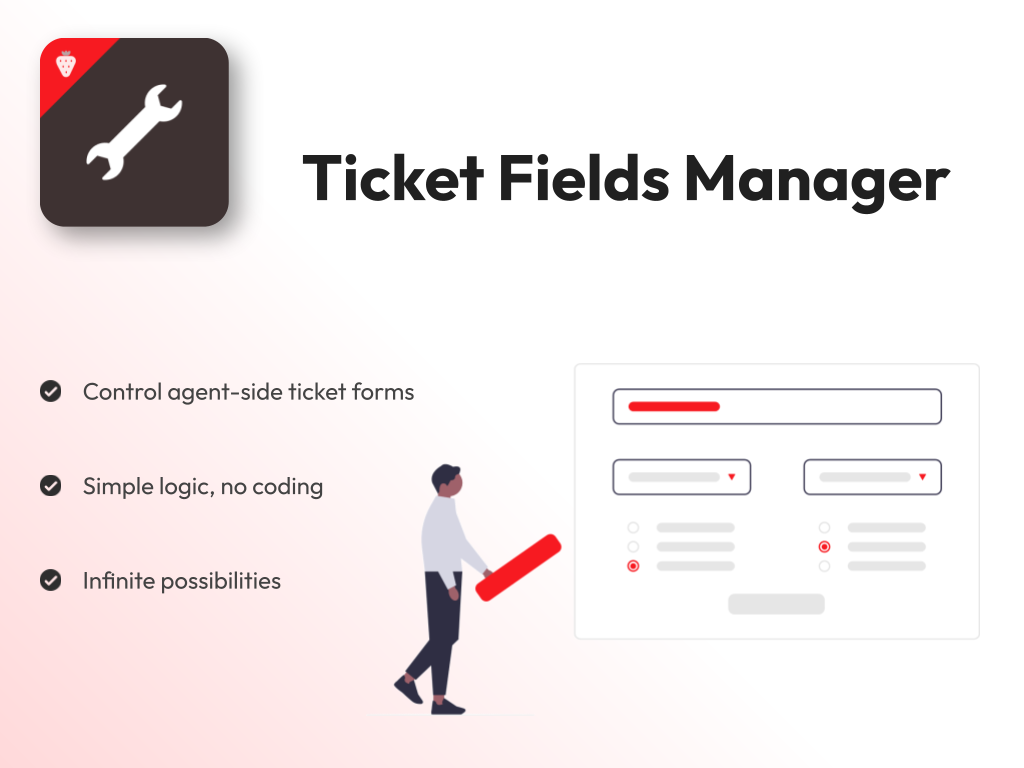
Control and automate your agent ticket forms
Define simple rules to manage your agent ticket forms and fields. Reduce confusion and enforce business-specific behaviors in your tickets.
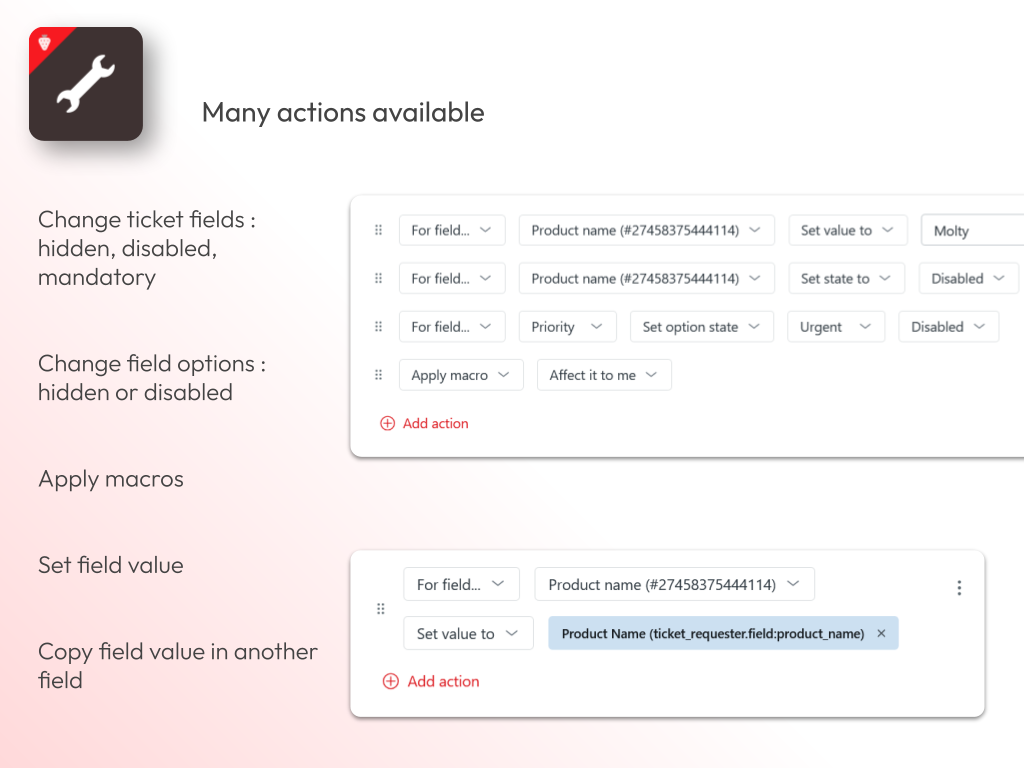
Available actions
Based on precise conditions, Fields Manager can do the following:
Hide ticket fields
Disable ticket fields
Make ticket fields mandatory
Apply macros
Set ticket field values
Use an external value (e.g. from a custom field in the requester's profile) to fill a ticket field
Hide ticket field options
Disable ticket field options
Each rule is made of conditions and actions.
Conditions
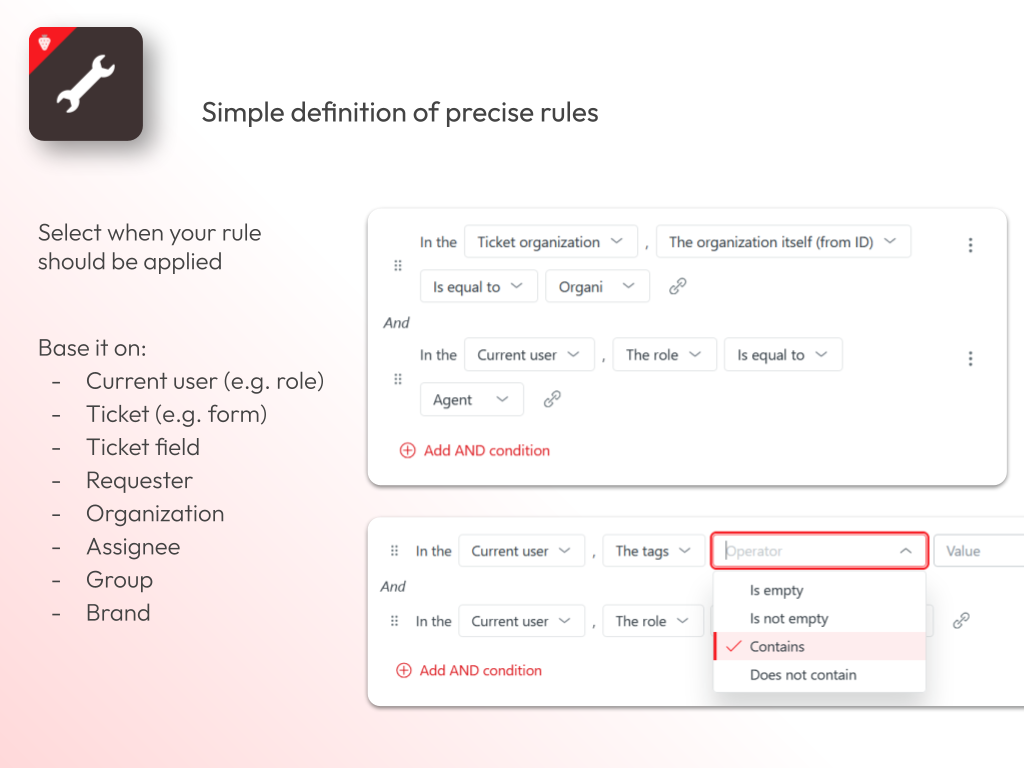
You can define when the rule should be applied based on many criteria, including:
Ticket field values
Ticket properties (e.g. form, creation date)
Requester field values
Requester properties (e.g. role, email or external id)
Ticket organization field values and properties
Ticket assignee field values and properties
Current user field values and properties
Current user organization field values and properties
Ticket group
Ticket brand
Many conditions can be defined, including the comparison of two field values.
The smart autocompletion of the Fields Manager app enables you to easily create precise conditions for your rules.
You can define complex conditions using "AND" and "OR" logical aggregators. Duplicating and moving conditions in AND/OR blocks is made very simple thanks to drag-and-drop.
Rule example
Let's imagine the following requirement: you only want assignees and admins to be able to edit a ticket status.
In this case, create a rule like that:
In "When..." block, create a condition like "In the > Current user > The role > Is not equal to > Admin"
Add a new AND condition saying "In the > Ticket assignee > The user itself > Is equal to"
Click the link icon next to the last select field (that says "Use the value of another field instead"). Then, in the dialog, select "In the > Current User > The user itself", and validate.
In "Then..." block, create an action saying "For field... > Status (System) > Set state to > Disabled"
Save and enable the rule
Now, only admins and agents assigned to the ticket will be able to edit its status.
Data Privacy and security
Your privacy is very important to us. This app does not access, store, or process any Zendesk customer data beyond what is necessary for its functionality. We only collect limited, anonymized analytics to improve app performance and user experience. All analytics data is handled securely, used solely for internal purposes, and never shared with third parties.
Screenshots
Category rankings
As of Sep 4, 2026- Agent Productivity#124of 404Top 31%
See 90-day rank history for each category
Track daily rank changes, category shifts, and position volatility.
Keyword rankings
Fields Manager ranks for 1 keywords across Zendesk Marketplace. Here are the top 1:
- Rank #5
Competitors & alternatives
Fields Manager doesn't have curated competitor matchups yet. Other tracked agent productivity apps on Zendesk:






Where Fields Manager stands in the Agent Productivity category
Fields Manager ranks #124 of 404 apps in the Agent Productivity category, placing it in the top 31% of the listing.
Frequently asked questions
What is Fields Manager?
Fields Manager is an app for Zendesk. It currently holds a 5.0-star rating from 1 merchant review, and AppRanks has been tracking its public marketplace data on the refresh cadence published in our methodology. It is listed under the Agent Productivity category on AppRanks, where you can see its current category position, review-velocity trend, and how it compares against the top alternatives in the same space. Developed by Beri.
Who uses Fields Manager?
Fields Manager is actively installed across Zendesk stores tracked by AppRanks. Its review base is still building, which usually maps to early-stage merchants and stores piloting a new workflow. It is part of the Agent Productivity category on Zendesk.
Where does Fields Manager rank on Zendesk?
Fields Manager currently sits at position #124 in the Agent Productivity category on Zendesk. That places it in the top 31% of 404 apps tracked in the same category. Category positions are read from the live marketplace ranking and refresh on each scrape, so the number you see here reflects the most recent crawl rather than a long-running average.