- Category rank
- #214 in AI and Bots
- Listing audit
- 67/100
Document Parser OCR is a Zendesk Marketplace app by Swifteq.
Document Parser OCR is the #214 ranked AI and Bots app on Zendesk, free to install, with charges billed separately, as of Nov 16, 2026.
AppRanks verdict
Generated from marketplace data as of Nov 16, 2026
Document Parser OCR ranks #214 of 414 in AI and Bots on Zendesk. It has no reviews on Zendesk yet. It is free to install, with charges billed separately — check the plans below.
Pros
- No standout positives in the measured data.
Cons
- −No reviews yet — fit and reliability are unverified by other merchants
About Document Parser OCR
How Document Parser OCR works
Show full descriptionShow less
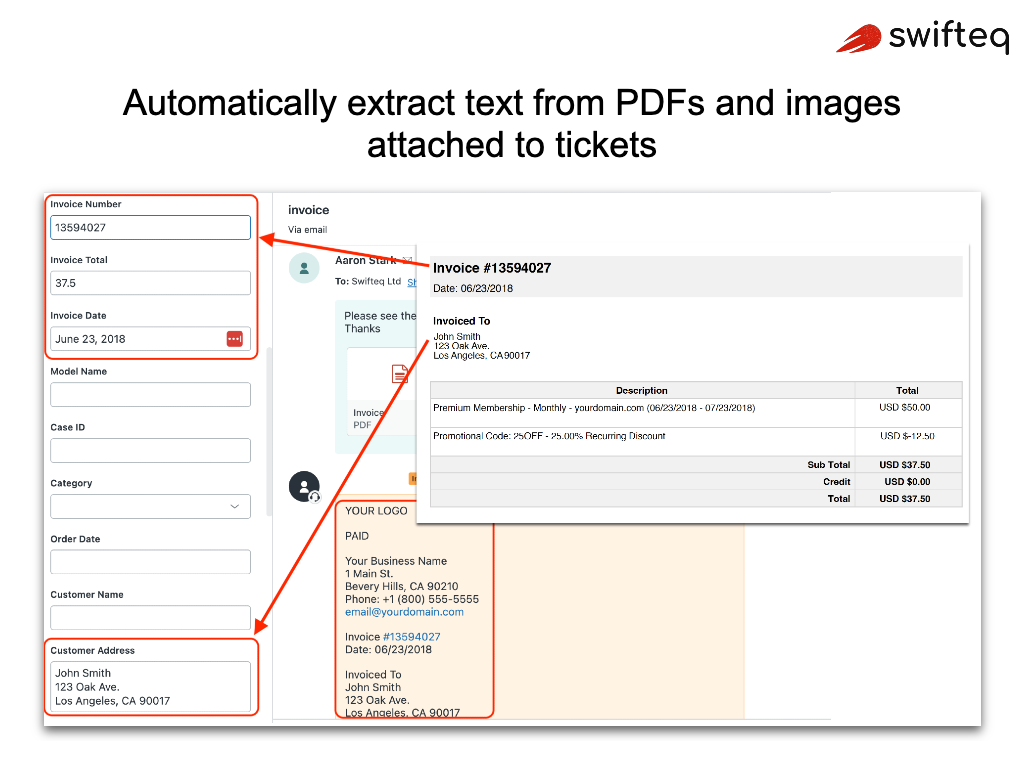
Stop manually copying data from documents attached to your Zendesk tickets. Swifteq Document Parser OCR automatically extracts text from PDFs, images, and scanned documents — then inserts it as a comment or updates ticket fields with specific data like invoice numbers, customer addresses, and order IDs.
No more squinting at scanned forms or manually typing out data. Your team get instant access to the information they need, right inside the ticket.
Features That Make Document Parser OCR a Must-Have
✅ Automatic OCR Text Extraction
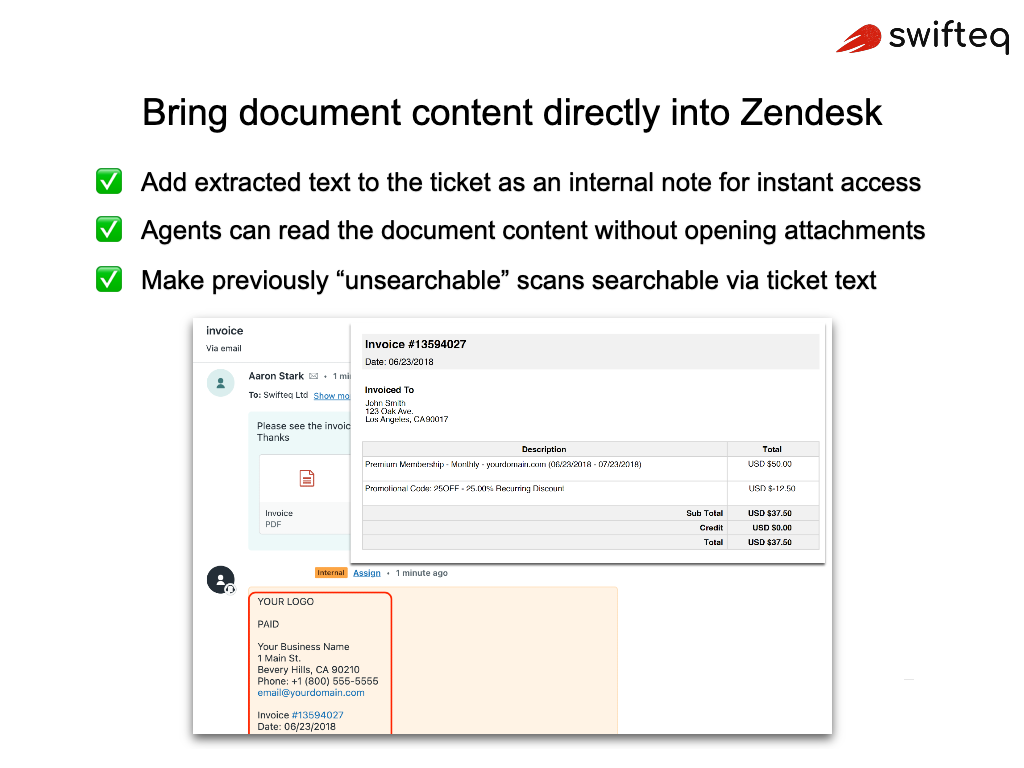
Automatically convert attached PDFs, images (JPG, PNG, HEIC), and scanned documents into searchable, readable text — as soon as a ticket is created or updated.
✅ Insert Extracted Text as Ticket Comments
The full extracted text is added as an internal note on the ticket, giving agents instant access to document content without opening attachments.
✅ Smart Field Autofill
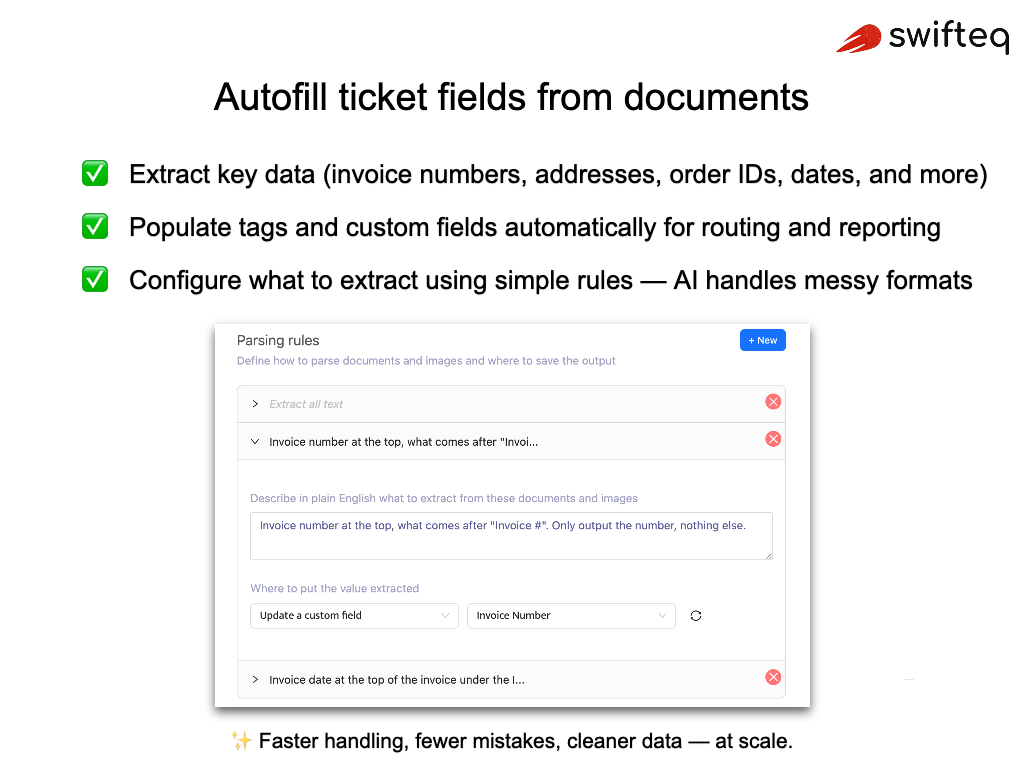
Go beyond simple text extraction. Define rules to automatically identify and extract specific data — invoice numbers, customer IDs, addresses, dates, and more — and populate custom fields automatically.
✅ AI-Powered Data Recognition
Use AI to intelligently recognize and extract structured data from complex documents like invoices, medical forms, shipping labels, and contracts.