- Category rank
- #38 in eComm and Payments
- Listing audit
- 65/100
WooCommerce by Zenplates is a Zendesk Marketplace app by Zenplates. With a rating of 5.0★ from 2 reviews, it currently ranks #38 in the eComm and Payments category.
WooCommerce by Zenplates is the #38 ranked eComm and Payments app on Zendesk, with a 5.0 average rating from 2 reviews, as of Nov 17, 2026.
AppRanks verdict
Generated from marketplace data as of Nov 17, 2026
WooCommerce by Zenplates ranks #38 of 243 in eComm and Payments on Zendesk. It holds a 5.0★ average from 2 reviews on Zendesk.
Pros
- No standout positives in the measured data.
Cons
- −Only 2 reviews — the average can still move with a few new ratings
About WooCommerce by Zenplates
How WooCommerce by Zenplates works
Show full descriptionShow less
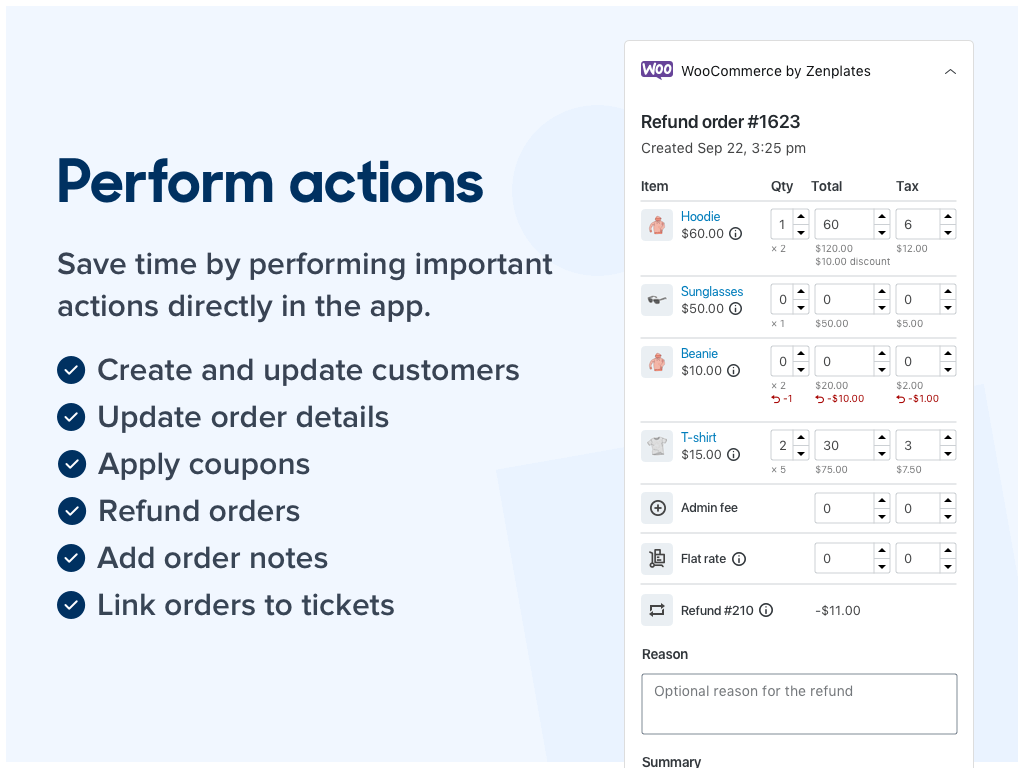
This beautifully simple app gives you a comprehensive view of each customer and their order history, making it easy to provide personalized support and a better customer experience. You'll save time and money by having contextual information presented to you within Zendesk, without the need to juggle multiple platforms or perform manual searches. Important actions can also be taken with a single click, empowering both you and your agents.
There are no potentially risky plugins to install in your WordPress account and the app supports all native WooCommerce functionality and product types. Simply start a free 7 day trial to seamlessly integrate Zendesk Support with your WooCommerce store.
Contextual information when it's needed
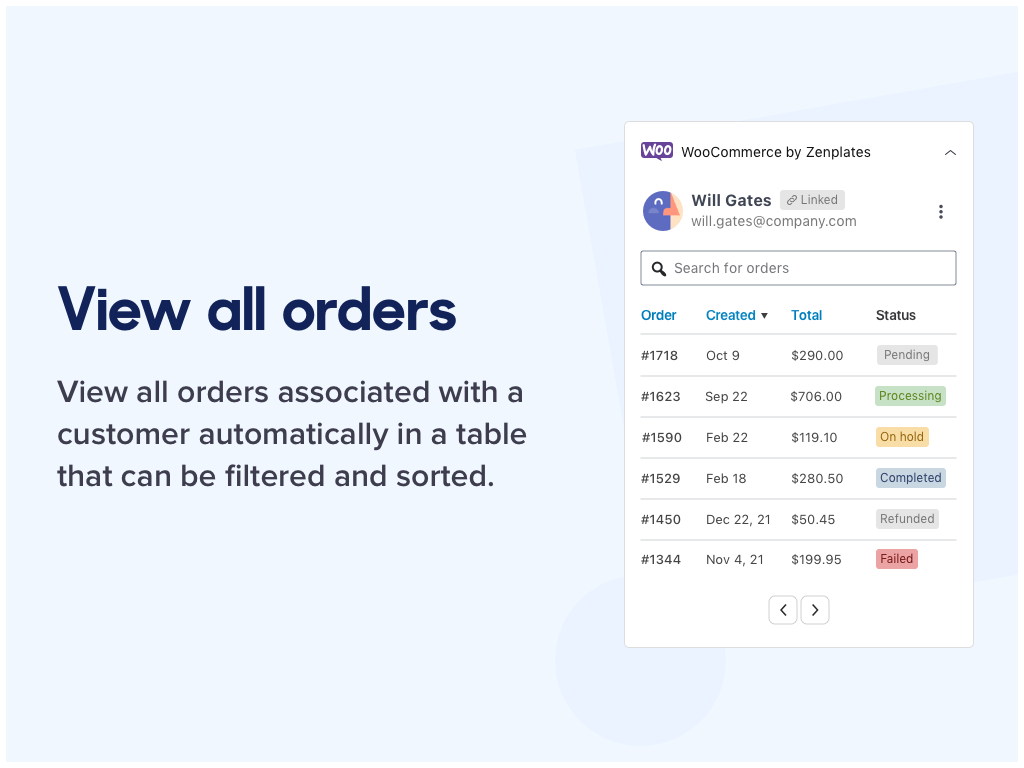
The app will display the customer associated with the ticket by default, but you can search for and view other customers at any time. The Orders table allows you to view all orders associated with the customer (or guest) and even search for other orders within your WooCommerce store.
On the Orders page you can:
View all orders associated with the ticket requester
Search for other customers and orders within WooCommerce
Filter orders by ID or a search term
Sort orders by ID or their created date
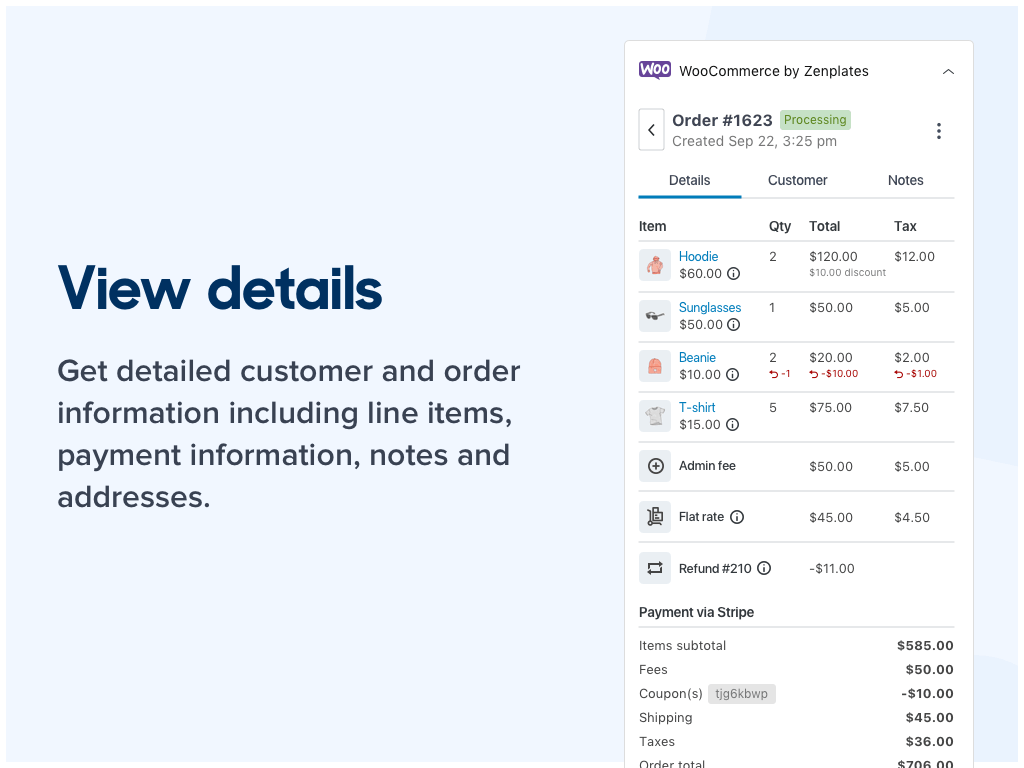
On the Order page you can immediately access:
The order number, created date and status