- Category rank
- #165 in eComm and Payments
- Listing audit
- 67/100
Twinewell for ShipStation is a Zendesk Marketplace app by Great Work LLC.
Twinewell for ShipStation is the #165 ranked eComm and Payments app on Zendesk, as of Nov 20, 2026.
AppRanks verdict
Generated from marketplace data as of Nov 20, 2026
Twinewell for ShipStation ranks #165 of 244 in eComm and Payments on Zendesk. It has no reviews on Zendesk yet.
Pros
- No standout positives in the measured data.
Cons
- −No reviews yet — fit and reliability are unverified by other merchants
About Twinewell for ShipStation
How Twinewell for ShipStation works
Show full descriptionShow less
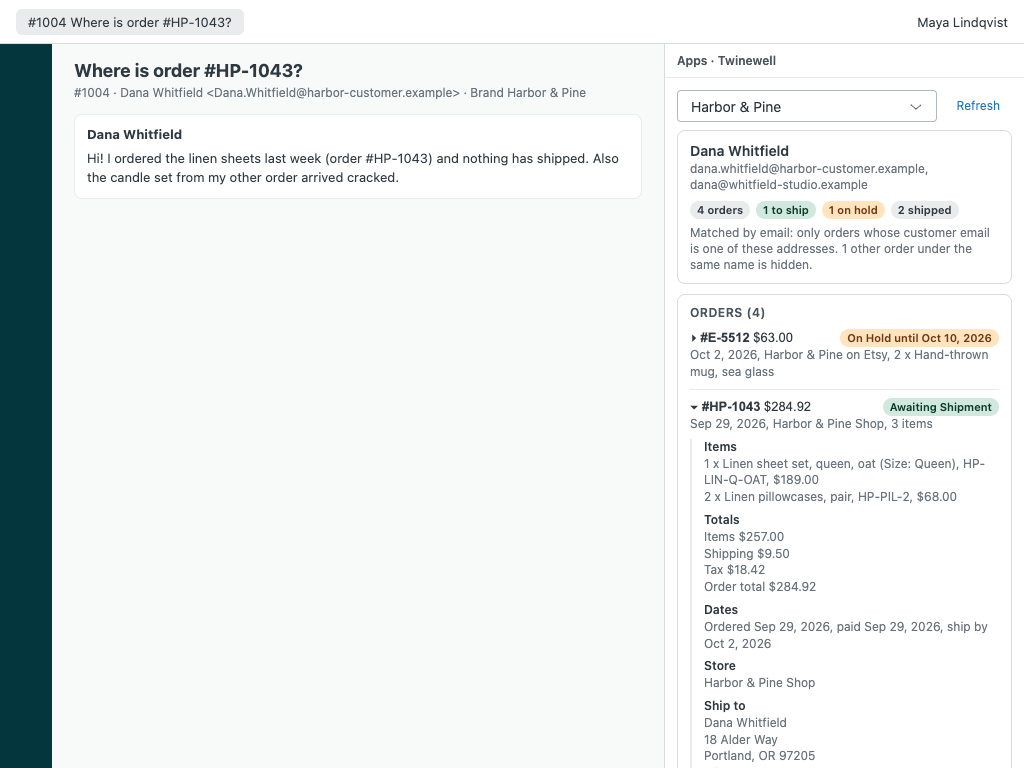
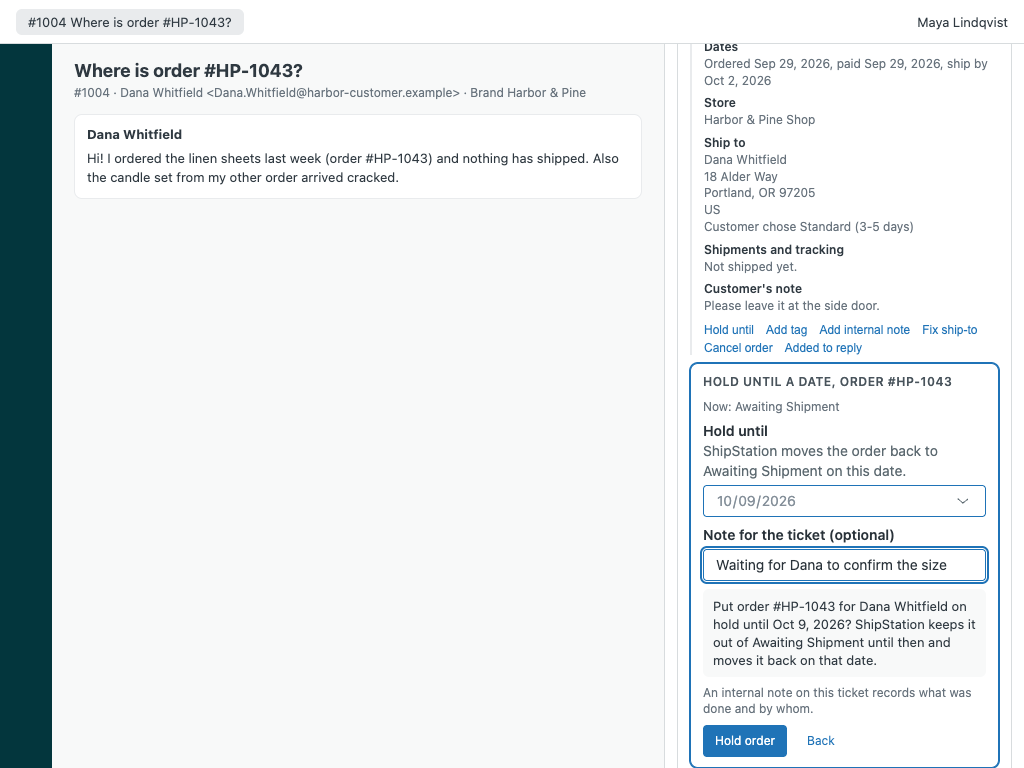
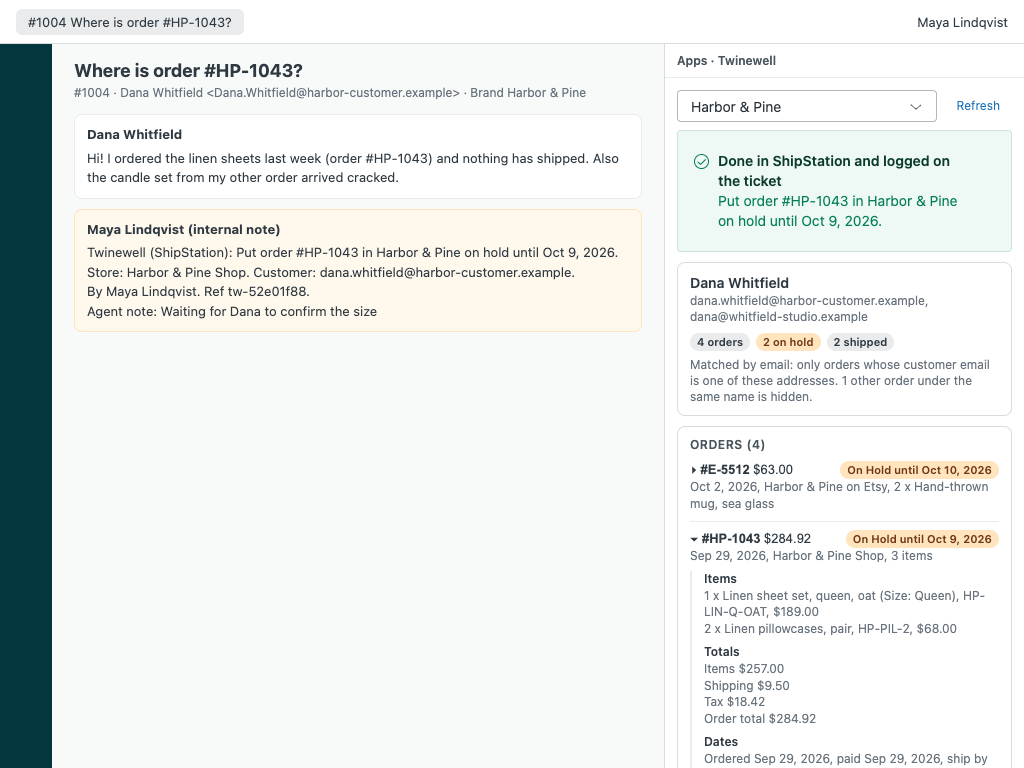
Your customer's ShipStation orders on the ticket, matched by their email address, with tracking links, holds, tags, notes and address fixes. Twinewell shows the orders a customer placed next to their ticket: items, totals, store, status, ship-by date, ship-to address and every shipment with a link to the carrier's tracking page. Agents you allow can hold an order, release a hold, tag it, add an internal note or fix the ship-to address before it ships, and every action is written to the ticket as an internal note. It won't show you every order placed by a Michael.
Twinewell is built by Great Work LLC. It is not made or endorsed by Zendesk or ShipStation. ShipStation is a trademark of its owner.
The right customer's orders, every time
Matched by email, exactly. Twinewell searches by the customer's name and any order numbers in the ticket, then keeps only orders whose email is on their Zendesk profile. Other customers with the same name stay hidden.
Each order in full: items with SKUs, totals, dates, ship-by date, store, chosen service, ship-to address, the customer's note, gift message and internal notes.
Tracking you can click: every label with its carrier, service and ship date, linked to the carrier's own tracking page. Voided and return labels are marked.
Insert status in reply adds the order's status and tracking links to your reply in one click.
Several stores and accounts: map each Zendesk brand to its stores.
No match? Look up an order number, a tracking number or a full name from the sidebar.