Jira Service Management by IntegrateCloud for Zendesk
- Category rank
- #109 in IT and HR
- Listing audit
- 66/100
Jira Service Management by IntegrateCloud is a Zendesk Marketplace app by Integratedcloud.
Jira Service Management by IntegrateCloud is the #109 ranked IT and HR app on Zendesk, free to install, with charges billed separately, as of Oct 20, 2026.
AppRanks verdict
Generated from marketplace data as of Oct 20, 2026
Jira Service Management by IntegrateCloud ranks #109 of 144 in IT and HR on Zendesk. It has no reviews on Zendesk yet. It is free to install, with charges billed separately — check the plans below.
Pros
- No standout positives in the measured data.
Cons
- −No reviews yet — fit and reliability are unverified by other merchants
About Jira Service Management by IntegrateCloud
How Jira Service Management by IntegrateCloud works
Show full descriptionShow less
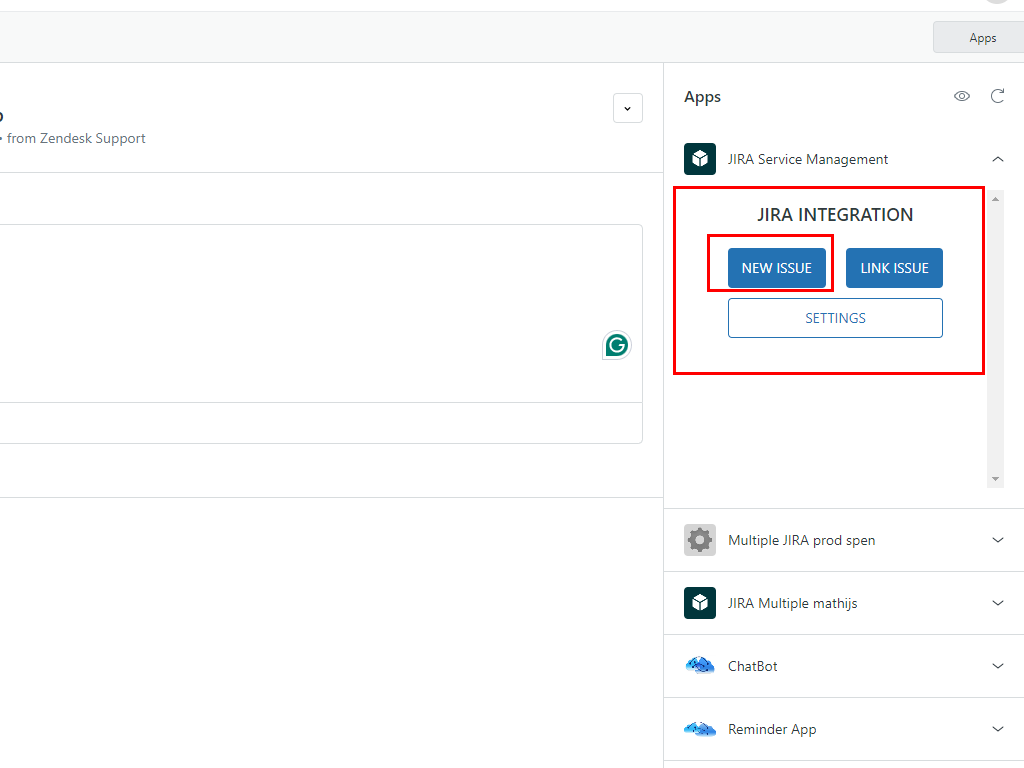
IntegrateCloud creates a seamless workflow between Zendesk Support tickets and Jira issues and unites your support and engineering teams.Support teams can easily escalate and link Zendesk tickets to Jira issues. Notify engineering of bugs that are impeding your customer's experience and get updates on the issue's resolution—all from within Zendesk
Link one or more Zendesk tickets to existing Jira issues.
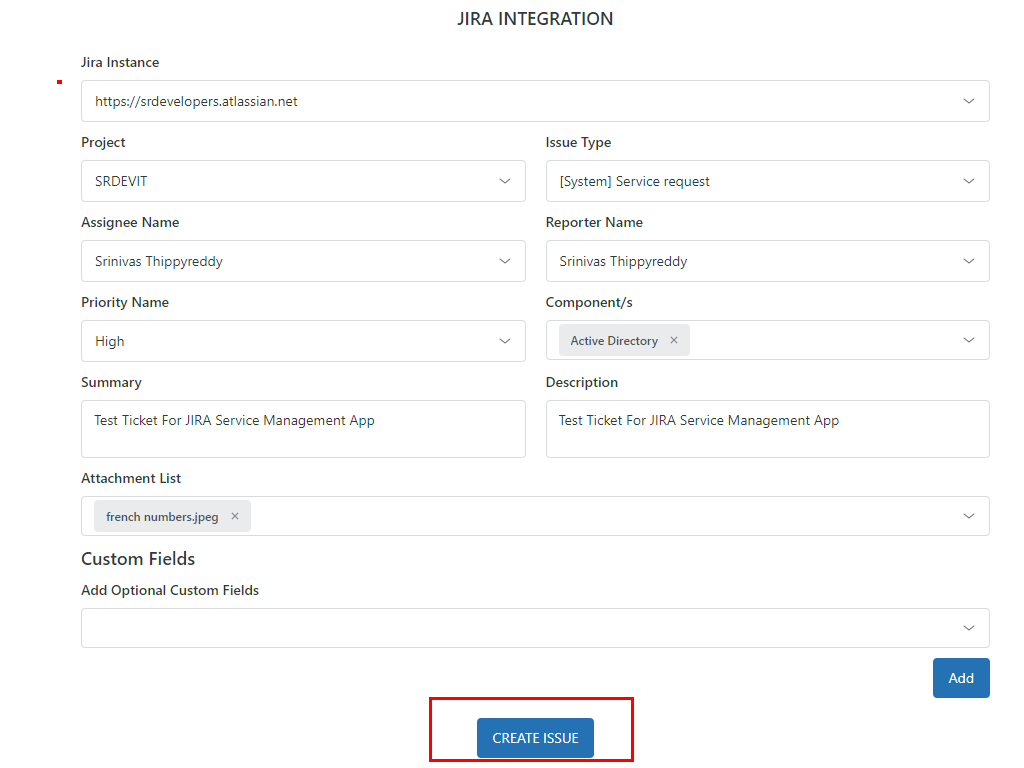
Create a new Jira issue from within Zendesk with all the info your engineering team needs.
Notify a Jira user through a comment in Zendesk.
Tags from Zendesk to Jira are shared allowing you to power your workflows.
JIRA Integration App by IntegrateCloud allows the users to create JIRA Issues right inside the Zendesk form.It also allows you to link existing Zendesk tickets to an existing JIRA Issues.
Zendesk - Multiple JIRA app by IntegrateCloud also allows syncing of comments and status and other custom fields from Zendesk to JIRA and from JIRA to Zendesk .syncing of comments from Zendesk to JIRA and JIRA to Zendesk will help you alot in increasing the productivity of your team.
Zendesk - The Zendesk JIRA app by IntegrateCloud is easy to setup and use.The Zendesk -Multiple JIRA app provides huge number of features in the app like Create New JIRA Issue, Link Existing JIRA Issue, Notify linked JIRA Issues
Create JIRA Issue **
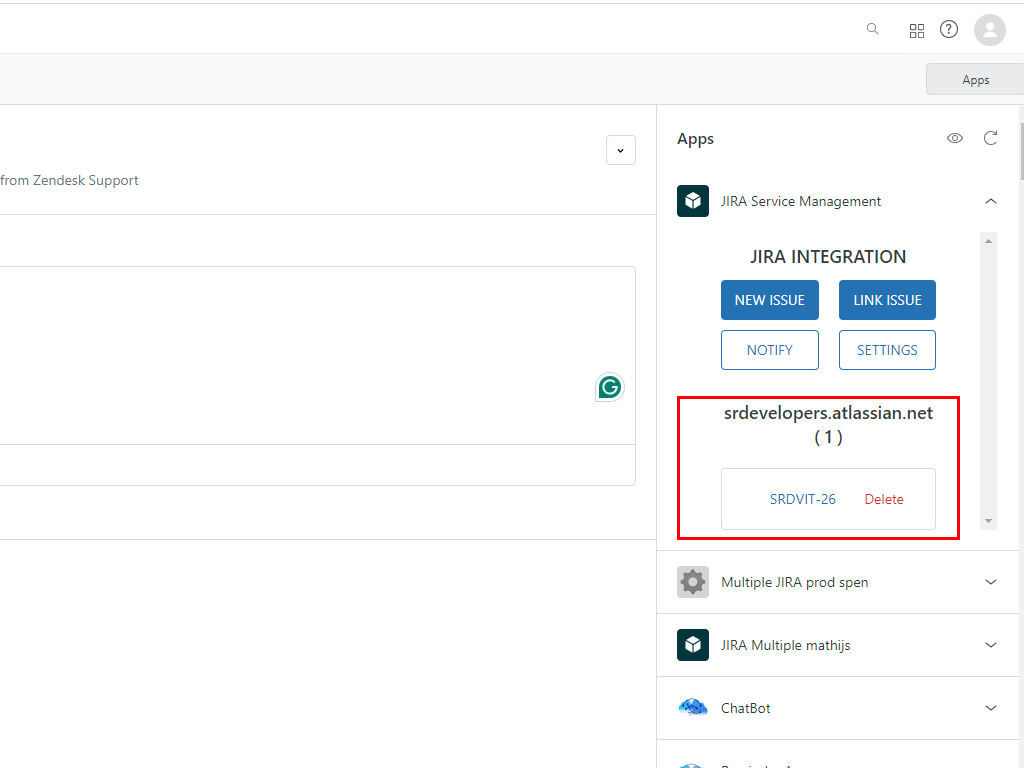
When clicked on the Create Issue button it loads the JIRA project, JIRA Issue type and based on the selection it will load all the JIRA fields like reporter, assignee custom fields The User can make the selection and click on Create Issue which would create issue in JIRA and then display the corresponding JIRA Id in the App.