- Category rank
- #10 in Surveys and Reviews
- Listing audit
- 64/100
Stylo Sentiment Scores is a Zendesk Marketplace app by Stylo. With a rating of 5.0★ from 11 reviews, it currently ranks #10 in the Surveys and Reviews category.
Stylo Sentiment Scores is the #10 ranked Surveys and Reviews app on Zendesk, with a 5.0 average rating from 11 reviews, free to install, with charges billed separately, as of Nov 20, 2026.
AppRanks verdict
Generated from marketplace data as of Nov 20, 2026
Stylo Sentiment Scores ranks #10 of 130 in Surveys and Reviews on Zendesk. It holds a 5.0★ average from 11 reviews on Zendesk. It is free to install, with charges billed separately — check the plans below.
Pros
- No standout positives in the measured data.
Cons
- −Only 11 reviews — the average can still move with a few new ratings
About Stylo Sentiment Scores
How Stylo Sentiment Scores works
Show full descriptionShow less
Powered by OpenAI's GPT-4o, our AI offers sentiment scoring, categorization, ticket automation, and advanced reporting.
Try Stylo Scores for free for the first 14 days! No credit card required.
What Can Stylo Scores Do?
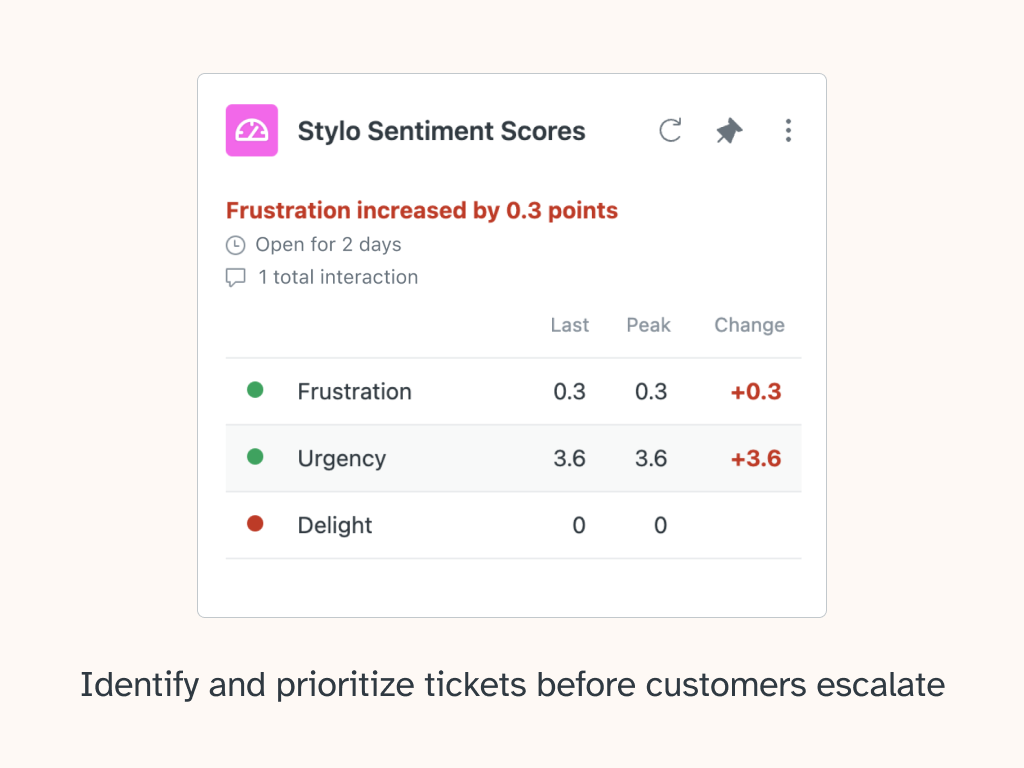
Identify and prioritize important tickets before customers escalate
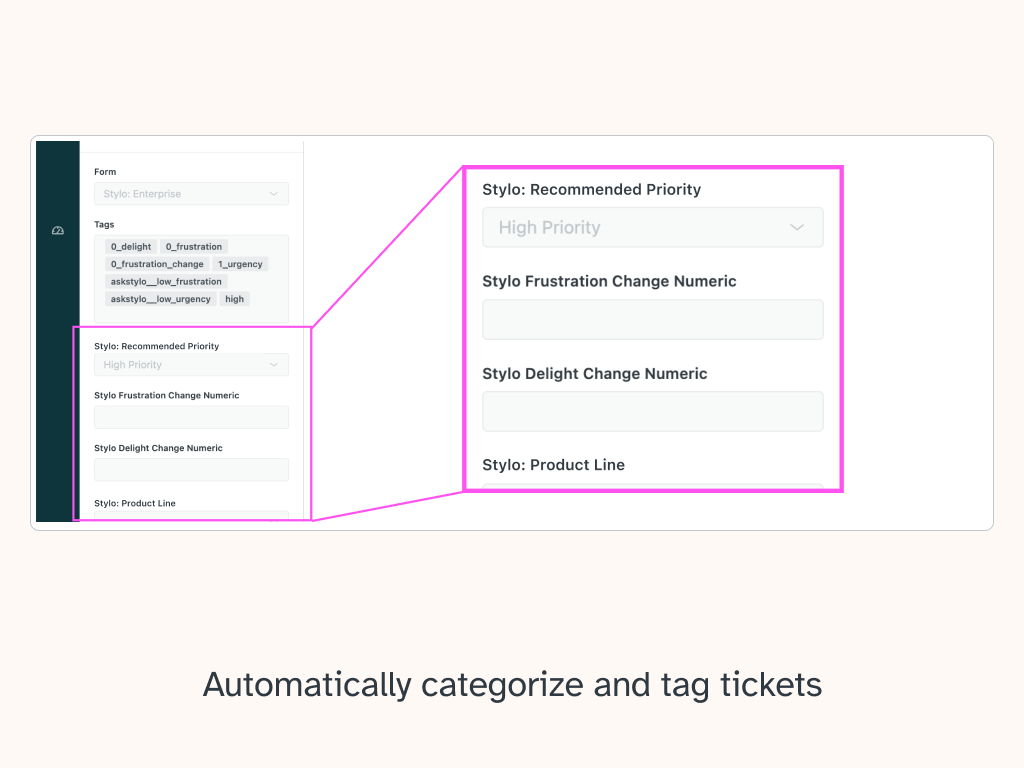
Automatically categorize and tag tickets for powerful reporting
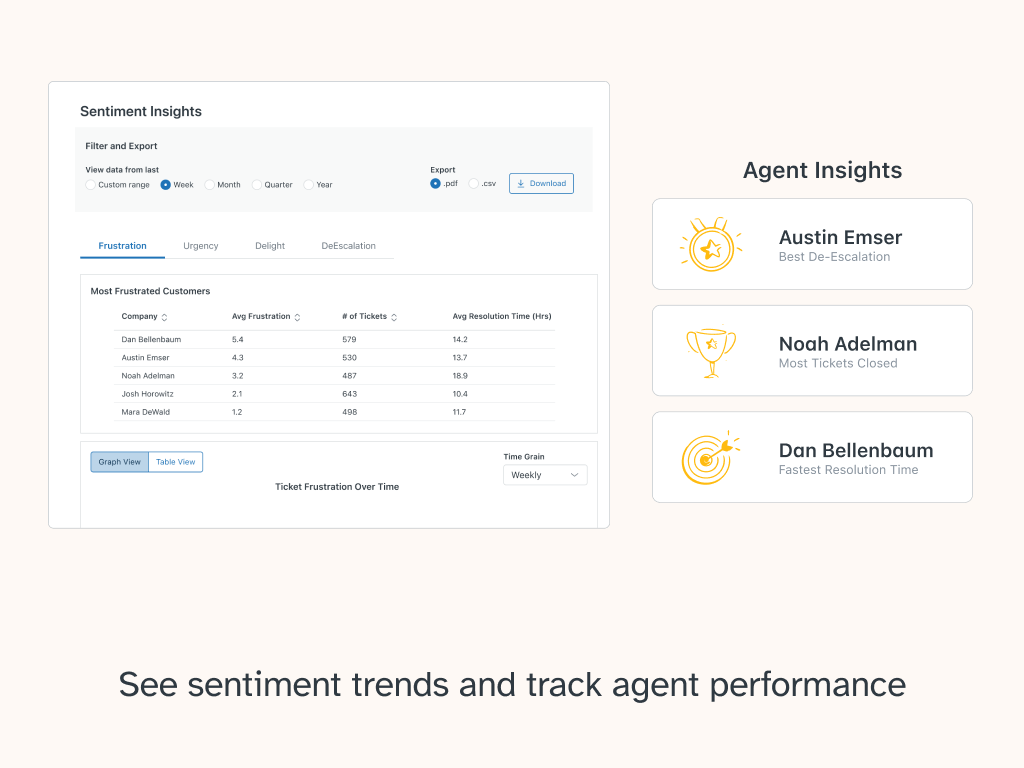
Unlock product insights with sentiment trends
Track agent performance trends
Enhance customer care by identifying which accounts need attention sooner
Stylo Sentiment Scores + Automations
Stylo Scores computes three key emotions in every customer interaction: frustration, urgency, and delight. These scores are added as ticket fields that update every time a ticket is changed, showing your team the current and changing emotional state of your customers based on their ticket content, with no training necessary.
Use Stylo Scores to create Zendesk triggers and automations that notify you or your team about frustrated customers, urgent inquiries, and help prevent messy escalations. With our Score Management capabilities, you can see how many tickets fall into a “high”, “medium”, or “low” category for each score and fine tune score settings to match your team's needs. Automatically boost a ticket's priority in the queue, or even send a Slack message to a channel when a high value customer reaches out.