
Hash Form – Drag & Drop Form Builder for WordPress Plugin Directory
By hashthemes
Hash Form – Drag & Drop Form Builder is the #38 ranked form app on WordPress, with a 5.0 average rating from 2 reviews, as of Sep 2, 2026.
Hash Form – Drag & Drop Form Builder is a WordPress Plugin Directory app by hashthemes. With a rating of 5.0★ from 2 reviews, it currently ranks #38 in the Form category.
AppRanks data: Hash Form – Drag & Drop Form Builder ranks #38 in Form on WordPress Plugin Directory, placing it in the top 7% of that category.
AppRanks verdict
Generated from live marketplace data — refreshed daily
Hash Form – Drag & Drop Form Builder is a category-leading WordPress app with a limited review volume. It is listed in the Form category on WordPress Plugin Directory, which AppRanks treats as the canonical taxonomy node for ranking and competitor comparison. 2 reviews put it in the early-traction tier — useful for early-stage stores willing to be on the leading edge. Early-traction review counts are sensitive to single launch periods or feature events, so a 30-day re-check before bigger commitments often resolves whether the trend is sustained. Paid-only pricing means evaluating fit on the marketplace listing or via the developer's documentation before installing. AppRanks tracks rating, review count, pricing tier, and category position daily — the figures on this page reflect the most recent scrape from the canonical WordPress Plugin Directory listing.
Pros
- +High average rating (5.0★) signals consistent merchant satisfaction
- +Published by hashthemes — established developer track record
Cons
- −Limited review base (2) — ratings can shift significantly with new feedback
Looking to switch from Hash Form – Drag & Drop Form Builder?
See Hash Form – Drag & Drop Form Builder's alternatives ranked by audit score, rating, and review velocity.
How Hash Form – Drag & Drop Form Builder works
Show full descriptionShow less
Hash Form is a free drag and drop form builder for WordPress. Build a form, style it to match your site, and embed it anywhere, with no code and no paywall on the features you actually need.
Use it for contact, feedback, survey, registration and quote forms. Drag fields onto a row and column canvas, set the styling, add conditional logic, and publish. The full field set, entry storage, styling and email tools are all in the free plugin, not held back for a paid tier.
Forms You Can Build Hash Form is not tied to one type of form. The same canvas and field set cover a two field contact box and a long, multi section application.
Contact and enquiry forms: name, email, phone and message, with the built in captcha keeping spam out.
Feedback and review forms: star ratings alongside open comments, so you collect a score and the reason behind it.
Surveys and questionnaires: radio, checkbox, dropdown, image choice and range slider questions, with conditional logic revealing follow up questions only when they apply.
Registration and sign up forms: events, memberships, courses, workshops or a simple newsletter opt in.
Quote and estimate requests: number, dropdown and slider fields that size a job properly before you reply to it.
Booking and appointment requests: date and time fields for reservations, consultations and callback slots.
Job applications: address and date fields with a file upload for a CV, cover letter or portfolio.
Support and helpdesk tickets: category dropdowns, priority options and screenshot uploads.
File submission forms: collect documents, images or artwork through an upload field limited to the types you allow.
Order and request forms: quantity spinners and product choices for made to order, wholesale or catering enquiries.
Polls and votes: single choice questions, including image based options.
Whatever the form, every submission is stored as an entry on your own site and can be emailed to whoever needs to see it.
What You Get
Free, and not limited: 27 field types, unlimited forms and unlimited entries, with no upgrade wall on everyday features.
A real canvas: arrange fields in rows and columns, not a fixed single column.
Full design control: set typography, colour and spacing, then save it as a style template you reuse across forms.
Entries kept on your site: every submission is stored and searchable, so a missed email never loses a lead.
Embed anywhere: a shortcode, the Gutenberg block, or the Elementor widget.
Privacy option: turn off Google font requests so forms do not share visitor data by default.
Available Field Types Assemble any form from a full set of drag and drop, fully styleable fields.
Name: The Name field provides flexibility for collecting names in various formats, such as Full Name, First Last, Last First, and First Middle Last.
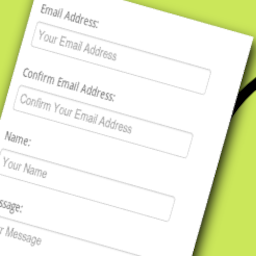
Email: The email field type serves the purpose of collecting users’ email addresses, enabling communication for notifications about upcoming events or responding to any inquiries they may have.
Website/URL: Add a ‘Website/URL’ field in your contact form for users to share their website addresses, providing context for inquiries and networking.
Address: Users can provide their complete address by filling in these fields, offering a comprehensive way to collect location information. This can be particularly useful for various purposes such as event planning, shipping, or personalized communication.
Text: The single line text field collects short, free form answers that fit on one line, such as a name, a subject, or a reference number.
Text Area: The textarea element is commonly employed in forms to gather user inputs such as comments or reviews. Unlike single line input fields, a text area can accommodate an unlimited number of characters.
Checkbox: Checkboxes provide users with the flexibility to choose from a range of options, enabling the easy selection of preferences. This feature helps in distinctly capturing user choices, streamlining the data collection process for enhanced efficiency.
Dropdown: In a contact form, a dropdown appears as a compact menu with a default option. Users can click or tap to reveal and choose from a list of options.
Radio Buttons: Radio buttons in a contact form are circular elements for selecting a single option from a set. Users can choose only one option, making them ideal for questions with mutually exclusive answers.
Image Selector: The Image Selector feature enables you to integrate pictures into your contact forms, serving as visual representations of available options. Users can conveniently choose their preferred selection by interacting with the images provided.
Range Slider: A range slider is a UI element with two draggable handles, allowing users to set numeric ranges visually. Widely used in applications for data filtering and preference setting, it offers an intuitive and visually engaging way for users to define their numeric preferences.
Star: Gather user ratings with a star based input, perfect for feedback or reviews.
Phone: Collect customer contact details with the convenient phone field type, streamlining communication for your online platform.
Date and Time: Capture specific dates and times, crucial for scheduling or event related details
HTML: Embed custom HTML code, providing flexibility for advanced customization.
ReCAPTCHA: ReCAPTCHA holds significant importance in the context of a contact form. It acts as a crucial security layer, discerning between human users and automated bots. By incorporating challenges like distorted characters or image selections, it effectively thwarts spam submissions and safeguards the form from malicious activities.
User ID: The User ID field is designed to store the ID number of a logged in user upon form submission. This functionality facilitates the linkage of submitted entries to specific users on your website, enhancing the organization and association of user generated content.
Hidden: A hidden field enables web developers to incorporate data that remains unseen and unmodifiable by users during form submission. Typically, a hidden field stores information such as the database record that requires updating upon form submission.
Heading: You have the flexibility to select suitable headings for your titles, similar to the formatting options available in WordPress. Choose from a range of heading levels, including H1, H2, H3, H4, H5, and H6.
Paragraph: Add descriptive text for instructions or additional information.
Separator: A separator is a dividing line in form. Choose styles like solid, double, dotted, dashed, groove, and ridge for customization.
Spacer: A spacer is a useful tool for creating gaps between elements in a contact form. It allows you to add space by specifying the number of pixels.
Image: The Image section in your contact form enables you to incorporate pictures, providing users with visual context about the content or purpose of the form.
Spinner: The Spinner element provides users with an intuitive interface to easily select numeric values by spinning a control mechanism.
Number: The Number Field is employed to gather numeric values, encompassing integers, decimals, or percentages. Users are restricted to inputting only numerical data into this field.
Upload: This feature allows respondents to effortlessly submit diverse files, enriching data collection with images, documents, or other relevant attachments. Seamlessly integrated into the form, the upload field ensures an intuitive experience, and submitted files can be securely managed for further analysis or processing.
Drag and Drop Builder Arrange fields on a row and column canvas, reorder them by dragging, and get a responsive layout without writing code.
Design and Style Templates Control typography, colour and spacing down to the detail, then save the result as a style template and apply it to any form so your forms stay consistent across the site.
Conditional Logic Show or hide fields based on earlier answers, so each form stays short and relevant to the person filling it in.
Entry Management Every submission is saved and listed on an Entries screen. Read answers, star the ones worth following up, search, and trash entries from one place.
Email Notifications and Auto Responder Get notified on every submission, and send an automatic reply so visitors know their message arrived.
Email Templates Choose from several email templates, add a header image, and send a test email before you go live.
Confirmation Messages Show a confirmation message after a submission, or redirect the visitor to any page you choose.
Embed Anywhere Add a form with a shortcode, the Gutenberg block, or the Elementor widget, whichever suits how you build.
Spam Protection Built in Google reCAPTCHA v2 and v3, with language and, for v3, score threshold settings.
Reliable Email Delivery Works with WP Mail SMTP so notifications send over a configured SMTP connection rather than the server’s default mailer.
Import and Export Export a form to a file and import it on another site, without rebuilding it.
Test It First Try every feature in a live sandbox at the Hash Form test dashboard before you install.
Documentation and Support Step by step guides and reference are in the Hash Form documentation. For anything else, our support team is available through support tickets.
Category rankings
As of Sep 4, 2026- Form#38of 551Top 7%
- Contact Form#57of 594Top 10%
See 90-day rank history for each category
Track daily rank changes, category shifts, and position volatility.
Keyword rankings
Hash Form – Drag & Drop Form Builder ranks for 10 keywords across WordPress Plugin Directory. Here are the top 3:
- Rank #23
- Rank #25
- Rank #29
Competitors & alternatives
Hash Form – Drag & Drop Form Builder doesn't have curated competitor matchups yet. Other tracked form apps on WordPress:





Where Hash Form – Drag & Drop Form Builder stands in the Form category
Hash Form – Drag & Drop Form Builder ranks #38 of 551 apps in the Form category, placing it in the top 7% of the listing.
Frequently asked questions
What is Hash Form – Drag & Drop Form Builder?
Hash Form – Drag & Drop Form Builder is an app for WordPress. It currently holds a 5.0-star rating from 2 merchant reviews, and AppRanks has been tracking its public marketplace data on the refresh cadence published in our methodology. It is listed under the Form category on AppRanks, where you can see its current category position, review-velocity trend, and how it compares against the top alternatives in the same space. Developed by hashthemes.
Who uses Hash Form – Drag & Drop Form Builder?
Currently around 3,000 active stores have installed Hash Form – Drag & Drop Form Builder. Its review base is still building, which usually maps to early-stage merchants and stores piloting a new workflow. It is part of the Form category on WordPress.
Where does Hash Form – Drag & Drop Form Builder rank on WordPress?
Hash Form – Drag & Drop Form Builder currently sits at position #38 in the Form category on WordPress. That places it in the top 7% of 551 apps tracked in the same category. Category positions are read from the live marketplace ranking and refresh on each scrape, so the number you see here reflects the most recent crawl rather than a long-running average.