Contact Form Clean and Simple for WordPress Plugin Directory
By fullworks
Contact Form Clean and Simple is the #23 ranked form app on WordPress, with a 4.7 average rating from 195 reviews, as of Sep 2, 2026.
Contact Form Clean and Simple is a WordPress Plugin Directory app by fullworks. With a rating of 4.7★ from 195 reviews, it currently ranks #23 in the Form category.
AppRanks data: Contact Form Clean and Simple ranks #23 in Form on WordPress Plugin Directory, placing it in the top 5% of that category.
AppRanks verdict
Generated from live marketplace data — refreshed daily
Contact Form Clean and Simple is a highly rated WordPress app with a growing review traction. It is listed in the Form category on WordPress Plugin Directory, which AppRanks treats as the canonical taxonomy node for ranking and competitor comparison. 195 reviews put it in the early-traction tier — useful for early-stage stores willing to be on the leading edge. Early-traction review counts are sensitive to single launch periods or feature events, so a 30-day re-check before bigger commitments often resolves whether the trend is sustained. Paid-only pricing means evaluating fit on the marketplace listing or via the developer's documentation before installing. AppRanks tracks rating, review count, pricing tier, and category position daily — the figures on this page reflect the most recent scrape from the canonical WordPress Plugin Directory listing.
Pros
- +High average rating (4.7★) signals consistent merchant satisfaction
- +Published by fullworks — established developer track record
Cons
- −No declared third-party integrations on the listing — verify compatibility with your existing tools before installing
Looking to switch from Contact Form Clean and Simple?
See Contact Form Clean and Simple's alternatives ranked by audit score, rating, and review velocity.
How Contact Form Clean and Simple works
Show full descriptionShow less
A clean and simple AJAX contact form with Google reCAPTCHA, flexible CSS framework support, spam filtering, and REST API support for headless WordPress implementations.
Clean: all user inputs are stripped in order to avoid cross-site scripting (XSS) vulnerabilities.
Simple: AJAX enabled validation and submission for immediate response and guidance for your users (can be switched off).
Flexible Styling: Choose your CSS framework – Bootstrap (default), Theme Native (inherits your theme’s styles), or Minimal (semantic classes for complete custom styling).
REST API Support: Enable headless WordPress implementations to submit forms via authenticated REST API endpoints.
Accessible: Built with accessibility in mind – proper ARIA attributes, keyboard navigation, screen reader support, and WCAG AA compliant color contrast.
This is a straightforward contact form for your WordPress site. There is very minimal set-up
required. Simply install, activate, and then place the short code [cscf-contact-form] on your web page.
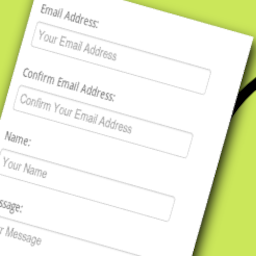
A standard set of input boxes are provided, these include Email Address, Name, Message and a nice big ‘Send Message’ button.
When your user has completed the form an email will be sent to you containing your user’s message.
To reply simply click the ‘reply’ button on your email client.
The email address used is the one you have set up in WordPress under ‘Settings’ -> ‘General’, so do check this is correct.
To help prevent spam all data is scanned can be scanned with Fullworks Anti Spam Pro.
For this to work you must have the Fullworks Anti Spam Pro Plugin installed and activated.
Fullworks Anti Spam Pro will also log all your messages, categorized as spam or not, automatically.
For added piece of mind this plugin also allows you to add a ‘reCAPTCHA’.
This adds a picture of a couple of words to the bottom of the contact form.
Your user must correctly type the words before the form can be submitted, and in so doing, prove that they are human.
Why Choose This Plugin? Granted there are many plugins of this type in existence already. Why use this one in-particular?
Here’s why:
Minimal setup. Simply activate the plugin and place the shortcode [cscf-contact-form] on any post or page.
Safe. All input entered by your user is stripped back to minimise as far as possible the likelihood of any
malicious user attempting to inject a script into your website.
If the Fullworks Anti Spam Pro plugin is activated all form data will be scanned for spam.
You can turn on reCAPTCHA to avoid your form being abused by bots, however Fullworks Anti Spam Pro will do this without reCAPTCHA.
Ajax enabled. You have the option to turn on AJAX (client-side) validation and submission which gives your users an immediate response when completing the form without having to wait for the page to refresh.
The form can integrate seamlessly into your website. Turn off the plugin’s default css style sheet so that your theme’s style sheet can be used instead.
Flexible CSS styling: Choose from Bootstrap, Modern (with dark mode), Theme Native, or Minimal styling modes to match your site’s design.
This plugin will only link in its jQuery file where it’s needed, it will not impose itself on every page of your whole site!
Works with the latest version of WordPress.
Original plugin written by an experienced PHP programmer, Megan Nicholas, the code is rock solid, safe, and rigorously tested as standard practice.
Headless WordPress ready. REST API support allows you to submit forms from decoupled frontends, mobile apps, or any external application with proper authentication.
Hopefully this plugin will fulfil all your needs.
PHP 8 Ready Tested on PHP 8.4
How to Use Unless you want to change messages or add reCAPTCHA to your contact form then this plugin will work out of the box without any additional setup.
Important: Check that you have an email address set-up in your WordPress ‘Settings’->’General’ page. This is the address that the plugin will use to send the contents of the contact form.
To add the contact form to your WordPress website simply place the shortcode [cscf-contact-form] on the post or page that you wish the form to appear on.
If you have Jetpack plugin installed disable the contact form otherwise the wrong form might display.
Additional Settings This plugin will work out of the box without any additional setup. You have the option to change the default messages that are displayed to your user and to add reCAPTCHA capabilities.
Go to the settings screen for the contact form plugin.
You will find a link to the setting screen against the entry of this plugin on the ‘Installed Plugins’ page.
Here is a list of things that you can change
Message: The message displayed to the user at the top of the contact form.
Message Sent Heading: The message heading or title displayed to the user after the message has been sent.
Message Sent Content: The message content or body displayed to the user after the message has been sent.
CSS Framework: Choose how the form is styled:
Bootstrap (Default): Uses Bootstrap CSS classes for full Bootstrap compatibility. Best for themes already using Bootstrap.
Modern (Card style): A beautiful, opinionated modern design with card-style layout, large inputs, and CSS variables for easy customization. Includes automatic dark mode support.
Theme Native: Uses minimal classes with WordPress’s wp-element-button for the submit button. The form inherits your theme’s native form styles.
Minimal: Uses semantic CSS classes only (cscf-field, cscf-input, etc.) for complete custom styling control.
Use this plugin’s default stylesheet: The plugin comes with a default style sheet to make the form look nice for your user. Untick this if you want to use your theme’s stylesheet instead. The default stylesheet will simply not be linked in. This option is most relevant when using the Bootstrap CSS framework.
Use client side validation (Ajax): When ticked the contact form will be validated and submitted on the client giving your user instant feedback if they have filled the form in incorrectly. If you wish the form to be validated and submitted only to the server then untick this option.
Use reCAPTCHA: Tick this option if you wish your form to have a reCAPTCHA box. ReCAPTCHA helps to avoid spam bots using your form by checking that the form filler is actually a real person. To use reCAPTCHA you will need to get a some special keys from google https://www.google.com/recaptcha/admin/create. Once you have your keys enter them into the Public key and Private key boxes
reCAPTCHA Public Key: Enter the public key that you obtained from here.
reCAPTCHA Private Key: Enter the private key that you obtained from here.
reCAPTCHA Theme: Here you can change the reCAPTCHA box theme so that it fits with the style of your website.
Recipient Emails: The email address where you would like all messages to be sent.
This will default to the email address you have specified under ‘E-Mail Address’ in your WordPress General Settings.
If you want your mail sent to a different address then enter it here.
You may enter multiple email addresses by clicking the ‘+’ button.
Confirm Email Address: Email confirmation is now optional. To force your user to re-type their email address tick ‘Confirm Email Address’.
It is recommended that you leave this option on. If you turn this option off your user will only have to enter their email address once,
but if they enter it incorrectly you will have no way of getting back to them!
Email Subject: This is the email subject that will appear on all messages. If you would like to set it to something different then enter it here.
Override ‘From’ Address: If you tick this and then fill in the ‘From Address:’ box then all email will be sent from the given address NOT from the email address given by the form filler.
**Option to allow enquiry to email themselves a copy of the message.
Contact consent: This option allows you to be GDPR compliant by adding a ‘Consent to contact’ check box at the bottom of the form.
Enable REST API: Turn on REST API support to allow headless WordPress implementations to submit forms.
Required User Capability: Set the minimum WordPress user capability required to use the REST API (default: edit_posts).
REST API for Headless WordPress This plugin includes REST API support, making it perfect for headless WordPress implementations, mobile applications, and decoupled frontend frameworks like React, Vue.js, or Angular.
Enabling REST API
Go to the plugin settings page
Find the “REST API Settings” section
Check “Enable REST API”
Set the required user capability (default: edit_posts)
Save your settings
API Endpoint POST /wp-json/cscf/v1/submit
Authentication The REST API requires WordPress user authentication. Users must be logged in and have the capability specified in settings (default: edit_posts).
For headless implementations, you can use:
– Application Passwords (WordPress 5.6+)
– JWT Authentication plugins
– OAuth plugins
– Basic Authentication (development only)
Request Format Send a POST request with JSON body:
`json
{
“name”: “John Doe”,
“email”: “[email protected]”,
“confirm_email”: “[email protected]”,
“message”: “Your message here”,
“phone_number”: “+1234567890”,
“contact_consent”: true,
“email_sender”: false,
“post_id”: 123
}
`
Required fields:
– name: Sender’s name
– email: Sender’s email address
– message: The message content
Optional fields:
– confirm_email: Required if email confirmation is enabled in settings
– phone_number: Required if phone number is set as mandatory in settings
– contact_consent: Required if contact consent is enabled in settings
– email_sender: Set to true to send a copy to the sender
– post_id: The ID of the page/post where the form would normally be displayed
Response Format Success Response (200):
json
{
"success": true,
"message": "Message Sent"
}
Validation Error Response (400):
json
{
"code": "validation_failed",
"message": "Validation failed.",
"data": {
"status": 400,
"errors": {
"email": "Please enter a valid email address.",
"message": "Please enter a message."
}
}
}
Authentication Error Response (401):
json
{
"code": "rest_forbidden",
"message": "Authentication required.",
"data": {
"status": 401
}
}
Example Implementation JavaScript (fetch API):
`javascript
const formData = {
name: “John Doe”,
email: “[email protected]”,
confirm_email: “[email protected]”,
message: “This is a test message from the REST API”
};
fetch(‘https://yoursite.com/wp-json/cscf/v1/submit’, {
method: ‘POST’,
headers: {
‘Content-Type’: ‘application/json’,
‘Authorization’: ‘Bearer YOUR_AUTH_TOKEN’
},
body: JSON.stringify(formData)
})
.then(response => response.json())
.then(data => {
if (data.success) {
console.log(‘Message sent successfully!’);
} else {
console.error(‘Validation errors:’, data.data.errors);
}
});
`
Important Notes
REST API is disabled by default for security
reCAPTCHA is bypassed for REST API submissions (authentication provides security)
All other form validations and spam filtering still apply
Form submissions via REST API are processed identically to regular submissions
Email notifications work the same way as standard form submissions
Demo Demo site coming soon.
Category rankings
As of Sep 4, 2026- Form#23of 551Top 5%
- Contact Form#43of 594Top 8%
See 90-day rank history for each category
Track daily rank changes, category shifts, and position volatility.
Keyword rankings
Contact Form Clean and Simple ranks for 6 keywords across WordPress Plugin Directory. Here are the top 3:
- Rank #16
- Rank #52
- 3.formRank #82
Competitors & alternatives
Contact Form Clean and Simple doesn't have curated competitor matchups yet. Other tracked form apps on WordPress:






Where Contact Form Clean and Simple stands in the Form category
Contact Form Clean and Simple ranks #23 of 551 apps in the Form category, placing it in the top 5% of the listing.
Frequently asked questions
What is Contact Form Clean and Simple?
Contact Form Clean and Simple is an app for WordPress. It currently holds a 4.7-star rating from 195 merchant reviews, and AppRanks has been tracking its public marketplace data on the refresh cadence published in our methodology. It is listed under the Form category on AppRanks, where you can see its current category position, review-velocity trend, and how it compares against the top alternatives in the same space. Developed by fullworks.
Who uses Contact Form Clean and Simple?
Currently around 7,000 active stores have installed Contact Form Clean and Simple. Its review base of 195 suggests adoption is concentrated in growth-stage and mid-market stores. It is part of the Form category on WordPress.
Where does Contact Form Clean and Simple rank on WordPress?
Contact Form Clean and Simple currently sits at position #23 in the Form category on WordPress. That places it in the top 4% of 551 apps tracked in the same category. Category positions are read from the live marketplace ranking and refresh on each scrape, so the number you see here reflects the most recent crawl rather than a long-running average.