- Category rank
- #19 in WEM
- Listing audit
- 62/100
Ticket Checklist is a Zendesk Marketplace app by Marquee Apps.
Ticket Checklist is the #19 ranked WEM app on Zendesk, as of Nov 13, 2026.
AppRanks verdict
Generated from marketplace data as of Nov 13, 2026
Ticket Checklist ranks #19 of 69 in WEM on Zendesk. It has no reviews on Zendesk yet.
Pros
- No standout positives in the measured data.
Cons
- −No reviews yet — fit and reliability are unverified by other merchants
About Ticket Checklist
How Ticket Checklist works
Show full descriptionShow less
Set the steps your team must not skip, and Ticket Checklist checks them every time an agent saves a ticket. Missing a category before solving? A follow-up date before setting Pending? Forgot to confirm the customer's identity? The agent is told exactly what is missing, before the ticket is saved.
How it works
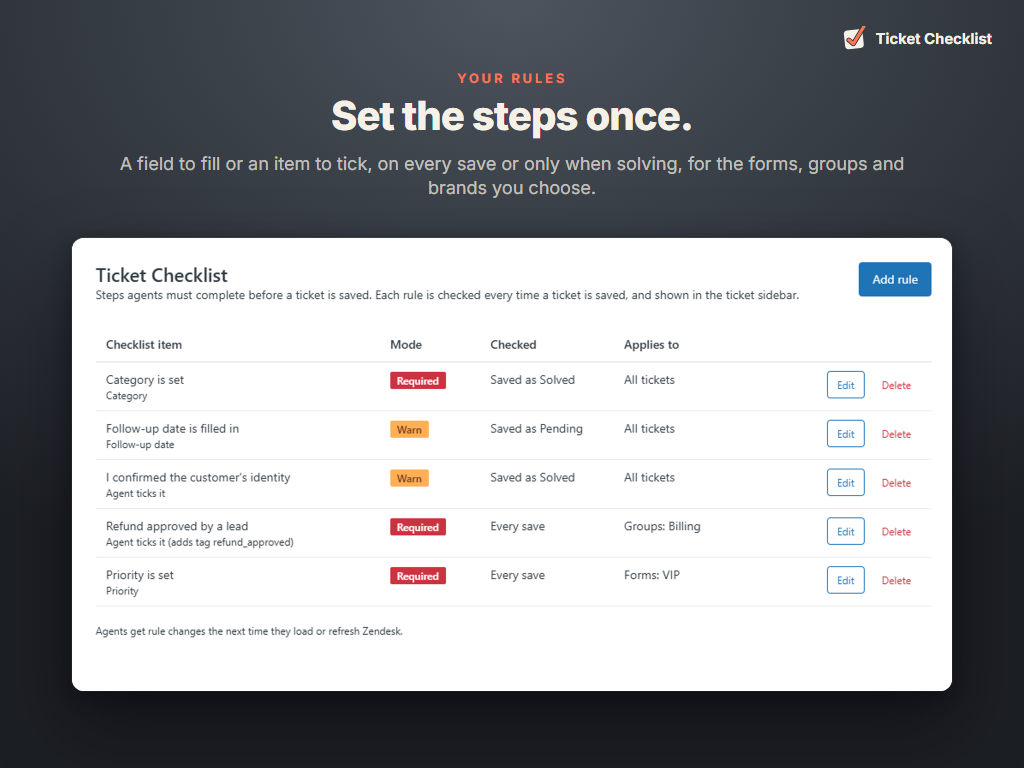
Checklist rules. An admin adds rules from the app's icon in the left navigation: a ticket field that must be filled in, or an item the agent must tick, such as "I confirmed the customer's identity".
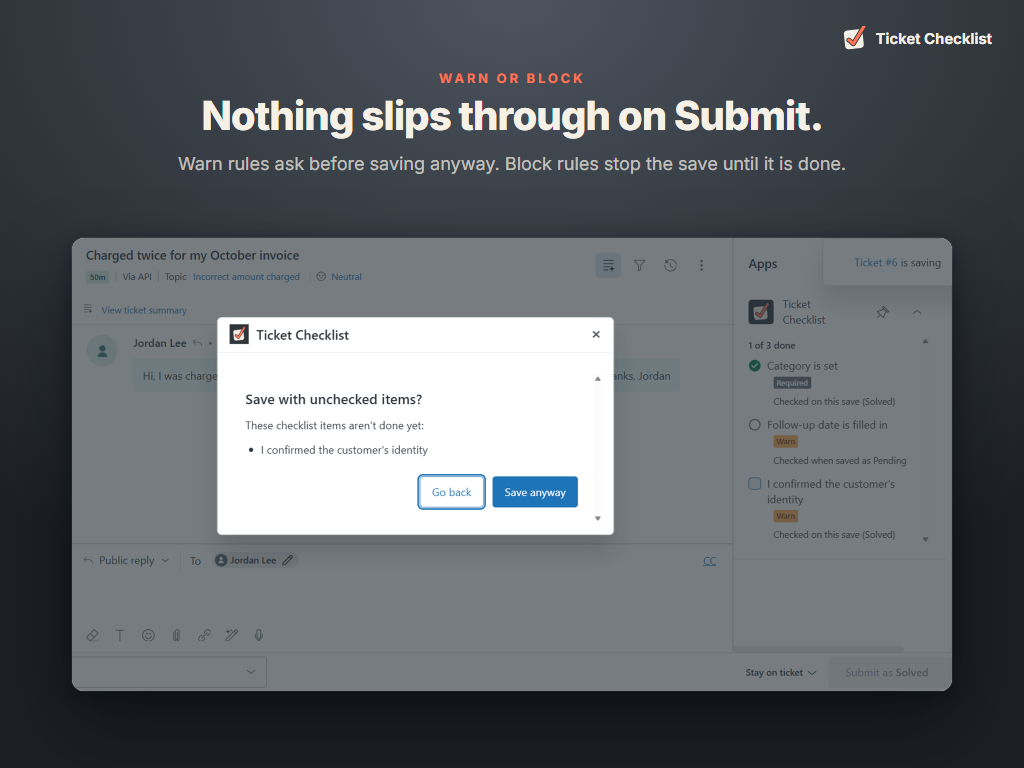
Warn or Block. A Warn rule asks the agent to confirm before saving anyway. A Block rule stops the save until it is fixed. Either way the message names what is missing.
Only when it matters. A rule can apply to every save, or only when the ticket is saved as Solved, Pending, On-hold, Open or New.
Only where it matters. Limit a rule to certain ticket forms, groups or brands, or leave it on for all tickets.
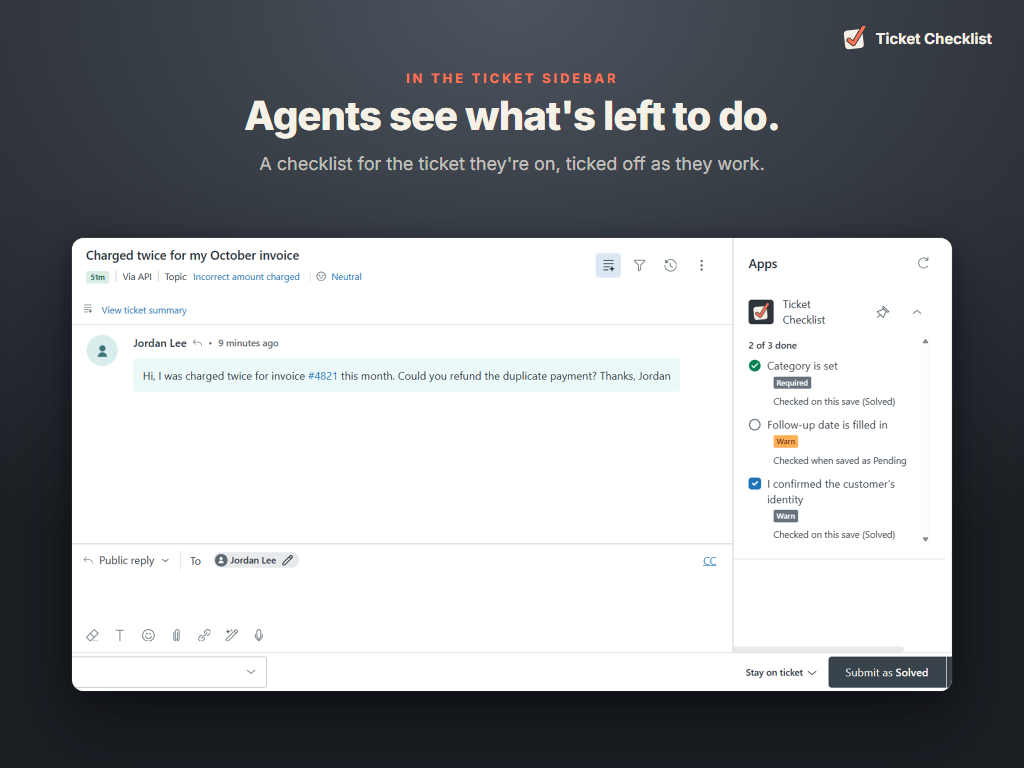
A checklist in the sidebar. Agents see the items for the ticket they are on, ticked off as they go.
An audit trail if you want one. A tick item can add a tag to the ticket when ticked, so it is saved with the ticket and shows up in views and reports.
Data and privacy
Ticket Checklist runs entirely inside your Zendesk account. It has no server and sends no data to Marquee Apps or anyone else.
In the agent's browser, it reads the open ticket's status, form, brand, group, assignee, type, priority, tags and the fields your rules name, to check the rules. Nothing is copied or stored.