- Category rank
- #169 in Reporting and Analytics
- Listing audit
- 59/100
Mello Claims is a Zendesk Marketplace app by Mello.
Mello Claims is the #169 ranked Reporting and Analytics app on Zendesk, free to install, with charges billed separately, as of Nov 17, 2026.
AppRanks verdict
Generated from marketplace data as of Nov 17, 2026
Mello Claims ranks #169 of 279 in Reporting and Analytics on Zendesk. It has no reviews on Zendesk yet. It is free to install, with charges billed separately — check the plans below.
Pros
- No standout positives in the measured data.
Cons
- −No reviews yet — fit and reliability are unverified by other merchants
About Mello Claims
How Mello Claims works
Show full descriptionShow less
About Mello
Mello is a freight audit and claims platform that helps shippers and logistics teams recover money lost to carrier errors. Mello automatically audits parcel and freight invoices for overcharges and streamlines the filing and tracking of damage, loss, and shortage claims across carriers — turning a slow, manual recovery process into an automated one.
What Mello Claims does
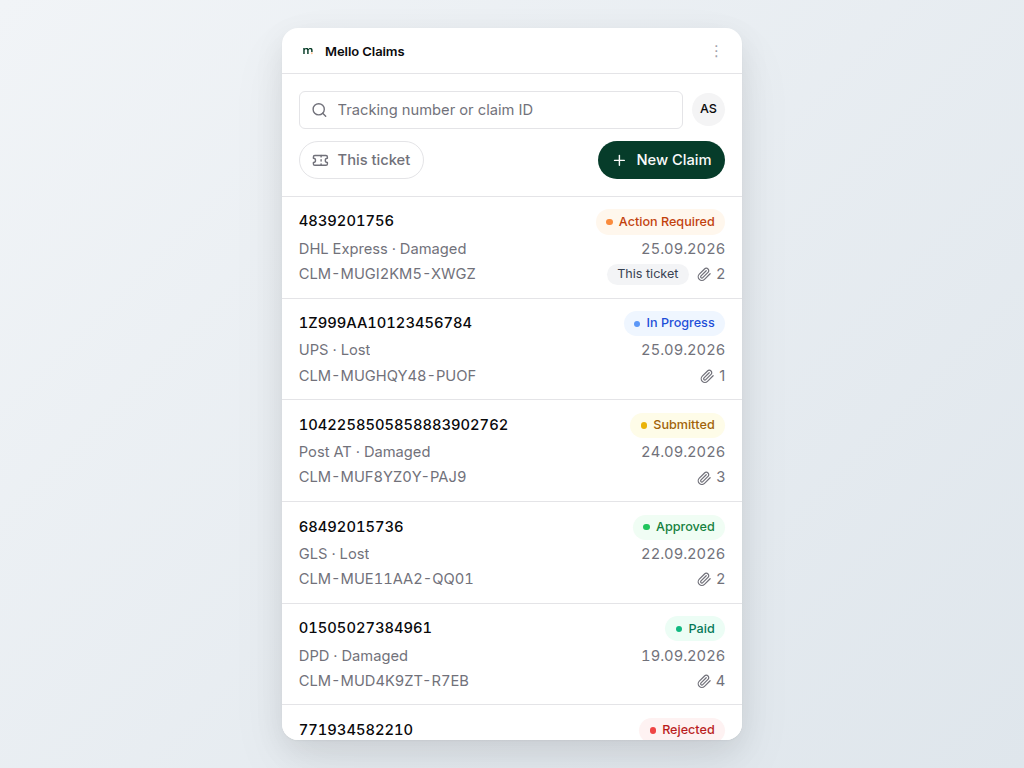
Mello Claims brings that recovery workflow directly into Zendesk Support. When a customer contacts your team about a damaged, lost, or delayed shipment, your agents can answer for an existing claim and file a new one without ever leaving the ticket:
- Sign in with your own Mello account using a secure "Login with Mello" flow (OAuth 2.0 with PKCE) — no API keys to copy and no credentials stored in the app.
- Open on your claims list and search it by claim reference or tracking number, or narrow it to the claims filed from the ticket you are on.
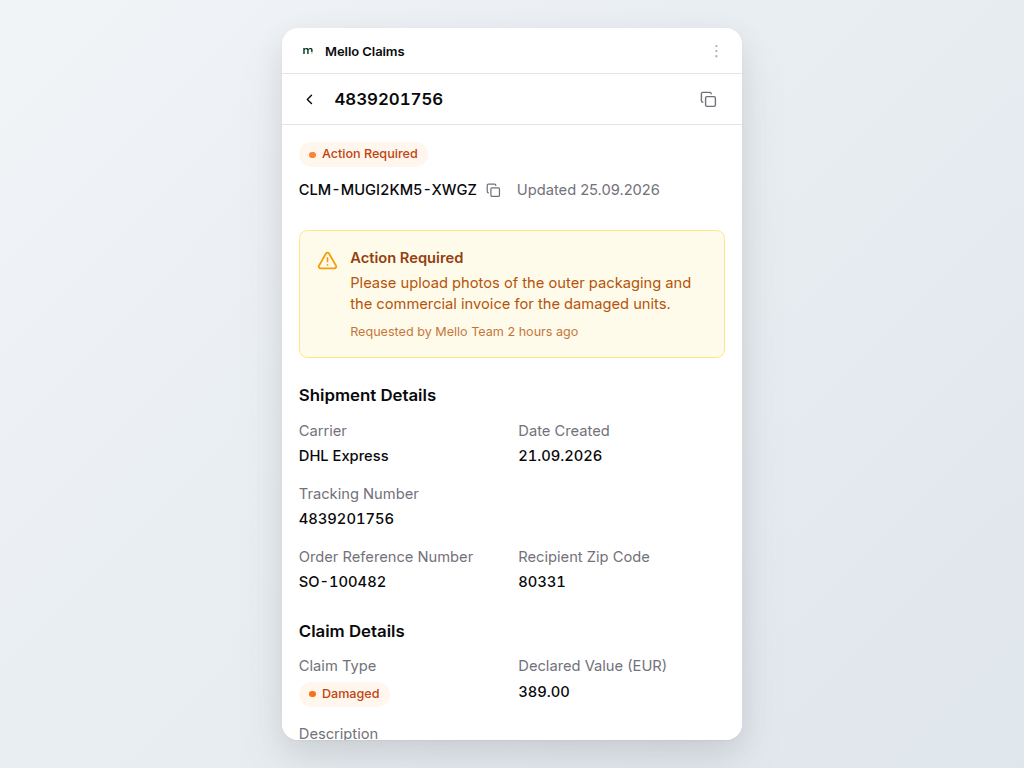
- Open any claim to see exactly what Mello shows you: its status, the reason behind a rejection or a request for more information, the shipment and claim details, supporting documents, the carrier conversation and the full activity history.
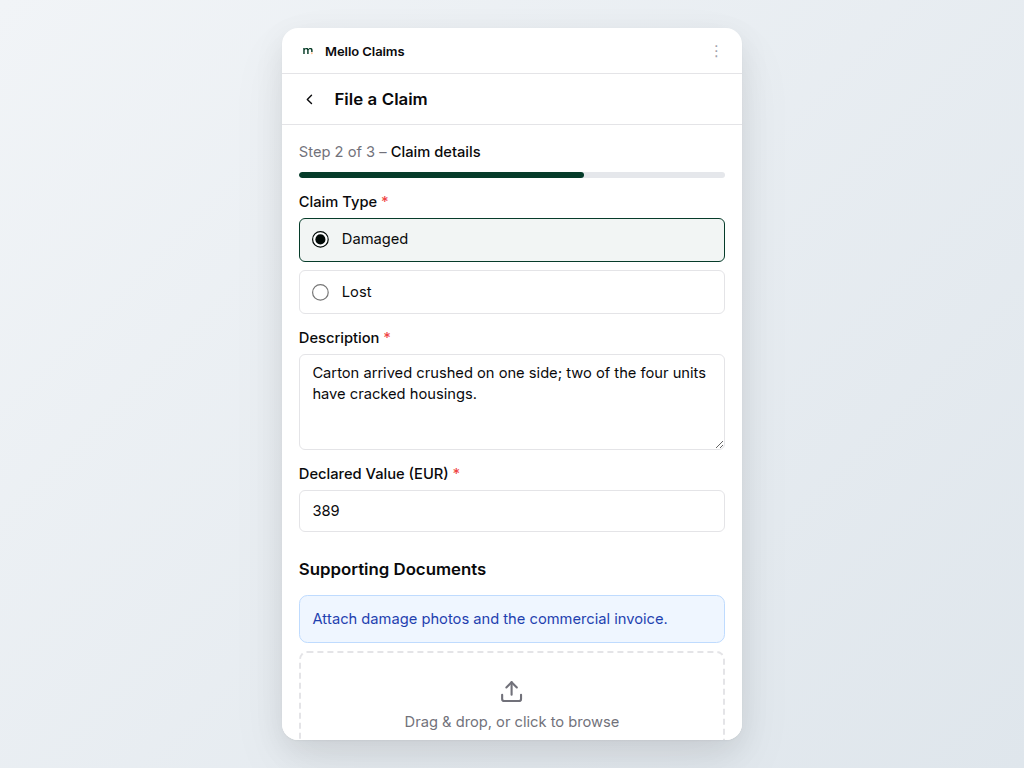
- File claims from a guided, three-step form that is generated dynamically from your per-carrier configuration in Mello, so it always matches your setup and required fields.
- Attach supporting documents (photos, invoices, proof of value) straight from the ticket.