
Smart Forms – when you need more than just a contact form for WordPress Plugin Directory
By EDGARROJAS
Smart Forms – when you need more than just a contact form is the #30 ranked form app on WordPress, with a 4.5 average rating from 219 reviews, as of Sep 2, 2026.
Smart Forms – when you need more than just a contact form is a WordPress Plugin Directory app by EDGARROJAS. With a rating of 4.5★ from 219 reviews, it currently ranks #30 in the Form category.
AppRanks data: Smart Forms – when you need more than just a contact form ranks #30 in Form on WordPress Plugin Directory, placing it in the top 6% of that category.
AppRanks verdict
Generated from live marketplace data — refreshed daily
Smart Forms – when you need more than just a contact form is a highly rated WordPress app with a growing review traction. It is listed in the Form category on WordPress Plugin Directory, which AppRanks treats as the canonical taxonomy node for ranking and competitor comparison. 219 reviews put it in the early-traction tier — useful for early-stage stores willing to be on the leading edge. Early-traction review counts are sensitive to single launch periods or feature events, so a 30-day re-check before bigger commitments often resolves whether the trend is sustained. Paid-only pricing means evaluating fit on the marketplace listing or via the developer's documentation before installing. AppRanks tracks rating, review count, pricing tier, and category position daily — the figures on this page reflect the most recent scrape from the canonical WordPress Plugin Directory listing.
Pros
- +High average rating (4.5★) signals consistent merchant satisfaction
- +Published by EDGARROJAS — established developer track record
Cons
- −Sparse visual evidence (0 screenshots) — harder to evaluate the UX before installing
Looking to switch from Smart Forms – when you need more than just a contact form?
See Smart Forms – when you need more than just a contact form's alternatives ranked by audit score, rating, and review velocity.
How Smart Forms – when you need more than just a contact form works
Show full descriptionShow less
Smart Forms
Want to see a demo? Click here
Want to create a form with calculations? This is the best plugin for you And Here Is Why
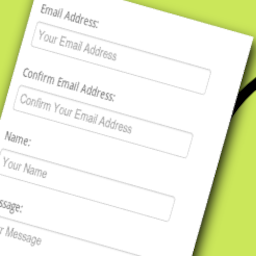
So you want to create a beautiful form, the problem is, you are not a developer and of course you have no time to learn any of that?, well, if that is you (or your client) this is the plugin for you.
This plugin is focused in making really easy the process of creating your forms, with it you can add formulas to calculate totals (it doesn’t matter if your totals require complex calculations) or show the fields that you need just when you need them.
Emailing is easy, you can even send different types of emails to different persons at the same time, again no coding needed at all since everything is configured in a friendly screen.
You do know programing or web development? That’s fine!, even though it is not needed, because there is a friendly interface for everything, you can still use those skills to add custom css or javascript code into your form and tweak it as you want it.
If you want to learn more keep reading, there is a list of features bellow, or even better check out the video tutorials here: http://smartforms.rednao.com/tutorials. I hope you like it =).
Features:
Responsive Forms– The forms adjust automatically to available space, making them look great in a pc or any device.
Shortcode Forms– The forms can be easily added to any post or page using a shortcode or block.
Forms Entry Screen– Easily view responses you can also edit them.
Export to pdf or csv– Export the submitted information as pdf or csv.
Customizable forms emails– After a form is submitted, send notification email with any information, and in any format that you need.
Conditional emails– Configure a type of email to be send only when a condition is met
Calculated forms fields– Formulas fill fields automatically (up to three fields per formula in the free version)
Custom forms fields– The plugin currently supports these custom forms elements: name, phone, email, address, number, captcha (free version support up to 8 fields per form).
File Uploader (pro)– Allows you to upload files in a form; you can configure the form to accept only one file or multiple files.
Conditional Logic– Show and hide fields depending on values in other fields; allows you to have an all-in-one form all in one place, instead of in multiple pages; prevents forms from overwhelming users.
Tons of icons to decorate your form– Create awesome forms with more than 200 icons; more coming soon.
Style editor– Change the aspect of your form with the build-in style editor, or if you are a designer create your own css rules easily.
JavaScript editor_ Create your own JavaScript code and customize your form exactly as you want it.
Forms Compatible with Smart donations– – You can create paypal forms with this plugin, and also enjoy all the power of smart donations (https://wordpress.org/plugins/smart-donations/, a smart donation license is required).
Multiple Step Forms(pro)– Split your forms in section, making them easier to understand and submit.
Smart forms quick tutorials Special thanks to
Designmodo – https://www.iconfinder.com/icons/115789/trash_icon#size=16
Installing Smart Forms
1. Upload smart forms to the /wp-content/plugins/ directory
2. Activate the item named ‘smart forms’ in the ‘Plugins’ menu in WordPress
3. Go to Smart Forms /Add new and create a new form
4. To add the form to a widget go to widgets and drag the smart form widget
5. To add the form to a post type [sform]formid[/sform] (example:[sform]1[/sform]), you can find the formid of your form on the form list
Creating a new Forms
1. Follow “Installing Smart Forms”
2. Click in smart forms
3. Click in add new
4. Drag the forms elements that you want to display
3. (Optional) If you want to do an additional action after a form is submitted. Go to the forms after submit tab, you can:
a)Send a notification email with the form information
b)Show an alert with the text that you want. This alert is shown after the form was successfully saved.
c)Redireect the user that submitted the form to another page.
4. Save the form.
5. After the form is saved you might want to add the form to a post (Follow “Add form to a post”) or add the form to a widget (Follow “Add form to a widget”)
6. For a video tutorial please visit the smart forms tutorial screen
Add the form to a post
1. Follow “Installing Smart Forms”
2. Follow “Creating a new Form” to have your new form.
3. Go to a page or post
4. Click in the smart forms button
5. A pop up will show with the list of forms that you have created in Smart Forms. Select the form that you want.
6. Save the post.
7. When you visit the post the form will show up
8. For a video tutorial please visit the smart forms tutorial screen
Add the form as a widget
1. Follow “Installing Smart Forms”
2. Follow “Creating a new Form” to have your new form.
3. Go to the widget configuration
4. You will see an Smart Forms widget, drag it to wherever you want to display the form
5. The widget will contain the list of all the forms that you have created with Smart Forms.
6. Select the form that you want
7. The widget will display the form
8. For a video tutorial please visit the smart forms tutorial screen
Configuring forms notification email
1. Follow “Installing Smart Forms”
2. Click in smart forms
3. Click in add new
4. Drag the forms elements that you want
5. Go to edit email (in the forms after submit tab)
6. Configure the email as you want it. You can click in the field buttons to add form values
7. Put the emails that you want to be notified of a form submission in the “Send email to” box, you can also define a form field.
8. Save the form
9. For a video tutorial please visit the smart forms tutorial screen
Category rankings
As of Sep 4, 2026- Form#30of 551Top 6%
- Contact Form#50of 594Top 9%
See 90-day rank history for each category
Track daily rank changes, category shifts, and position volatility.
Keyword rankings
Smart Forms – when you need more than just a contact form ranks for 7 keywords across WordPress Plugin Directory. Here are the top 3:
- 1.formsRank #41
- Rank #84
- Rank #124
Competitors & alternatives
Smart Forms – when you need more than just a contact form doesn't have curated competitor matchups yet. Other tracked form apps on WordPress:





Frequently asked questions
What is Smart Forms – when you need more than just a contact form?
Smart Forms – when you need more than just a contact form is an app for WordPress. It currently holds a 4.5-star rating from 219 merchant reviews, and AppRanks has been tracking its public marketplace data on the refresh cadence published in our methodology. It is listed under the Form category on AppRanks, where you can see its current category position, review-velocity trend, and how it compares against the top alternatives in the same space. Developed by EDGARROJAS.
Who uses Smart Forms – when you need more than just a contact form?
Currently around 5,000 active stores have installed Smart Forms – when you need more than just a contact form. Its review base of 219 suggests adoption is concentrated in growth-stage and mid-market stores. It is part of the Form category on WordPress.
Where does Smart Forms – when you need more than just a contact form rank on WordPress?
Smart Forms – when you need more than just a contact form currently sits at position #30 in the Form category on WordPress. That places it in the top 5% of 551 apps tracked in the same category. Category positions are read from the live marketplace ranking and refresh on each scrape, so the number you see here reflects the most recent crawl rather than a long-running average.