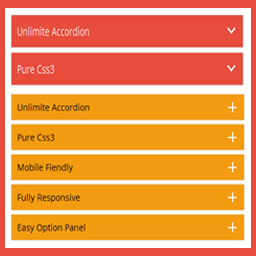
Accordions – Responsive Accordion & FAQ Plugin for WordPress
Create beautiful, responsive accordions and FAQ sections with multiple styles, skins, and advanced customization—perfect for organizing content and improving UX. Useful Links Upgrade to Pro Live Preview Documentation Plugin Features Fully responsive. All Browser support. Unlimited Accordions anywhere in the theme. Use via short-code. 5 Different Themes. Drag & Drop Accordion sorting. WP Editor for accordion content. Custom Title background color. Custom Title Font color. Custom Title Font Size. Custom Content Background Color. Custom Content Font Color. Custom Content Font Size. Content Padding Option. Add and remove accordion item from backend. Highly customized for User Experience. And Many More… Pro Version Features All Features of the free version. Fully responsive. 8+ different Themes. Widget Ready. Unlimited Domain. Support wysiwyg text editor. Create accordions by group. Cross-browser compatibility. Drag & Drop accordion items sorting. Add and remove accordion item from backend. Use via short-codes. Accordion header title font size. Accordion header title font color. Accordion header title text position. Accordion header title background color. Show/Hide Accordions expand/collapse icons options. Accordion header closeAble true or false Options. Expand/collapse Slide speed of Animation Options. Accordion content font size. Accordion content font color. Accordion content background. Custom Accordion Padding Options. Accordion area background image Options. Accordions Area Padding Options. Support Any videos (Ex: youtube, vimeo ) Valid HTML5 & CSS3 layout. Highly customized for User Experience. Clean Design & Code. Unlimited accordion anywhere in the themes or template. Work in all browsers and mobile devices. Life Time Self hosted auto updated enable. 24/7 dedicated support forum. Well Documentation. And much more! Activation Once the accordion-wp folder has been uploaded, you can activate the plugin. Go to your WordPress admin panel and select the ‘Plugins’ menu option. You should see a new plugin listed, Accordion-Wp. Click Activate to activate the plugin. Using the Plugin Once the plugin has been activated, a new menu called Accordion will appear in menu section. There are Three menu options: ‘Accordion’, ‘Add New Accordion’ & ‘Help & Support’. Creating First Accordion Click the Accordion submenu entry entitled ‘Add New Accordion’. This will take you to the accordion creation and editing page, Then click Add New Item to add accordion. Begin by entering a title & description for your accordion. Description Content can be entered using the Visual or HTML content editors. Any valid HTML content (e.g. images, video etc.) can be displayed inside accordion. To add a new accordion, Just click the ‘Add New Item’ button & fill all the data . To remove a Accordion, click the ‘Remove’ button located top right side of the accordion title or visual editor. Inserting Accordion into a Post/page or Widget After Publish your accordion, you’ll see a notification that the accordion has been Published, then go to ‘Accordion Configure ’ change your own settings & Shortcode tab copy the shortcode & paste into any where into your post/page or text widgets. save your post/page or widgets and browse to see your accordion. Note : Some features is not available in free version . Upgrade Premium!» to unlock all amazing features.
Top keywords
- accordion34×6.75%
- content12×2.38%
- title9×1.79%
- add8×1.59%
- font8×1.59%
- color7×1.39%
- custom7×1.39%
- options7×1.39%
- accordion header5×0.99%
- accordions5×0.99%
- background5×0.99%
- click5×0.99%
CM FAQ – Simplify support with an intuitive FAQ management tool
Pro Plugin Page | Videos | Demo | User Guide Our WordPress FAQ plugin enables you to effortlessly create and manage FAQ accordions on your WordPress site, providing seamless access to frequently asked questions for your users. The Frequently Asked Questions plugin enables you to easily manage and organize your FAQ content, creating an intuitive and user-friendly experience for visitors seeking information on your site. ⭐ We’re excited to present the renewed version of CM FAQ! Now featuring a Setup Wizard, enhanced search options for FAQs, basic style settings, and the ability to customize front-end labels. This release makes it even easier to manage and display your FAQ content. FAQ Categories and FAQ Posts You can create as many questions as you need and categorize them for easy navigation, allowing visitors to find the information they need quickly. Each question page has a unique post, which can enhance your site’s SEO and improve its search engine ranking. This ensures that your FAQ content is easily discoverable for search engines as well. Accordion FAQ Plugin Premium Edition The FAQ Plugin Premium editions includes even more powerful features, such as: ChatGPT support to generate answers, support for questions submitted by users, floating faq widget and much more. Accordion FAQ Plugin Introduction Video (Pro Version) WordPress FAQ Plugin Use-Cases FAQ directory – Support your product site with a FAQ directory. Knowledge Base – Build a knowledge base center to support your service or product. Support Center – Provide an efficient way to support your users. Basic Features of the WordPress FAQ Plugin Add frequently asked questions (FAQ) in the admin dashboard. Place questions and answers in categories. Build an index page containing all questions and answers. Create a unique post per each question and answer. Support searching questions. Supports basic style settings. Edit or translate front-end labels according to your requirements and language. Includes a user-friendly Setup Wizard for quick and easy plugin configuration. Pro Version Features of the WordPress FAQ Plugin Pro Version Detailed Features List | Demo Site Search Widget – Add search widget on pre-selected post types and style FAQ according to your needs. Search Bar – The index page includes a search bar with auto-suggestions, displaying all relevant questions. Extended Set of Labels – Customize the WordPress FAQ according to your requirements and language. Customize Look & Feel – Customize index page look & feel including colors and font size. Voting – Support voting (vote up and down) for each frequently asked question. Search results show most voted questions first. Related Questions Widget – Show all related questions at the bottom of each question page. Multiple lists – Create multiple faq pages with categories. Reports and Statistics – Generate a report showing how many times each question was viewed and how many times it was voted on. Accordion FAQ Display – Show only one answer at a time – users will toggle different answers by clicking the questions. Accordion FAQ Shortcode – Create an accordion FAQ containing all Questions and Answers in a category using a Shortcodes. Accordion Style Settings – Provides a set of settings for customizing the accordion view appearance. Category Icon and color – Add an icon to each category and set a background color which will be shown on the index page. Sort Question in Categories – Sorting of questions in a category can be defined in the WordPress FAQ plugin settings. Options are by publish date, voting and title in ascending or descending order. Categories Filter (AJAX) – Dynamic filtering of FAQ categories without page reload. Load More Button (AJAX) – Load additional FAQ questions dynamically within a category. Mobile Responsive Design – Responsive FAQ layout for mobile, tablet, and desktop devices. All Questions Shortcode – Shortcodes to support showing all questions in one or multiple categories. ChatGPT Support – Let ChatGPT prepare the answers for questions you didn’t answer. Follow Us Blog | Twitter | LinkedIn | YouTube | Pinterest | Facebook Suggested Plugins by CreativeMinds List of all WordPress Plugins by CreativeMinds CM Tooltip Glossary – Easily creates a Glossary, Encyclopaedia or Dictionary of your website’s terms and shows them as a tooltip in posts and pages when hovering. With many more powerful features. CM Download Manager – Allows users to upload, manage, track and support documents or files in a download directory listing database for others to contribute, use and comment upon. CM Answers Plugin – A fully-featured WordPress Questions & Answers Plugin that allows you to build multiple discussion forum systems Just like StackOverflow, Yahoo Answers and Quora, Now with MicroPayments and Anonymous posting support. CM OnBoarding – Superb Guidance tool which improves the online experience and the user satisfaction.