Accordions – Responsive Accordion & FAQ Plugin for WordPress for WordPress Plugin Directory
By Themepoints
Accordions – Responsive Accordion & FAQ Plugin for WordPress is a WordPress app, with a 4.6 average rating from 9 reviews, as of Aug 31, 2026.
Accordions – Responsive Accordion & FAQ Plugin for WordPress is a WordPress Plugin Directory app by Themepoints. With a rating of 4.6★ from 9 reviews.
AppRanks verdict
Generated from live marketplace data — refreshed daily
Accordions – Responsive Accordion & FAQ Plugin for WordPress is a highly rated WordPress app with a limited review volume. Category data on the canonical marketplace listing is currently incomplete, so AppRanks falls back to platform-wide rather than category-relative comparison for this listing. 9 reviews put it in the early-traction tier — useful for early-stage stores willing to be on the leading edge. Early-traction review counts are sensitive to single launch periods or feature events, so a 30-day re-check before bigger commitments often resolves whether the trend is sustained. Paid-only pricing means evaluating fit on the marketplace listing or via the developer's documentation before installing. AppRanks tracks rating, review count, pricing tier, and category position daily — the figures on this page reflect the most recent scrape from the canonical WordPress Plugin Directory listing.
Pros
- +High average rating (4.6★) signals consistent merchant satisfaction
- +Published by Themepoints — established developer track record
Cons
- −Limited review base (9) — ratings can shift significantly with new feedback
Looking to switch from Accordions – Responsive Accordion & FAQ Plugin for WordPress?
See Accordions – Responsive Accordion & FAQ Plugin for WordPress's alternatives ranked by audit score, rating, and review velocity.
How Accordions – Responsive Accordion & FAQ Plugin for WordPress works
Show full descriptionShow less
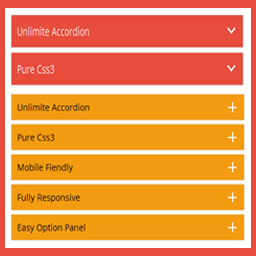
Create beautiful, responsive accordions and FAQ sections with multiple styles, skins, and advanced customization—perfect for organizing content and improving UX.
Useful Links
Upgrade to Pro
Live Preview
Documentation
Plugin Features
Fully responsive.
All Browser support.
Unlimited Accordions anywhere in the theme.
Use via short-code.
5 Different Themes.
Drag & Drop Accordion sorting.
WP Editor for accordion content.
Custom Title background color.
Custom Title Font color.
Custom Title Font Size.
Custom Content Background Color.
Custom Content Font Color.
Custom Content Font Size.
Content Padding Option.
Add and remove accordion item from backend.
Highly customized for User Experience.
And Many More…
Pro Version Features
All Features of the free version.
Fully responsive.
8+ different Themes.
Widget Ready.
Unlimited Domain.
Support wysiwyg text editor.
Create accordions by group.
Cross-browser compatibility.
Drag & Drop accordion items sorting.
Add and remove accordion item from backend.
Use via short-codes.
Accordion header title font size.
Accordion header title font color.
Accordion header title text position.
Accordion header title background color.
Show/Hide Accordions expand/collapse icons options.
Accordion header closeAble true or false Options.
Expand/collapse Slide speed of Animation Options.
Accordion content font size.
Accordion content font color.
Accordion content background.
Custom Accordion Padding Options.
Accordion area background image Options.
Accordions Area Padding Options.
Support Any videos (Ex: youtube, vimeo )
Valid HTML5 & CSS3 layout.
Highly customized for User Experience.
Clean Design & Code.
Unlimited accordion anywhere in the themes or template.
Work in all browsers and mobile devices.
Life Time Self hosted auto updated enable.
24/7 dedicated support forum.
Well Documentation.
And much more!
Activation
Once the accordion-wp folder has been uploaded, you can activate the plugin. Go to your WordPress admin panel and select the ‘Plugins’ menu option. You should see a new plugin listed, Accordion-Wp. Click Activate to activate the plugin.
Using the Plugin
Once the plugin has been activated, a new menu called Accordion will appear in menu section. There are Three menu options: ‘Accordion’, ‘Add New Accordion’ & ‘Help & Support’.
Creating First Accordion
Click the Accordion submenu entry entitled ‘Add New Accordion’. This will take you to the accordion creation and editing page, Then click Add New Item to add accordion.
Begin by entering a title & description for your accordion. Description Content can be entered using the Visual or HTML content editors. Any valid HTML content (e.g. images, video etc.) can be displayed inside accordion.
To add a new accordion, Just click the ‘Add New Item’ button & fill all the data .
To remove a Accordion, click the ‘Remove’ button located top right side of the accordion title or visual editor.
Inserting Accordion into a Post/page or Widget
After Publish your accordion, you’ll see a notification that the accordion has been Published, then go to ‘Accordion Configure ’ change your own settings & Shortcode tab copy the shortcode & paste into any where into your post/page or text widgets. save your post/page or widgets and browse to see your accordion.
Note :
Some features is not available in free version . Upgrade Premium!» to unlock all amazing features.
Keyword rankings
Accordions – Responsive Accordion & FAQ Plugin for WordPress ranks for 2 keywords across WordPress Plugin Directory. Here are the top 2:
- 1.faqRank #44
- Rank #993
Competitors & alternatives
AppRanks tracks competitor sets per category. For Accordions – Responsive Accordion & FAQ Plugin for WordPress, the independent listing audit includes a competitive context section, and the full WordPress app index shows the broader marketplace landscape this app competes in. Sign up free to surface a side-by-side competitor matrix customized to your tracked apps.
Frequently asked questions
What is Accordions – Responsive Accordion & FAQ Plugin for WordPress?
Accordions – Responsive Accordion & FAQ Plugin for WordPress is an app for WordPress. It currently holds a 4.6-star rating from 9 merchant reviews, and AppRanks has been tracking its public marketplace data on the refresh cadence published in our methodology. AppRanks tracks its category position, review-velocity trend, and the top alternatives in the same space. Developed by Themepoints.