
Ticket PDF Download is the #14 ranked knowledge and content management app on Zendesk, with a 4.0 average rating from 6 reviews, priced multiple plans available, as of Sep 12, 2026.
Ticket PDF Download is a Zendesk Marketplace app by Nusive. With a rating of 4.0★ from 6 reviews, it currently ranks #14 in the Knowledge and Content Management category.
AppRanks data: Ticket PDF Download ranks #14 in Knowledge and Content Management on Zendesk Marketplace, placing it in the top 7% of that category.
AppRanks verdict
Generated from live marketplace data — refreshed daily
Ticket PDF Download is a well-rated Zendesk app with a limited review volume. It is listed in the Knowledge and Content Management category on Zendesk Marketplace, which AppRanks treats as the canonical taxonomy node for ranking and competitor comparison. 6 reviews put it in the early-traction tier — useful for early-stage stores willing to be on the leading edge. Early-traction review counts are sensitive to single launch periods or feature events, so a 30-day re-check before bigger commitments often resolves whether the trend is sustained. Paid-only pricing means evaluating fit on the marketplace listing or via the developer's documentation before installing. AppRanks tracks rating, review count, pricing tier, and category position daily — the figures on this page reflect the most recent scrape from the canonical Zendesk Marketplace listing.
Pros
- +Published by Nusive — established developer track record
Cons
- −Limited review base (6) — ratings can shift significantly with new feedback
- −Paid-only pricing (Multiple plans available) — evaluation requires committing payment details
Looking to switch from Ticket PDF Download?
See Ticket PDF Download's alternatives ranked by audit score, rating, and review velocity.
About Ticket PDF Download
How Ticket PDF Download works
Show full descriptionShow less
Nusive Ticket PDF Download allows you to download tickets as PDF.
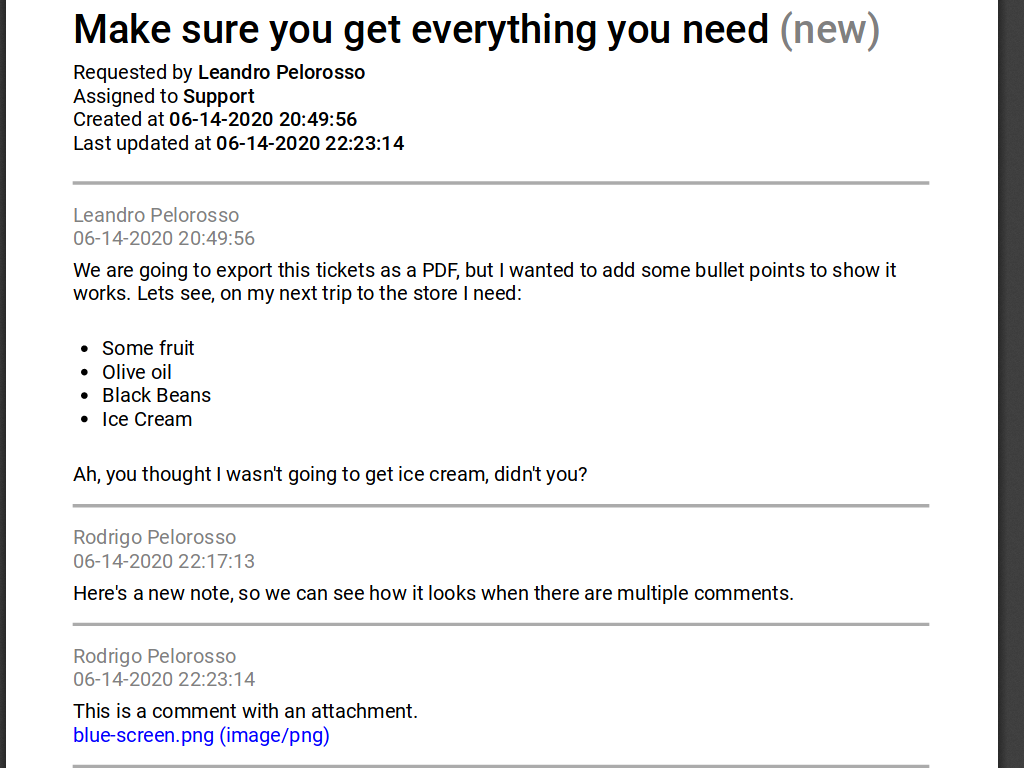
The exported PDF includes all the elements from the ticket, including font styles, lists, and attachments.
The application also allows the user to export multiple PDF as the same time.
All processing is performed on the client side. This means that your information never leaves Zendesk while the PDF is being built.
Since the processing is performed on the client side, there are some limitations on the type of HTML the application can handle. The application will try to process and convert your comments HTML, but in case it is not possible, the plain comment will be exported.
In addition to this, Zendesk imposes a limit on the API calls an application can make per agent, per application. This affects the generation process times when using the bulk export. It is as fast as it can be keeping everything inside your Zendesk instance.
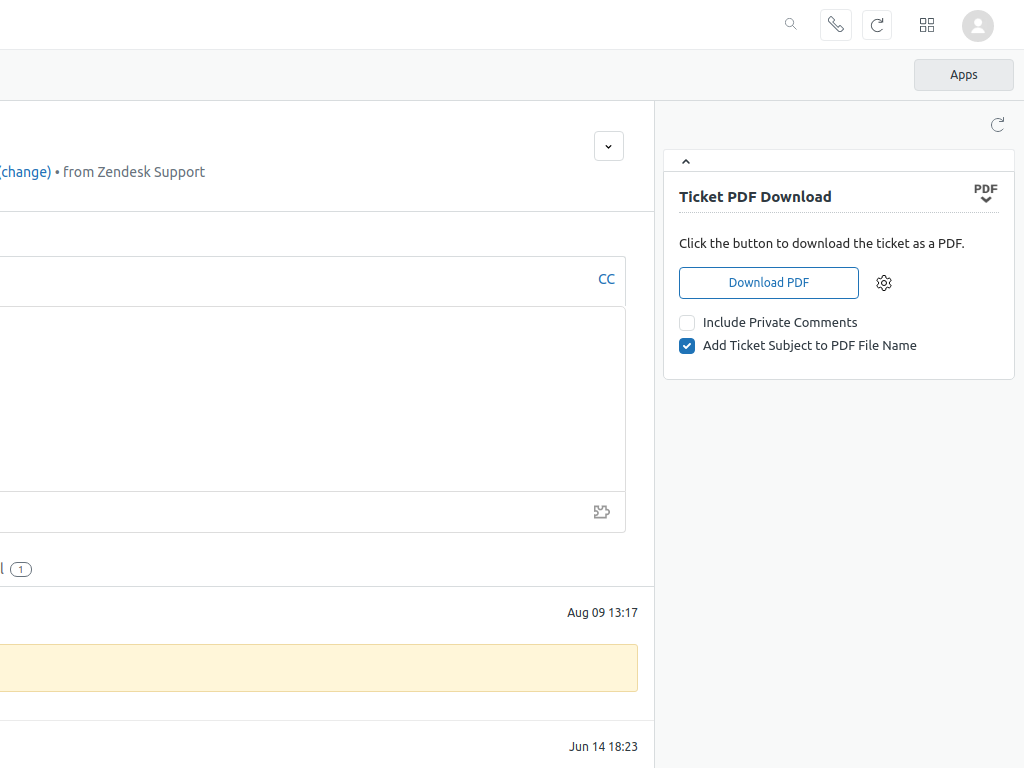
Exporting a single ticket to PDFTo export a ticket, just open it and click the "Download PDF" button in the sidebar application.
You're browser will prompt you to download a PDF for the ticket.
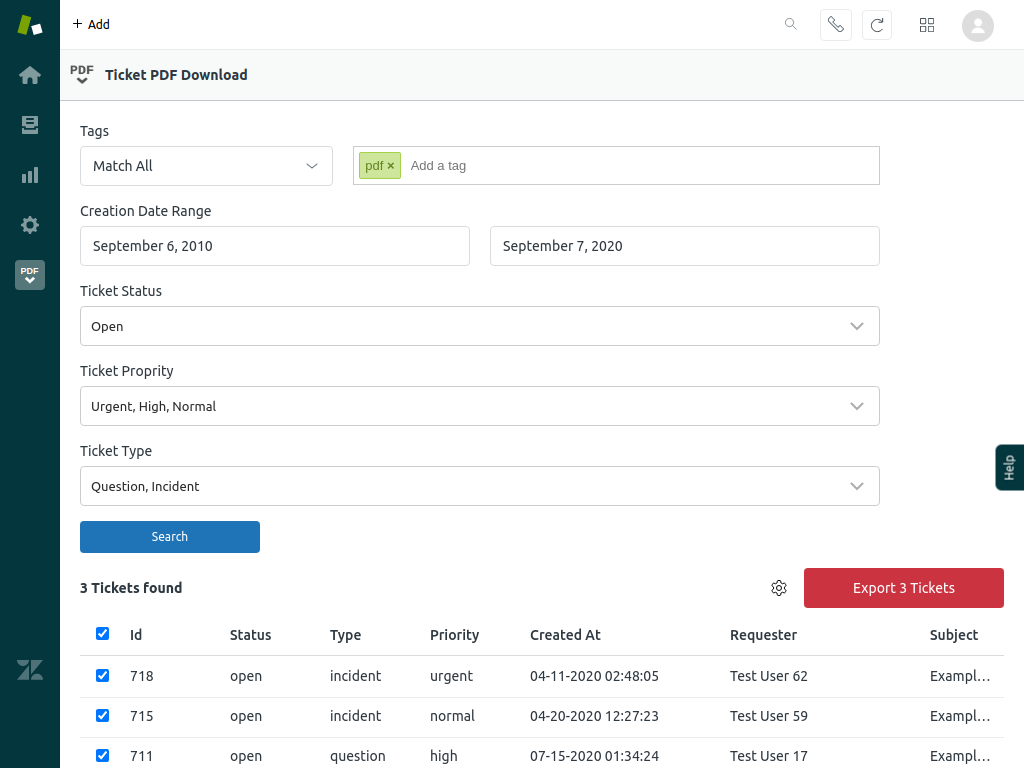
Exporting multiple tickets to PDF (or ZIP)The application also allows you to print multiple tickets at the same time. By default, it will print a single PDF with all the tickets. Check the options export as a ZIP file containing a PDF per ticket.
Bulk export allows for multiple search features.
Once the search is complete, the application allows the user to select which tickets to export, along with some settings. The application was tested with up to 2333 tickets.
Data Handling & Privacy
Nusive Ticket PDF Download is designed with privacy as a core principle. All PDF generation is performed entirely on the client side (in your browser). No ticket data, attachments, or personal information is ever transmitted to or stored on any external server operated by Nusive or any third party.
Specifically:
- Data access: The application accesses ticket data solely through the Zendesk Apps Framework (ZAF) and the Zendesk API, using the permissions granted during installation.
- Data storage: The application does not store, log, cache, or retain any ticket content, user information, or metadata outside of your Zendesk instance.
- Data transmission: All processing happens locally in the agent's browser. Your data never leaves Zendesk during PDF generation.
- Third-party sharing: No data is shared with or sold to any third party.
- Security: Because no data is transmitted externally, there is no risk of unauthorized access to your ticket data through our application.
For questions about data handling or privacy, please contact us at [email protected]. You can also review our Privacy Policy and Terms of Use.
Screenshots
Category rankings
As of Sep 12, 2026- Knowledge and Content Management#14of 205Top 7%
See 90-day rank history for each category
Track daily rank changes, category shifts, and position volatility.
Competitors & alternatives
Ticket PDF Download doesn't have curated competitor matchups yet. Other tracked knowledge and content management apps on Zendesk:





Frequently asked questions
What is Ticket PDF Download?
Ticket PDF Download is an app for Zendesk. It currently holds a 4.0-star rating from 6 merchant reviews, and AppRanks has been tracking its public marketplace data on the refresh cadence published in our methodology. It is listed under the Knowledge and Content Management category on AppRanks, where you can see its current category position, review-velocity trend, and how it compares against the top alternatives in the same space. Developed by Nusive.
Who uses Ticket PDF Download?
Ticket PDF Download is actively installed across Zendesk stores tracked by AppRanks. Its review base is still building, which usually maps to early-stage merchants and stores piloting a new workflow. It is part of the Knowledge and Content Management category on Zendesk.
Where does Ticket PDF Download rank on Zendesk?
Ticket PDF Download currently sits at position #14 in the Knowledge and Content Management category on Zendesk. That places it in the top 7% of 205 apps tracked in the same category. Category positions are read from the live marketplace ranking and refresh on each scrape, so the number you see here reflects the most recent crawl rather than a long-running average.