
VS Contact Form is the #25 ranked form app on WordPress, with a 4.8 average rating from 50 reviews, as of Sep 2, 2026.
VS Contact Form is a WordPress Plugin Directory app by Guido. With a rating of 4.8★ from 50 reviews, it currently ranks #25 in the Form category.
AppRanks data: VS Contact Form ranks #25 in Form on WordPress Plugin Directory, placing it in the top 5% of that category.
AppRanks verdict
Generated from live marketplace data — refreshed daily
VS Contact Form is a category-leading WordPress app with a limited review volume. It is listed in the Form category on WordPress Plugin Directory, which AppRanks treats as the canonical taxonomy node for ranking and competitor comparison. 50 reviews put it in the early-traction tier — useful for early-stage stores willing to be on the leading edge. Early-traction review counts are sensitive to single launch periods or feature events, so a 30-day re-check before bigger commitments often resolves whether the trend is sustained. Paid-only pricing means evaluating fit on the marketplace listing or via the developer's documentation before installing. AppRanks tracks rating, review count, pricing tier, and category position daily — the figures on this page reflect the most recent scrape from the canonical WordPress Plugin Directory listing.
Pros
- +High average rating (4.8★) signals consistent merchant satisfaction
- +Published by Guido — established developer track record
Cons
- −Limited review base (50) — ratings can shift significantly with new feedback
Looking to switch from VS Contact Form?
See VS Contact Form's alternatives ranked by audit score, rating, and review velocity.
How VS Contact Form works
Show full descriptionShow less
About With this lightweight plugin you can create a contact form.
Main features of the plugin:
Free and lightweight
Support for Block Editor and Classic Editor
Display your form with block, shortcode or widget
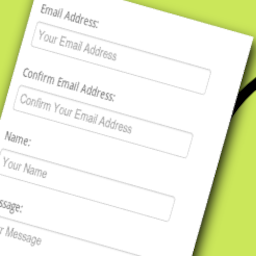
Fields for Name, Email, Subject and Message
Privacy consent checkbox
Customize your form via the settings page or with attributes
List form submissions in your dashboard
Built-in anti-spam features
Documentation at WP plugin page
Active support from developer at WP forum
How to use After installation go to the editor and add the VS Contact Form block or the shortcode [contact] to a page. This will display your form.
Or go to Appearance > Widgets and use the VS Contact Form widget.
Customize your form via the settings page or with attributes.
Settings page The settings page is located at Settings > VS Contact Form.
Attributes Settings and labels can be overridden by adding attributes to the block, shortcode, or widget.
This can be useful when having multiple contact forms on your website.
Misc:
Add custom CSS class to form: class="your-class-name"
Change email address for sending: email_to="your-email-address"
Send to multiple email addresses (max 5): email_to="first-email-address, second-email-address"
Change “From” email header: from_header="your-email-address"
Change subject in email: subject="your subject"
Change subject in auto-reply email to sender: subject_auto_reply="your subject"
Field labels:
Name: label_name="your label"
Email: label_email="your label"
Subject: label_subject="your label"
Message: label_message="your label"
Privacy consent: label_privacy="your label"
Submit: label_submit="your label"
Field placeholders:
Name: placeholder_name="your placeholder"
Email: placeholder_email="your placeholder"
Subject: placeholder_subject="your placeholder"
Message: placeholder_message="your placeholder"
Field error labels:
Name: error_name="your label"
Email: error_email="your label"
Subject: error_subject="your label"
Sum: error_sum="your label"
Message: error_message="your label"
Message – more than 1 link is not allowed: error_message_has_links="your label"
Message – links are not allowed: error_message_has_links="your label"
Message – email addresses are not allowed: error_message_has_email="your label"
Banned words: error_banned_words="your label"
Privacy consent: error_privacy="your label"
Messages:
Displayed when sending succeeds: thank_you_message="your message"
Displayed in the auto-reply email to sender: auto_reply_message="your message"
Example: [contact email_to="your-email-address" subject="your subject" label_submit="your label"]
When using the block or the widget, don’t add the main shortcode tag or the brackets.
Example: email_to="your-email-address" subject="your subject" label_submit="your label"
Display form submissions in dashboard Via the settings page you can activate form submissions being stored and displayed in your dashboard.
After activation go to menu item “Submissions”. Your form submissions will be listed here.
SMTP SMTP (Simple Mail Transfer Protocol) is an internet standard for sending emails.
By default, WordPress uses the PHP mail() function for sending emails. But when using SMTP there’s less chance your form submissions are being marked as spam.
You must install an additional plugin for this, such as WP mail SMTP.
Cache If you’re using a caching plugin and want to avoid conflicts with the contact form, exclude your contact page from caching. This can be done via the settings page of most caching plugins.
Have a question? Please take a look at the FAQ section.
Translation Translations are not included, but the plugin supports WordPress language packs.
More translations are very welcome!
The translation folder inside this plugin is redundant, but kept for reference.
Credits Without help and support from the WordPress community I was not able to develop this plugin, so thank you!
Category rankings
As of Sep 9, 2026- Form#25of 551Top 5%
- Contact Form#46of 594Top 8%
- Email#51of 718Top 8%
See 90-day rank history for each category
Track daily rank changes, category shifts, and position volatility.
Keyword rankings
VS Contact Form ranks for 6 keywords across WordPress Plugin Directory. Here are the top 3:
- Rank #27
- 2.formRank #46
- Rank #59
Competitors & alternatives
VS Contact Form doesn't have curated competitor matchups yet. Other tracked form apps on WordPress:





Where VS Contact Form stands in the Form category
VS Contact Form ranks #25 of 551 apps in the Form category, placing it in the top 5% of the listing.
Frequently asked questions
What is VS Contact Form?
VS Contact Form is an app for WordPress. It currently holds a 4.8-star rating from 50 merchant reviews, and AppRanks has been tracking its public marketplace data on the refresh cadence published in our methodology. It is listed under the Form category on AppRanks, where you can see its current category position, review-velocity trend, and how it compares against the top alternatives in the same space. Developed by Guido.
Who uses VS Contact Form?
Currently around 7,000 active stores have installed VS Contact Form. Its review base is still building, which usually maps to early-stage merchants and stores piloting a new workflow. It is part of the Form category on WordPress.
Where does VS Contact Form rank on WordPress?
VS Contact Form currently sits at position #25 in the Form category on WordPress. That places it in the top 5% of 551 apps tracked in the same category. Category positions are read from the live marketplace ranking and refresh on each scrape, so the number you see here reflects the most recent crawl rather than a long-running average.