
Contact Form Block is the #97 ranked form app on WordPress, with a 4.9 average rating from 41 reviews, as of Aug 31, 2026.
Contact Form Block is a WordPress Plugin Directory app by Jordy Meow. With a rating of 4.9★ from 41 reviews, it currently ranks #97 in the Form category.
AppRanks data: Contact Form Block ranks #97 in Form on WordPress Plugin Directory, placing it in the top 18% of that category.
AppRanks verdict
Generated from live marketplace data — refreshed daily
Contact Form Block is a category-leading WordPress app with a limited review volume. It is listed in the Form category on WordPress Plugin Directory, which AppRanks treats as the canonical taxonomy node for ranking and competitor comparison. 41 reviews put it in the early-traction tier — useful for early-stage stores willing to be on the leading edge. Early-traction review counts are sensitive to single launch periods or feature events, so a 30-day re-check before bigger commitments often resolves whether the trend is sustained. Paid-only pricing means evaluating fit on the marketplace listing or via the developer's documentation before installing. AppRanks tracks rating, review count, pricing tier, and category position daily — the figures on this page reflect the most recent scrape from the canonical WordPress Plugin Directory listing.
Pros
- +High average rating (4.9★) signals consistent merchant satisfaction
- +Published by Jordy Meow — established developer track record
Cons
- −Limited review base (41) — ratings can shift significantly with new feedback
Looking to switch from Contact Form Block?
See Contact Form Block's alternatives ranked by audit score, rating, and review velocity.
How Contact Form Block works
Show full descriptionShow less
Simple, yet pretty and perfect for most of us. You will love this contact form! Through its Gutenberg block (or shortcode), you can add it anywhere and make it yours in a few clicks. Lightweight, clean UI, no need to set up anything special or download more plugins. It doesn’t use any JS or CSS files (except if you active ReCAPTCHA). You can find more information on this plugin on Meow Apps: Contact Form Block.
Why another Contact Form? I have tried many plugins in the past, and I found them all too heavy and complicated. Most of the time, I just wanted a simple contact form. Why would I need to create a new form in a list of forms, manually decide the fields and make sure everything is well set-up? And why do I need more plugins in order to add ReCAPTCHA support, or even pay for such a basic option?
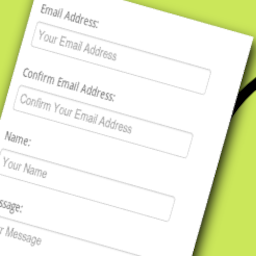
Usage The Contact Form Block has been designed to be used within the Gutenberg Editor. You can modify the labels of the main fields (Name, E-mail, and Message) and the overall design. A header can also be added, with an image and some text. The text and color of the submit button can also be customized. There are 3 basic themes available: None, Default and Meow Apps. None will add no styles to your contact form, Default will make it work on any theme, and Meow Apps will look a bit more solid.
The shortcode [contact-form-block] can also be used, just as it is! That shortcode can be used anywhere, in your widgets for example. Have a look at the tutorial to learn how to use it.
For the ReCAPTCHA and the other various settings, please visit the Contact Form page under the Meow Apps menu in your WordPress Admin.
Notes
The default behavior of this contact form is to send an e-mail to the admin of the WordPress install. That can be easily modified through the available WordPress filters.
A honeypot (an invisible field that only bots fill in) is enabled by default to block spam, without loading anything on your site. ReCAPTCHA v3 can also be enabled. If you are interested, you can also develop your own ‘human check’. Have a look at this.
Best Practices This contact form follows the best practices, in order to guarantee a maximum conversion rate.
Vertical layout (multi-columns result in a loss)
Labels above the fields (instead of placeholders or tricks)
Explicit and colorful submit button (labelled ‘Send’ instead of ‘Submit’, by default)
A limited number of fields (after 3 fields, the conversion rate goes down)
No captcha (don’t worry about spams, this contact form includes ReCAPTCHA_v3, which is invisible)
Use a header (with a small image), that will motivate the user to contact you
Limitations This Contact Form’s goal is to remain simple and fast. New fields and features can be added through its filters and actions, but I will not make the core more complex and heavy.
Languages: English.
Category rankings
As of Sep 4, 2026- Form#97of 551Top 18%
See 90-day rank history for each category
Track daily rank changes, category shifts, and position volatility.
Keyword rankings
Contact Form Block ranks for 6 keywords across WordPress Plugin Directory. Here are the top 3:
- Rank #55
- Rank #55
- 3.formRank #104
Competitors & alternatives
Contact Form Block doesn't have curated competitor matchups yet. Other tracked form apps on WordPress:





Where Contact Form Block stands in the Form category
Contact Form Block ranks #97 of 551 apps in the Form category, placing it in the top 18% of the listing.
Frequently asked questions
What is Contact Form Block?
Contact Form Block is an app for WordPress. It currently holds a 4.9-star rating from 41 merchant reviews, and AppRanks has been tracking its public marketplace data on the refresh cadence published in our methodology. It is listed under the Form category on AppRanks, where you can see its current category position, review-velocity trend, and how it compares against the top alternatives in the same space. Developed by Jordy Meow.
Who uses Contact Form Block?
Currently around 500 active stores have installed Contact Form Block. Its review base is still building, which usually maps to early-stage merchants and stores piloting a new workflow. It is part of the Form category on WordPress.
Where does Contact Form Block rank on WordPress?
Contact Form Block currently sits at position #97 in the Form category on WordPress. That places it in the top 18% of 551 apps tracked in the same category. Category positions are read from the live marketplace ranking and refresh on each scrape, so the number you see here reflects the most recent crawl rather than a long-running average.