- Category rank
- #36 in AI Apps & Assistants
- Listing audit
- 62/100
Macroscope is the #36 ranked AI Apps & Assistants app on Slack, as of Oct 26, 2026.
AppRanks verdict
Generated from marketplace data as of Oct 26, 2026
Macroscope ranks #36 of 67 in AI Apps & Assistants on Slack.
Pros
- No standout positives in the measured data.
Cons
- −No declared third-party integrations on the listing — verify compatibility with your existing tools before installing
About Macroscope
How Macroscope works
Show full descriptionShow less
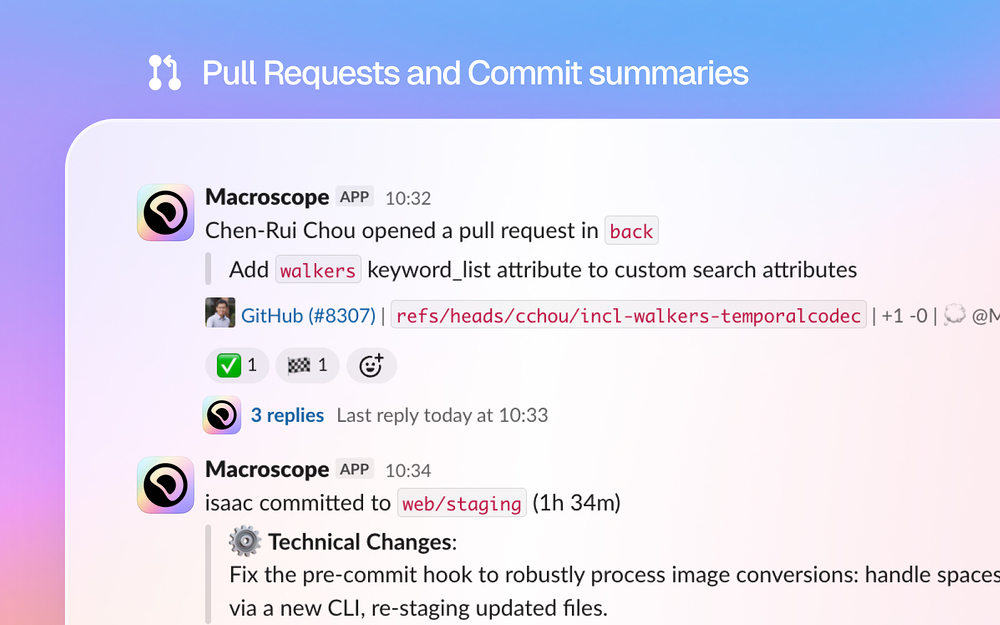
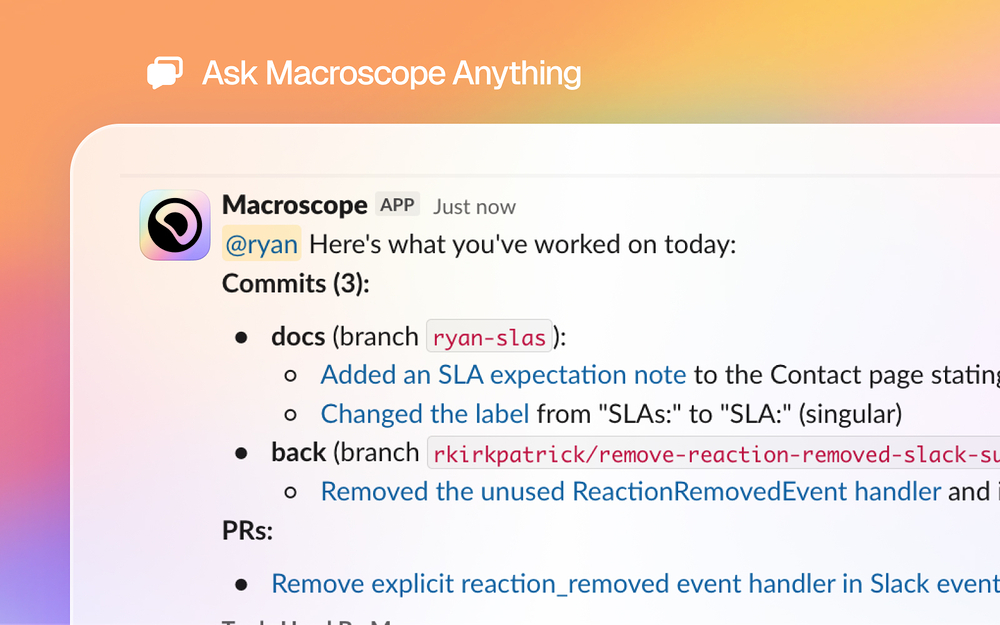
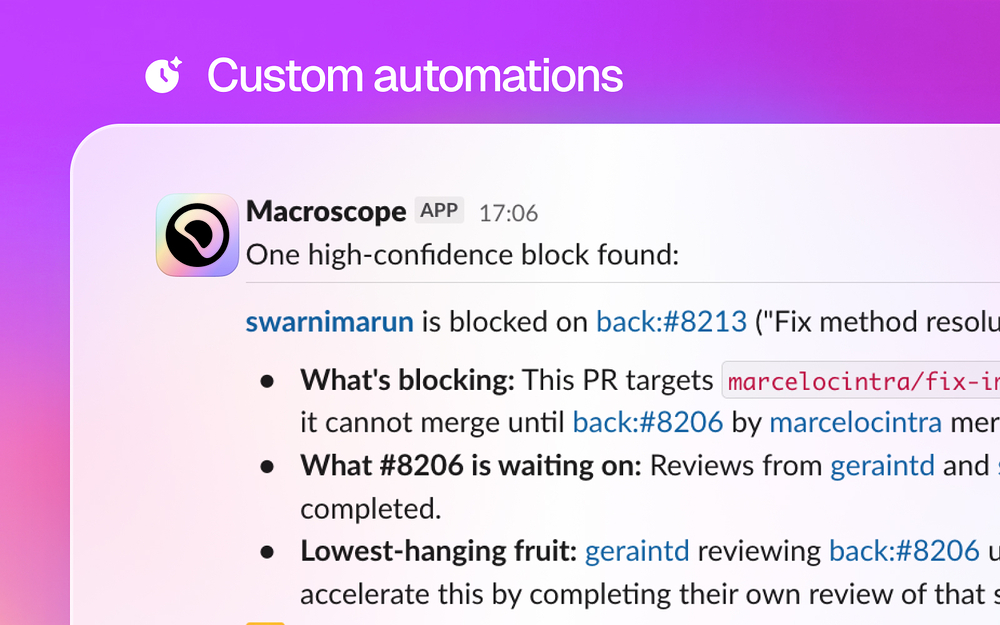
Macroscope gives your team x-ray vision into your product development. Ask natural-language questions about your codebase, commits, PRs, and team activity and get instant answers grounded in real code. Macroscope synthesizes data across your connected tools — issue trackers, GCP, feature flags, and more — so you get the full picture without switching contexts. Set up automatic summaries of commits and PRs, build custom automations with Macros, and even have Macroscope write code and open PRs for you. Know what shipped, who's working on what, and how projects are progressing — no status meetings required. Once added to your Slack workspace, Macroscope can: - Respond to @Macroscope mentions in channels and DMs with answers about your codebase and product - Post automated commit and PR summaries to subscribed channels - Create and update tickets in connected issue trackers when asked - Spin up a coding agent to write code and open PRs when directed Installation A Slack Admin must install the Macroscope Slack app. Sign in to your Macroscope account at app.macroscope.com, navigate to Settings → Connections → Slack, and click Add to Slack. LLM Disclaimer Macroscope uses large language models (LLMs) to answer questions about your codebase. AI-generated responses may occasionally be inaccurate, incomplete, or out of date. Always verify critical information before acting on it. Pricing Information A Macroscope account is required to use the Macroscope Slack app. You can get started for free at app.macroscope.com.
Screenshots