HUSKY – Products Filter Professional for WooCommerce
HUSKY – WooCommerce Products Filter Professional (formerly known as WOOF) is an advanced and versatile filter plugin that enhances the functionality of the WooCommerce plugin. It empowers your website visitors to easily search and filter woocommerce products based on: categories, attributes, tags, taxonomies, meta fields, and product price. With its powerful and user-friendly features, HUSKY provides a seamless filtering experience to help customers find the desired products efficiently 🔗 HUSKY filter enables the generation of search engine optimized SEO-friendly links, such as: https://demo.products-filter.com/swoof/color-red/product_cat-sport/. These links can be included in your site map file, contributing to improved search engine rankings, particularly on Google. 🛠️ Using filter front builder HUSKY allows to create filter forms directly on the site front ✅ Supports latest version of the WooCommerce plugin. A must have plugin for your WooCommerce powered online store! Maximum flexibility! 👨💻 If you are WP+PHP developer and you want to create something unusual in the search form interface – Welcome: using HUSKY extension API and default extensions as an examples you can create any html-items for the search form and even custom woo-products loop template for your own purposes. Also its possible to 🔌 create any connectors for layout plugins and 🎨 create special designed filter elements Latest PHP 8.x.x – COMPATIBLE! 🌐 Demo site 1: demo.products-filter.com 🌐 Demo site 2: filter form front builder 🌐 Demo site 3: Smart Designer – filter elements constructor 🌐 Demo site 4: demo10k.products-filter.com – 10 000 products 🌐 Demo site 5: turbo.products-filter.com – 23 000 products HUSKY Products Filter Features: 🌐 Representation: HUSKY can be used as Shortcode, so as the Widget. Special shortcode [woof] allows insert product filter in any part of your site. It is possible to show products taxonomies and attributes in the search form as: radio, checkbox, drop-down, multi-drop-down, radio buttons in drop-down. In the premium version also is possible to show html-elements as: color, image, label, hierarchy drop-down, attributes/taxonomy range-slider, checkbox buttons in drop-down 🛠️ Filter form Front Builder: assemble custom filter form directly on the site front usnig shortcode [[woof_front_builder]]. 🛒 Products shortcode: Products shortcode [woof_products per_page=8 columns=3 is_ajax=1 taxonomies=product_cat:9] allows to display and filter targeted products in a single page or as part of a post content, and of course products there are filterable in redirect or ajax mode. Using shortcode attribute custom_tpl it is even possible use custom templates what give wide flexibility in different projects. 🔄 Products searching by AJAX: (optionally) allows filter woocommerce products without page reloading. Works for 95% wordpress themes and should be tested before release to the production site as it depends of the current wp theme functionality and integrated html code there 📊 Dynamic products recount: this powerful feature allows to display in the search form how many relevant variants will be found if to click selected html-element in the filter search form 🔍 Filter woocommerce products by Meta Data: allows with using special functionality in the plugin settings page add meta fields data in the search flow (text and number type) 🔢 Search products by SKU: HUSKY allows filtering your shop products site by SKU as part of the big search form, so as the special shortcode [woof_sku_filter] 💲 Search products by Price: can be displayed as range slider, so as drop-down with ranges selection 📝 WooCommerce products text search by title, content, excerpt and their combinations. It is possible to use special shortcode [woof_text_filter] which you can insert in the place you want. 🎨 Smart Designer: custom filter elements design-constructor that allows woocommerce shop admin to create special designed filter elements for its own business purposes 🔧 Filter by ACF fields Possible ACF types: ‘select’, ‘radio’, ‘true_false’ – create meta fields in ACF panel, set meta data to products, filter by them! 🧩 Step by step products filter: this technology allows to create products wizard for your shop customers where they can step by step select products they want to buy 📈 Statistic: you can always analyze search data and understand what is more interested for your customers, and of course such data will help grow your bussiness ⚡ Quick Search: this technology created especially for HUSKY and allows make instant search regardless of the products quantity of products without AJAX or page reloading 🚀 Turbo Mode: this mode allows to avoid generating big MySQL queries while products filtering on the site front 📬 Products Messenger: allows your logged-in customers subscribe to the products filter combinations and always be informed if in your shop appeared exact products they want to buy. Such tool can grow conversion of the shop. Use it as widget, so as shortcode [woof_products_messenger] 💾 Saver of Search query: this extension allows for your customers save search combinations and access them in future by one click what makes your customers more informative and attenditive about your shop products ♾️ Infinite Scrolling: allows load and see woocommerce products on the shop and catalog page without click on pagination buttons 🖼️ Images can be as filter html-elements in the search form 🎨 Colors can be as filter html-elements in the search form 💲 Price filter as range-slider OR as drop-down 🔘 Showing hidden search form as BUTTON 🎛️ In the plugin settings for radio and checkboxes html-elements in the filter form can be selected different skins 📝 Possibility to create products custom layout template and use it with shortcode woof_products in ajax and redirect mode, see attributes custom_tpl and tpl_index 🔧 Possible to create any extensions for the plugin (for developers only). See folder ‘ext’ for the code examples 🌐 Demo site – watch filter combinations alive 📚 HUSKY has wide API described in CODEX 🔗 HUSKY uses native WooCommerce API which allows coexisting and cooperation with another plugins created for WooCommerce 🌍 WPML compatibility 💱 Compatible with For WooCommerce plugin Currency Switcher 📦 Compatible with WooCommerce Products Per Page 🎨 Compatible with DIVI WordPress Theme 🐘 PHP 7.4.x – 8.x full compatibility ⚙️ Simple, robust AND rich options panel 🤖 HUSKY filter is chatGPT friendly plugin you can ask help to chat gpt about the plugin features using the plugin former name WOOF, example: “what attribute to use to make redirection in woof shortcode” 🛠️ Strong technical support which each day works with tones of code! ✨ The premium version You can get premium version of the plugin on: products-filter.com Make your site more profitable with next powerful scripts: ✅ BEAR – Bulk Editor for WooCommerce: WordPress plugin for managing and bulk edit WooCommerce Products data in robust and flexible way! Be professionals with managing data of your woocommerce e-shop! ✅ FOX – Currency Switcher for WooCommerce: is WooCommerce multi currency plugin, that allows your site visitors switch products prices currencies according to set currencies rates in the real time and pay in the selected currency (optionally). Allows to add any currency for WooCommerce store! ✅ WOOT – WooCommerce Active Product Table: is WooCommerce plugin for displaying shop products in table format. Tables makes focus for your buyers on the things they want to get, nothing superfluous, just what the client wants, and full attention to what is offered! ✅ TABLEON – WordPress Post Tables Filterable: WordPress plugin for displaying site posts and their custom post types in table format. Tables makes focus for your customers on the things they want to get, nothing superfluous, just what the client wants, and full attention to what is offered! ✅ WPCS – WordPress Currency Switcher: is a WordPress plugin that allows to switch currencies and get their rates converted in the real time on your site! ✅ WOLF – WordPress Posts Bulk Editor Professional: WordPress plugin for managing and bulk edit WordPress posts, pages and custom post types data in robust and flexible way! Be professionals with managing data of your site! ✅ MDTF – Meta Data Filter and Taxonomies Filter: the plugin for filtering and searching WordPress content in posts and their custom types by taxonomies and meta data fields. The plugin has very high flexibility thanks to its rich filter elements and in-built meta fields constructor! License This plugin is copyright pluginus.net © 2012-2026 with GNU General Public License by realmag777. This program is free software; you can redistribute it and/or modify it under the terms of the GNU General Public License as published by the Free Software Foundation; either version 2 of the License, or (at your option) any later version. This program is distributed in the hope that it will be useful, but WITHOUT ANY WARRANTY. See the GNU General Public License for more details.
Top keywords
- products39×2.80%
- filter34×2.44%
- woocommerce22×1.58%
- search21×1.51%
- allows18×1.29%
- site18×1.29%
- form13×0.93%
- husky12×0.86%
- data11×0.79%
- shortcode11×0.79%
- wordpress11×0.79%
- custom10×0.72%
YITH WooCommerce Ajax Product Filter
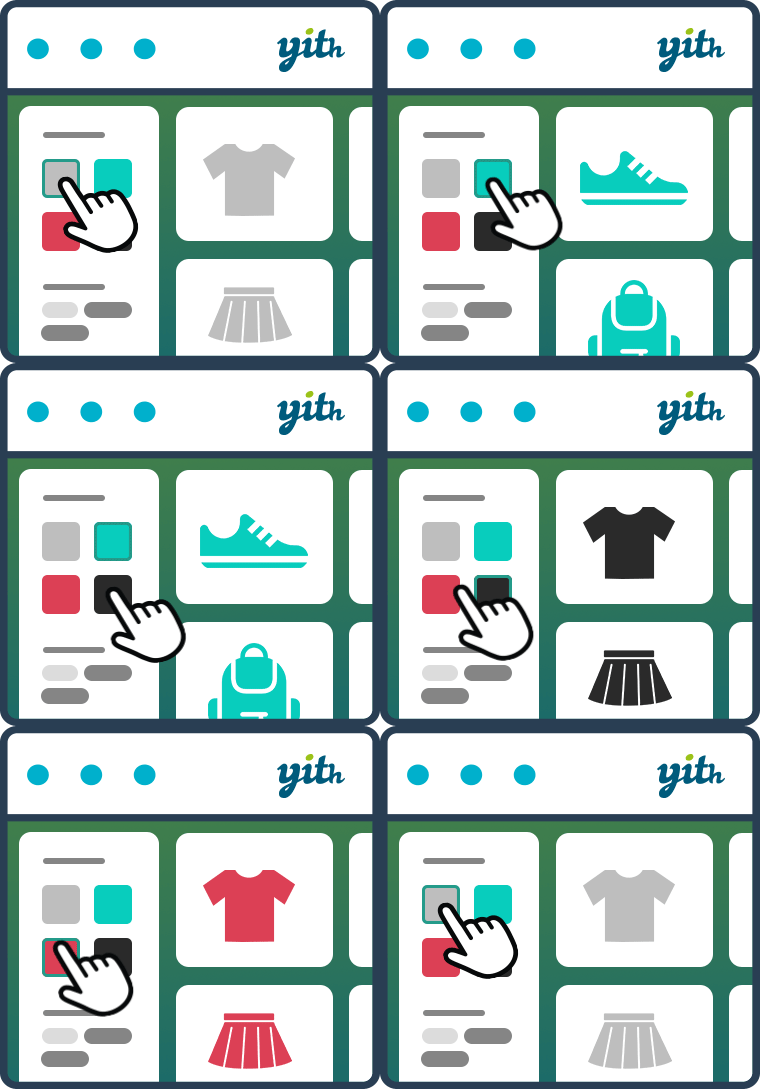
E-commerce product filtering is a must-have tool to help your customers narrow in on the product they’re looking for and find products they might be interested in based on specific features (size, color, category, etc.) A reliable product filtering is what allows your visitors to enjoy and appreciate your product catalog instead of leaving it after a few seconds. After all, if users can’t easily browse your product lists, they can’t easily find what they are looking for. And if they can’t find it, they can’t buy it. It’s easy to understand. 🙂 With the YITH WooCommerce Ajax Product filter its latest massive redesign, you can finally tackle the user experience in your WooCommerce powered shop. You can help your customers easily find and filter your products by categories, tags, taxonomy, and all kinds of attributes like sizes, colors, materials, brands, etc. You can create unlimited presets and show the filters on standard WooCommerce pages (Shop, Category pages) or custom pages created with Gutenberg or Elementor. You can add your filters anywhere, using the built-in widget, shortcode, or Gutenberg block. In this way, you can create a preset of filters for the shop page, a preset of filters for a specific product category, another preset of filters for a custom page, and so on: no limits and total maximum control. YITH WooCommerce Ajax Product filter features FREE VERSION Easily create and customize unlimited presets of filters to show on different pages (New from 4.0!) Show filters using widget shortcodes and Gutenberg blocks (also on custom pages) (New from 4.0!) Filter by product categories (New from 4.0!) Filter by tags (New from 4.0!) Filter any product attributes (color, size, material, etc.) Choose the filter style (checkbox, select, text and color swatches) Choose the ordering of the terms Choose whether to show terms hierarchy or not Allow multiple selections (with AND or OR) or not Adoptive filtering: terms not available will be hidden Show a “Reset Filters” button Scroll-to-top option in mobile devices and/or desktop SEO options (Activate/deactivate the indexing of the generated URLs in search engines for the filter operation of the plugin) (New!) Beautiful & modern design, suitable for each kind of shop or theme Performance enhancements: lazy load filters and paginate terms in AJAX to reduce initial page loading time (New!) See it in action here: Check the Live Demo of the free version > NEED MORE? CHECK THE PREMIUM VERSION! With the latest update, we have improved the UX and added significant features to our free version. For example, in the previous versions, some essential features like “filter by category” or “filter by tag” options were missing. We worked hard to release a free plugin that works for our users. Anyway, if you want more (like a mobile-friendly design inspired by the larger e-commerce sites), feel free to check the features we provide in our excellent premium version: Two additional layouts for the color filter: bicolor and image support (to better represent gradients, textures, patterns…) Additional layout: label/image. Upload icons, photos and images to identify terms Choose the position of the reset button (above products, above or under filters area) Choose whether to show active filters (with X to remove them) or not and their position (above products, above or under filters area) Modal window on mobile: a layout for filters 100% optimized for mobile devices! (Other plugins just add filters after the products list on mobile, yet, in this way, product filtering on smartphones and tablets is not working. We are the first to have designed and developed a 100% mobile-friendly filtering solution: in a modal window inspired by the largest e-commerce sites!) Filter for reviews Price slider to filter products by price Price ranges with unlimited ranges (last range can show “& above”) Filters to show on sale/in-stock products Ajax sorting for products displayed on the page (by rating, price, popularity, latest) Show an optional tooltip on hover for terms Show filters as a toggle (opened or collapsed by default) Show or hide the count of items Adoptive filtering: choose whether terms not available must be hidden (as in the free version) or keep them visible but not clickable (only in premium) Variations filtering: make sure variable products are displayed in the filter results only if at least one of the variations matches the current selection, and replace the product image with the one of the variation (New!) Choose to hide empty terms and out of stock products automatically Customize colors and style of filters area through the dedicated “customization” tab (colors, color swatches size, select and checkbox type, etc.) Upload a custom loader Permalinks management: choose to keep permalinks unchanged, change them by adding filtered terms or use a custom user-friendly and shorter permalink (for a better sharing experience!) Use instant AJAX filtering or show a button to apply filters manually without AJAX Choose whether to show filter results on the same page or a new page Compatible with the YITH WooCommerce Brands Add-on plugin See it in action here (we have three different demo samples): Check the Live Demo of the premium version > And if you love it, get it! GET THE PREMIUM VERSION HERE with a 100% Money Back guarantee >