Coupzy Coupon Box for WooCommerce
Coupzy Coupon Box for WooCommerce is a WooCommerce and WordPress email subscription plugin that helps you collect emails from your visitor. Don’t waste your traffic, Email marketing is an old-but-gold marketing channel. The WooCommerce and WordPress email subscription plugins help you turn traffic into email subscribers. The WooCommerce and WordPress email subscription plugins display a subscribe email pop-up to new visitors, offering coupons and asking them to subscribe email, generating and sending a coupon code to the subscribed email address. You can check the subscribed email addresses in the plugin back-end or sync with your email marketing platforms through API. Display Coupon Box pop-up, allowing users to subscribe to their email. Sync email with MailChimp, Active Campaign, SendGrid email platforms. Automatically generate and send coupons to subscribers. Various subscription forms Multilanguage coupon box Try the Demo | Documents | Premium version | Facebook group Important Notice: Plugin works based on WooCommerce plugin. To handle WP’s Conditional Tags, this plugin uses eval() which is very dangerous because it allows execution of arbitrary PHP code. Therefore, please only fill this field with proper conditional tags which are validated and/or provided by trusted developers. It is released on WordPress.org and you can use plugin as free to build themes for sale. FEATURES ► DISPLAY COUPON BOX POP-UP A popup will appear when users visit your site, offer a discount when they subscribe on the coupon box. Minimize the bar: If customers skip the pop-up, you can select to hide the pop-up or minimize it into the top bar or button of your page. Subscribe Reminder time: Schedule a time for the pop-up to reappear if a user skips it. Display only on Homepage: the option that allows you to display the pop-up only on the homepage of your site. Conditional tags: Configure which page where the coupon box will appear using WordPress conditional tags. ► GENERATE AND SEND COUPON The WooCommerce and WordPress email subscription plugin can send discount coupons to subscribers. You can select to send existing coupons or generate unique coupons. Generate unique coupon: Whenever a visitor subscribes to an email, the plugin will generate a unique coupon and send it to his/her email address. You can set up the coupon type, amount, prefix, and all other settings like a WooCommerce coupon. Existing coupons: With this option, you will choose an existing coupon to send to subscribers. You can choose to allow only subscribed emails to use the coupon. Custom: Sending a custom code to subscribers. Do not use coupons: With this option, visitors will not receive coupons when they subscribe to emails. ► EMAIL API This plugin integrates some email marketing platforms, allowing subscribed emails to sync to these platforms and perform other marketing strategies as needed. The email marketing platforms available: Mailchimp Sendgrid(Premium) Active campaign(Premium) Hubspot(Premium) MailPoet(Premium) Klaviyo(Premium) SendinBlue(Premium) ► GOOGLE RECAPTCHA ReCaptcha 2: “I’m not a robot” Checkbox. This requires the user to click a checkbox indicating the user is not a robot. This will either pass the user immediately (with No CAPTCHA) or challenge them to validate whether or not they are human. This is the simplest option to integrate with and only requires two lines of HTML to render the checkbox. ReCaptcha 3: reCAPTCHA v3 allows you to verify if an interaction is legitimate without any user interaction. It is a pure JavaScript API returning a score, giving you the ability to take action in the context of your site: for instance requiring additional factors of authentication, sending a post to moderation, or throttling bots that may be scraping content. ► SEND COUPON EMAIL The WooCommerce and WordPress email subscription plugin will automatically send emails to subscribers. Configure the email content as you want. Email content: Write the emails that will be sent to subscribers with email heading, subject, content. Shortcode: The plugin provides you shortcodes to display necessary information in the email{coupon_value} – The value of the coupon, can be percentage or currency amount depending on coupon type{coupon_code} – The code of coupon that will be sent to your subscribers{date_expires} – From the date that given coupon will no longer be available{last_valid_date} – That last day that coupon is valid{site_title} – The title of your website{shop_now} – The Shop Now button Shop now button: the button that helps the customer to use the coupon you’ve just sent to them. You can set up the title, the URL, and the design of the button. ► EMAIL CAMPAIGN Subscribed emails from this WooCommerce and WordPress email subscription plugin will be saved in email campaigns. Export emails: export your subscribed emails as an excel file. Then you can select to export from a selected subscribe time or export from a selected campaign. List subscribed emails: check the subscribed emails list in your backend. The list includes email address, subscribe time, email campaign, given coupon, MailChimp/Active Campaign/SendGrid list. Email Campaign: manage to subscribe email using email campaigns. ► DESIGN The front-end style of the Coupon Box pop-up to match your site’s style. Templates: 4 templates with 4 different element arrangement ways. Message: Display welcome, congratulation, thankyou-message. GDPR Checkbox: Display a checkbox that allows customers to agree with your site policy, terms of use. Close button styles: 6 different icon styles for the close button, size, position. Header Style: Configure the header style with title and background. You can use images as your background. Body style: Configure the Coupon Box body style with text font, background image. Social Network icons: Display your social network on the Coupon Box pop-up. Subscribe Button: Design your subscribe button with text, text color, and background color. Custom CSS: The plugin allows you to add your own Custom CSS code to change the front-end as you want. PRO VERSION All free version features Multilanguage coupon box: This plugin is made compatible with WMPL and Plolylang which allow displaying coupon boxes in the language of the customer. Pop-up trigger: You can select to display the coupon box pop-up after a selected time after customers scroll their mouse when customers are about to leave your site (hover mouse on close button) Full email API Unlimited layout More input fields: You can add 4 more fields: name, mobile, birthday, gender besides the email field Unlimited design options: Header style, close icon, Google font,… Email plugin compatibility: The premium version is compatible with WooCommerce Email Template Customizer plugin Auto update: New update notification when available. Premium Support: We response to all support topics within 24 hours on weekday (a bit longer over weekend) MAY BE YOU NEED VISeek – Easy Custom Search VARGAL – Additional Variation Gallery for Woo AFFI – Affiliate Marketing for WooCommerce 9Map – Map Multi Locations TMDS – Dropshipping for TEMU and Woo DEPART – Deposit and Part payment for Woo REES – Real Estate for Woo HANDMADE – Dropshipping for Etsy and WooCommerce HAPPY – Helpdesk Support Ticket System GIFT4U – Gift Cards All in One for Woo SUBRE – Product Subscription for WooCommerce Clear Autoptimize Cache Automatically FEWC – WooCommerce Extra Checkout Fields EPOW – Custom Product Options for WooCommerce ChinaDS – Taobao Dropshipping for WooCommerce 9MAIL – WordPress Email Templates Designer EPOI – WP Points and Rewards WebPOS – Point of Sale for WooCommerce Jagif – WooCommerce Free Gift Coreem – Coupon Reminder for WooCommerce COMPE – WooCommerce Compare Products W2S – Migrate WooCommerce to Shopify REDIS – WooCommerce Dynamic Pricing and Discounts EXMAGE – WordPress Image Links Pofily – WooCommerce Product Filters Bopo – WooCommerce Product Bundle Builder WPBulky – WordPress Bulk Edit Post Types Bulky – Bulk Edit Products for WooCommerce Catna – Woo Name Your Price and Offers Product Size Chart For WooCommerce Product Pre-Orders for WooCommerce Checkout Upsell Funnel for WooCommerce Cart All In One For WooCommerce Email Template Customizer for WooCommerce ALD – Dropshipping and Fulfillment for AliExpress and WooCommerce Product Variations Swatches for WooCommerce Orders Tracking for WooCommerce Abandoned Cart Recovery For WooCommerce Import Shopify to WooCommerce Customer Coupons for WooCommerce Virtual Reviews for WooCommerce Thank You Page Customizer for WooCommerce Sales Countdown Timer Suggestion Engine for WooCommerce EU Cookies Bar Lucky Wheel for WooCommerce WordPress Lucky Wheel Advanced Product Information for WooCommerce LookBook for WooCommerce Photo Reviews for WooCommerce Product Builder for WooCommerce Boost Sales for WooCommerce Free Shipping Bar for WooCommerce Notification for WooCommerce CURCY – Multi Currency for WooCommerce Coupzy Coupon Box for WooCommerce 3rd party services Protecting forms from spam and abuse by using Google’s reCAPTCHA service. ► Google reCAPTCHA ► Google reCAPTCHA Terms of Service Integrating with Mailchimp for email marketing campaigns ► Mailchimp ► Mailchimp Standard Terms of Use Documentation Getting Started Plugin Links Project Page Documentation Report Bugs/Issues Premium Extensions
Top keywords
- woocommerce49×3.45%
- email40×2.81%
- coupon32×2.25%
- box12×0.84%
- coupon box12×0.84%
- wordpress12×0.84%
- emails11×0.77%
- pop-up11×0.77%
- subscribe11×0.77%
- button10×0.70%
- display10×0.70%
- premium10×0.70%
YITH WooCommerce Gift Cards
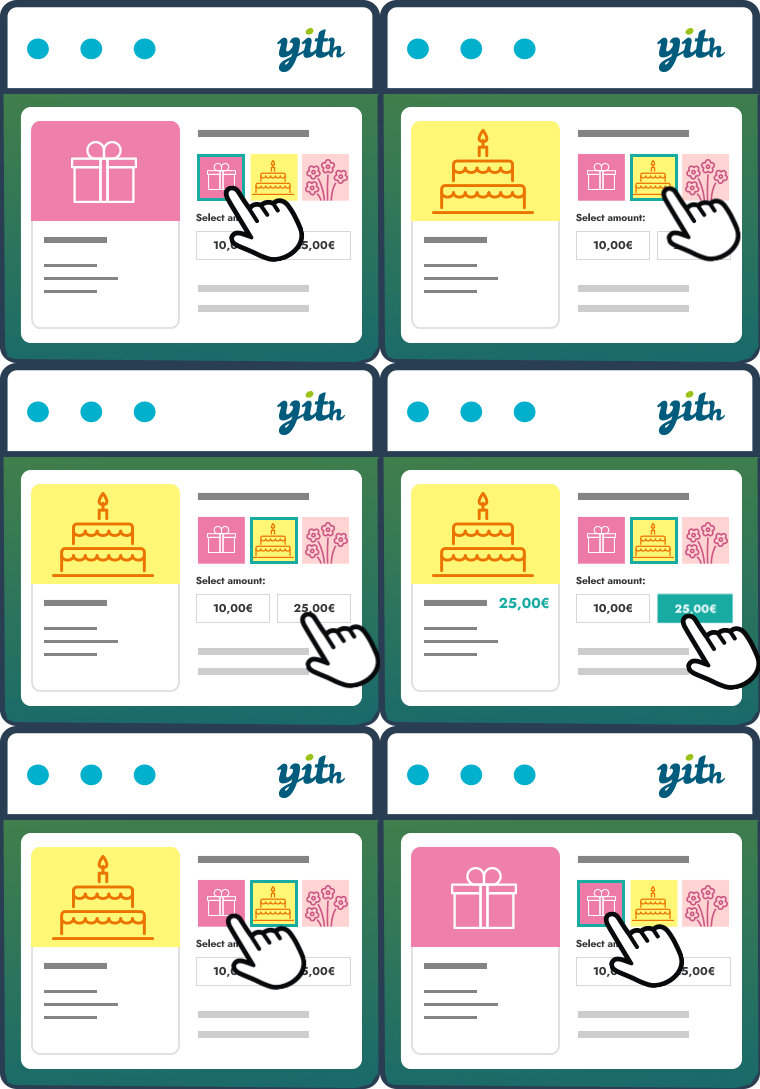
The easy way to sell gift cards in your shop According to a study by Allied Market Research, gift cards turnover will register a record of $16 billion by 2028. And, by 2030, gift cards sold online will reach the $1.1 trillion threshold. Gift cards are a powerful marketing tool to increase sales (especially during the holidays) and build customer loyalty over time. Think about it: it could be a Christmas gift for a friend, a birthday gift for a family member, or Christmas bonuses for your employees… a gift card is always the best choice! By offering your customers the opportunity to purchase a gift card that can be redeemed in your store, you can gain new customers (those who receive the gift card will know about your products and place an order, which means you will be able to push them to buy again and build their loyalty over time) and significantly increase your revenue. YITH WooCommerce Gift Cards is an easy and free solution to start selling gift cards in your e-commerce store. How does it work? You only have to install the plugin, create your first gift card and publish it: a few-minutes process that will let you start offering gift cards immediately to your customers. The user’s interface is very easy and inspired by Amazon’s one: your customers can choose one of the amounts you set, select an image to customize the gift card (our plugin is the only one that lets you upload an unlimited image gallery!), insert the receiver’s details, add a message and, finally, purchase the gift card like any other product on your ecommerce store. Main features Create unlimited virtual gift cards. A virtual gift card will be sent to the recipient email address Create unlimited physical gift cards with one or multiple fixed amounts. Physical gift cards can be printed and shipped to the customers The admin can create, edit and disable the gift cards manually from the backend Create a gallery of images to assign to specific gift cards or specific categories of gift cards. (Example: Christmas, Thanksgiving, Wedding, etc.) The user can enter the sender’s name and a customized message The user can choose one of the images available in the gallery Send automatically the gift card via email to the recipient The admin can verify the email sending status of the gift code Show the ‘apply gift card code’ form in Cart and Checkout pages Allow user to use the gift card to pay the order even if its balance doesn’t cover the total amount Allow user to use the gift card as many times as they want, based on the available balance Allow the user to verify the status and the amount of the gift cards he/she owns The admin can update the gift card balance from the backend without creating a new order The admin has access to a table with all gift cards (to check balance, related orders and so on) Check the live demo > Need more? Get premium! Free version of our plugin works like a charm, but the premium one is a very powerful tool to increase sales and conversions. With the premium version you can: Generate and send multiple gift cards through a bulk action Import and export gift cards into a CSV file Set an optional expiration date for the gift card (gift card will expire on a specific date, like January 01, or after a specific time after the purchase, like 3 months after) Manage stock of each gift card product Enable an optional QR code in gift cards Allow users to specify more recipients for the same gift card (an email with a code of the same amount will be sent to each recipient) Allow users to choose a delivery date and time for the gift card Allow users to upload or drag & drop a custom image or photo to customize the gift card in the modal window Allow users to enter a custom gift card amount (and optionally set the minimum amount that users can enter) Attach a PDF to gift card email (and customize the PDF name) Notify the sender via email when the gift card is delivered to recipient Notify the sender via email when the recipient uses the gift card for a purchase in your shop Choose the position of form in Cart and Checkout pages Allow users to enter the gift card code into the standard coupon code field (instead of showing two different forms in cart and checkout) Set a minimum requested amount in the cart to apply the gift card and exclude specific categories from gift card redemption Create and sell a gift card linked to a specific product of the shop: the gift card will be of the same value of the product that will be recommended in the email Choose the action to trigger when the gift card order gets the “Cancelled” status or it is refunded: suspend or disable the gift card (in this case, it cannot be used for any other purchases) Integrations Compatibility with YITH WooCommerce Multi Vendor: users can apply the gift card codes only on products of vendors to which the gift cards have been assigned by the global admin Integration with WC Smart Coupons: convert Store Credit / Gift Certificate coupons created with it into new Gift Cards Integration with YITH Multi Currency Switcher for WooCommerce Integration with YITH Booking and Appointment for WooCommerce GET PREMIUM VERSION HERE with a 100% Money Back guarantee > Documentation Please, read the official documentation of YITH WooCommerce Gift Cards to learn more about all plugin features. Translators Want to add a new language to our YITH WooCommerce Gift Cards? Learn how to contribute in this page.