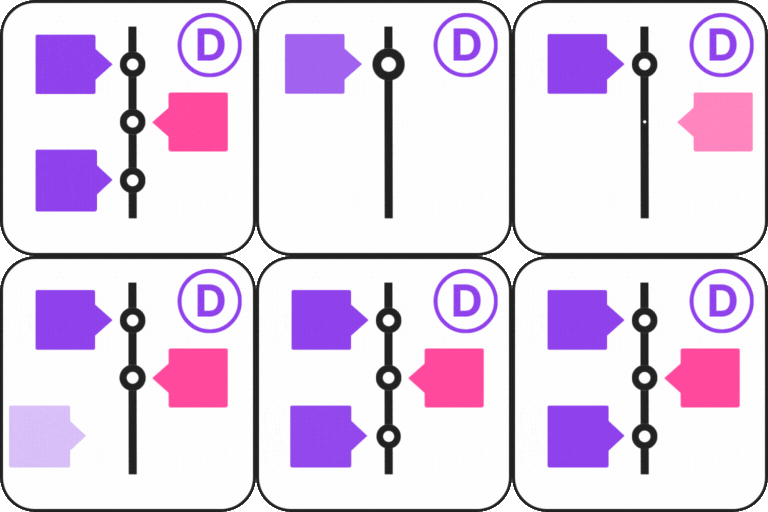
Timeline Module for Divi
Timeline Module for Divi is a powerful plugin that allows you to design and display timelines directly inside the Divi Builder. This plugin offers you ready-made timeline modules that you can add, customize, and publish directly inside Divi in just a few clicks. Whether you want to display your company’s history, highlight important milestones, share your personal journey, or outline a project roadmap, the Timeline Module for Divi makes it simple and visually appealing. View Demos Key Features Works with Divi Builder: The plugin adds a timeline module directly into the Divi Builder. You can place it anywhere on your page and customize it. Multiple Layout Options: Choose between a classic timeline with events on one side or an alternating timeline with stories on both sides. Customizable Design Controls: Adjust colors, fonts, spacing, icons, and backgrounds according to your website’s theme. Add Multimedia: Make your timelines more engaging by including images, videos, or icons in timeline events. This feature helps bring your stories to life and makes your content more interactive. Beginner-Friendly: No coding knowledge is required. The simple drag-and-drop interface makes it easy for anyone to create professional-looking timelines in minutes. Responsive and Mobile-Friendly. Upgrade to Pro Upgrading to the Pro version gives you access to even more powerful features. With Pro, you can create horizontal timelines perfect for roadmaps, step-by-step guides, and product launches. You also get access to advanced customization options and event layout styles. Get Pro! Where can you use the Timeline Module for Divi Company History Showcase: Display the growth and key milestones of your business over the years. Event Highlights: Present a timeline of events for conferences, seminars, or special occasions. Product Launch Timeline: Showcase the development stages and launch timeline of a product or service. Personal Journey: Share your personal story or career progression in a timeline format. Project Roadmap: Create a visual representation of project phases, deadlines, and achievements. Achievements and Awards:Highlight significant achievements, recognitions, and awards over time. Nonprofit or Charity Timeline:Showcase the impact and key initiatives of your nonprofit organization. Portfolio Showcase: Present your work history or project portfolio in a chronological order. Historical Events Documentation: Create a timeline of significant historical events or milestones. School or Educational Timeline: Highlight important academic events, school history, or student progress. Wedding or Family Timeline: Document important life events such as wedding dates, anniversaries, and family milestones. Event Planning: Outline and share the timeline for upcoming events or project plans. Real Estate Development: Showcase the stages of a property’s development from start to finish. Startup Journey: Share your startup’s journey, from idea conception to growth phases. Sports Achievements: Highlight significant moments in an athlete’s or team’s career. It is a Divi Theme Addon. In order to use this Timeline Module you must have to install Divi Theme. Check our other Timeline plugins Cool Timeline: Display your company’s history, product roadmaps, personal stories, or key events using the built-in block or via simple shortcode. View Demo Timeline Widget For Elementor: Showcase your company history, product roadmap, and personal journey in vertical & horizontal layout directly inside Elementor. View Demo Timeline Block For Gutenberg: Create interactive timelines directly within the WordPress Block Editor to display step-by-step tutorials, a company’s history, and a product roadmap. View Demo Timeline Builder: Create a small timeline inside the Gutenberg block editor using a vertical or horizontal timeline. View Demo Use of 3rd Party Services: This plugin connects to the Cool Plugins API to display information about related plugins inside the dashboard. It also offers optional usage tracking and optional feedback submission on deactivation. Data is sent only after explicit user consent. No hidden tracking is performed, and no frontend visitor or site user data is collected. For more details, please review our Data Usage Policy, TOS, and Privacy Policy. ⚠️Important Notice Migration from Divi 4 to Divi 5 will only be supported till Divi 5 Public Alpha 14. If you are planning to upgrade your site or plugins, please make sure to complete the migration process before Alpha 14. After this point, direct migration from Divi 4 will no longer be available, and this may lead to compatibility issues.
Top keywords
- timeline25×3.58%
- divi13×1.86%
- events9×1.29%
- history7×1.00%
- display6×0.86%
- product6×0.86%
- showcase6×0.86%
- company5×0.72%
- directly5×0.72%
- inside5×0.72%
- journey5×0.72%
- module5×0.72%
Usero
Usero adds a feedback widget to your WordPress site. Visitors can submit ideas, bug reports, and feature requests without leaving the page. Submissions appear in a dashboard at usero.io, where you can triage, reply, and update statuses. Features Floating widget on every page, or inline via shortcode [usero_widget] or One inbox for incoming feedback, with search and filters Public roadmap page (optional) so visitors can see what is planned Voting, comments, and status updates GitHub issue sync Email notifications when feedback comes in Configurable widget position and accent color Works with any theme, no theme code edits required How it works Install and activate the plugin. Open Settings, Usero, and click Create my free account. The plugin creates a free account on usero.io (or logs into your existing one) using your admin email and a magic link. The widget appears on the front end. Submissions land in your usero.io dashboard. The plugin requires a connected usero.io account because feedback, voting, and the roadmap page are served from usero.io. A self-hosted version is not currently available. External services This plugin connects to one external service: the Usero API at usero.io. The widget runtime is bundled inside the plugin and is not loaded from a third-party CDN. Usero API (usero.io) The plugin connects to the Usero API at usero.io for the connection handshake, to load your dashboard, and to receive submitted feedback. It sends the following data: During the initial connect handshake (POST https://usero.io/api/wp/connect): your site URL, the admin email entered in the connect form, and a per-install site verification token. While the connect handshake is pending (GET https://usero.io/api/wp/handshake/status?token=...): the handshake token issued in the previous step. This is polled every two seconds until the admin clicks the magic link or the handshake expires. After connection, the widget script (bundled inside this plugin) submits feedback directly from the visitor’s browser to usero.io. The plugin itself does not send visitor data from the server. This service is provided by Usero, Inc.: Terms of Service: https://usero.io/terms Privacy Policy: https://usero.io/privacy
Top keywords
- usero20×5.49%
- io13×3.57%
- usero io13×3.57%
- widget7×