Shortcodes Ultimate – Content Elements
Building new pages with Gutenberg? Explore VovaBlocks, a focused collection of native marketing and content blocks from the creator of Shortcodes Ultimate. View VovaBlocks → About Shortcodes Ultimate Shortcodes Ultimate is a WordPress shortcode plugin for adding tabs, accordions, buttons, FAQs, sliders, carousels, lightboxes, columns, boxes and other reusable content elements without coding. It is ideal for site owners who want richer content layouts and practical UI elements without switching to a full page builder. Use Shortcodes Ultimate in the Block Editor, Classic Editor, widgets and template files. Generate shortcodes visually, preview the result before inserting it, and reuse the same elements across posts, pages and existing shortcode-based content. Trusted by hundreds of thousands of WordPress sites, Shortcodes Ultimate helps you replace multiple single-purpose UI plugins with one maintained toolkit. Explore live examples What you can build With Shortcodes Ultimate, you can quickly add common WordPress content elements such as: Accordions and FAQ sections Responsive tabs CTA buttons and download buttons Boxes, notes and callouts Columns and layout helpers Sliders and carousels Lightboxes for images and custom content Post lists and dynamic content blocks Spoilers, toggles and expandable content Media embeds and visual content blocks Instead of installing a separate plugin for every small content element, Shortcodes Ultimate gives you one maintained toolkit for everyday WordPress content tasks. Works with modern and classic WordPress workflows Shortcodes Ultimate works with the Block Editor, Classic Editor, widgets and template files. You can insert shortcodes manually, use WordPress shortcode blocks or use the built-in shortcode generator to configure elements visually. This makes the plugin useful for: Site owners who want to improve content without coding Bloggers and affiliate publishers who need reusable CTA and content blocks Agencies and freelancers maintaining multiple WordPress sites Developers who want shortcode-friendly output in templates Existing sites with older content that already uses shortcodes Why use Shortcodes Ultimate? 50+ ready-to-use WordPress shortcodes Visual shortcode generator Live preview Works with the Block Editor and Classic Editor Shortcodes can be used in posts, pages, widgets and template files Responsive elements that work with your theme Built-in Custom CSS editor Developer-friendly hooks and documentation Free version available on WordPress.org Pro version available for advanced shortcodes, extra styles and premium support Why shortcodes still matter in WordPress The WordPress Block Editor is great for visual content editing, but shortcodes are still useful when you need portable, reusable content elements that work across different parts of a WordPress site. Shortcodes are especially helpful when you want to: Reuse the same content element in many posts or pages Add dynamic content inside widgets or templates Maintain older WordPress sites that already use shortcodes Work across Classic Editor and Block Editor workflows Add content elements without switching to a full page builder Keep common UI elements available through a simple text-based syntax Shortcodes Ultimate is designed for these practical workflows. It gives you a large collection of ready-made shortcodes and a visual generator, so you do not need to write shortcode syntax manually unless you want to. Free and Pro The free version of Shortcodes Ultimate includes a large collection of useful shortcodes for everyday WordPress content tasks. Shortcodes Ultimate Pro adds advanced shortcodes, additional styles, Content Slider, Pricing Table, Testimonials, Shortcode Creator, Elementor support and premium support. Compare Free and Pro Useful links Documentation Live Examples Pro features Support
Top keywords
- shortcodes25×4.50%
- content21×3.78%
- wordpress14×2.52%
- shortcodes ultimate12×2.16%
- ultimate12×2.16%
- editor10×1.80%
- elements9×1.62%
- shortcode6×1.08%
- block5×0.90%
- block editor5×0.90%
- blocks5×0.90%
- classic5×0.90%
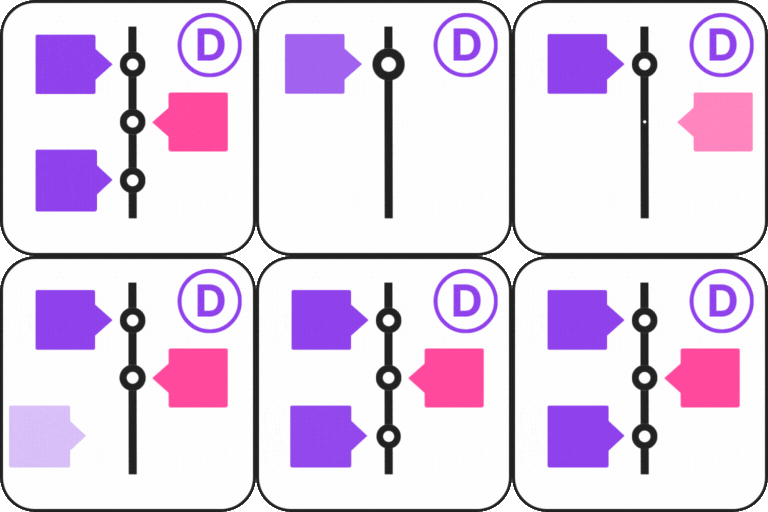
Timeline Module for Divi
Timeline Module for Divi is a powerful plugin that allows you to design and display timelines directly inside the Divi Builder. This plugin offers you ready-made timeline modules that you can add, customize, and publish directly inside Divi in just a few clicks. Whether you want to display your company’s history, highlight important milestones, share your personal journey, or outline a project roadmap, the Timeline Module for Divi makes it simple and visually appealing. View Demos Key Features Works with Divi Builder: The plugin adds a timeline module directly into the Divi Builder. You can place it anywhere on your page and customize it. Multiple Layout Options: Choose between a classic timeline with events on one side or an alternating timeline with stories on both sides. Customizable Design Controls: Adjust colors, fonts, spacing, icons, and backgrounds according to your website’s theme. Add Multimedia: Make your timelines more engaging by including images, videos, or icons in timeline events. This feature helps bring your stories to life and makes your content more interactive. Beginner-Friendly: No coding knowledge is required. The simple drag-and-drop interface makes it easy for anyone to create professional-looking timelines in minutes. Responsive and Mobile-Friendly. Upgrade to Pro Upgrading to the Pro version gives you access to even more powerful features. With Pro, you can create horizontal timelines perfect for roadmaps, step-by-step guides, and product launches. You also get access to advanced customization options and event layout styles. Get Pro! Where can you use the Timeline Module for Divi Company History Showcase: Display the growth and key milestones of your business over the years. Event Highlights: Present a timeline of events for conferences, seminars, or special occasions. Product Launch Timeline: Showcase the development stages and launch timeline of a product or service. Personal Journey: Share your personal story or career progression in a timeline format. Project Roadmap: Create a visual representation of project phases, deadlines, and achievements. Achievements and Awards:Highlight significant achievements, recognitions, and awards over time. Nonprofit or Charity Timeline:Showcase the impact and key initiatives of your nonprofit organization. Portfolio Showcase: Present your work history or project portfolio in a chronological order. Historical Events Documentation: Create a timeline of significant historical events or milestones. School or Educational Timeline: Highlight important academic events, school history, or student progress. Wedding or Family Timeline: Document important life events such as wedding dates, anniversaries, and family milestones. Event Planning: Outline and share the timeline for upcoming events or project plans. Real Estate Development: Showcase the stages of a property’s development from start to finish. Startup Journey: Share your startup’s journey, from idea conception to growth phases. Sports Achievements: Highlight significant moments in an athlete’s or team’s career. It is a Divi Theme Addon. In order to use this Timeline Module you must have to install Divi Theme. Check our other Timeline plugins Cool Timeline: Display your company’s history, product roadmaps, personal stories, or key events using the built-in block or via simple shortcode. View Demo Timeline Widget For Elementor: Showcase your company history, product roadmap, and personal journey in vertical & horizontal layout directly inside Elementor. View Demo Timeline Block For Gutenberg: Create interactive timelines directly within the WordPress Block Editor to display step-by-step tutorials, a company’s history, and a product roadmap. View Demo Timeline Builder: Create a small timeline inside the Gutenberg block editor using a vertical or horizontal timeline. View Demo Use of 3rd Party Services: This plugin connects to the Cool Plugins API to display information about related plugins inside the dashboard. It also offers optional usage tracking and optional feedback submission on deactivation. Data is sent only after explicit user consent. No hidden tracking is performed, and no frontend visitor or site user data is collected. For more details, please review our Data Usage Policy, TOS, and Privacy Policy. ⚠️Important Notice Migration from Divi 4 to Divi 5 will only be supported till Divi 5 Public Alpha 14. If you are planning to upgrade your site or plugins, please make sure to complete the migration process before Alpha 14. After this point, direct migration from Divi 4 will no longer be available, and this may lead to compatibility issues.