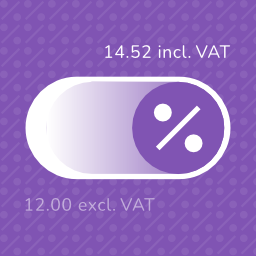
Tax Switch for WooCommerce
Tax Switch for WooCommerce enhances your WooCommerce store by allowing users to toggle between displaying prices including or excluding VAT. This plugin adds a customizable switch component and provides a flexible way to display both price versions. Key features Display customizable switches where you want Gutenberg block support Shortcode for easy integration (including shortcode generator) Flexible display options for prices with and without VAT Remembers the user’s preference for future visits Choose between a toggle switch or buttons For more information about this plugin, please visit the plugin page. Requirements WooCommerce plugin installed and activated WooCommerce tax calculations enabled and configured Configuration Configure the plugin settings below for proper functionality. WooCommerce settings Ensure these WooCommerce settings are configured first: Configure tax calculations Go to: WooCommerce > Settings > General Verify your shop address is complete Enable “Enable tax rates and calculations” Set “Default customer location” to “Shop base address” Set up tax rates Go to: WooCommerce > Settings > Tax > Standard Rates Add your regional tax rates Recommended: tax calculation method Go to: WooCommerce > Settings > Tax Set “Calculate tax based on” to “Shop base address” (This provides instant tax calculation. Other methods require customers to enter their address first.) Individual product configuration Edit products at: Products > [Product] Under Product Data > Tax, set status to “Taxable” Plugin settings Configure these plugin-specific settings: Main settings Go to: WooCommerce > Settings > Tax Switch Set your preferred text values Optional: Restrict display locations Optional: Generate a shortcode via WooCommerce > Settings > Tax Switch > Shortcode Usage After installation and configuration, you can add the tax switch to your pages in two ways: Use the Gutenberg block “Tax Switch for WooCommerce” in your page or post editor. Use the shortcode [wdevs_tax_switch] anywhere in your content. Shortcode Usage Switch/buttons Basic usage: [wdevs_tax_switch] Displays a switch to toggle displaying prices including or excluding VAT. The shortcode accepts several attributes to customize its appearance and behavior: class-name: Adds custom CSS classes to the switch. Default: is-style-default Options: is-style-default, is-style-inline, is-style-flat-pill, or custom classes switch-type: Determines the style of the toggle. Default: switch Options: switch, buttons switch-color: Sets the color of the switch handle. switch-color-checked: Sets the color of the switch when it’s in the “on” position. switch-background-color: Sets the background color of the switch. switch-text-color: Sets the text color of the switch labels. switch-background-color-checked: Sets the background color of the switch when it’s in the “on” position. switch-label-incl: Sets the text for the “including VAT” label. Default: Uses the text set in the plugin settings or “Incl. VAT” if not set. switch-label-excl: Sets the text for the “excluding VAT” label. Default: Uses the text set in the plugin settings or “Excl. VAT” if not set. switch-aria-label: Sets the aria label of the switch. Default: Uses the text set in the plugin settings or “Switch between prices including and excluding VAT” if not set. Example with custom attributes: [wdevs_tax_switch class-name="is-style-inline" switch-type="switch" switch-color="#ffffff" switch-color-checked="#000000" switch-background-color="#000000" switch-background-color-checked="#4CAF50" switch-text-color="#FF0000" switch-label-incl="Incl. tax" switch-label-excl="Excl. tax" switch-aria-label="Switch between prices including and excluding VAT"] Label Basic usage: [wdevs_tax_switch_label] Displays text indicating the currently selected tax setting. The text updates automatically when the tax switch is toggled. The shortcode accepts several attributes to customize its appearance and behavior: class-name: Adds custom CSS classes to the label. Default: is-style-default Options: is-style-default or custom classes label-text-incl: Sets the text to display when “including VAT” is selected. Default: Uses the text set in the plugin settings or “Incl. VAT” if not set. label-text-excl: Sets the text to display when “excluding VAT” is selected. Default: Uses the text set in the plugin settings or “Excl. VAT” if not set. label-text-color: Sets the “excluding VAT” text color. label-text-color-checked: Sets the “including VAT” text color. Example with custom attributes: [wdevs_tax_switch_label class-name="tax-indicator" label-text-incl="Prices include tax" label-text-excl="Prices exclude tax" label-text-color="#FF0000" label-text-color-checked="#4CAF50"] PHP implementation You can use these shortcodes with PHP with the do_shortcode() function: JavaScript API Tax Switch provides a small frontend JavaScript API for custom integrations, such as buttons, preference popups, or other flows where visitors choose whether they want to see prices including or excluding VAT. if ( window.wdevsTaxSwitch && ! window.wdevsTaxSwitch.hasSavedChoice() ) { window.wdevsTaxSwitch.setDisplay( 'incl', { respectExistingChoice: true, } ); } API methods: * hasSavedChoice(): returns whether the visitor already has a saved switch choice. * getDisplay(): returns the current display, either 'incl' or 'excl'. * setDisplay( display, options ): changes the display to 'incl' or 'excl'. * toggle( options ): toggles between inclusive and exclusive VAT display. Options: * respectExistingChoice: boolean – preserves an existing saved visitor choice. Set respectExistingChoice to true when you only want to apply a default if the visitor has not already made a saved choice. You can also request a display change by dispatching an event. This is useful when your integration is event-driven. document.dispatchEvent( new CustomEvent( 'wdevs-tax-switch-context-changed', { detail: { display: 'incl', respectExistingChoice: true, }, } ) ); Detail properties: * display: 'incl' | 'excl' | 'toggle' – requested tax display. * respectExistingChoice: boolean – preserves an existing saved visitor choice. JavaScript events The switch fires a JavaScript event when the tax display changes. You can listen for this event to execute custom code when a user switches between inclusive and exclusive VAT display. This is useful for when you need to perform additional actions based on the tax display state. document.addEventListener( 'wdevs-tax-switch-changed', function( event ) { console.log( event.detail ); } ); Detail properties: * isSwitched: boolean – the raw switch state. * displayIncludingVat: boolean – whether prices now display including VAT. If you are loading the switch dynamically (via AJAX), dispatch this event after rendering to initialize the component: document.dispatchEvent( new CustomEvent( 'wdevs-tax-switch-appeared' ) ); WPML To translate the option texts via WPML: Save your options first in: WooCommerce -> Settings -> Tax Switch Then translate the texts in: WPML -> String Translations and search for your option values in the domain ‘tax-switch-for-woocommerce’ Compatibility This plugin integrates with WooCommerce’s standard filters and actions for price display and calculation. While most plugins and themes work out of the box, some third-party code use custom price building methods that require specific compatibility integrations. The following themes have been tested and confirmed compatible: GeneratePress Blocksy Thrive Flatsome Kapee Entr Woodmart Hello Elementor The following plugins have been tested and confirmed compatible: WooCommerce Product Table Lite (+ PRO) Tiered Pricing Table for WooCommerce (+ Premium) Measurement Price Calculator for WooCommerce Discount Rules for WooCommerce YITH WooCommerce Product Add-Ons (+ & Extra Options Premium) JetEngine Listing Grid (Elementor) Product Add-Ons for WooCommerce B2BKing – Ultimate WooCommerce Wholesale and B2B Solution (+ Premium) Advanced Product Fields Pro for WooCommerce WooCommerce Quantity Discounts, Rules & Swatches FacetWP Variation Swatches for WooCommerce (+ PRO) Variation Price Display Range for WooCommerce (+ PRO) WooCommerce Product Add-Ons Ultimate Advanced Woo Search (+ PRO) B2B Market FiboFilters Extra Product Options & Add-Ons for WooCommerce FiboSearch – Ajax Search for WooCommerce (+ Pro) YayMail – WooCommerce Email Customizer PDF Invoices & Packing Slips for WooCommerce WooCommerce Product Bundles LiteSpeed Cache Elementor Pro YITH WooCommerce Role Based Prices WooCommerce Dynamic Pricing and Discount Rules Price Based on Country for WooCommerce WP Grid Builder If you encounter any compatibility issues with other plugins or themes, please let us know. Your feedback helps us improve the plugin and extend compatibility to more third-party solutions. Incompatibility After multiple attempts to create compatibility functions, reaching out to the plugin developers several times, and still finding no viable solution, the following plugins remain incompatible: Unlimited Elements for Elementor (+ Pro): AJAX pagination and filtering issues Barn2: WooCommerce Product Options Additional Information This plugin is fully open source. You can find the source code on GitHub For more information and other WordPress plugins, visit Wijnberg Developments.
Top keywords
- woocommerce35×2.79%
- switch33×2.63%
- tax32×2.55%
- display20×1.60%
- vat19×1.52%
- settings17×1.36%
- set16×1.28%
- text15×1.20%
- tax switch13×1.04%
- sets12×0.96%
- options11×0.88%
- product11×0.88%
WebPlanex
This plugin is designed exclusively for Indian merchants using WooCommerce, automating the generation of invoices that fully comply with India’s Goods and Services Tax (GST) regulations. By integrating with WooCommerce via REST API and webhooks, it dynamically pulls order details, product data, and customer information to create precise, audit-ready invoices with mandatory GST fields. If your store also sells globally and you need flexible invoicing for non-GST orders, you can pair this plugin with our global solution. With added support for Delivery Notes, Shipping Labels, and Packaging Slips, you can now manage documents for order fulfillment and logistics alongside GST-compliant invoices, all from one dashboard. Looking for flexible, worldwide invoicing? Check out the global WooCommerce invoicing plugin by Webplanex, which offers PDF customization for packing slips and supports multi-currency and multi-language invoices at 👉 https://invoice.webplanex.com/woocommerce-pdf-invoices-packing-slips.html Key Features for Indian Compliance Automated GST Invoice Generation Instantly generates invoices with HSN/SAC codes, GSTIN validation, and tax breakdowns (CGST, SGST, IGST) based on customer location and place-of-supply rules. State-Specific Tax Calculations Automatically applies IGST for inter-state transactions or CGST+SGST for intra-state sales, aligned with the GST Council’s latest guidelines. B2B & B2C Compliance Supports invoice formats for both business customers (with GSTIN) and consumer transactions, including QR codes as per GST Rule 48. Real-Time Data Sync Updates invoices in real-time via webhooks for order modifications, cancellations, or refunds to ensure accuracy. Customer Notifications Sends automated emails with secure download links for GST-compliant PDF invoices, branded with your business logo and terms. Audit-Ready Records Generates GST-friendly reports (e.g., sales registers, tax summaries) for seamless GSTR-1/GSTR-3B filing. No Manual Work Generate GST-compliant invoices for your WooCommerce store easily! Bulk export invoices (PDF). Auto generation of credit notes upon order cancellation. Export sales reports, credit notes reports, and offline orders reports. Offline Order Creation Create offline orders with your WooCommerce products and customers. Invoice Customization Get 5 different invoice templates with customization options. Shipping Labels Create Shipping Labels directly from WooCommerce order pages. Include crucial shipping information such as customer address, tracking ID, and handling notes for faster fulfillment processing Delivery Note Produce clear Delivery Notes for shipments that outline items dispatched without pricing or tax details, perfect for logistics and courier partners. Customize delivery note layouts to match your branding. Packaging Slips Generate Packaging Slips for warehouse and packaging teams containing order contents with quantities and SKU details — ideal for error-free packing. ✅ Tested OK with WooCommerce 10.4.3 ✅ Tested OK up to PHP 8.2 Third Party Compatibility The plugin is compatible with the following third party plugins: • FOX – Currency Switcher Professional for WooCommerce • Sequential Order Number for WooCommerce Subscription We offer tiered subscription options designed to scale with your business needs, ensuring affordability for startups and robust features for growing enterprises. Third-Party Services Disclosure This plugin integrates with external services to deliver core functionality. By using this plugin, you consent to the data practices described below. External Compliance & Notification Service (ECNS) Purpose Automatically generates GST-compliant invoices. Validates tax calculations against Indian GST rules. Sends customer emails with invoice download links. Data Sent Order details (IDs, products, prices, discounts). Customer data (name, email, address). Business details (store name, email,address). When Data Is Sent When an order is created in WooCommerce. When manually regenerating/resending invoices. Service Provider: WebPlanex Infotech Pvt. Ltd. Terms of Service Privacy Policy