TablePress – Tables in WordPress made easy
Boost your website with feature-rich tables that your visitors will love! TablePress is the most popular and highest-rated WordPress table plugin. Easily create, edit, and manage beautiful and modern data tables, from simple price lists to searchable directories, product and model tables, inventories, schedules, and research datasets. Add live sorting, pagination, searching, and other interactive features that help visitors find what they’re looking for on any device. Use any type of data and enrich your tables with images, links, and even math formulas. Import and export tables from/to Excel, CSV, HTML, and JSON files or URLs, including spreadsheet data from Google Sheets, Excel Online, and files stored on Dropbox or OneDrive. Embed tables into posts, pages, or other site areas using the block editor, an Elementor widget, or Shortcodes. All with no coding knowledge needed! Even more great features for you and your site’s visitors and priority email support are available with a Premium license plan of TablePress. Go check them out! Common use cases TablePress will handle a wide range of tables, from simple price lists to searchable directories and large datasets. Popular examples include: Product and model tables Service and price lists Directories and listings Schedules and timetables Participant and member lists Inventories and collections Comparison tables Research and statistical data Accessible and SEO-friendly tables TablePress creates accessible HTML tables whose content can be searched by visitors, WordPress search, and search engines alike. Interactive features like sorting, filtering, and pagination include accessibility enhancements for screen readers and other assistive technologies. This makes it easy for visitors to find relevant information, whether they are browsing a large directory, searching a product table, or using your site’s search function. More information Visit tablepress.org for more information, take a look at example tables, or try TablePress on a free test site. For latest news, follow @TablePress on Twitter/X or subscribe to the TablePress Newsletter. How to use TablePress After installing the plugin, you can create and manage tables on the “TablePress” screen in the WordPress Dashboard. To insert a table into a post or page, add a “TablePress table” block in the block editor or a widget in the Elementor page builder and select the desired table or use Shortcodes with other page builders. Beginner-friendly step-by-step tutorials, guides, and how-tos show how to achieve common and popular tasks with TablePress. You can find examples for common styling changes via “Custom CSS” code on the TablePress FAQ page. You may also add features like sorting, pagination, searching, filtering, alternating row colors, row highlighting, and more by enabling the corresponding options on a table’s “Edit” screen. Premium features Need additional functionality for larger tables or advanced use cases? Premium license plans for TablePress add features such as: Options for responsive tables Advanced filtering and search Fixed table headers and columns Automatic periodic imports Custom styling options And much more Priority email support is also included. Check out the details on the TablePress website.
Top keywords
- tablepress15×3.02%
- tables15×3.02%
- table7×1.41%
- visitors5×1.01%
- add4×0.80%
- data4×0.80%
- lists4×0.80%
- page4×0.80%
- search4×0.80%
- site4×0.80%
- block3×0.60%
- common3×0.60%
Timeline Module for Divi
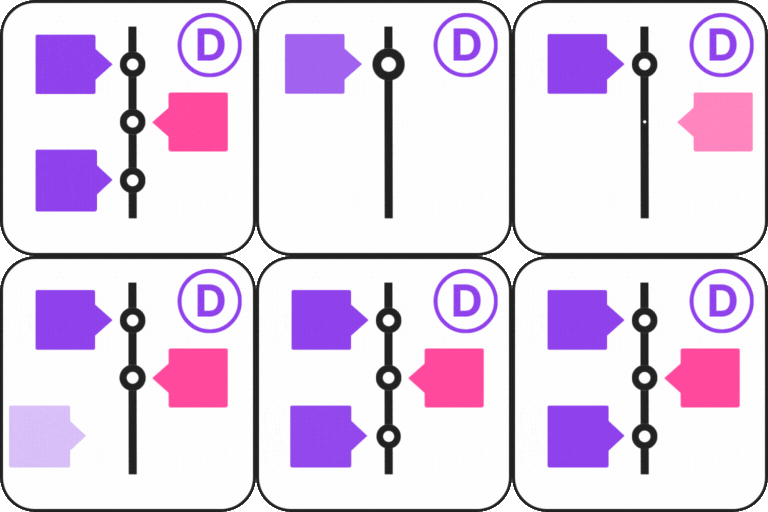
Timeline Module for Divi is a powerful plugin that allows you to design and display timelines directly inside the Divi Builder. This plugin offers you ready-made timeline modules that you can add, customize, and publish directly inside Divi in just a few clicks. Whether you want to display your company’s history, highlight important milestones, share your personal journey, or outline a project roadmap, the Timeline Module for Divi makes it simple and visually appealing. View Demos Key Features Works with Divi Builder: The plugin adds a timeline module directly into the Divi Builder. You can place it anywhere on your page and customize it. Multiple Layout Options: Choose between a classic timeline with events on one side or an alternating timeline with stories on both sides. Customizable Design Controls: Adjust colors, fonts, spacing, icons, and backgrounds according to your website’s theme. Add Multimedia: Make your timelines more engaging by including images, videos, or icons in timeline events. This feature helps bring your stories to life and makes your content more interactive. Beginner-Friendly: No coding knowledge is required. The simple drag-and-drop interface makes it easy for anyone to create professional-looking timelines in minutes. Responsive and Mobile-Friendly. Upgrade to Pro Upgrading to the Pro version gives you access to even more powerful features. With Pro, you can create horizontal timelines perfect for roadmaps, step-by-step guides, and product launches. You also get access to advanced customization options and event layout styles. Get Pro! Where can you use the Timeline Module for Divi Company History Showcase: Display the growth and key milestones of your business over the years. Event Highlights: Present a timeline of events for conferences, seminars, or special occasions. Product Launch Timeline: Showcase the development stages and launch timeline of a product or service. Personal Journey: Share your personal story or career progression in a timeline format. Project Roadmap: Create a visual representation of project phases, deadlines, and achievements. Achievements and Awards:Highlight significant achievements, recognitions, and awards over time. Nonprofit or Charity Timeline:Showcase the impact and key initiatives of your nonprofit organization. Portfolio Showcase: Present your work history or project portfolio in a chronological order. Historical Events Documentation: Create a timeline of significant historical events or milestones. School or Educational Timeline: Highlight important academic events, school history, or student progress. Wedding or Family Timeline: Document important life events such as wedding dates, anniversaries, and family milestones. Event Planning: Outline and share the timeline for upcoming events or project plans. Real Estate Development: Showcase the stages of a property’s development from start to finish. Startup Journey: Share your startup’s journey, from idea conception to growth phases. Sports Achievements: Highlight significant moments in an athlete’s or team’s career. It is a Divi Theme Addon. In order to use this Timeline Module you must have to install Divi Theme. Check our other Timeline plugins Cool Timeline: Display your company’s history, product roadmaps, personal stories, or key events using the built-in block or via simple shortcode. View Demo Timeline Widget For Elementor: Showcase your company history, product roadmap, and personal journey in vertical & horizontal layout directly inside Elementor. View Demo Timeline Block For Gutenberg: Create interactive timelines directly within the WordPress Block Editor to display step-by-step tutorials, a company’s history, and a product roadmap. View Demo Timeline Builder: Create a small timeline inside the Gutenberg block editor using a vertical or horizontal timeline. View Demo Use of 3rd Party Services: This plugin connects to the Cool Plugins API to display information about related plugins inside the dashboard. It also offers optional usage tracking and optional feedback submission on deactivation. Data is sent only after explicit user consent. No hidden tracking is performed, and no frontend visitor or site user data is collected. For more details, please review our Data Usage Policy, TOS, and Privacy Policy. ⚠️Important Notice Migration from Divi 4 to Divi 5 will only be supported till Divi 5 Public Alpha 14. If you are planning to upgrade your site or plugins, please make sure to complete the migration process before Alpha 14. After this point, direct migration from Divi 4 will no longer be available, and this may lead to compatibility issues.