Store credit / Gift cards for woocommerce
Offer store credit to customers that they can use until their credit is finished. You can offer refunds in the form of store credit. Personal coupons are a good way to overcome the mental resistance of your clients and get them to buy your products. Whether you focus on offering a big discount, Store Credit coupons are truly effective to get your sales going, and WooCommerce Store Credit is the simplest, most effective way to do it. Why use Store Credit? Store Credit coupons allow your customers to make multiple purchases until the credit is exhausted or the coupon expires. It can be used as a personal refund or compensation card in case there’s a problem with your product or service. Sell Store Credit coupons to your customers for their own use Allow multiple purchases per coupon Send a unique Store Credit coupon to your customers by email. Set a minimum purchase amount to apply this store credit Set a maximum purchase amount on which store credit can be used Show all the store credit codes in the My Account section Apply store credit code with the click of a simple button Automatically send a reminder email to customers informing them about the expiry date of their coupon. This reminder email will be sent 7 days prior to the expiry date. You can configure the number of days before this reminder email should be sent. Control the amount of store credit that can be used in a single order. Percent of order subtotal restriction: You can set a restriction so that only 20% of the order subtotal can be paid by store credit and the remaining amount has to be paid by the customer. Fixed Cost restriction: You can set a restriction that if you have given them a store credit of $100, then only $20 store credit can be used in a single order. Auto apply store credit if the user is logged in to their account and has store credit available. Selling store credit on your website Gift cards are the perfect solution for both customers and businesses. Not only are they convenient for customers to purchase, but they also organically increase sales for the store. And now, with the WooCommerce Store Credit plugin, it’s never been easier to start selling gift cards on your WooCommerce store. In just a matter of minutes, you can have gift cards available for purchase on your website. You can sell custom amount gift cards where the customer will set the amount they want to buy. You can predefine the amount of gift cards that users can buy. Customers can specify the email ID of the person who will receive the gift coupon. You can set the expiry days for the gift coupon, so if you set expiry to be 365 days, then the store credit coupon will expire after 1 year of purchase.
Top keywords
- credit23×4.75%
- store23×4.75%
- store credit21×4.34%
- customers8×1.65%
- amount7×1.45%
- coupon7×1.45%
- gift7×1.45%
- set7×1.45%
- cards5×1.03%
- email5×1.03%
- gift cards5×1.03%
- purchase5×1.03%
YITH WooCommerce Gift Cards
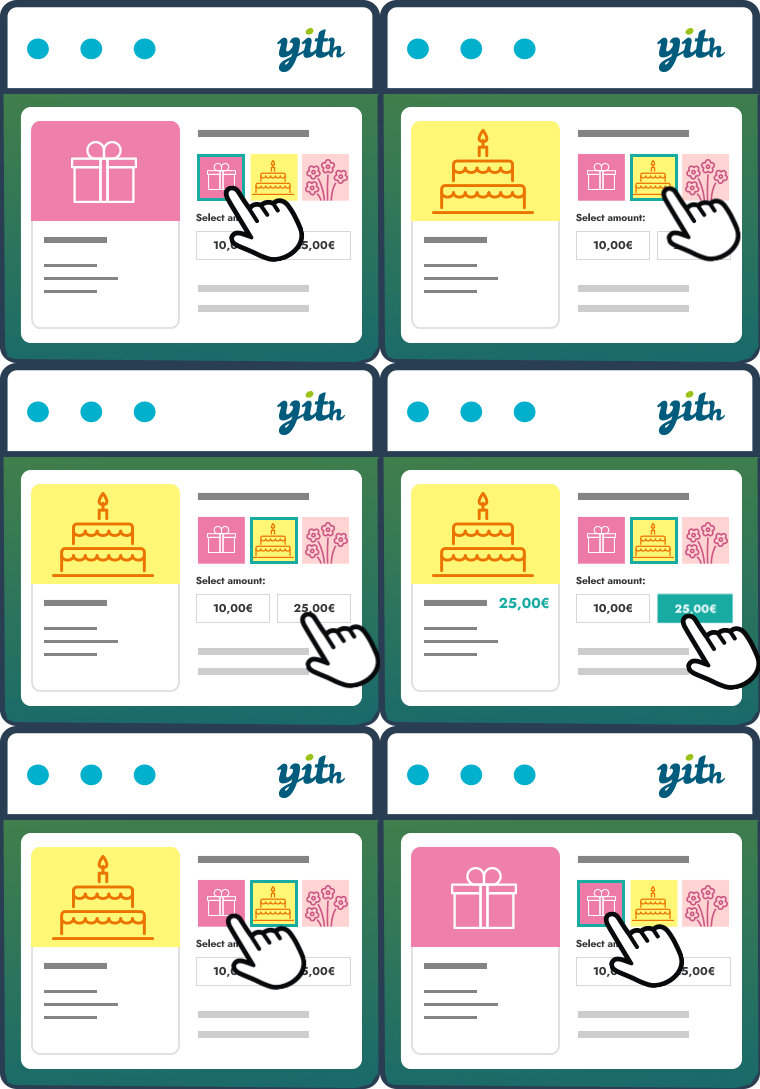
The easy way to sell gift cards in your shop According to a study by Allied Market Research, gift cards turnover will register a record of $16 billion by 2028. And, by 2030, gift cards sold online will reach the $1.1 trillion threshold. Gift cards are a powerful marketing tool to increase sales (especially during the holidays) and build customer loyalty over time. Think about it: it could be a Christmas gift for a friend, a birthday gift for a family member, or Christmas bonuses for your employees… a gift card is always the best choice! By offering your customers the opportunity to purchase a gift card that can be redeemed in your store, you can gain new customers (those who receive the gift card will know about your products and place an order, which means you will be able to push them to buy again and build their loyalty over time) and significantly increase your revenue. YITH WooCommerce Gift Cards is an easy and free solution to start selling gift cards in your e-commerce store. How does it work? You only have to install the plugin, create your first gift card and publish it: a few-minutes process that will let you start offering gift cards immediately to your customers. The user’s interface is very easy and inspired by Amazon’s one: your customers can choose one of the amounts you set, select an image to customize the gift card (our plugin is the only one that lets you upload an unlimited image gallery!), insert the receiver’s details, add a message and, finally, purchase the gift card like any other product on your ecommerce store. Main features Create unlimited virtual gift cards. A virtual gift card will be sent to the recipient email address Create unlimited physical gift cards with one or multiple fixed amounts. Physical gift cards can be printed and shipped to the customers The admin can create, edit and disable the gift cards manually from the backend Create a gallery of images to assign to specific gift cards or specific categories of gift cards. (Example: Christmas, Thanksgiving, Wedding, etc.) The user can enter the sender’s name and a customized message The user can choose one of the images available in the gallery Send automatically the gift card via email to the recipient The admin can verify the email sending status of the gift code Show the ‘apply gift card code’ form in Cart and Checkout pages Allow user to use the gift card to pay the order even if its balance doesn’t cover the total amount Allow user to use the gift card as many times as they want, based on the available balance Allow the user to verify the status and the amount of the gift cards he/she owns The admin can update the gift card balance from the backend without creating a new order The admin has access to a table with all gift cards (to check balance, related orders and so on) Check the live demo > Need more? Get premium! Free version of our plugin works like a charm, but the premium one is a very powerful tool to increase sales and conversions. With the premium version you can: Generate and send multiple gift cards through a bulk action Import and export gift cards into a CSV file Set an optional expiration date for the gift card (gift card will expire on a specific date, like January 01, or after a specific time after the purchase, like 3 months after) Manage stock of each gift card product Enable an optional QR code in gift cards Allow users to specify more recipients for the same gift card (an email with a code of the same amount will be sent to each recipient) Allow users to choose a delivery date and time for the gift card Allow users to upload or drag & drop a custom image or photo to customize the gift card in the modal window Allow users to enter a custom gift card amount (and optionally set the minimum amount that users can enter) Attach a PDF to gift card email (and customize the PDF name) Notify the sender via email when the gift card is delivered to recipient Notify the sender via email when the recipient uses the gift card for a purchase in your shop Choose the position of form in Cart and Checkout pages Allow users to enter the gift card code into the standard coupon code field (instead of showing two different forms in cart and checkout) Set a minimum requested amount in the cart to apply the gift card and exclude specific categories from gift card redemption Create and sell a gift card linked to a specific product of the shop: the gift card will be of the same value of the product that will be recommended in the email Choose the action to trigger when the gift card order gets the “Cancelled” status or it is refunded: suspend or disable the gift card (in this case, it cannot be used for any other purchases) Integrations Compatibility with YITH WooCommerce Multi Vendor: users can apply the gift card codes only on products of vendors to which the gift cards have been assigned by the global admin Integration with WC Smart Coupons: convert Store Credit / Gift Certificate coupons created with it into new Gift Cards Integration with YITH Multi Currency Switcher for WooCommerce Integration with YITH Booking and Appointment for WooCommerce GET PREMIUM VERSION HERE with a 100% Money Back guarantee > Documentation Please, read the official documentation of YITH WooCommerce Gift Cards to learn more about all plugin features. Translators Want to add a new language to our YITH WooCommerce Gift Cards? Learn how to contribute in this page.