Slidr
Slidr is a clean, simple, responsive and touch-friendly multi-purpose Carousel. It takes a different approach than most other carousel plugins on that it displays posts or custom posts instead of just gallery photos (but it can show gallery photos as well if you like). Its goal is to be as flexible as possible, allowing you to fully customize its appearance via CSS and override the default HTML output. You can even use it as a “vessel” to display your custom loops which could, practically, contain any content you like, from YouTube videos and Google Maps to Instagram feeds and Tweets! View the demo | Custom loop demos Features Responsive. Touch friendly. Can accept variable width – fixed height images. You can call it via a shortcode on posts, pages and widgets. You can use it instead of the default WordPress gallery. No need to mess with shortcodes – just enable “Slidr for Gallery” and start creating galleries as usual, the WordPress way! Supports cycling items (when at the end, clicking “next” loads the first item and so on, simulating a circular move). Autoscroll support. Customizable queries with more than a dozen of parameters. You can adjust the post type, number of entries, thumbnail size, order and many more. You can have different carousels with different queries and different parameters on a single page. You can call it conditionally, to load scripts and styles only when needed. It can display entries without photos. For example, you can show the titles and excerpts of your recent posts (or custom posts) and style them however you like. Using a special function you can override the text output for each item. For example, instead of the item’s title and excerpt you can show an icon, some static text or something else. You can add your custom class on each shortcode, to style each carousel differently. If you are a theme developer, you can pass your own default values through your theme’s functions.php for “Slidr for Gallery” option. Works on every recent version of all popular browsers (Firefox, Chrome, Internet Explorer, Opera, Safari) and it even supports Internet Explorer 8. A custom loop function allows you to use the carousel with your custom loops. That way you can practically use it to display any content you like (videos, content from feeds etc). View demos
WP Flow Plus
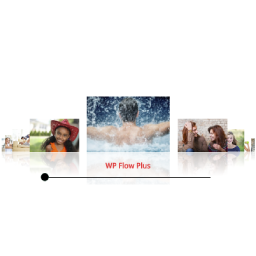
WP Flow Plus Display attractive flow style carousel galleries with or without reflections. Each image links to either a Lightbox preview or to a URL. The Lightbox pop-up supports cycling through all the photos – left/right arrows appear when hovering over the photos. This is a light script that uses the basic JQuery library. It will display a simple thumbnail list if Javascript is disabled in the browser. Demo and Documentation Features CSS reflections Configure carousel image size Configure carousel aspect ratio Multiple galleries per page Configure the background color, text color, container width and choose black or white for the scrollbar. Auto-rotation of the images Configure the starting slide number Touch control of the scrollbar Optional link field in the image editor to link an image to a URL instead of the lightbox Option to open links in the same window or a new window Enable/disable automatic rotation for each instance of a gallery Supports full text description in the popup window of a gallery from the media library Display with or without reflections Gallery based on images from the Media Library or a simple folder of images Featured post support Shortcode generator NextGen gallery support Extended carousel animation styles Circular continuous carousel Configure the number of images on each side of the carousel Lightbox arrow options Slide-up captions Languages Italian translation courtest of Andrea Benedet Serbian translation courtesy of Ogi Djuraskovic Spanish translation courtesy of Ogi Djuraskovic Swedish translation courtesy of Kenneth Andersson