Sitelinx Accessibility Lite
Accessibility Lite has been developed by highly skilled, SEO-oriented programmers. This tool was developed especially for website owners who prioritize website speed, SEO and understand its impact on their Google search results rankings. This tool will aid your SEO efforts and accessibility compliance, thanks to its lightweight coding and “Fix missing ALT attributes on IMG tags” feature. Another notable feature of this tool is that it automatically inherits your website’s default font family and style and is fully customizable. Visit Our Website: https://sitelinx.us Available languages: English (US), Hebrew About Us: We are a team of SEO and coding specialists with over 15 years of experience, servicing clients from all over the globe. We offer our users a complimentary SEO audit of their website, followed by a brief report highlighting key issues that require attention. For a FREE website audit, feel free to contact us at: tamir@sitelinx.co.il Our services include: WordPress Website Development Template Design (HTML, CSS, JS) WordPress and Elementor Website Development Server Administration Search Engine Optimization (SEO) Google Business Profile Optimization, Full Management and SEO Google & Facebook PPC Available languages: English (US), Hebrew This plugin provides full accessibility support (תוסף נגישות לאתרי וורדפרס). Plugin Features Disable/enable check mark Add/remove effect to items on focus mode Choose the type of effect for focus mode Links underline Fix missing ALT attributes on IMG tags Disable/enable the black screen Choose front end panel side (left/right) Choose front end panel icon Choose front end panel background color Customize icon size, shape and margins from top and side Hide the button to disable flashes Hide the button to to mark heading Hide the button to change background color Hide the screen zoom buttons Hide the font resize buttons Hide the button that change to readable font Hide the contrast buttons Hide the underline button Hide the button to mark links Include additional elements that should be affected with the font size modifier (customize to your needs) Exclude additional elements from the effect of the font size modifier Display a link to your accessibility statement page in front end panel Display a link to your feedback page in front end panel CSS Important (Advanced) – Hardened the effect of some toolbar button with the use of CSS important WordPress Accessibility made super easy!
Snap Carousel
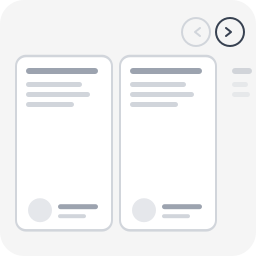
Most WordPress carousel plugins load heavy libraries (Slick, Swiper, jQuery) and fail basic accessibility checks. Screen readers can’t navigate them, keyboard users are stuck, and WCAG audits flag them every time. Snap Carousel takes a different approach: CSS scroll-snap does the scrolling, proper ARIA attributes do the rest. No JavaScript library, no configuration panel, no learning curve — just a block style to apply in one click. Built by WeAre[WP], a WordPress agency specializing in accessible websites and RGAA audits. This plugin exists because we needed a carousel that actually passes our own audits. Supported blocks Apply any of the 4 carousel styles to: Group block (core/group) — any child blocks become slides Query Loop block (core/query) — posts scroll as carousel slides Gallery block (core/gallery) — images scroll as carousel slides Variants Carousel (3 items) — 3 visible items + peek Carousel (1 item) — full-width slideshow Carousel (2 items) — 2 visible items + peek Carousel (4 items) — 4 visible items + peek Features 100% CSS scroll-snap — no Slick, no Swiper, no jQuery Prev/next navigation buttons Keyboard navigation (Arrow keys, Home, End) Full ARIA attributes (role=”region”, aria-roledescription, aria-live) Peek effect: partial visibility of the next item, signaling scrollable content Responsive (auto tablet/mobile adaptation) Respects prefers-reduced-motion Works with Group, Query Loop, and Gallery blocks Works with any child block (images, columns, groups, WooCommerce…) Lightweight: ~2 KB CSS + ~2 KB JS, zero external dependency Full RTL (right-to-left) language support Fully internationalized (i18n ready, French translation included) Easy to customize via CSS custom properties or overrides Accessibility (WCAG 2.2 AA) role="region" + aria-roledescription="carousel" on the container role="group" + aria-roledescription="slide" on each item aria-label="X of Y" for position context tabindex="0" for keyboard focus aria-live="polite" to announce changes Buttons with aria-label and aria-controls Touch targets 44×44px minimum Visible focus indicator Usage With a Group block In the editor, create a Group block Set the group layout to Row Add child blocks (images, groups, columns…) In the sidebar panel → Styles → choose Carousel (3 items) (or another variant) Publish With a Query Loop block Insert a Query Loop block Configure the query (post type, filters, number of items…) In the sidebar panel → Styles → choose a Carousel variant Publish — posts scroll horizontally as carousel slides With a Gallery block Insert a Gallery block and add images In the sidebar panel → Styles → choose a Carousel variant Publish — images scroll horizontally as carousel slides Navigation buttons and accessibility attributes are automatically injected on the front-end. Customization The carousel is designed to work out of the box, but you can easily override styles in your theme’s style.css or via the WordPress Customizer > Additional CSS. Disable the peek effect By default, items are slightly narrower than the visible area so the next item “peeks” in — signaling there is more content to scroll. To disable this and show full-width items: /* Disable peek — 3 items variant */ .is-style-snap-carousel > * { flex-basis: calc(33.333% - 1rem) !important; } /* Disable peek — 1 item variant */ .is-style-snap-carousel-single > * { flex-basis: 100% !important; } /* Disable peek — 2 items variant */ .is-style-snap-carousel-duo > * { flex-basis: calc(50% - 0.75rem) !important; } /* Disable peek — 4 items variant */ .is-style-snap-carousel-quad > * { flex-basis: calc(25% - 1.125rem) !important; } Customize navigation arrows /* Arrow color and background */ .snap-carousel-prev, .snap-carousel-next { background: #0073aa; color: #ffffff; border-color: #0073aa; } /* Arrow hover state */ .snap-carousel-prev:hover, .snap-carousel-next:hover { background: #005177; color: #ffffff; } /* Arrow size (default: 44px — WCAG minimum touch target) */ .snap-carousel-prev, .snap-carousel-next { width: 48px; height: 48px; } /* Square arrows instead of round */ .snap-carousel-prev, .snap-carousel-next { border-radius: 8px; } Customize spacing /* Gap between items */ [class*="is-style-snap-carousel"] { gap: 2rem; } /* Space above carousel (room for navigation) */ .snap-carousel-wrapper { padding-top: 4rem; } Customize focus indicator /* Custom focus color for keyboard navigation */ [class*="is-style-snap-carousel"]:focus-visible { outline-color: #ff6600; outline-width: 3px; } .snap-carousel-prev:focus-visible, .snap-carousel-next:focus-visible { outline-color: #ff6600; } Use with WordPress theme.json design tokens The carousel already uses --wp--preset--color--base, --wp--preset--color--contrast and --wp--preset--color--primary tokens. You can override these per-block in theme.json or via CSS: /* Example: dark themed carousel */ .snap-carousel-wrapper { --wp--preset--color--base: #1a1a2e; --wp--preset--color--contrast: #e0e0e0; --wp--preset--color--primary: #e94560; } Technical Notes – CSS overrides flex-wrap: nowrap on the Row container to force horizontal scrolling – Items use a slightly reduced flex-basis to create a peek effect (next item partially visible) – Navigation buttons are positioned absolute at the top right (adjust top value for your theme) – JS uses a 150ms debounce on scroll for button state updates and 300ms for screen reader announcements – Compatible with WooCommerce blocks (products, etc.) About Snap Carousel is built and maintained by WeAre[WP], a French WordPress agency specializing in accessible websites and RGAA compliance audits. This plugin was built to solve a real problem: every carousel plugin we audited failed basic accessibility requirements. So we built one that passes our own audits. Need help with your WordPress project? Get in touch.