Shortcodes Ultimate – Content Elements
Building new pages with Gutenberg? Explore VovaBlocks, a focused collection of native marketing and content blocks from the creator of Shortcodes Ultimate. View VovaBlocks → About Shortcodes Ultimate Shortcodes Ultimate is a WordPress shortcode plugin for adding tabs, accordions, buttons, FAQs, sliders, carousels, lightboxes, columns, boxes and other reusable content elements without coding. It is ideal for site owners who want richer content layouts and practical UI elements without switching to a full page builder. Use Shortcodes Ultimate in the Block Editor, Classic Editor, widgets and template files. Generate shortcodes visually, preview the result before inserting it, and reuse the same elements across posts, pages and existing shortcode-based content. Trusted by hundreds of thousands of WordPress sites, Shortcodes Ultimate helps you replace multiple single-purpose UI plugins with one maintained toolkit. Explore live examples What you can build With Shortcodes Ultimate, you can quickly add common WordPress content elements such as: Accordions and FAQ sections Responsive tabs CTA buttons and download buttons Boxes, notes and callouts Columns and layout helpers Sliders and carousels Lightboxes for images and custom content Post lists and dynamic content blocks Spoilers, toggles and expandable content Media embeds and visual content blocks Instead of installing a separate plugin for every small content element, Shortcodes Ultimate gives you one maintained toolkit for everyday WordPress content tasks. Works with modern and classic WordPress workflows Shortcodes Ultimate works with the Block Editor, Classic Editor, widgets and template files. You can insert shortcodes manually, use WordPress shortcode blocks or use the built-in shortcode generator to configure elements visually. This makes the plugin useful for: Site owners who want to improve content without coding Bloggers and affiliate publishers who need reusable CTA and content blocks Agencies and freelancers maintaining multiple WordPress sites Developers who want shortcode-friendly output in templates Existing sites with older content that already uses shortcodes Why use Shortcodes Ultimate? 50+ ready-to-use WordPress shortcodes Visual shortcode generator Live preview Works with the Block Editor and Classic Editor Shortcodes can be used in posts, pages, widgets and template files Responsive elements that work with your theme Built-in Custom CSS editor Developer-friendly hooks and documentation Free version available on WordPress.org Pro version available for advanced shortcodes, extra styles and premium support Why shortcodes still matter in WordPress The WordPress Block Editor is great for visual content editing, but shortcodes are still useful when you need portable, reusable content elements that work across different parts of a WordPress site. Shortcodes are especially helpful when you want to: Reuse the same content element in many posts or pages Add dynamic content inside widgets or templates Maintain older WordPress sites that already use shortcodes Work across Classic Editor and Block Editor workflows Add content elements without switching to a full page builder Keep common UI elements available through a simple text-based syntax Shortcodes Ultimate is designed for these practical workflows. It gives you a large collection of ready-made shortcodes and a visual generator, so you do not need to write shortcode syntax manually unless you want to. Free and Pro The free version of Shortcodes Ultimate includes a large collection of useful shortcodes for everyday WordPress content tasks. Shortcodes Ultimate Pro adds advanced shortcodes, additional styles, Content Slider, Pricing Table, Testimonials, Shortcode Creator, Elementor support and premium support. Compare Free and Pro Useful links Documentation Live Examples Pro features Support
Top keywords
- shortcodes25×4.50%
- content21×3.78%
- wordpress14×2.52%
- shortcodes ultimate12×2.16%
- ultimate12×2.16%
- editor10×1.80%
- elements9×1.62%
- shortcode6×1.08%
- block5×0.90%
- block editor5×0.90%
- blocks5×0.90%
- classic5×0.90%
Custom Product Tabs for WooCommerce & WordPress Tabs Builder – Smart Tabs
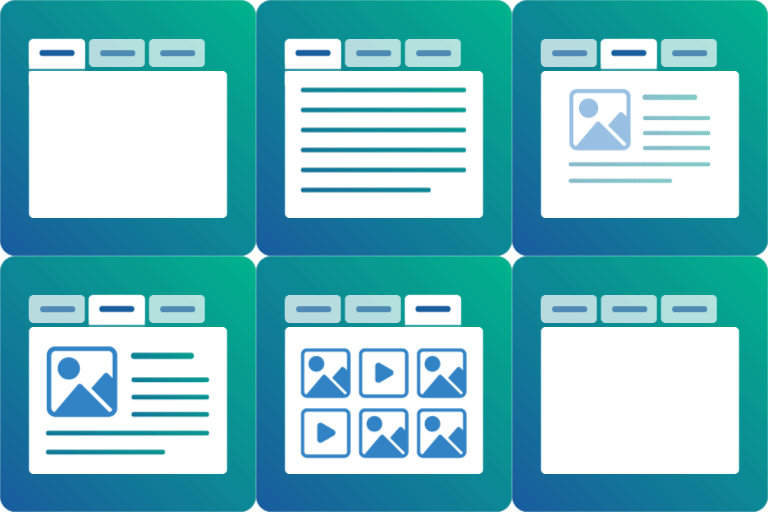
Responsive WooCommerce Product Tabs & WordPress Tabs Builder Plugin Smart Tabs (formerly WP Tabs) is a tab plugin designed for both WooCommerce and WordPress. It provides responsive tab layouts and customization options to create WooCommerce product tabs and WordPress tabs with no coding required. 🖥 Live Demo | 📖 Documentation | 🛟 Support Key Benefits: Organize rich content and keep shoppers engaged Save space and reduce scrolling with clean tabbed layouts Let visitors see everything at a glance Improve navigation with contextual tabs Boost engagement and drive more sales Key Features List: WooCommerce Custom Product Tabs – Add custom product tabs to product pages WooCommerce Suggested Product Tabs – Showcase related & complementary items for cross-sells Pre-made Tab Layouts – Create tabs in one click Responsive Mobile Tabs – Tabs convert to full-width or accordion style on smaller screens Nested / Multi-level Tabs – Structure content with tabs inside tabs Flexible Tab Navigation – Switch tabs by clicking or mouseover Drag & Drop Ordering – Reorder tabs easily by drag-and-drop, ID, title, or date Tab Animations & Hover Effects – Add animations for interactions Tabs Alignment Options – Left, right, top, bottom, center, or justified Key Compatibility: Works with major themes, WooCommerce plugins, and page builders Multisite Supported – Activate network-wide or per site Multilingual & RTL Ready – Compatible with WPML, Polylang, WeGlot, Loco Translate, TranslatePress, GTranslate, qTranslate-x, and more Upgrade to Smart Tabs Pro Smart Tabs Pro is a premium version that extends the functionality of the free plugin with additional features for WooCommerce product tabs and WordPress tabs. 🏆 What You Can Do with Smart Tabs Pro⚡ ✅ WooCommerce Product Tabs: Add custom tabs and accordions globally or individually, positioned below or beside the product gallery. ✅ Override Tabs Per Products: Create different content for specific products by overriding tabs while adding or editing products. ✅ Custom Content Tabs: Create tabs with any type of content: texts, images, videos, shortcodes, and more. ✅ Post Tabs: Build tabs displaying posts filtered by various taxonomies. ✅ Horizontal and Vertical Tabs: Shape Horizontal & Vertical tabs with left and right placement options. ✅ Nested/Multilevel Tabs: Add tabs within other tabs. ✅ Tabs Carousels (Scrollable Tabs): Create scrollable tab carousels to display multiple tabs in a single row. 🏆 WooCommerce Product Tabs: 👉 Tabs Templates and Layouts: Access pre-designed tab layouts for your product pages. 👉 Product Tabs with Product Image Galleries: Include image galleries in tabs with grid or masonry layouts and adjustable column settings. 👉 Video Tab: Add video content to showcase reviews, tutorials, and promotions. Supported video platforms: YouTube Vimeo Wistia TikTok Self-hosted videos 👉 FAQ Tab: Include an FAQ section to address common customer questions. 👉 Contact Form Tab: Add a contact form to capture leads and inquiries. 👉 Download Tab: Provide access to all essential documents like technical specs, guides, warranties, charts, and more in one dedicated tab. 👉 Product-Specific Tabs: Add tabs to specific products, categories, or brands. 👉 Product Tabs as Accordion Layout: Display tabs in an accordion format for better space utilization. 👉 Hide or Override (Edit) Tabs Per Product: Hide or modify tabs for specific products as needed. 👉 Custom Related Products Tabs: Add related products tabs without relying on category or tag matching. 🏆 WordPress Tabs Features: 👉 Display Posts in Tabs: Organize blog posts, news, and pages into tabs with filtering options. 👉 Image & Video Gallery Tabs: Create image and video galleries within tabs. 👉 Tab Icons: Choose from FontAwesome icons or upload custom icons. 👉 Tab Connecting Arrow or Indicator: Add visual indicators connecting tabs to their content. 👉 Animations and Effects: Apply animations and hover effects to tabs. 👉 Responsive Design: Tabs automatically convert to accordions on mobile devices. 👉 Deep Links: Add deep links within tabs to direct users to specific content. 👉 Customization Options: Access extensive styling options including Google Fonts and design settings. 🛟 Support and Documentation 👉 Get all guidance at our Documentation 👉 Say Hi for support to the Plugin’s Support Team 👉 Explore more at Smart Tabs Author – Backed By A Trusted Team Smart Tabs plugin is developed and maintained by ShapedPlugin LLC.