Shortcodes Ultimate – Content Elements
Building new pages with Gutenberg? Explore VovaBlocks, a focused collection of native marketing and content blocks from the creator of Shortcodes Ultimate. View VovaBlocks → About Shortcodes Ultimate Shortcodes Ultimate is a WordPress shortcode plugin for adding tabs, accordions, buttons, FAQs, sliders, carousels, lightboxes, columns, boxes and other reusable content elements without coding. It is ideal for site owners who want richer content layouts and practical UI elements without switching to a full page builder. Use Shortcodes Ultimate in the Block Editor, Classic Editor, widgets and template files. Generate shortcodes visually, preview the result before inserting it, and reuse the same elements across posts, pages and existing shortcode-based content. Trusted by hundreds of thousands of WordPress sites, Shortcodes Ultimate helps you replace multiple single-purpose UI plugins with one maintained toolkit. Explore live examples What you can build With Shortcodes Ultimate, you can quickly add common WordPress content elements such as: Accordions and FAQ sections Responsive tabs CTA buttons and download buttons Boxes, notes and callouts Columns and layout helpers Sliders and carousels Lightboxes for images and custom content Post lists and dynamic content blocks Spoilers, toggles and expandable content Media embeds and visual content blocks Instead of installing a separate plugin for every small content element, Shortcodes Ultimate gives you one maintained toolkit for everyday WordPress content tasks. Works with modern and classic WordPress workflows Shortcodes Ultimate works with the Block Editor, Classic Editor, widgets and template files. You can insert shortcodes manually, use WordPress shortcode blocks or use the built-in shortcode generator to configure elements visually. This makes the plugin useful for: Site owners who want to improve content without coding Bloggers and affiliate publishers who need reusable CTA and content blocks Agencies and freelancers maintaining multiple WordPress sites Developers who want shortcode-friendly output in templates Existing sites with older content that already uses shortcodes Why use Shortcodes Ultimate? 50+ ready-to-use WordPress shortcodes Visual shortcode generator Live preview Works with the Block Editor and Classic Editor Shortcodes can be used in posts, pages, widgets and template files Responsive elements that work with your theme Built-in Custom CSS editor Developer-friendly hooks and documentation Free version available on WordPress.org Pro version available for advanced shortcodes, extra styles and premium support Why shortcodes still matter in WordPress The WordPress Block Editor is great for visual content editing, but shortcodes are still useful when you need portable, reusable content elements that work across different parts of a WordPress site. Shortcodes are especially helpful when you want to: Reuse the same content element in many posts or pages Add dynamic content inside widgets or templates Maintain older WordPress sites that already use shortcodes Work across Classic Editor and Block Editor workflows Add content elements without switching to a full page builder Keep common UI elements available through a simple text-based syntax Shortcodes Ultimate is designed for these practical workflows. It gives you a large collection of ready-made shortcodes and a visual generator, so you do not need to write shortcode syntax manually unless you want to. Free and Pro The free version of Shortcodes Ultimate includes a large collection of useful shortcodes for everyday WordPress content tasks. Shortcodes Ultimate Pro adds advanced shortcodes, additional styles, Content Slider, Pricing Table, Testimonials, Shortcode Creator, Elementor support and premium support. Compare Free and Pro Useful links Documentation Live Examples Pro features Support
TWX-Chat – AI Chatbot with Talking Avatars
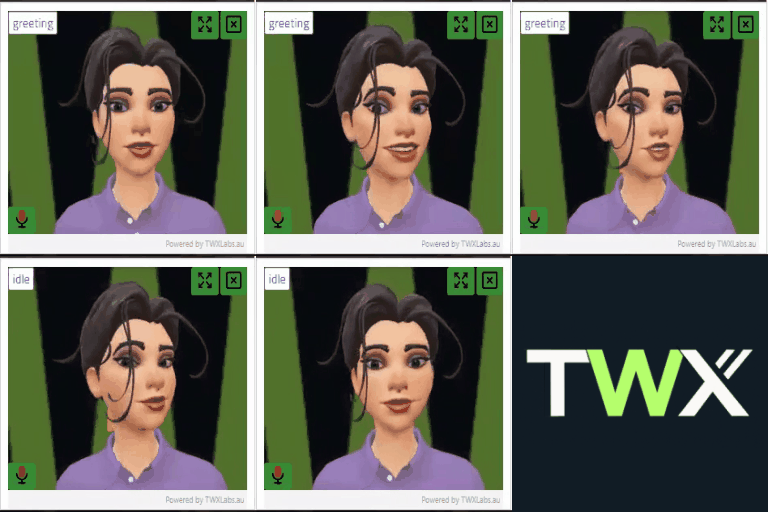
TWX-Chat is a powerful and flexible AI chatbot plugin for WordPress, designed to enhance user engagement and provide intelligent, automated support. Powered by OpenAI, this plugin allows you to add a customizable chatbot to your website that can answer questions, provide information, and guide users. Key Features: AI-Powered Chatbot: Utilizes OpenAI’s GPT models to provide natural and intelligent conversations. 3D Talking Avatars: Select from available 3D Avatars to add extra engagement for all of your visitors. No time limits! Knowledge Base Integration: Automatically builds a searchable knowledge base from your website’s pages, posts, or even a sitemap (paid plan). The chatbot uses this “context” to provide relevant and accurate answers based on your content. Site Crawler: Includes a built-in site crawler to automatically keep your knowledge base up-to-date with the latest content from your site. Customizable: Customize the chatbot’s appearance, greeting messages, common questions, flashcards and more. Supports both embedded and floating chat styles. Streaming Support: Provides fast, streaming responses for a smoother user experience. Shortcode Builder: Easily create multiple chatbots with different styles and knowledge, and simply add the id to any page or post using a simple shortcode. Whether you want to provide 24/7 customer support, create an interactive FAQ, or simply offer a more engaging way for users to explore your site, TWX-Chat provides the tools you need. External Service Usage OpenAI This plugin connects to the OpenAI API (https://api.openai.com) in order to provide AI-powered responses and functionality. This includes streaming and non-streaming responses to the Chatbot, and also OpenAI Assistant integration (Chat Threads, Responses, Files etc). OpenAI API Terms of Service: https://openai.com/policies/terms-of-use OpenAI API Privacy Policy: https://openai.com/policies/privacy-policy Amazon AWS This plugin also connects to Amazon Polly and S3 APIs (*.amazonaws.com) in order to provide Text-To-Speech audio during Avatar Chatbot conversations. AWS Customer Agreement (Terms of Service): https://aws.amazon.com/service-terms/ AWS Privacy Notice: https://aws.amazon.com/privacy/ Account Requirements To use API features, an account with OpenAI and optionally Amazon AWS may be required. API keys are entered by the user in the plugin settings. Remote Resources The plugin connects to our external server (twxchat.twxlabs.au) in order to download 3D avatar assets. This occurs once per Avatar Character selection only. This helps keep the ZIP distributable to a manageable size rather than having all the Character GLTF 3D models in the package. It also allows us to release new Avatar Characters in future which can simply be downloaded as needed. If you are on a paid plan, calls to the remote server are also made to verifiy your Customer Key. Directly Accessible Files The following scripts are directly accessible by design for the followig reasons: stream_handler.php – is intentionally accessed directly via javascript EventSource for streaming responses from OpenAI. This file includes the proper WordPress bootstrap and nonce checks within it to prevent unauthorized access. Planned Improvements Better Internationalization More Avatar Characters MCP/Agent2Agent support Also there a loads more features in our paid plans. Check the twxchat website here