Loading content…

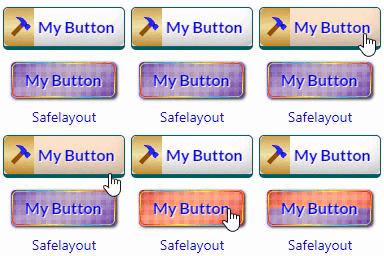
resmio button & widget vs Safelayout Brilliant Buttons – WordPress Buttons
Side-by-side comparison
At a glance
| Metric | resmio button & widget | Safelayout Brilliant Buttons – WordPress Buttons |
|---|---|---|
| Rating | 5.0 ★ | 5.0 ★ |
| Total reviews | ★ 3 | 2 |
| Active installs | 400+ | 100+ |
| Free plan | — | — |
AppRanks verdict
Generated from live data on this pageThe call
The data on this page doesn't separate resmio button & widget and Safelayout Brilliant Buttons on rating, pricing, languages, category rank or listed features. Compare the tables below against your own requirements.
How this is generated
Built only from the WordPress Plugin Directory listing data shown on this page. AppRanks does not accept payment to influence comparisons. Read the methodology
Read each app's audit: resmio button & widget audit • Safelayout Brilliant Buttons – WordPress Buttons audit
1. Listing metadata
Field-level data| Field | resmio button & widget | Safelayout Brilliant Buttons – WordPress Buttons |
|---|---|---|
| Platforms | ||
| Developer |
2. Categories & rankings
Shared categories on the same row · in-category position inlineresmio button & widget
Safelayout Brilliant Buttons – WordPress Buttons
—
Block#374 of 593
3. Search rankings
Top 5 keywords · shared rankings prioritized| Keyword | resmio button & widget | Safelayout Brilliant Buttons – WordPress Buttons |
|---|---|---|
| feedback form | Not ranked | #743 |
4. Activity in the last 90 days
Tracked changes · pricing, features, copy, screenshotsresmio button & widget · 0 changes
No tracked changes.
Safelayout Brilliant Buttons – WordPress Buttons · 1 changes
- Aug 28descriptionListing copy updated
5. App details
Long-form descriptionresmio button & widget
Resmio provides you with an online reservation system software for your restaurant that allows you to manage all reservations received in your restaurant quickly and easily. In order to recieve reservations from your website you have to integrate the codesnippet provided by resmio either for the widget itself or for a reservation button (which then loads the widget). With this plugin you do not have to manually add these codesnippets to your site. Instead you can type shortcodes directly into the wysiwyg-editor and or insert the shortcodes through a menu button in the toolbar of the TinyMCE editor (only in visual mode). The shortcodes are: [resmio-button] -> for the resmio button [resmio-widget] -> for the resmio widget Why Use It? Instead of adding whole codesnippets for your resmio button/widget to your website you can use shortcodes. How To Use (once plugin is installed) 1) Go to settings -> resmio button and widget and insert your resmio ID 1.1) If you want to alter the colors of the button (and so on) activate extended settings 2) Save the settings 3) Go to your page/post and insert the shortcode you want to use. There are two ways to insert the shortcodes: 3.1) Type the shortcodes ‘[resmio-button]’ and/or ‘[resmio-widget]’ directly into the wysiwyg editor 3.2) Use the menu button ‘resmio’ in the toolbar of your wysiwyg-editor (only in visual mode) Compatibility Tested on 4.0, 4.1, 4.4.2, 4.5.4, 4.6, 5.3, 5.4, 5.6.1 and 5.8.2 Support If you encounter any problem with this plugin please contact resmio GmbH via email -> support@resmio.com Disclaimer This plugin is released under the GPL licence. I do not accept any responsibility for any damages or losses, direct or indirect, that may arise from using the plugin or these instructions. This software is provided as is, with absolutely no warranty. Please refer to the full version of the GPL license for more information. Manual Installation Download the plugin file and unzip it. Upload the ‘resmio-button-and-widget’ folder to the ‘wp-content/plugins/’ folder. Activate the resmio button and widget plugin within WordPress. Alternatively, you can install the plugin manually through the WordPress Admin interface by going to Plugins -> install -> upload plugin (zip format)
Safelayout Brilliant Buttons – WordPress Buttons
Skip the tedious styling configurations and custom code. Safelayout Brilliant Buttons delivers an instant library of pre-designed, high-converting Call to Action (CTA) buttons and layout sections that drop straight into your content with a single click. Using our dedicated “Insert Button from Library” feature, you can browse, preview, and deploy stunning design buttons instantly. Whether you use Gutenberg (Block Editor), Elementor, or the Classic Editor, this lightweight companion brings effortless aesthetic upgrades to your website. There is no manual layout building required—simply pick a ready-made option from the library featuring multi-color gradient fills, background patterns, or elegant text subheadings. 📦 Ready-Made Call to Action Patterns & Blocks Want more than just a single button? Access pre-configured layout blocks designed to capture leads instantly: * High-Converting Sections: Instant boxes complete with bold marketing headers (e.g., “Get 40% Off Across All Categories” or “Ready to Bring Your Ideas to Life?”) with beautiful buttons like “Visit Shop” and “Shop Deals”. * Native Integration: Insert these ready-made patterns directly from your Gutenberg block panel or Elementor widget dashboard with zero building required. ⏳ Effortless “After Click” States (Zero Frustration) Standard WordPress buttons leave users wondering if a page has frozen after a click. Safelayout Brilliant Buttons fixes this user experience gap instantly with automated after-click loading features. With no complex setup, your buttons can automatically display: * Live Processing Statuses: Watch the button label immediately update to helpful feedback like “Please wait…” or “Redirecting…”. * An Inline Loading Spinner: A smooth, integrated visual animation shows users the site is actively working. This unique feature eliminates duplicate form submissions and keeps traffic calm on slower web servers. ⚡ Instant “Click Effects” & Fluid Hover Transitions Give your website visitors immediate, tactile satisfaction. The plugin includes pre-configured click animation profiles and fluid micro-interactions. Your buttons respond the exact millisecond they are pressed with interactive ripple waves, tactile micro-depressions, and energetic layout pulses. 🚀 Optimized for Core Web Vitals (No Font Files) Protecting your website page speed is our highest priority. Unlike alternative visual blocks that drag down loading times by fetching heavy external icon toolkits, this plugin displays iconography using 100% pure inline HTML SVG icons. Your pages load lightning-fast, keeping your Core Web Vitals clean across modern desktop and mobile browsers. 🎨 Native Theme & Full-Site Editing (FSE) Compatibility Every pre-set styling choice plays perfectly with responsive modern layouts. Enjoy absolute cross-browser rendering reliability and native Full-Site Editing (FSE) support that seamlessly syncs with your theme’s global font sets and wrapper container environments. Features High quality buttons. Available in Block editor, Classic editor and Elementor. Many beautiful button effects. Many beautiful Hover animation effects. Includes buttons with various background patterns. Includes buttons with various click effects. Ability to show loading animation and change text after click. Include icon button. Include Sub text. Include multi color icon packs. No icon fonts, just inline SVG. Gradient color for icon fill and stroke as well as background color. Fully compatible with Full-Site Editing. Cross browser compatible. Fully customizable. Work with Any Theme. Live Demo Safelayout Brilliant Buttons Demo. Pro Version Safelayout Brilliant Buttons Pro is available. Upgrade to pro version and get full features! Safelayout other plugins Safelayout Elegant Icons – WordPress icon block Safelayout Cute Preloader – CSS3 WordPress Preloader Safelayout Animated Header Footer
Frequently asked
Common questions about this comparisonWhich has better reviews, resmio button & widget or Safelayout Brilliant Buttons – WordPress Buttons?
resmio button & widget (5.0★, 3 reviews) and Safelayout Brilliant Buttons – WordPress Buttons (5.0★, 2 reviews) are essentially tied on rating. Look at review velocity and individual reviewer quotes — both visible on each app's detail page — to differentiate.
Should I choose resmio button & widget or Safelayout Brilliant Buttons – WordPress Buttons?
AppRanks cannot separate these two on rating — both sit at 5.0★. resmio button & widget does carry the larger published review base (3 vs 2). Read both apps' detail pages for the feature breakdown and recent listing changes.
Which is faster to set up, resmio button & widget or Safelayout Brilliant Buttons – WordPress Buttons?
Both apps are one-click installs from the WordPress Plugin Directory. AppRanks doesn't measure setup time directly; resmio button & widget has more published reviews to read for user-reported install experience (3 vs 2).
Which works better for small vs large WordPress Plugin Directory site owners?
AppRanks cannot say which fits a larger or smaller operation — there is no store-size measurement in the WordPress Plugin Directory data. What it can show: resmio button & widget has 3 published reviews; Safelayout Brilliant Buttons – WordPress Buttons has 2 published reviews. Compare plan limits and pricing tiers against your own volume.
Can I migrate data between resmio button & widget and Safelayout Brilliant Buttons – WordPress Buttons?
Migration support varies by app and category. resmio button & widget and Safelayout Brilliant Buttons – WordPress Buttons both publish their export options on their marketplace listing pages (or in their support docs); some apps offer one-click import from competitors, others require CSV. The fastest check: search "import from Safelayout Brilliant Buttons – WordPress Buttons" in each app's help center. AppRanks does not track migration tooling directly — this is a category-specific capability worth verifying before commitment.