Redirector
Redirect posts, pages or any custom post type to a different url. Hooks Actions redirector_uninstall – Runs on plugin deinstall redirector_metabox_begin – Begin redirector meta box redirector_metabox_end – End redirector meta box redirector-modal-search-begin Begin redirector modal redirector-modal-search-end End redirector modal Filters redirector-redirect-url – Alter the query string that is appended to redirect url redirector-status-code – Redirect status code; default 301 redirector-recent-posts – Alter redirector recent posts query redirector-search-query – Alter redirector search query redirector-meta – Alter Redirector meta save Update Notice In version 3+ I’ve changed the database handling of storing the post meta data. This results in that you have the visit the backend once after updating the plugin. The function maybe_update() will handle the transition from the old structure to the newer one. There shouldn’t be any problem updating the plugin, if so please contact me!
XING for WordPress
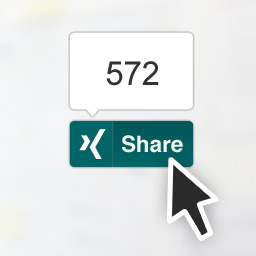
This plugin enables the XING Share Button and the Follow Button on your WordPress website. It allows to include the buttons on your home page, pages and/or posts. It also enables widgets and handy shortcodes. Your visitors will be able to share your content on their news feed, as well as start following your News or Company page on XING. XING Share button The main feature of this plugin allows you to include the XING Share Button on your posts and pages. You’ll find all the configuration options under the XING for WP menu option on your WP Admin interface. You can decide where to show the button -home page, posts and/or pages-, it’s position, and pick your favourite layout. XING Share widget This plugin includes a widget to easily display the XING Share Button on any widget area your current Theme enables. XING Share shortcode Add a XING Share Button using a shortcode inside your post or theme. The button generated by the shortcode can be configured individually. [xing_share] Optional configuration: The layout option defines the look of the button, determined by counter position and shape. Possible values are: With counters share-top rectangular shape, “Share”/”Teilen” labeled, with counter balloon on top share-right rectangular shape, “Share”/”Teilen” labeled, with counter balloon on the right square-top square shape, no label, with counter balloon on top square-right square shape, no label, with counter balloon on the right Without counters share rectangular shape, “Share”/”Teilen” labeled square square shape, no label The lang option defines the language in which the information shown by the button is displayed. Default value is en (English), can be set to de (German). The url option defines the URL to be shared when clicking the button. Needs to be a valid URL. Current URL is used if none is provided. The follow_url option sets the URL of the XING News or Company page for the Follow button displayed on the success page after sharing. Here’s a full example: [xing_share layout="share-top" lang="de" url="https://wordpress.org/plugins/share-on-xing/" follow_url="https://www.xing.com/news/pages/marketing-werbung-44"] XING Follow button It is now possible to configure the XING Follow button to allow your visitors to follow your News or Company page on XING. It can be displayed next to the Share button on the blog’s home, posts and/or pages, next to the Share button. Follow on XING widget This plugin includes a widget to easily display the XING Follow Button on any widget area your current Theme enables. Contributing The source code of this plugin can be found on this GitHub account. Pull requests, code discussions and features requests are more than welcome!