Really Simple Featured Video – Featured Video Support for Posts, Pages & WooCommerce Products
Really Simple Featured Video plugin provides a really straightforward way of adding featured video support to your Posts, Pages & WooCommerce Products. Adding your own videos to the site is a breeze and you get an easy to use settings panel with the options you really need. 🚀 Take a better look at Really Simple Featured Video With Really Simple Featured Video you get a metabox at posts, pages, CPTs & Woo products edit screen at the very bottom and a very similar interface as you’re used to with featured image. You get a really simple settings page which has all the controls you need for managing featured videos throughout your site. Explore it yourself for a better look or take a look at screenshots below. 👉️ Features Embed support from Youtube, Dailymotion and Vimeo – You can now embed videos from Youtube, Dailymotion and Vimeo directly at each post/page/product or any custom type that supports featured images. Autoplay on Hover – Enable autoplay on hover on all videos added via the plugin on the site, self hosted and embeds. Self host videos – Upload and feature videos on posts/pages and WooCommerce products directly from your site. WooCommerce Single and Shop Archives Support – A straightforward implementation for WooCommerce Product Featured Video. Floating Videos – Create engaging, responsive floating video buttons that open a popup player with multi-video support and customizable controls. Astra Pro WooCommerce Module Support – Support for vertical and horizontal product galleries. Salient Theme WPBakery Builder Support – Support for Post Loop Builder element with Salient theme. Elementor Pro Support – Support for Posts/Archive, WooCommerce Product widgets with Elementor Pro builder. Bricks Builder Support – Support for Posts/Archive with Bricks builder using custom widget elements. Support for Core themes – We support all the newer core themes such as TwentyTwenty Four to Classic themes. Video Controls such as Autoplay, Mute and more – Manage everything for the featured videos, by setting them accordingly, options for these are available at settings page. Shortcodes – Shortcodes to embed featured video at any post, page or product you want. Manage Featured Videos – Manage featured videos from one single place for all your post types and skip the repetitive steps of going to the edit screen to edit each post/page/product individually. Elementor Widget – A dedicated Featured Video widget for Elementor that seamlessly integrates with your page designs, allowing easy video embedding and customization. 👉️ Video Autoplay on Hover Support RSFV supports autoplaying videos on hover, just enable the feature via Settings and the videos will start to autoplay. Autoplay videos when users hover on them not by default, creating a much better experience for the user as well as the site. 👉️ WooCommerce Support This plugin came out of a real need with many plugins available out there yet none provides a good integration with WooCommerce. Really Simple Featured Video plugin provides a straightforward implementation for WooCommerce Product Featured Video, with which your set featured video loads directly into product thumbnails along with any other product images. 👉️ Astra Pro WooCommerce Module Support RSFV supports Astra Pro WooCommerce module with horizontal and vertical product gallery types, which in turn brings you more control and customizable features. 👉️ Salient Theme WPBakery Builder Support RSFV supports Salient Theme WPBakery builder with its Post Loop Builder element, giving you more control and support for Custom post loops. You can also display Featured Video on single pages via the shortcode – [rsfv]. 👉️ Elementor Pro Builder Support RSFV supports Elementor Pro builder with its Posts/Archives and WooCommerce Product widgets, you can use them to display Featured Videos for posts, pages, products and CPTs (with Featured Images). You can also display Featured Video on single pages via the shortcode – [rsfv] 👉️ How to use Shortcodes There are also shortcodes to embed featured video at any post, page or product you want. [rsfv] shortcode is for displaying set featured video of the individual post anywhere in the post. [rsfv_by_postid] shortcode is for displaying featured video of any post anywhere you want, you just need to pass a vaild post id to it e.g. [rsfv_by_postid post_id=”281″] You can send a feedback or a feature request at github.com/JetixWP/really-simple-featured-video Or create a thread at forums here, in any case. 👉️ Premium Features Really Simple Featured Video PRO plugin supports additional features, where we can continue to keep them maintained and updated. We get quite a few requests from you guys, and the plugin offers most if not all features from these requests while we continuously work towards adding more and more useful features. RSFV PRO plugin includes these features – ✅ Extended Autoplay on Hover – Customize the way video autoplay on hover works on your site all via the plugin settings. ✅ Extended Floating Videos – More layouts to display floating videos sitewide. ✅ Change Video Aspect Ratio – Apply sitewide featured video aspect ratio such as 16:9, 3:2, 1:1 and more. ✅ Change Video Order at Woo Product CPT – Set video order at single product pages of WooCommerce Product CPT. ✅ Support for more Premium/Custom Themes – Loads additional compatibility for many supported Premium/Custom themes. ✅ Requests for Theme Compatibility – We will take requests for additional theme compatibility. ✅ Priority Support – Solving your problems are our priority with superfast response times. More features to come in the future, to name a few – ✨ Featured Video Blocks for Full Site Editing ✨ And more from your requests If you wish to grab the PRO version with a lifetime deal please do checkout Pro at our website
Top keywords
- featured26×2.85%
- video26×2.85%
- support22×2.41%
- featured video18×1.97%
- videos16×1.75%
- product15×1.64%
- post13×1.42%
- woocommerce13×1.42%
- pro11×1.20%
- builder10×1.10%
- rsfv10×1.10%
- autoplay8×0.88%
AI Product Gallery Slider for WooCommerce, Slider, Zoom, Video & Variation Images – WPBean
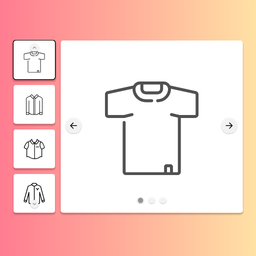
Transform your WooCommerce store with a modern product gallery experience featuring slider, zoom, video, lightbox, and variation image support — all in one powerful plugin. Live Demo | Full Features List | Documentation | Upgrade to Pro! AI Product Gallery for WooCommerce is a complete WooCommerce product gallery plugin that replaces multiple plugins by combining: Product gallery slider Product image zoom (hover + lens + window zoom) Product video gallery (YouTube, Vimeo, self-hosted) Additional variation images WooCommerce lightbox gallery Mobile-optimized product gallery layouts AI-powered gallery assistant 👉 Ideal for anyone searching for: WooCommerce product gallery plugin WooCommerce product image zoom plugin WooCommerce product video gallery WooCommerce variation image gallery WooCommerce gallery slider plugin Create beautiful product image galleries with sliders, grids, zoom effects, product videos, variation image galleries, fullscreen lightboxes, mobile touch gestures, vertical product galleries, and advanced gallery layouts. Whether you run a small online store or a large WooCommerce shop, this plugin helps customers explore products in greater detail, improving engagement and increasing purchase confidence. Perfect For Fashion stores Electronics shops Furniture stores Jewelry stores Beauty and cosmetics stores Digital product showcases Handmade product stores Any WooCommerce website that wants better product image presentation Why Use This Plugin? Customers cannot physically touch products in an online store. High-quality product galleries, zoom functionality, videos, and variation-specific images help shoppers inspect products more closely and make purchasing decisions faster. This plugin allows you to: Show products from multiple angles Add product demonstration videos Display different galleries for different variations Create mobile-friendly product galleries Improve product image navigation Increase customer engagement Reduce uncertainty before purchase Build a professional WooCommerce shopping experience Free Features 🚀 AI-Powered Product Gallery Builder Generate complete WooCommerce product gallery layouts using AI. Features include: AI product gallery generator from text prompt AI gallery layout suggestions from images AI-assisted gallery rule creation Works with OpenAI, Claude, Gemini, MiMo 👉 Perfect for fast WooCommerce gallery setup without manual configuration. Product Gallery Layouts Build attractive WooCommerce product galleries with flexible layout controls. Features include: Thumbnail gallery layout Main image with thumbnail strip Horizontal product gallery Vertical product gallery Thumbnail position: ** Top ** Bottom ** Left ** Right Thumbnail slider layout Thumbnail grid layout Thumbnail sizing controls Thumbnail spacing controls Border radius customization Active thumbnail highlighting Responsive gallery behavior Product Gallery Slider Create smooth image sliders for WooCommerce products. Features include: Navigation arrows Overlay arrows Drag navigation Swipe navigation Scroll navigation Loop functionality Slider controls Smooth image transitions Supported transition effects: Fade Slide Zoom None Product Image Zoom for WooCommerce Allow customers to inspect products in greater detail. Included zoom features: Inner zoom Hover zoom Adjustable magnification levels Smooth zoom easing Custom cursor styles Crosshair cursor Zoom-in cursor Default cursor mode Perfect for: Clothing stores Jewelry stores Electronics stores Furniture stores High-detail product photography WooCommerce Lightbox Gallery Show images in a beautiful fullscreen gallery. Features include: Fullscreen lightbox Click-to-open gallery Expand button Keyboard navigation Previous/next arrows Image counter Image captions Thumbnail pagination Dot pagination Zoom controls Autoplay slideshow Fullscreen toggle Smooth open and close animations Product Video Gallery for WooCommerce Easily add videos to your WooCommerce product gallery. Supported video sources: YouTube videos Vimeo videos Self-hosted videos WordPress Media Library videos Video options: Autoplay Mute Loop Controls Responsive video display Fit-to-container settings If you are searching for: How To Add Videos In WooCommerce Product Gallery WooCommerce Product Video Gallery Product Video Slider for WooCommerce this plugin provides a complete solution. Additional Variation Images for WooCommerce Improve product variation presentation. Features include: Automatic image switching Variation image replacement Instant gallery updates Better color and style selection experience When a customer selects a product variation, the main image updates automatically to match the chosen variation. Mobile Optimized Product Gallery Designed for modern mobile shopping. Features include: Mobile gallery layouts Mobile navigation arrows Mobile thumbnails Touch gestures Pinch-to-zoom Swipe navigation Responsive breakpoints Optimized mobile experience Gallery Navigation Features Navigation arrows Auto-hide arrows Dot pagination Scroll navigation Swipe navigation Drag navigation Transition effects Direction controls Animation duration controls Performance Features Built with performance in mind. Features include: Image preloading Loading spinner Optimized gallery rendering Fast image switching Smooth animations Responsive loading Gallery Rules System Create gallery presets and assign them to products. Free version includes: One gallery rule Apply globally Apply to selected products Apply to selected categories Premium Features Upgrade to unlock advanced WooCommerce gallery functionality. Advanced Gallery Layouts Hierarchy Grid Gallery Display a large featured image followed by a multi-column image grid. Features include: Hero image Grid layouts Custom columns Aspect ratio controls Image fit options Border radius controls Zoom support Anchor Navigation Gallery Create a modern scroll-linked gallery experience. Features include: Scroll navigation Dot navigation Thumbnail navigation Overlay navigation Custom navigation styling Smooth scrolling Ideal for users searching for: Anchor Navigation Gallery for WooCommerce Long Product Image Gallery Scroll-Based Product Gallery Sticky Split Gallery Create immersive product galleries with a sticky image viewer. Features include: Sticky image column Scrollable image column Sticky offsets Click synchronization Zoom support Lightbox integration Tiles Gallery Display images in attractive tile layouts. Features include: Equal-sized image tiles Show More button Show Less button Responsive grids Aspect ratio controls Advanced Zoom Types Lens Zoom Create a magnifying lens effect directly on product images. Features include: Circular lens Square lens Custom lens size Border styling Lens customization Window Zoom Display zoomed content in a separate panel. Features include: Dedicated zoom window Custom positioning Window sizing controls Shadow controls Border controls Fade animations Variation Gallery for WooCommerce Create unique galleries for every variation. Features include: Multiple images per variation Complete gallery replacement Variation-specific galleries Improved product presentation Perfect for: Clothing stores Shoe stores Furniture stores Products with many color options Sticky Product Summary Keep important purchase elements visible. Features include: Sticky product title Sticky product price Sticky Add to Cart button Responsive controls Offset customization Advanced Gallery Pagination Additional navigation styles: Progress bar pagination Numeric count pagination Gallery counters Advanced Lightbox Features Unlock professional image viewing tools. Features include: Swipe navigation Mouse drag navigation Loop images Mouse wheel zoom Single image mode Rotate image Flip image 1:1 zoom Social sharing Image downloads Advanced Gallery Rules System Create unlimited gallery presets. Features include: Unlimited gallery rules Category-specific galleries Product-specific galleries Rule duplication Advanced gallery management Frequently Used Search Terms Users often find this plugin when searching for: AI Gallery Assistant for WooCommerce AI Product Gallery Generator Product Image Zoom for WooCommerce WooCommerce Product Gallery Slider Product Video Gallery for WooCommerce Additional Variation Images for WooCommerce Variation Images Gallery for WooCommerce Vertical Product Gallery WooCommerce WooCommerce Product Image Carousel WooCommerce Lightbox Gallery WooCommerce Zoom Plugin WooCommerce Product Gallery Plugin WooCommerce Product Video Plugin WooCommerce Gallery Layouts WooCommerce Product Image Viewer WooCommerce Image Magnifier WooCommerce Gallery Slider Plugin WooCommerce Gallery With Video WooCommerce Variation Gallery Plugin WooCommerce Gallery Grid WooCommerce Product Gallery Customization Best Gallery for Single Product Shop Product Gallery Plugin for WooCommerce Replace Multiple Plugins With One Instead of installing separate plugins for: Product image zoom Product gallery slider Product videos Variation galleries Additional variation images Product lightbox Mobile gallery optimization you can manage everything from one plugin. This reduces plugin conflicts, simplifies management, and helps maintain a consistent user experience throughout your WooCommerce store. Built for WooCommerce The plugin is designed specifically for WooCommerce and integrates seamlessly with your existing products, variations, themes, and store layouts. Whether you need a simple product image zoom or a complete advanced WooCommerce gallery system with videos, variation galleries, anchor navigation, sticky layouts, and fullscreen lightboxes, this plugin provides the tools you need to create a professional product viewing experience.