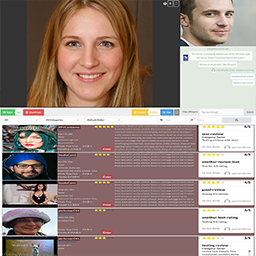
Paid Videochat Turnkey Site – HTML5 PPV Live Webcams
Transform your WordPress site into a thriving pay-per-view (PPV) video chat service with the PPV Live Webcams plugin. This comprehensive solution allows performers from various sectors—be it education, counseling, or entertainment—to monetize their skills through live streaming, private consultations, and media sales. Designed for seamless operation across devices, this plugin integrates cutting-edge technologies like HTML5 WebRTC/HLS for an optimal user experience without the need for additional downloads. Live Demos Build a turnkey pay per view (PPV) videochat, your own platform, where live service providers (consultants, advisors, performers) can market and sell their services remotely. Platform Benefits Quick and Cost Effective: Launch a fully functional PPV video chat platform for a fraction of the cost and time required to develop from scratch. Leverage WordPress: Built on the reliable WordPress framework, this plugin offers ease of use and access to a vast selection of plugins, themes, community of developers. No Downloads Required: With a fully web-based setup, users can start streaming and viewing without the need for additional software or plugins. Optionally, performers can broadcasting using professional RTMP encoders like OBS, mobile Larix Broadcaster and clients can watch using same web interface. Multiple Revenue Streams: Generate income through various channels including private shows, group sessions, tips/gifts with goals, creator subscriptions, digital content, donations and crowdfunding. Wide Provider Support: Ideal for a broad range of service providers such as educators, trainers, advisors, and entertainers looking to monetize their expertise remotely. Solution can host remote paid videochat services from various types of providers including performers, adult models, consultants, teachers, personal trainers, tutors, therapists, mediums, tarot readers, spiritual healers, psychic readers, astrologists, herbalists, lawyers, financial / tax / legal advisors, technicians or other professionals that can provide remote assistance, interventions, shows and services. For more details see: PaidVideoChat Solution HomePage Free Streaming Server Services This type of solution requires specific live streaming server services. For quickly testing own setup, try these options: * Register for a Free Streaming account with WebRTC & RTMP/HLS * Install on own dedicated server or VPS the free open source WebRTC Signaling Server for basic P2P live streaming using STUN/TURN (as alternative to WowzaSE live streaming) HTML5 Videochat responsive app, versatile, mobile friendly, 100% web based (no Flash, no downloads) room link live streaming & chat, public lobby for presales or paid group sessions video conference meeting with multiple webcams collaboration: file sharing, presentation private 2 way video calls, on request or setup with locked link pay per minute or free, in private calls and group videochat shows gifts/donations with multiple goals and revenue sharing when multiple checked in performers Lovense browser/extension integration: notify API on tips to activate toy, show listings with toy random room with Next button random match mode with custom matching criteria (2 way) on demand recording of live video streams, with option to stack in save recording (conferencing) broadcast with RTMP encoders like OBS with SnapCamera, mobile Larix Broadcaster (HTML5 HLS playback) screen sharing, including mixing audio with microphone audio/video/screen recording messages, emoticons, replies in chat push performer stream to 3rd party RTMP platforms multi language text chat: integrates DeepL API for live translations on request multi-view with RTSP IP camera re-streaming support (can switch live between webcam and streams) scale 1 to many using Wowza SE as relay and/or use P2P WebRTC + STUN/TURN (new) generates & uploads camera snapshots (and no longer relies on FFmpeg as external streams) Webcam App Integration (Simple Broadcast) PPV Live Webcams includes a simple WebRTC broadcast interface powered by the VideoWhisper Webcam Streaming App for performers that need a streamlined live workflow. Webcam App repository: Webcam-Streaming-WebRTC on GitHub Webcam App demo: Live demo Performers can use group modes configured with interface=webcamapp (Simple Broadcast) Turnkey Site Custom (editable) frontend registration types: Performer/Teacher/Broadcaster/Tutor/Consultant/Model, Client/Student/Viewer/Fan, Studio/Company/Brand/Clinic/School Custom videochat rooms (Webcam/Room/Conference/Meeting/Venue/Shop) and editable list of Chat Modes (Free Chat, Paid Group Show, Video Conference, Calls Only, Broadcast) HTML5 Videochat App interface: Live Video Streaming, Request Private Call, 2 Way Video Calls, Tips/Gifts, Video Conference Split Screen, Instant File Sharing, Presentation AJAX webcams list with custom template and CSS Public and private Pay Per Minute videochat shows PPV settings (cost per minute, grace time) Gifts/Tips/Donations (customizable amount, label, sound) in HTML and Advance interface and customizable gift goals Paid Questions/Messages, performer gets paid on reply Integrates WP SMS & WP Twilio Core for notifications or questions/messages MicroPayments/FansPaysite wallet integration: sell creator subscriptions, digital content, membership with tokens & token packages with WooCommerce gateways TeraWallet tokens wallet integration myCRED Wallet credits wallet integration Lobby access permissions (access lists or pay per room) HTML5 Live Streaming interface for broadcast and playback on mobiles from Flash PC app broadcasts HLS & MPEG-Dash transcoding for performer stream (watch live video stream from iOS/Android mobile) Customizable for a multitude of user interaction and billing scenarios RTMP Admin tool to monitor live sessions and spy on cams on RTMP server 100% php plugin source code Abides to WP coding and security standards Archive streams and import with Video Share VOD plugin Performers can import and upload videos to show on their page Video teaser shows on profile page and preview in listings (on hover) Performers can upload pictures to show in a gallery on their page (with Picture Gallery) Sell Pictures/Videos (with MicroPayments – Paid Membership, Content) Reviews with Star Ratings integration Performers can restrict access from specific countries to their listings and webcam page Performers can set an access price or password for room page Fake Live Performers: Schedule videos to play in loop as if performer was live Custom listing fields/questions (unlimited fields can be configured from backend) Paid Group Modes: define group chat modes from backend Multi Performer Checkin: Multiple performers can be checked in same webcam channel for sharing paid group session profits GeoBlocking: globally (by admin) or per webcam (by performer), block countries/regions/cities with GeoIP Performer/Studio Approval: Administrative records with custom fields for review Multi-Person account support (partners, couples, groups): collect personal records for each person Moderators that can access group chats in secret without generating charges Daily free time limit for free chat, visitors Auto import webcam snapshots in picture galleries Archive and import broadcasts from group mode sessions Collaboration mode support: video conferencing, file sharing, present videos/images/documents Random videochat (Next button to quickly move to a different performer room without reloading page/interface) BuddyPress Groups integration: Each group has own room and administrators become performers (room moderators) BuddyPress Activity integration: create rooms, go live in room BuddyPress Profile integration for performers: list live rooms (updated with AJAX), [paid] video questions WooCommerce Products integration: Select products to show on room profile Google reCAPTCHA v3 integration for frontend registration, login Custom menus for performer, client, studio or regular members SightEngine integration for live streaming moderation based on stream snapshots (detect nudity, weapons, drugs, violence, etc) VideoWhisper Site Manager Agent Integration When VideoWhisper Site Manager is active, PPV Live Webcams registers structured agent instructions and role-limited tools for ChatGPT Actions, Claude MCP, Codex MCP, and Turnkey remote workflows. Administrators with Site Manager Pro can list/read/update the whitelisted VWliveWebcamsOptions option and call ppv_live_webcams_settings_updated so the plugin can refresh derived settings such as room rewrite rules and parsed profile/record/group-mode configuration. Administrators can retrieve PaidVideochat platform status, counters, main plugin pages, role labels, custom post type slug, profile fields, administrative record fields, and current group chat modes. Moderators can use free Site Manager access to list pending performers/providers, review administrative records, approve users, reject users with a message, and set suspended status. Performer roles can list/get/update their own webcam rooms through controlled room setup and profile meta fields. Example use case: an administrator can ask an agent to reconfigure a site for fitness trainers and clients. The agent can update role labels, room/class terminology, profile fields such as fitness objectives and training style, trainer administrative record fields, and then notify settings_updated for follow-up adjustments. Hosting Requirements This plugin has requirements beyond regular WordPress hosting specifications: specific live streaming servers, certificates, licensing, tools and configuration for HTML5 live camera streaming. For testing, register for a Free Streaming account with WebRTC & RTMP/HLS A new WebRTC Signaling Server is available for basic live streaming functionality using TURN servers. It’s in early development stage and not recommended for production use. Some advanced features require executing server commands for accessing tools like FFmpeg. This involves special configuration and security precautions on web server. By default executing commands (and these features) are disabled. Home Page For online site demos, detailed software requirements, installation and setup instructions see plugin homepage: PaidVideoChat HomePage WordPress PPV Live Webcams Plugin HomePage Consulting Services Get complete consulting services to run your live streaming site: Consult VideoWhisper How it Works Performers join to earn money. They turn on their webcams and hang out in public (presale) rooms waiting for members to chat. Performers are listed on a page (live performers show first) and site visitors can join them. Paying clients can invite performers to do private video chat shows and pay per minute. They first need to register as clients and add some money to their virtual wallet on site to be able to request private shows. Payments go from clients to site owner’s account depending on billing gateway (multiple supported). Site owner can see earnings for each performer and send payments as necessary. Billing Clients can prepay credits that can be used for ppv chat. Billing is supported with TeraWallet (WooCommerce Wallet) and/or myCRED plugin that includes PayPal Standard, Skrill (Moneybookers), NETbilling, Zombaio, BitPay (bitcoin). Other payment modules are available for extra: 2checkout, ComproPago, CoinBase, CoinPayments, PayFast, Payza, Robokassa, Stripe, WePay. WooWallet supports free and premium payment gateways: PayPal (Standard, Checkout), Stripe (CC, Apple Pay, Google Pay, SEPA, Bancontact, Sofort, Giropay, EPS, iDeal, Przelewy24, Alipay, Multibanco), Square (CC U.S, Canada, Australia, Japan and the UK), Amazon Pay, PayFast, Venmo, eWay (SG, MY, HK, AU, NZ), Klarna (now, later, slice), Authorize.Net, SagePay (UK), WorldPay, 2 Checkout. Payouts can be made manually by site owner, with the Payout Tool that generates mass CSV payout lists (for processors like Paypal, Skrill) or with 3rd party plugins/addons. External Services This plugin can optionally connect to VideoWhisper Remote Connect when an administrator clicks Connect in the VideoWhisper account settings. The default service URL is https://consult.videowhisper.com. Remote Connect is a free registration-based onboarding service for testing and low-friction setup. It can register or log in a VideoWhisper contact, create/select a free streaming server account, import WebRTC/RTMP/HLS configuration, and push this site’s stream, notify, and Webcam App login URLs so the plugin can be tested without manual server configuration. Data sent to the service can include the plugin identifier, WordPress site URL/domain, administrator-entered contact name/email, registration form answers, confirmation PINs, selected account token, and generated stream/notification/login URLs needed for automated configuration. Using Remote Connect is optional. Administrators can instead enter compatible streaming server settings manually or configure a separate compatible CRM/streaming service URL. Terms of Use: https://consult.videowhisper.com/terms-of-use/ Privacy Policy: https://consult.videowhisper.com/privacy-policy/ Demos WordPress turnkey site demos on: * PaidVideochat Turnkey Site Demo * FansPaySite Demo Simplified demonstrative setups for testing videochat app without registration: * Video Call PHP / HTML5 Videochat on Wowza SE * Video Call PHP / HTML5 Videochat on VideoWhisper WebRTC * Live Streaming PHP / HTML5 Videochat on Wowza SE * Live Streaming PHP / HTML5 Videochat on VideoWhisper WebRTC * Webcam App (Simple Broadcast) Demo * Cam/Mic Recorder HTML5 – Standalone * Random Videochat
Smush – Image Optimization, Compression, Lazy Load, WebP & CDN
Compress images, optimize images, and enable image lazy load automatically with the powerful Smush image optimizer to keep your WordPress site fast, without losing quality. Smush makes it easy to optimize images, compress images, and deliver images faster across your entire WordPress site. This all-in-one image optimizer automatically reduces image file sizes, enables image lazy load, and serves modern formats like WebP and AVIF, all without breaking image quality or adding extra work. Whether you’re running a blog, store, or portfolio, Smush helps you optimize images at scale and keep your site fast with a trusted WordPress image optimizer. Trusted by 1+ Million Sites | 4.8/5 Star Rating Get everything you need to optimize images and speed up your site. Smush works out of the box with no complicated setup – just install and let it handle the rest. Compress images without losing quality Reduce image file size automatically while keeping your images sharp and clear. Smush is an easy-to-use image optimizer which let’s you compress images using both lossless and lossy compression, giving you the best balance of quality and performance without extra work. You can also compress images outside the media library using Directory Smush, making it easy to optimize images stored in theme folders, plugins, or other directories on your server. Lazy load images for faster pages Enable image lazy load across your site so images load only when needed. This image optimizer improves initial page speed and creates a smoother experience for visitors without extra configuration. Serve WebP and AVIF images automatically (PRO) Convert images to WebP and AVIF and serve them automatically to supported browsers. Smush helps you optimize images using next-gen formats to reduce file size and improve load times across your WordPress site. Deliver images faster with an Image CDN (PRO) Serve images through a global image CDN to reduce latency and improve load times for visitors around the world. 119 global CDN servers Up to 500 GB of bandwidth Faster image delivery based on visitor location Improved performance for image-heavy and high-traffic sites Automatically resize and fix image dimensions (PRO) Eliminate common PageSpeed warnings and improve layout stability with automatic image sizing. Smush dynamically resizes images to perfectly fit their containers, regardless of original size, helping fix the “Properly size images” warning in Google PageSpeed Insights. It also automatically adds missing width and height attributes to your images, improving rendering speed and reducing layout shifts. This helps you meet the “Ensure images have explicit width and height” recommendation without any manual work. Optimize your entire site, automatically Smush works across your whole site as a powerful image optimizer to optimize images as you upload them and maintain performance over time without manual work. Optimize images automatically on upload Compress images in bulk or individually Works with your existing media library No need to re-upload images Enable image lazy load across your site Convert images to WebP and AVIF Deliver images with an integrated image CDN Automatically resize and serve correctly sized images Optimize images outside the media library with Directory Smush Built for performance Smush improves page speed and overall performance by reducing image weight and improving how images are delivered. Reduce page load times Improve user experience Better performance for image-heavy pages Supports image lazy load and preload images (PRO) for faster perceived performance Works with your existing setup Smush is built to work with your current WordPress setup, including popular themes, page builders, and plugins. Compatible with Gutenberg, Elementor, WPBakery, and more Works with WooCommerce stores No need to change your workflow Easy to enable and configure Designed to be simple You don’t need to be a performance expert to optimize images with Smush image optimizer. Works out of the box Simple settings when you need them No technical knowledge required Safe to use on any site Why choose Smush? There are plenty of image optimization plugins, but Smush focuses on making it easy to optimize images, compress images, and improve performance without complexity. As a leading WordPress image optimizer, Smush gives you powerful optimization tools without the technical hassle. Trusted by over 1 million WordPress users Built specifically for WordPress Regular updates and improvements Backed by the WPMU DEV team Get started in minutes Install Smush, activate it, and start to compress images, optimize images, and enable image lazy load right away. This easy-to-use image optimizer helps most sites see improvements immediately without changing how they upload or manage images. About Us WPMU DEV is a premium supplier of quality WordPress plugins, services and support. Learn more here: https://wpmudev.com/ Don’t forget to stay up to date on everything WordPress from the Internet’s number one resource: WPMU DEV Blog Hey, one more thing… we hope you enjoy our free offerings as much as we’ve loved making them for you! Contact and Credits Originally written by Alex Dunae at Dialect (dialect.ca, e-mail ‘alex’ at ‘dialect dot ca’), 2008-11.