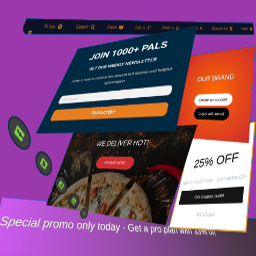
MaxBoxy
MaxBoxy is a tool that will help you in making engagement and conversion elements for your Website. To be concrete, with MaxBoxy create floating content, menus, info bars, popup or slide-in panels. Set them into rotating notification system, introduce them on page’s load or exit intend, offer coupons and much more. It can be used, for example, to: Engage visitors with your products and items Turn over site visitors to consumers, followers or buyers Increase social followers & connect with your social sites Get additional email subscribers Create eminent floating menus Stick necessary announcements Rotate exciting news and messages about your products Manage content boxes through different panel strains. Lets see beneath. Strain FloatAny Basically, with FloatAny strain – float any content on your site. Whatever you make with inside the panel will appear as a floating content box on your WordPress Website. Create popup boxes, notifications, alerts, info bars, banners, display ads… Strain InjectAny In essence, with InjectAny strain – inject any content on specified pages or over the whole site. Create alerts or highlighted content boxes and even dismissible notes. You can also inject CSS and JS code in predefined head and footer locations. Simplicity, Performance and Design The big chance is you’re going to like this, MaxBoxy’s interface is the same that WordPress is using for publishing posts and pages. This means that content of the panels are built with native WordPress’ blocks. This creates lightweight outcome, outputting mostly the resources your site is already using. This should produce faster page loading compared to the tools competitors provide. Conversion Set the goals inside your MaxBoxy content boxes and measure conversions. These goals can be set as click on buttons or newsletter/sign-up forms submission. So, after setting the panels, see the stats and how the visitors are engaging with your messages and action calls. Therefore, MaxBoxy allows you to simply extend the functionality of your Website and to create floating content or injecting content box in an easy and a way you should be already familiar with. Multiple styles and functionalities are there which will help you to engage your site’s guests and will enable additional interactions for them on the site. You see, by using WordPress blocks you assemble components to form different site elements, i.e. floating menus, popup boxes, newsletter signup forms, important announcements and alerts, rotating messages. As you guess, the way you form the content, is up to you. You can get really creative by yourself or use existing patterns. Documentation and other help when you need it After installing the plugin, the best way to start is to check the documentation on our site. We explain in details all the features the plugin have. To fully understand MaxBoxy’s features you can visit Demo section from our site. At the end, to get things easier we’ve created the import/export feature. This permits you to quickly move FloatAny and InjectAny content from one Website to a different one or to begin simply with the examples we have prepared for you. Once imported, you’ll be able to test different content panel types. More information on how to import exemple content is provided on our site. Note: Some features are part of the Premium addon. Free version allows usege of InjectAny with pre-defined locations and you can create FloatAny panels for the site overall disposal, while the Premium addon gives you more flexibility. With free version obtain the general impression regarding the plugin and if the site overall functionallity is all you need, you’re free to use it. However, with Premium version you get more features and options. Go Premium Premium Version Conditional appearance Restriction for any page, categories, user logged status, user roles, etc. Appear after event (time, scrolling, page’s element in view), etc. Scheduling campaings Geolocation targeting Trigger a panel “On click”, “On hover” – from the content’s button, link or image Output as a shortcode or through WordPress block interface and much more customization options… For additional information visit our site and see all features and benefits of upgrading to the MaxBoxy’s Premium version.
Top keywords
- content15×2.17%
- site13×1.88%
- maxboxy7×1.01%
- premium6×0.87%
- boxes5×0.72%
- floating5×0.72%
- version5×0.72%
- wordpress5×0.72%
- different4×0.58%
- floatany4×0.58%
- injectany4×0.58%
- page4×0.58%
Sales Notifications for WooCommerce – Recent Sales Popup
Sales Notifications for WooCommerce – Recent Sales Popup is the best WooCommerce plugin to boost your sales. This plugin allows you to display recent orders on a popup with customer and product information. You can display customer name, address, purchased items, product image, purchased time. Live Sale Notification For Woocommerce plugin allows you to create fake orders if your store is new and you want to create social proof of a busy store with many customers and orders. By displaying recent orders on a popup you can urge your customers to purchase products and increase conversion rates. Try the Demo | Pro Version | Facebook Page Important Notice: ► Plugin works based on WooCommerce plugin. Version 5.0 and above. THE PLUGIN FEATURES: Hassel’s free and friendly user interface only takes few minutes to set up with optimal default settings. FREE FEATURES Display Recent Orders Live Sale Notification For Woocommerce plugin allows you to display sales notification with the information of recent orders. All you need to do is ► Select Orders to Display:In this feature you can choose to display Complete, Processing, On hold, Canceled, Refunded, Pending payment, or Failed orders. ► Out-of-stock products:This feature allows you to select to show out-of-stock products on notifications or not. ► Exclude Products:This feature allows you to exclude products you don’t want to show on notifications. All you need to do is select multiple exclude products from the select box and these products will not show on the notification. ► Order Time::This feature allows you to select time and display orders from that time until now. Products in this recent time will get from order. ► Order Status:This feature of the Notifications for WooCommerce plugin allows you to select order status. ► Product Images size:This feature allows you to set product image size. This image size will get from your wordpress site. Display Fake Orders If your store is new and there are not many things to show, you can create fake orders to display from a list of customer names, addresses, and selected items. ► Create orders for selected products: This feature allows you to select some products and put in the needed information. Notification for the WooCommerce plugin will create fake orders for the selected products. ► Create orders for selected categories: You can create fake orders for selected categories If your store has too many products to select manually. This feature will help you to select products to create fake orders of the product. ► Create orders with the latest products: WooCommerce Notification plugin allows you to create fake orders for the newest products which helps you to introduce new products to customers. ► Virtual First Name: Virtual first name will show on the notification. Each first name is separated by a comma. ► Virtual Time: WooCommerce notification plugin allows you to select a purchase time randomly between a time threshold selected by you. ► Virtual Address: You can use the virtual address of the customer. The plugin will mix it with Selected products/Selected categories/Latest products and random purchase time to create faker orders. ► Geo Detect: You can use the auto-detect address of the customer. Automatically generate sale notification with the real address of visitors (based on IP) and create fake orders near theme. Multiple Notification Messages Live Sale Notification For Woocommerce plugin allows you to add many different messages on the pop-up and provide multiple shortcodes to display necessary information. There are 8 shortcodes for you to display information on pop-ups. ► {first_name}: customer’s first name. ► {city}: billing country. ► {state}: billing state. ► {country}: billing country. ► {product}: product title. ► {product_with_link}: product title with link ► {time_ago}: the purchased time ► {custom}: custom shortcode ► {number}: display a random number in a selected range. Multiple Design Options Notification for the WooCommerce plugin provides multiple design options so you can design your sales notification popup as you want. ► Select highlighter, text, and background color. ► Set image padding (the gap between product image and notification border). ► Available four notification popup modal template. ► Set notification popup positions and product image positions. ► Enable/Disable rounded corner style (Message will be rounded and product image is round instead of square). ► **Enable/Disable close icon. ► Product images on pop-up are now clickable. It will redirect to the single product page. ► You can customize the notification popup by adding custom CSS. Run single product ► Enable/Disable:run single product (Notification will only display current product in product detail page that they are viewing). Notification Show ► On the product single page, Notification can only display current products or other products in the same category. Pro Feature Assign Pages ► Enable/Disable the notification for woocommerce plugin functionality on Homepage/Checkout page/Cart page in settings. Other pages can be assigned with conditional tags. Set the time ► Notification for WooCommerce plugin allows you to display notifications, delay time showing, loop time. MAY BE YOU NEED WP Post Hide: Control the visibility of post type items like pages, posts and custom post type. Hidden in a specific part. But another part still visible. WooCommerce Spin Popup:WooCommerce Spin Popup helps shop owners to increase Sales and Leads. Spin Wheel for WooCommerce helps you to collect email of users by giving them discount which is completely controlled by you. WP Post Redirection – 301, 404 Redirects:Redirect Pages, Posts or Custom Post Types to another location quickly (for internal or external URLs). Includes individual non-existant 301 Redirects , New Window functionality, and rel=nofollow functionality. Review for Discount for WooCommerce :WooCommerce Reviews for Discount plugin allows you to offer discounts to your customers for their reviews and recommendations. A positive review is a most powerful tool to drive repeat purchases, up-sells, and new sales. Woocommerce Currency Converter:Woocommerce Currency Converter is the WooCommerce Multi Currency plugin that allows your site visitors to switch products prices currencies according to set currencies rates in real-time. Woocommerce Checkout Upsell Order Bump:Woocommerce Checkout Upsell Order Bump is a WooCommerce plugin that offers product suggestions and order bumps with tempting discounts to the customers on the checkout page. Premium Plugins link EasyMail- WooCommerce Email Template Customizer:Your transactional emails don’t have to be so bland anymore. EasyMail Email Template Customizer for WooCommerce allows you to customize your transactional email templates and create beautiful, professional looking emails that keep customers impressed – even post-purchase. WooCommerce Category Merger:WooCommerce Category Merger is a WooCommerce plugin that merge multiple terms (woocommerce categories,woocommerce tags,) into one term (woocommerce category,woocommerce tag). WooCommerce Hide Product:WooCommerce Hide Product allows you to hide a specific product from your website homepage, category, or search result page while still allowing others to view it if they have the direct link. WebPio – WordPress WebP Converter:WebPio – WordPress WebP Converter plugin allows you to convert JPEG and PNG images to WebP Format without losing image quality. Revio – WooCommerce Reviews for Discount:WooCommerce Reviews for Discount plugin allows you to offer discounts to your customers for their reviews and recommendations. A positive review is a most powerful tool to drive repeat purchases, up-sells, and new sales. Live Sales Notification:WooCommerce Recent Sales Popup is a Live Sales Popup plugin that increases sales and show social proof to customers that your site is busy and trustworthy. WooCommerce Catalog Mode:WooCommerce Catalog Mode allows you to turn your Shop into a Catalog Mode, by hiding price or Add to cart button on product pages and replace it with inquiry form. Contact Form 7 Verification:is the best wordpress plugin for providing email and mobile number verification for all CF7 forms. Free shipping bar for WooCommerce:is the best WooCommerce plugin that increases order revenue using free shipping as a marketing tool. WordPress Coupon and Voucher Creator:is the best plugin for providing coupons and gift vouchers to your site visitors. People are always seeking ways to spend wisely. Most customers look for a coupon before visiting a retailer because everyone wants to save money. This plugin provides the opportunity of saving a few bucks that leads to more sales for your online business. WordPress Post Hide:Control the visibility of post type items like pages, posts and custom post type. Hidden in specific part. But other part still visible. WordPress Category Merger:is a WordPress plugin that merge multiple terms (categories, tags, custom categories, custom tags) into one term (category, tag, custom category, custom tag). WooCommerce Lucky Wheel: helps shop owners to increase Sales and Leads. Spin Wheel for WooCommerce helps you to collect email of users by giving them discount which is completely controlled by you. WooCommerce Product Duplicator:Most of the time Store manager or WooCommerce Admin needs to create a Product which is slightly different than existing Product. WordPress Page Duplicator:duplicate selected page/post with find and replace functionality. WooCommerce Wishlist:is a SIMPLE and MUST have plugin to let your customers list down their Favourite Products. It will boost up your sales and Conversions as well as site traffic because of Social Sharing Module. WooCommerce Custom Order Number:A Common problem of all WooCommerce store is the random order numbers. Random order numbers are NOT easy to remember if you are in hurry and searching for one order out of thousand. Also this does not seem to be an order number of my store. Seo Image Optimizer for WordPress and WooCommerce:is a SIMPLE and MUST have plugin to Gain more traffic and sales From Search Engine Like GOOGLE , YAHOO , BING Image Search!. It Dramatically increase Traffic of your WordPress Website , Blog and Woocommerce Store Plugin Links ► Project Page ► Report Bugs/Issues