Rich Text Formats Block
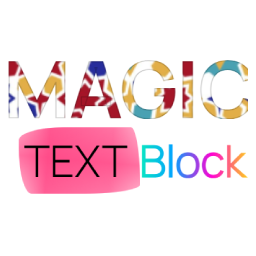
Magic Text Block enhances your WordPress Gutenberg editor with powerful text formatting options that go beyond the standard capabilities. This plugin brings creative typography and styling directly to your content creation workflow. Key Features: Gradient Stroke Text: Apply beautiful gradient borders to your text that catch the eye and make headlines pop. Gradient Text Color: Transform ordinary text with vibrant gradient color fills that flow smoothly from one color to another. Post Theme Selector: Apply custom themes (Dark, Light, Milkshake, Popsicle) to individual posts or pages, creating unique visual experiences for different content. Text Background Image: Select images from your media library to apply as backgrounds behind specific portions of text, creating striking visual effects. Underline Effects: Apply decorative curved underline effects with customizable colors to highlight important text. Tooltip Text: Add customizable tooltip bubbles to text with your own message, background color, and text color—great for inline explanations or quick hints. Unstyle Text: Remove all formatting from selected text instantly. Realistic Text Marker: Highlight text with authentic marker effects using 8 handcrafted styles (uneven, thick, messy, double, faded, wavy, textured) that simulate real highlighter strokes. Perfect for bloggers, designers, and content creators looking to make their content stand out without requiring any coding knowledge. Simply select your text and apply the formatting options from the text toolbar. Compatible with all WordPress themes and works seamlessly with the Gutenberg block editor. This plugin’s code is available on GitHub. Please feel free to fork the repository and send a pull request. If you find a bug in the plugin, open an issue. Video Tutorial Watch our step-by-step guide on how to apply Magic Text Block formatting in WordPress! Learn how to enhance your text with gradient effects, background images, and stylish underlines. 📺 Watch the tutorial here: Demo
Meow Gallery
Meow Gallery is the lightweight, polished gallery solution for WordPress. Built from scratch for simplicity, appearance, and speed. Features a Gallery Block, shortcode support, or works as an override for the standard WordPress gallery. It’s responsive, retina-friendly, with modern layouts, and tightly optimized. Stop fighting bloated gallery plugins that turn your WordPress into a slower experience! 😘 Meow Gallery focuses on what actually matters: Beautiful Layouts and Performance. Check out our official site and see the layouts in action to get started. Core Features 🎨 Beautiful Layouts Choose from Tiles, Masonry, Justified (like Flickr), Square (like Instagram), Cascade, and Horizontal. Pro version adds Carousel and Map layouts. 🚀 Performance First Built from scratch with modern code. No legacy bloat, no unnecessary features. Just clean, fast galleries. 🔌 WordPress Native Works naturally with WordPress and Gutenberg without hacking it. Use the Gallery Block, shortcode, or override the standard WordPress gallery. Switch back anytime—no lock-in. 📱 Responsive & Retina All layouts are fully responsive and retina-ready for crisp images on any device. Compatibility Since Meow Gallery works with WordPress naturally, it’s compatible with most plugins and themes: Lightbox: Use any lightbox you prefer. We recommend Meow Lightbox for the best experience. Lightroom: Fully compatible with Photo Engine for media organization and Lightroom sync. External Links: Use Gallery Custom Links to add custom URLs to your images. Audio: Add audio to images with Audio Story Images. SEO-friendly with automatic sitemap integration (works with Yoast SEO and others). Pro Features Infinite/Lazy Loading: Faster page loading and smoother experience Carousel Layout: Dynamic slider/carousel that can also work as a hero Map Layout: GPS-based photo display for travel galleries Animations: Bring your galleries to life with smooth animations You can find more information on Meow Apps: Meow Gallery.