Exit Intent
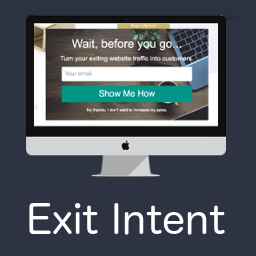
Exit Intent Plugin Exit Intent by ActiveConvert helps you capture abandoning visitors before they leave your site using exit intent technology. Reduce bounce rates and increase time on site. It works on desktop and mobile and integrates with Zapier, MailChimp, Constant Contact, Campaign Monitor, Webhooks, and others. Exit Intent by ActiveConvert Our Exit Intent WordPress plugin is part of the ActiveConvert platform. You must have an ActiveConvert account in order to take advantage of this plugin. We offer a 14-Day Free Trial and low cost monthly subscriptions. Click here to create your account. Exit Intent comes with a simple to use form builder that allows you to create beautiful optins based on our set of templates. You can create different types of popup forms including modal, full screen overlay, slide ins, welcome bars, hello bars, and footers. Features Exit Intent Popups for capturing exiting visitors Easy integration with any WordPress theme Quickly grow your email newsletter list Asynchronous loading that won’t affect page load speed Multiple unique templates to choose from Zapier integration so post new leads to tons of other services Email integration with MailChimp, Constant Contact, and Campaign Monitor 100% mobile optimized. Customize templates to make your popup look amazing Full control of popup content Custom popup and overlay timing Scroll trigger popups Export email subscribers in a .csv file Easily add Facebook, Google+, and Twitter Sharing Outbound Drip Email Sequences right from Gmail Multiple Domain Support Custom background images and logos Page level targeting Exit Intent Triggers Trigger the popup when a user moves their mouse to the top of the page as they are leaving your site. This is one of the most unobtrusive and effective ways to gather leads. Collect Email Template Building your email subscriber list is one of the most important aspects of building your brand and increasing sales. Our exit intent overlays and popups engage the user as they are about to leave your site. You can also trigger the popup after a few seconds. Call To Action Template Use this Call to Action template to direct users to a specific page or offer when they are about to leave the site. Great to attract attention as a visitor is abandoning the site. Yes/No Template Similar to the Call To Action template but with 2 options. Great for rhetorical questions like “Do you Like Bouncing Users? Yes, I do. No, I like new leads” Social Sharing Template Increase Facebook Likes, Facebook Shares, Tweets, and Google +1’s with our social sharing template. This popup can quickly increase your social user brands. Display Coupon Template Offer visitors coupons as they are about to leave your site from specific pages to increase sales and conversions. Feedback Template Gather real-time unbiased feedback from users of your site. Ask survey questions and gain valuable insight into your business. Easily customize design Each template is completely customizable. Quickly change wording, fonts, colors, logos and background images to match the rest of your website. Automated Marketing Email Sequences Trigger a series of outbound marketing emails when a visitor subscribes. Turn leads into customers with customizable email marketing. A/B testing your Pop Ups You can create multiple popup campaigns to test the effectiveness of different images, text, and messages. Track impressions and conversions to see which perform the best. Do marketing like a pro with beautiful pop-ups, slide-ins and email opt-ins for WordPress. Notes Our email list builder, social sharing, and call to action templates help WordPress users build their audiences online.
Top keywords
- email10×1.71%
- template10×1.71%
- exit9×1.54%
- exit intent9×1.54%
- intent9×1.54%
- popup8×1.37%
- site8×1.37%
- action4×0.68%
- activeconvert4×0.68%
- call4×0.68%
- call to action4×0.68%
- leads4×0.68%
IndieTech Popup Builder
Popup by IndieTech is a feature-rich WordPress popup plugin that makes it easy to create and display engaging popups on your website. Built with the Gutenberg editor, you can create rich, interactive popup content using familiar WordPress blocks. Key Features Gutenberg Editor Support: Create rich popup content using the WordPress block editor. All settings are in the document sidebar (Trigger, Behavior, Design, Location). Advanced Triggering Options: Immediate display on page load Time delay (show after X seconds, 0-30) Scroll percentage (show when user scrolls X% of the page) Exit intent (when cursor leaves the viewport from the top) Button / Link: open on click of any element with a specific CSS class (e.g. a Gutenberg button block) Smart Targeting (Location): Include rules (multi-select): All pages, Homepage, CPT single (by post type), Specific page/post IDs, URL prefixes (one per line) Exclude rules: Exclude by post/page IDs or URL prefixes Exclusions are applied first; popup shows if any include rule matches and no exclude rule matches Cookie Management: Control how often users see popups Cookie duration in days (0 = show every time, up to 365) Choose when cookie is set: On Close or On Seen Customizable Styling (Design): Position: 9-position matrix (top/center/bottom x left/center/right) Max width (200-1200px) Overlay opacity (0-1) Close button: Do not show, Show inside, or Show outside Behavior Options: Close when clicking outside (overlay) Disable page scroll when popup is open Private popups: Publish as Private to show only to logged-in users Close link in content: Use href=”#popup:close” in popup content to close the modal List view: Custom columns for Status and Trigger (Immediate, Delay, Scroll %, Exit Intent) Mobile Responsive: Fully responsive design that works on all devices GA4 / GTM Tracking: Optional event tracking for popup open, close, and CTA clicks. Works with direct GA4 (gtag.js) and Google Tag Manager (dataLayer). Gravity Forms Integration: Optionally set a permanent cookie and auto-close the popup after a successful form submission inside it. Accessible: Built with Micromodal for accessible modals (focus trap, ARIA, keyboard) Lightweight: Optimized code; assets only load when there are active popups; transient cache for performance How It Works Create a new popup by going to Popups > Add New Use the Gutenberg editor to add your content (text, images, forms, buttons, etc.) In the document sidebar, configure Trigger, Behavior, Design, and Location Publish (or set to Private for logged-in users only). Your popup will appear based on your targeting and trigger settings Use Cases Lead generation forms Newsletter signups Promotional offers and announcements Important messages and alerts Exit intent offers Welcome messages Cookie consent notices Product launches and updates
Top keywords