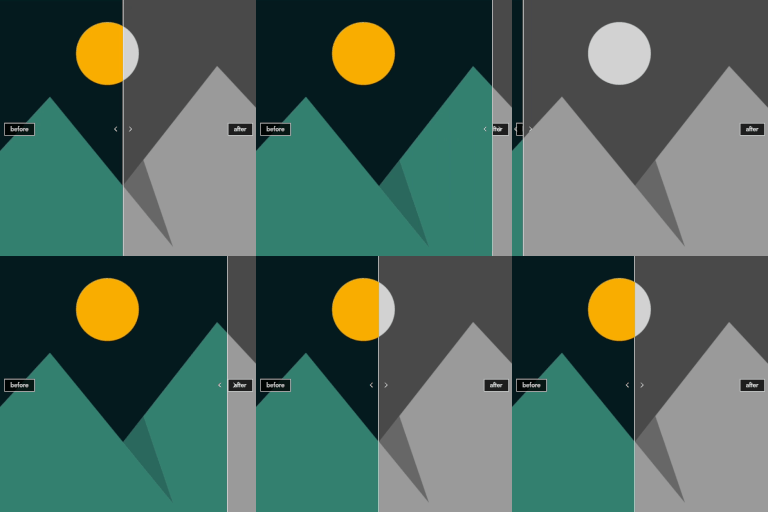
Image Split – Before/After Image Comparison Slider
Image Split is a friendly, lightweight way to show before and after photos, product comparisons, or makeovers — all with a smooth draggable slider visitors can move with a mouse, touch, or keyboard. Unlike clunky embeds or heavy page builders, Image Split: 🧩 Fits your workflow — Drop in a block (in posts or under Appearance → Widgets), or paste a shortcode. 🎨 Looks polished — Horizontal or vertical layout, ruler styles (line, bar, circle), and labels you can style to match your brand. ♿ Stays accessible — Keyboard navigation and ARIA support so more people can use your comparisons. ⚙️ Saves time — Set global defaults under Settings → Image Split so new comparisons start with your look. Need product pages or Elementor? Premium adds WooCommerce and Elementor, plus deeper per-item customization. Image Split official website | Plugin documentation ✨ Free features ✨ Gutenberg block — Pick Before and After images, tune the ruler, and place labels without leaving the editor. Shortcode — Use [image_split] anywhere shortcodes run, with optional attributes for layout and styling. Widget areas — Add the same Image Split block under Appearance → Widgets (block-based widget editor). Orientation — Horizontal or vertical comparison. Ruler styles — Line, bar, or circle; custom color and width. Labels — Before/After text with position, color, background, and font size. Global defaults — Settings → Image Split for site-wide starting values. Responsive & touch-friendly — Works on phones and tablets. Lazy-loading friendly — Plays nicely with common lazy-load setups. Accessibility — Keyboard and ARIA support. ⚜️ Premium features ⚜️ WooCommerce — Enable Image Split per product on the single product page, using gallery images or custom attachment IDs. Elementor widget — Drop Image Split into Elementor-built layouts. Full customization — More options to override defaults per block, shortcode, or product. Unlock product pages, Elementor, and advanced controls — upgrade when you’re ready. Explore the Premium version here. How does Image Split work? You choose two images (before and after). Image Split renders them as one comparison with a movable divider. The free plugin ships the block (for content and widget areas), shortcode, and global defaults; Premium adds WooCommerce and Elementor integrations built for stores and visual builders. Full documentation is available here. Shortcode [image_split before="123" after="456" orientation="horizontal" offset="0.5" ruler_style="line" ruler_color="#ffffff" ruler_width="4" label_before="Before" label_after="After" label_position="bottom-left" label_color="#ffffff" label_bg_color="rgba(0,0,0,0.5)" label_font_size="14"] before, after — attachment IDs (required) orientation — horizontal | vertical offset — 0 to 1 (default 0.5) ruler_style — line | bar | circle ruler_color, ruler_width — color and width in px label_before, label_after — text label_position — Before label: top-left, top-right, bottom-left, bottom-right, center-left, center-right label_after_position — After label (same options) label_color, label_bg_color, label_font_size WooCommerce (Premium) On the product edit screen, under Product data → gallery / Image Split options: Enable Image Split — Show the slider instead of the main product image on the product page. Before/After image ID — Use 0 to take the first two gallery images automatically.
Simple Before After Image Slider
Simple Before After Image Slider is a minimalistic and lightweight plugin that allows you to display before/after image comparisons anywhere on your WordPress site. Perfect for photographers showcasing photo edits, designers comparing visuals, and marketers highlighting transformations. 🚀 Key Features: – Responsive and fast-loading before/after slider. – Works with Gutenberg, Elementor, and Classic Editor. – SEO-friendly and lightweight. – No dependencies – clean, optimized code. 💡 How to Use Simply insert the following shortcode into any post, page, or widget: [before_after_slider before=”URL_BEFORE” after=”URL_AFTER”] For multiple comparisons, add separate shortcodes: [before_after_slider before=”URL1″ after=”URL2″] [before_after_slider before=”URL3″ after=”URL4″] 🌟 Powered By: This plugin is developed by ThePresetsRoom – a hub for professional photo editing. Dependencies This plugin uses the open source library img-comparison-slider. GitHub repository: https://github.com/sneas/img-comparison-slider Source file used: https://github.com/sneas/img-comparison-slider/blob/master/packages/img-comparison-slider/src/index.ts License: MIT The compiled version of the component is used in this plugin. All credit to the original authors.