Herepay Payment Gateway for WooCommerce
Herepay Payment Gateway for WooCommerce is a comprehensive payment solution that integrates Herepay’s secure payment services with your WooCommerce store. This plugin enables Malaysian businesses to accept online payments through various payment methods including online banking and corporate banking. Key Features: Complete Herepay API Integration – Seamlessly integrate with Herepay’s payment infrastructure Multiple Payment Methods – Support for Online Banking, Corporate Banking, and more Real-time Payment Tracking – Instant payment status updates and notifications Secure Checksum Validation – Advanced security with HMAC-SHA256 checksum verification Dual Environment Support – Both Sandbox and Production environments available Admin Dashboard – Comprehensive transaction management and monitoring Automatic Order Updates – Orders are automatically updated based on payment status Webhook Support – Real-time payment notifications from Herepay Mobile Responsive – Optimized payment forms for all devices HPOS Compatible – Full compatibility with WooCommerce High-Performance Order Storage Why Choose Herepay? Trusted by thousands of Malaysian businesses Bank-level security standards Competitive transaction fees 24/7 customer support Fast settlement times Easy integration process Supported Payment Methods: Online Banking (Major Malaysian banks) Corporate Banking E-wallet integrations Credit/Debit card processing Security Features: PCI DSS compliant SSL encryption for all transactions Advanced fraud detection Secure webhook validation No sensitive data stored locally Configuration Step 1: Get Herepay Credentials Sign up for a Herepay merchant account at https://herepay.org Complete the verification process Access your merchant dashboard Navigate to API Settings and obtain: API Key Secret Key Private Key Step 2: Configure the Plugin In WordPress admin, go to WooCommerce > Settings > Payments Find Herepay Payment Gateway and click Manage Configure the following: Enable/Disable: Check to enable the payment method Title: Payment method title (shown to customers) Description: Payment description at checkout Environment: Select Sandbox for testing, Production for live payments API Key: Enter your Herepay API Key Secret Key: Enter your Herepay Secret Key Private Key: Enter your Herepay Private Key Click Save Changes Step 3: Configure Webhook (Important) Login to your Herepay merchant dashboard Navigate to Webhook Settings Set the webhook URL to: https://yourdomain.com/wc-api/wc_herepay_payment_gateway Enable webhook notifications Step 4: Test the Integration Set environment to “Sandbox” Use test credentials provided by Herepay Make a test purchase to verify the payment flow Check order status updates in WooCommerce admin Requirements WordPress 5.0 or higher WooCommerce 5.0 or higher PHP 8.1 or higher SSL certificate (required for production) Valid Herepay merchant account Support For support and documentation: Plugin Documentation: Available in the plugin folder Herepay API Documentation: https://herepay.readme.io Herepay Support: https://herepay.org/support WordPress Support Forums: WordPress.org Plugin Support Privacy Policy This plugin integrates with Herepay’s payment services. When customers make payments: Customer payment data is processed by Herepay according to their privacy policy No sensitive payment information is stored on your WordPress site Transaction references and order details are stored for order management Webhook callbacks are logged for audit and debugging purposes Please review Herepay’s privacy policy at https://herepay.org/privacy for complete information about data handling. Additional Information Developer: Herepay Plugin URI: https://github.com/Herepay/herepay-for-woocommerce Author URI: https://herepay.org This plugin is developed and maintained by the Herepay team to provide seamless payment integration for Malaysian businesses and organization using WooCommerce.
WC Restrict Payment Methods
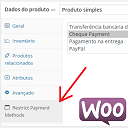
What is? This plugin add in the product admin page a new tab to set the restricts payment methods. Features Add new tab in the product admin page; If method is selected, it will not be shown in checkout page. O que é? Este plugin adiciona uma nova aba na página de edição do produto para restringir métodos de pagamento. Funcionalidades Adiciona nova aba na página de edição do produto; Se o método for selecionado, não será mostrado na página finalizar-compra.