Ailo – AI Slug Translator
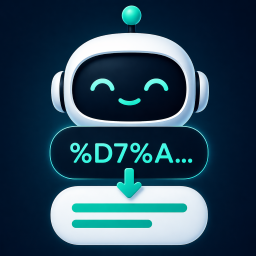
Why Use This Plugin? When sharing links with titles in non-English languages (e.g., Hebrew, Arabic, Hindi, Chinese, or Russian) on platforms like Facebook or WhatsApp, the URLs often turn into a confusing string of codes. This makes your links look unprofessional, reduces click-through rates, and can harm your SEO. The Automatic Slug Translator fixes this issue by seamlessly translating slugs into concise English. Not only does this make your links visually appealing and user-friendly, but it also enhances your website’s search engine performance with clear, descriptive URLs. Key Benefits: – Improves Sharing: Makes links cleaner and more attractive on social platforms. – Boosts SEO: Search engines favor clear, readable URLs. – Simplifies Titles: Long, complex titles are automatically shortened into elegant slugs. Example: – Original Title (Hebrew): איך להשתמש בממיר אוטומטי לסלאג באנגלית – Default Slug: /איך-להשתמש-בממיר-אוטומטי-לסלאג-באנגלית – Broken URL: /%D7%90%D7%99%D7%9A-%D7%9C%D7%94%D7%A9%D7%AA%D7%9E%D7%A9… – Clean English Slug: /how-to-use-automatic-slug-converter This small adjustment can have a big impact on how your content is shared and discovered. Clean English Slugs — Instantly, with AI No setup required. This plugin uses AI to automatically translate your post titles and terms into elegant, SEO-friendly English slugs. You get 100 translations for free, and then you can connect your own AI account (GPT, Claude or Gemini) to keep going. Bulk Translation Already have existing content with non-English slugs? Use the Bulk Translation feature to translate them all at once – with optional 301 redirects to keep your SEO intact. Review and manage redirects anytime in the dedicated Redirects tab. WordPress 7.0+ Connectors Support On WordPress 7.0 and above, the plugin integrates with the built-in Connectors API – connect any supported AI provider directly from WordPress settings, no API key needed in the plugin. Usage Try It Instantly — No OpenAI Account Needed Install and activate the plugin — that’s it! You can start using the plugin immediately with 100 free translations included. Want More? Connect Your Own API Key After using your 100 free translations, you can continue seamlessly by connecting your own AI provider: Option 1 – Connect OpenAI directly: Sign up for OpenAI and add billing details Generate an API key from the API Keys page Paste the API key into the plugin settings Option 2 – Use WordPress Connectors (if supported on your site): If your WordPress installation supports AI Connectors, you can connect other AI providers as well. Simply configure your preferred provider via the Connectors interface and the plugin will use it automatically. This gives you flexibility to work with different AI services beyond OpenAI. Configuration In the plugin settings screen, choose which post types and taxonomies you want to enable translation for. How It Works Automatic Translation New posts and taxonomy terms automatically get a clean English slug Slugs are generated only if you don’t define one manually Review Translations Generated slugs are designed to be short and clear Double-check that the meaning is preserved, especially for ambiguous titles Costs The plugin is completely free to use, and includes 100 slug translations at no cost. After you’ve used the free quota you’ll need a paid AI subscription to continue. Affordable Rates: For just $1, you can translate between 10,000–20,000 titles, depending on their length. Check OpenAI Pricing: Ensure your account is funded before use. Disclaimer: While the plugin has been tested to be efficient and cost-effective, users are responsible for monitoring their OpenAI usage and costs. The plugin creator is not liable for unexpected charges due to misuse or errors. Third-Party Services This plugin integrates with OpenAI’s API to generate text-based responses and suggestions based on user input. The plugin transmits post/CPT titles, term names, and the requesting server’s IP address to OpenAI’s servers when a request is made. When using the free built-in translation quota, your post titles, term names, and domain are sent to the developer’s server to process the translation and track usage. No personal data is collected or stored. OpenAI Terms of Service OpenAI Privacy Policy
Top keywords
- openai10×1.48%
- ai9×1.33%
- d79×1.33%
- titles8×1.19%
- api7×1.04%
- slugs7×1.04%
- translation6×0.89%
- connect5×0.74%
- connectors5×0.74%
- english5×0.74%
- key5×0.74%
- slug5×0.74%
Verse of the Day Widget for WP
The Verse of the Day Widget for WP plugin delivers daily Bible verses over stunning AI-generated static or animated nature scenery, offering both spiritual inspiration and dynamic visual beauty. Each day, a verse from the King James Version (KJV) is elegantly presented over a unique background, the same verse on every site running the widget, so your visitors share a true verse of the day. These traditional or modern scenes are generated by AI and served in Google’s efficient WebP format, featuring several animated images and more than 60 static background images. Now, with ChatGPT powered language translation, you can provide these verses in over 100 languages, making it easy to inspire a global audience. While many tools like Google Translate prioritize modern readability, this plugin utilizes ChatGPT to translate the King James Version (KJV) English Bible text into over 100 languages. This approach aims to maintain a more formal phrasing and emphasis, aligning with the traditional and often literal style of the KJV itself. Verse of the Day Widget for WP includes two distinct widgets optimized for different placements: a header widget and a compact sidebar widget. Check out the live demos to see both widgets in action: Sidebar Demo Header Demo Key Features: Daily Bible Verses: Automatically updates each day with a KJV verse chosen from a curated library of 75 verses bundled right inside the plugin, no external verse service required. Every site displays the same verse on the same date, and the selection never repeats on consecutive days. More verses are added as the widget is updated. Multilingual Support: Powered by ChatGPT, the widget now offers Bible verses in over 100 languages, ensuring accessibility for users around the world. Animated Backgrounds: Choose to display verses over beautiful, AI-generated animated WebP backgrounds. Options include using only animated images, only static images, or a mix of both for a more engaging experience. Beautiful Nature Photos: Each verse is displayed over a high-quality, AI-generated nature image, providing a visually appealing experience. Extensive Background Library: Featuring several animated images and more than 60 static background images for a rich and varied visual experience. Font Customization: Personalize the widget’s appearance by choosing from 18 professional fonts, including Roboto, Open Sans, Inter, Lato, Source Sans Pro, Raleway, Montserrat, Nunito, EB Garamond, Merriweather, Playfair Display, Lora, Crimson Text, Roboto Mono, Source Code Pro, Fira Code, Poppins, and Quicksand. Dual Widget Design: Comes with two specialized widgets—one designed for prominent header placement and another optimized for sidebars, ensuring a perfect fit for your theme’s layout. Shortcode Support: Includes separate, reliable shortcodes for both the header and sidebar widgets ([votd_header_widget] and [votd_sidebar_widget]) for easy embedding anywhere on your site. Flexible Placement (Widgets & Shortcodes): Seamlessly add widgets to your header, footer, or sidebar. Third-Party Service The daily Bible verses themselves are bundled locally inside the plugin (data/verses.json) and require no external service. When the verse language is set to English (the default), this plugin makes no network requests for verse content. (The only other possible external request is the Google Fonts CDN, and only until fonts are self-hosted — see “Third-Party Fonts & Licenses” below.) When a language other than English is selected, the plugin uses one third-party service: Verse of the Day Widget for WP Translation API – Translates the day’s KJV verse into the selected language. The request is made server-side by your WordPress site (never by your visitors’ browsers), at most once per language per day, and the result is cached locally until midnight. – Data Sent: The verse text and the selected language code. No personal data, visitor data, or site data is sent, collected, or stored. – Access: https://www.freesmartphoneapps.com/verseoftheday/api/translate-verse/ – Privacy Policy: https://freesmartphoneapps.com/privacy-policy-votd/ (Updated 2025-05-21). OpenAI API – This API is used to translate the Bible verses into over 100 languages, ensuring a multilingual experience. – Personal Data: The API does not collect or store any personal data. – Access: The API is accessed at https://api.openai.com/v1. – Privacy Policy: Refer to OpenAI’s privacy policy here: https://openai.com/privacy. Third-Party Fonts & Licenses This plugin offers 18 Google Fonts as font-family options. When downloaded via Settings > “Download & Self-Host All Fonts,” the actual font files are saved to this plugin’s own /fonts/ directory (one subfolder per font, each including a LICENSE.txt). Both licenses below permit free use, modification, and self-hosted redistribution: Apache License, Version 2.0 (Roboto, Roboto Mono) — http://www.apache.org/licenses/LICENSE-2.0 SIL Open Font License, Version 1.1 (Open Sans, Inter, Lato, Source Sans Pro, Raleway, Montserrat, Nunito, EB Garamond, Merriweather, Playfair Display, Lora, Crimson Text, Source Code Pro, Fira Code, Poppins, Quicksand) — https://scripts.sil.org/OFL Until a given font is self-hosted, it is instead loaded live from Google Fonts under the same license terms; see “Third-Party Service” above for that data flow.