Translate WordPress with GTranslate
Translate WordPress with GTranslate plugin uses Google Translate AI translation service to translate wordpress site with Google power and make it multilingual. With 103 available languages your site will be available to more than 99% of internet users. Our paid versions are fully SEO compatible which will increase your international traffic and sales. This translate plugin is a budget multilingual WordPress solution which combines automatic and human translations to save money and is easy to implement. GTranslate is a leading website translation services provider since 2008, it moves away the language barriers. Compared to other translation plugins for WordPress, we use cloud based approach which does not slow down your website. In addition to that, we can offer complete SEO features based on sub-domains with our paid options, which can make your website appear in search engines in different languages which will increase your international traffic and sales. In our paid versions we DO NOT limit the number of words or the number of translated pageviews. You DO NOT pay additionally for automatic translations. Please use GTranslate Support for your questions and support requests! We are multilingual! Please check our FAQ to get quick answers. Free translation service: permitted use Under the GTranslate Terms of Service, the free translation service is available for personal, educational, internal testing, nonprofit and governmental purposes, provided the use does not directly generate revenue from the service. Nonprofit use must further nonprofit activities; governmental use includes public institutions and other public-sector entities. Commercial or revenue-generating use requires an applicable paid subscription. This free-service restriction does not apply to free trials of paid subscriptions. These service conditions do not change the WordPress plugin code’s GPLv2-or-later license. Features Automatic machine translation Translate website on the fly Translate posts and pages Translate categories and tags Menus and widgets translation Themes and plugins translation Right to left language support Google Translate website translator widget alternative Auto-switch language based on browser defined language Available styles Float, Dropdown, Flags, Flags with dropdown, Nice dropdown with flags, Flags with language names, Flags with language codes, Language names, Language codes, Globe, Popup Floating language selector WooCommerce shop translation Multilingual language names in native alphabet Alternative flags for Quebec, Canada, USA, Brazil, Mexico, Argentina, Colombia Lazy loading for language flags and js libraries to boost performance Lightweight vanilla javascript without dependencies Forum Support Paid Features Multilingual SEO – Enable search engine indexing Neural machine translations with human level translation quality Increase traffic and AdSense revenue Search engine friendly (SEF) URLs Yoast SEO compatible – translate meta keywords, meta description, schema.org data structures, translate sitemaps WooCommerce compatible – translate products, schema.org data structures You can have sub-directory (example.com/es/) or sub-domain (es.example.com) URL structure URL Translation aka slug translation is possible (example.com/about-us → example.es/sobre-nosotros) Add hreflang tags for translated alternatives You can manually correct translations In context translation interface (make corrections without losing the context) Meta data translation (meta keywords, meta description) Translating schema.org microdata for better search engine appearance Seamless updates (cloud service updated on our side – SaaS, you do not need to worry about backups on your side) JSON format translation Translate WooCommerce emails AMP translation (Accelerated Mobile Pages translation) Image localization – Media translation Translation Proxy (aka Translation Delivery Network) Centralized Translation Cache – We revise and improve translations over time Language Hosting (example.fr) User Dashboard with Analytics Live Chat Support See also If you are looking for unlimited, high-quality automatic translations, check out TranslateX – an automatic translation API offering unlimited translation for your website or application. We also offer integration plugins: TranslateX for Loco Translate – integrate TranslateX API directly into Loco Translate for seamless, unlimited automatic translations. TranslateX for TranslatePress – bring unlimited automatic translation to TranslatePress using TranslateX API. These solutions make it easy to supercharge your WordPress multilingual setup with TranslateX’s secure and affordable API. GTranslate WordPress Demo Watch GTranslate Tour Edit Translations Demo (paid) External services This plugin uses external services to load the language selector and obtain automatic translations. GTranslate widget delivery When the widget loads, the visitor’s browser requests its files from cdn.gtranslate.net over HTTPS. GTranslate, Inc. provides the widget, which connects the visitor’s browser to the translation service. Google translation requests When page translation is requested, the widget sends page text for translation from the visitor’s browser to translate-pa.googleapis.com over HTTPS. Google processes these translation requests. The content sent is the page text being translated. Loading widget files and requesting translations are separate network operations. These requests also expose standard connection and HTTP request information, such as the visitor’s IP address and browser headers, to the receiving service. Provider processing and retention practices are described in the applicable policies; browser-based translation does not mean that no data leaves the browser or that providers retain no data. If you configure a paid translation proxy service, translated versions of your website are processed and served through GTranslate’s cloud infrastructure according to your service configuration. GTranslate, Inc.: Terms of Service, Privacy Policy Google: Terms of Service, Privacy Policy Review these services when updating your website’s privacy information and configuring any consent or content-security controls. The plugin requires access to the relevant external services for translation to work.
Related Products – Create Upsells, Cross-sells, and Product Recommendations for WooCommerce
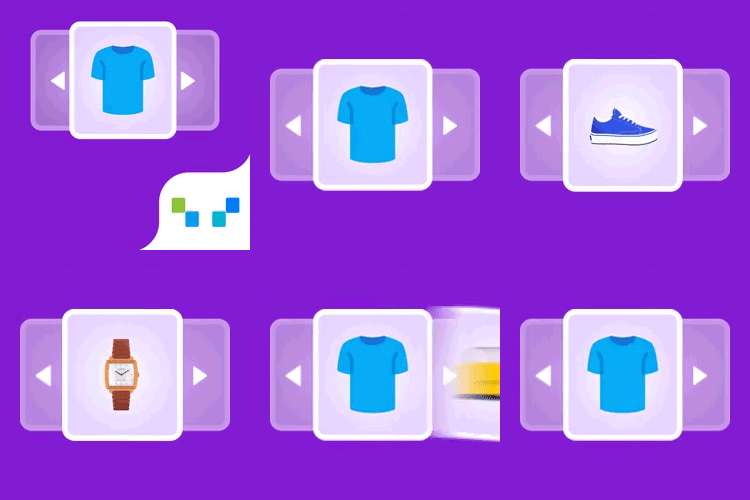
Related Products for WooCommerce plugin shows custom related products in WooCommerce. You can show WooCommerce related products by category, tags, or choose products to show as related products on the product details page of a specific product. Showing WooCommerce related products recommendation brings customers’ attention to other products in your store that they might be interested in. This persuades them to try those products, thus resulting in an increase in the average order value. You can also make use of the related product’s functionality in your WooCommerce store to suggest upsells, cross-sells and similar products to your customers and boost your sales. Key features of WooCommerce Related Products Plugin Disable default WooCommerce related products functionality Choose custom related products Option to set up WooCommerce related products for the entire store (by category, tags) Set up related products for individual products (by category, attributes, tags, or products) Exclude selected categories from showing as related products Exclude out of stock products from showing as related products Displays related products in the slider Customize the related products section on the front-end (heading, order of items, number of products, and more) Relate products by subcategory using a filter. Use WooCommerce related products shortcode ([wt-related-products product_id=”xx”]) to display related products for any posts/pages on your site Show the same set of related products for their translated versions as well when using WPML Remove theme’s default related products in WooCommerce Woocommerce related products widget is compatible with Block-based themes Import related products using the default WooCommerce importer Learn more ✅ Tested OK with WooCommerce 11.2.1 Related Products for WooCommerce Product Recommendations- Installation and Setup You can learn about the installation and setup of the WooCommerce related products plugin with the help of this setup guide. You can also check out this video to get a quick understanding of the WooCommerce related products plugin. Compatible plugins Product import export for WooCommerce WP all import export for WooCommerce Related Products as a Powerful Marketing Tool Suggesting related products in a WooCommerce store isn’t just a nice-to-have — it’s one of the most effective sales techniques available today. Whether you’re upselling premium items or cross-selling complementary products, displaying related products at key points in the customer journey can significantly increase your average order value and conversion rates. Just like Amazon’s powerful recommendation engine, WooCommerce product recommendation plugins can act as virtual sales assistants — guiding shoppers by showing them relevant suggestions based on what they’re already interested in. This keeps customers engaged and encourages them to explore more, ultimately leading to higher cart totals. By showing personalized product recommendations on product pages, cart pages, or even during checkout, you can help reduce decision fatigue and build buyer confidence. Customers are more likely to trust your store when they see thoughtful, relevant suggestions, making online shopping faster, easier, and more enjoyable — especially for those who dislike browsing or are short on time. Different Ways to Show Related Product Recommendations on your WooCommerce store WooCommerce Related Products feature is one of the important sales tools available for store owners. “Related products” can be employed on your website in different forms. When built-in features in WooCommerce enable you to showcase related products like upsells and cross-sells, third-party plugins enhance this capability. They can automatically recommend related products and create custom related product suggestions based on the activities of customers on your WooCommerce store. The three main methods to easily display similar product suggestions are: Upsells These products are shown on the product page as an alternative to the product customers have chosen to purchase. There will be an upgrade of the chosen product either in quality or price thereby persuading the customer to choose the better one. It comes under the default text “you may also like”. Cross-sells On contrary to up-sells, cross-sells are displayed on the cart page under the title “you may be interested in”. These products would complement the products currently in the cart. On seeing this customers would feel an urge to buy the complementary products along with the products in their cart thereby selling more products for the store. Notifying customers about phone cases while purchasing a phone would be a perfect example of cross-selling. Custom Related Products Set up and manage custom related products to display on your product pages. Use flexible options like categories, tags, attributes, or specific products to fine-tune the WooCommerce related products shown to your shoppers. Advanced WooCommerce Product Recommendations – Premium Version WooCommerce Product Recommendations is an advanced recommendation tool for WooCommerce stores. The plugin offers multiple product recommendation templates such as Related Products, Bestsellers, Top-rated Products, Frequently Bought Together, New Arrivals, Recently Viewed, and more. Apart from these recommendations, you can create custom recommendations, with advanced recommendation rules and conditions. Major features of WooCommerce Product Recommendations (Premium) Multiple pre-built recommendation templates: Related products, recently viewed, bestsellers, top-rated, frequently bought together, new arrivals, and more. Advanced filters for recommendations: Choose various filters and conditions to show recommendations. Display product recommendations on multiple store pages: Recommend products on multiple store pages, such as product page, category page, shop page, cart page, checkout page, and order received page to increase sales with product recommendations in WooCommerce. Create custom recommendations with custom rules: Create your own recommendation campaigns with custom rules and conditions. Customize the recommendation widgets: Customize the appearance of the recommendation widgets. Hide out-of-stock products: Choose to exclude out-of-stock products from the recommendation. Advanced sorting options: Sort the products in the recommendation widgets based on rating, price, popularity, and more. Built-in Recommendation Widgets Available on Advanced WooCommerce Product Recommendations Related Products: Improve sales with relevant WooCommerce related product recommendations. Bestsellers: Showcase your popular products to earn more sales. Top rated: Easily display the highest rated products of your store. Frequently Bought Together: Upsell and cross sell with relevant product bundles. New Arrivals: Show-off and grab customers attention to your store’s latest arrivals. Recently Viewed: Remind customers about the products they have previously viewed. Trending Now: Recommend items trending in the past 30 days. You May Also Need GDPR Cookie Consent is our flagship cookie consent plugin, which is a Google-certified CMP built specifically for WordPress websites. With this plugin, you can display a fully customizable cookie banner on your site to help ensure compliance with major privacy laws like the GDPR and CCPA. Key features include an advanced cookie scanner, automatic script blocking, and detailed consent log reporting. It also lets you deploy an IAB-compliant cookie banner and supports Google Consent Mode v2. Get GDPR Cookie Consent Plugin Now. About WebToffee WebToffee creates quality WordPress/WooCommerce plugins that are easy to use and customise. We are proud to have thousands of customers actively using our plugins across the globe.