Greet Bubble
Greet Bubble is a video welcome popup and floating video bubble plugin that helps you greet visitors with personalized video messages. Add an engaging video popup to your website to create a strong first impression and instantly capture attention with a welcome popup. Show different video welcome popup messages for each page, post, or custom post type like products and events, so you can deliver the right message to the right audience. Perfect for creating engaging video welcome popups for landing pages, product pages, and event promotions. With Greet Bubble, you can display video welcome popup content on specific pages, add call-to-action buttons, connect contact forms, and guide visitors to important links. Whether you’re promoting offers, introducing your brand, or welcoming new users, this plugin helps you communicate more effectively. Easily customize your floating video bubble with different styles, positions, colors, and animations to match your website design. Lightweight and fully responsive, Greet Bubble ensures smooth performance across all devices while helping you boost engagement and conversions. Works perfectly with WooCommerce products, events, pages, and custom post types. 👁️View Live Demo | 🚀Upgrade to Pro | 👩🏼💻Get Support | 🌟Leave a Review User Reviews 🙆 “Awesome! I love this plugin, and the support is fantastic. Thank you so much for your great work!” – by @AroundWorld 🙆 “Hi! This plugin is awesome and exactly what I needed—without monthly fees. Keep up the good work. You can see an example on my homepage here: www.firmafotografering.dk” – by @firmafotografering 🙆 “This plugin is wonderful! It allows you to place different video bubbles on different posts or pages. For example, I place video bubble 1 on the Home page and video bubble 2 on the Contact page, and so on. You can also add up to four videos or links in the same bubble, which is fantastic. Bubble customization makes it easy to match the site’s style. The possibilities are endless—and best of all, there are no abusive monthly fees. The developer is very attentive and helpful. I love this plugin and highly recommend it to anyone looking for a solution like this.” – by @angelotaquari Video Welcome Popup & Floating Video Bubble for Your Website Greet Bubble helps you create engaging video welcome popups and floating video bubbles to greet visitors, promote offers, and guide users with interactive video messaging more effectively. Perfect for landing pages, WooCommerce products, and event promotions. Key Features of Greet Video Bubble Plugin Greet Bubble combines video popup, floating video bubble, and interactive video messaging in one lightweight plugin. Video Welcome Popup Display: Showcase engaging introductory videos about your product or service, with interactive buttons for external actions. Multiple Video Popup Controls: Assign different videos to buttons, allowing users to switch between them easily. Drag-and-Drop Management: Effortlessly organize video items using a simple drag-and-drop interface. Customizable Video Poster: Set default video thumbnails or posters to enhance video presentation. Editable Button Text and Icons: Personalize button text and icons to match your content. Flexible Button Behavior: Configure buttons to play videos or link to external pages and URLs. Internal and External Linking: Easily link buttons to internal site pages or external websites. Bubble Intro Text Customization: Customize the introductory text displayed within the video bubble. Bubble Positioning Options: Position the video bubble on the left or right side of the screen. Precise Positioning Controls: Control bubble placement using pixel (px), em, or percentage (%) values for precise bottom-corner positioning. Video Pausing on Tab Switch: Automatically pause videos when users switch browser tabs. Customizable Colors: Customize all colors, including bubble and button colors, to match your brand palette. Advanced Appearance Settings: Fine-tune the plugin’s appearance with extensive customization options. Multiple Button Display Styles: Choose between text-only buttons or buttons with both icons and text. Adjustable Button Shapes: Select square or rounded button styles. Border Radius Control: Customize the border radius for rounded buttons. Custom Button Colors: Adjust button backgrounds, text colors, hover effects, and hover colors. Custom CSS and JavaScript: Add custom CSS and JavaScript directly from the plugin settings panel. Easy Settings Panel: Manage all settings from a clean, user-friendly control panel. Responsive Design: Ensures the plugin looks great on all devices, including desktop and mobile. Multisite Support: Fully compatible with WordPress multisite installations. Multilingual Ready: Easily translate the plugin into multiple languages. RTL Language Support: Fully compatible with right-to-left (RTL) languages. Theme Compatibility: Works seamlessly with all WordPress themes. Developer-Friendly: Designed to be easily extended and customized by developers. SEO Optimized: Built with clean, optimized code to help maintain SEO performance. Cross-Browser Compatibility: Works across all major browsers, including Firefox, Chrome, Safari, Edge, and Opera. Comprehensive Documentation & Tutorials: Includes detailed documentation and video tutorials for easy setup. Fast and Responsive Support: Get quick and helpful assistance whenever you need it. Use Cases Add a video welcome popup to greet new visitors Display product-specific video bubbles on WooCommerce pages Show event-specific welcome videos for event pages Guide users with interactive video messages and high-converting call-to-action buttons Capture leads using contact forms inside video bubbles OTHER AMAZING PRODUCTS FROM ThemeAtelier ➡️ Eventful – Events Showcase and Filter Bar for The Events Calendar – An event display plugin for The Events Calendar that helps you showcase events in clean, modern, and fully responsive layouts without any coding. ➡️ Darkify Dark Mode – A lightweight and customizable WordPress dark mode plugin for a sleek, accessible, and eye-friendly experience on both the frontend and admin dashboard. ➡️ ChatHelp – WhatsApp Chat Help Plugin – A flexible WhatsApp chat plugin that helps website visitors start instant conversations with you directly from your WordPress site. ➡️ Domain For Sale – A domain listing and offer management plugin that helps you list domains, collect buyer offers, and manage secure sales with escrow payments directly from WordPress. ➡️ Eventful for Elementor – Events Showcase For The Events Calendar and Elementor – An Elementor addon for The Events Calendar that lets you design and display events using Elementor widgets with advanced, responsive layouts. ➡️ Better Chat Support For Messenger – A Facebook Messenger chat plugin that allows visitors to contact you instantly through Messenger with customizable chat bubbles.
Top keywords
- video34×3.39%
- bubble20×2.00%
- events10×1.00%
- pages10×1.00%
- popup10×1.00%
- welcome10×1.00%
- button9×0.90%
- buttons9×0.90%
- greet9×0.90%
- video bubble9×0.90%
- video welcome8×0.80%
- colors7×0.70%
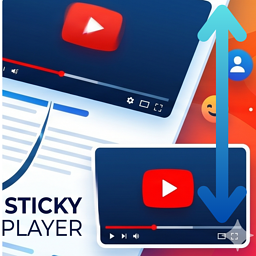
KU Sticky Video for YouTube
Create a seamless and engaging viewing experience with KU Sticky Video for YouTube. This lightweight plugin automatically turns your YouTube embeds into a floating video (a sticky video in picture in picture style) that follows the reader as they browse your content. When a user scrolls past a playing video, the player smoothly glides to the corner of the page so they can keep watching. This prevents interruptions, keeping users engaged with your content while they read. Whether you want to implement youtube scroll tracking or a simple floating video widget, this plugin delivers high performance with zero configuration needed. Features Float YouTube video player automatically when it scrolls out of view. Choose display position: Bottom Right or Bottom Left. Customize video width using either pixel (px) or percentage (%) units. Set maximum width limits for percentage-based sizing (keep within original video width or set custom pixel threshold). Adjust Z-index to prevent overlapping with theme header menus, widgets, or popups. Automatically limits sticky video height to 50% of viewport to prevent blocking screen space. Protect mobile user experience by disabling the sticky video player on narrow viewports automatically. Exclude specific videos using a customizable CSS class. Beautiful and clean admin settings page. Resources 📖 Interactive Demo & Guide: To experience the sticky video effect live on a blog post, read the backstory behind the plugin, and see setup screenshots, check out the KU Sticky Video for YouTube Introduction & Live Demo. 💻 Open Source: This plugin contains minified JavaScript for performance. The complete, unminified source code is available on GitHub. Tested Compatible Plugins The following plugins have been tested and confirmed to work seamlessly alongside this plugin: Embed Optimizer Lazy Load for Videos EmbedPlus for YouTube: Requires JS hook configuration in functions.php (see the “EmbedPlus for YouTube Compatibility” section below for details) EmbedPlus for YouTube Compatibility The “EmbedPlus for YouTube” plugin uses a unique architecture with custom initialization wrappers and dynamic lazy-loading. Because of these modifications, standard player tracking scripts cannot automatically capture its state change events. To enable the sticky video effect for videos embedded via EmbedPlus, add the following PHP code snippet to your theme’s functions.php file (preferably in a child theme): add_action( 'wp_enqueue_scripts', function() { wp_add_inline_script( 'ku-sticky-video-for-youtube', " if ( window.wp && window.wp.hooks ) { window.wp.hooks.addFilter( 'ku_sticky_video_for_youtube_get_existing_player', 'ku-sticky-video-compat-embedplus', function( player, iframe ) { if ( ! player && window._EPYT_ && window._EPYT_.apiVideos && iframe.id ) { return window._EPYT_.apiVideos[ iframe.id ] || null; } return player; } ); } if ( window._EPADashboard_ && ! window._EPADashboard_.__ku_sticky_hooked ) { window._EPADashboard_.__ku_sticky_hooked = true; const originalOnStateChange = window._EPADashboard_.onPlayerStateChange; window._EPADashboard_.onPlayerStateChange = function( event ) { if ( typeof originalOnStateChange === 'function' ) { originalOnStateChange.apply( this, arguments ); } if ( window.kuStickyVideoForYouTube && event.target ) { let iframe = null; try { iframe = event.target.getIframe(); } catch(e) {} if ( ! iframe && event.target.f ) { iframe = event.target.f; } if ( iframe ) { window.kuStickyVideoForYouTube.handleStateChange( event, iframe ); } } }; } ", 'before' ); }, 20 ); Free vs Pro Feature Comparison Need more control? KU Sticky Video for YouTube Pro adds a suite of advanced options for power users and professional sites. 👉 View Pro details and pricing | Try the live demo Target Video Selection: [Free] Exclusion mode only — add a CSS class to opt videos out. / [Pro] Inclusion mode also available — add a CSS class to opt specific videos in. Multiple Video Support: [Free] Only the first matched video becomes sticky. / [Pro] Sticky target auto-switches to whichever video is currently playing. Sticky Positioning: [Free] Bottom-right and bottom-left. / [Pro] All four corners (top-right and top-left added). Screen Margins: [Free] Fixed at 20px from screen edges. / [Pro] Independently adjustable in pixels for horizontal and vertical offsets. Maximum Player Height: [Free] Fixed at 50% of viewport height. / [Pro] Adjustable from 10% to 100% of viewport height. Exclusion Zones: [Free] Not available. / [Pro] Suppress sticky within a defined pixel range from the top or bottom of the viewport — useful for avoiding overlap with fixed headers, ads, or cookie banners. Mobile Handling: [Free] Auto-disables when the viewport is too narrow for the player. / [Pro] Also supports a custom viewport-width breakpoint to disable sticky on specific device sizes. Keep Sticky on End: [Free] Not available. / [Pro] Optionally keep the player sticky after playback ends — great for tutorials and course content. Player Styling: [Free] Fixed design (8px border-radius, default shadow, no border). / [Pro] Fully customizable border-radius, shadow opacity, border width, and border color. Close Button: [Free] Standard design, fixed at top-right. / [Pro] Customizable colors and placement (all 4 corners). Option to show only when the video is paused. Live Preview: [Free] Not available. / [Pro] Real-time preview in the settings panel with one-click reset to defaults. Filter Hooks: [Free] Not available. / [Pro] Override settings conditionally per page via a filter hook in functions.php. Updates: [Free] Auto-updates through WordPress.org. / [Pro] Auto-updates via the WordPress dashboard after license activation in settings.