Gravity Forms
Gravity Forms: Multiple Form Instances is used in conjunction with the awesome Gravity Forms plugin. Usually, when you use multiple Gravity Forms with AJAX enabled on the same page, this causes issues with multiple form submission & error display, infinite loading and other issues. This plugin addresses this issue, allowing multiple forms to be displayed on the same page without any issues.
WP Login Form
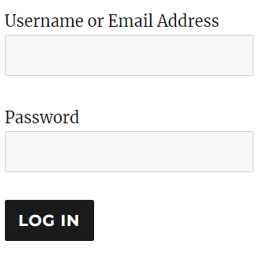
WP Login Form allows you to create a simple login form for use anywhere on the front end of your WordPress site. You can add it to a post, page or your sidebar with a shortcode. WP Login Form Add-ons Force Redirect Custom Error How to Create a Custom Login Page for WordPress In order to create a login form or custom login page for WordPress with the default options, all you need to do is use this shortcode: [wp_login_form] However, there are other parameters that you can pass in the shortcode to customize it. redirect An absolute URL to which the user will be redirected after a successful login. For example, [wp_login_form redirect="https://example.com/mypage/"] The default is to redirect back to the URL where the form was submitted. form_id Your own custom ID for the login form. For example, [wp_login_form form_id="myloginform"] The default is “loginform”. label_username Your custom label for the username/email address field. For example, [wp_login_form label_username="Login ID or Email"] The default is “Username or Email Address”. label_password Your custom label for the password field. For example, [wp_login_form label_password="Login Password"] The default is “Password”. label_remember Your custom label for the remember field. For example, [wp_login_form label_remember="Remember"] The default is “Remember Me”. label_log_in Your custom label for the form submit button. For example, [wp_login_form label_log_in="Submit"] The default is “Log In”. id_username Your own custom ID for the username field. For example, [wp_login_form id_username="wp_user_login"] The default is “user_login”. id_password Your own custom ID for the password field. For example, [wp_login_form id_password="wp_user_pass"] The default is “user_pass”. id_remember Your own custom ID for the remember field. For example, [wp_login_form id_remember="login_rememberme"] The default is “rememberme”. id_submit Your own custom ID for the form submit button. For example, [wp_login_form id_submit="login_form_submit"] The default is “wp-submit”. remember Specify whether to display the “Remember Me” checkbox in the WordPress login form. For example, [wp_login_form remember="0"] The default is “1” (true). value_username Your custom placeholder attribute for the username input field. For example, [wp_login_form value_username="Your Username"] The default is NULL. value_remember Specify whether the “Remember Me” checkbox in the form should be checked by default. For example, [wp_login_form value_remember="1"] The default is “0” (false). required_username Specify whether the username field should be required by default. For example, [wp_login_form required_username="true"] The default is “false”. required_password Specify whether the password field should be required by default. For example, [wp_login_form required_password="true"] The default is “false”. lost_password Specify whether to display a lost password link in the form. For example, [wp_login_form lost_password="0"] The default is “1” (true). label_lost_password Your custom label for the lost password link. For example, [wp_login_form label_lost_password="Reset Password"] The default is “Lost your password?”. How to Enable Google reCAPTCHA WP Login Form supports Google reCAPTCHA v3 to protect your login form against spam and other types of automated abuse. To enable this feature, go to “Settings > WP Login Form” and configure these options. Enable Google reCAPTCHA v3 Site Key For detailed documentation please visit the WordPress Login Form plugin page