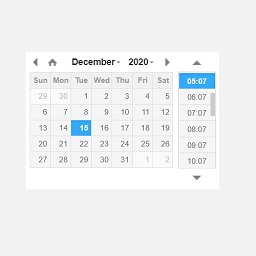
Side-by-side comparison
| Metric | Date Time Field Add-On for Gravity Form | Opal Woo Custom Product Variation |
|---|---|---|
| Rating | 4.5 ★ | — |
| Total reviews | 2 | 0 |
| Active installs | 1,000+ | 400+ |
| Free plan | — | — |
The data on this page doesn't separate Date Time Field Add-On for Gravity Form and Opal Woo Custom Product Variation on rating, pricing, languages, category rank or listed features. Compare the tables below against your own requirements.
Built only from the WordPress Plugin Directory listing data shown on this page. AppRanks does not accept payment to influence comparisons. Read the methodology
Read each app's audit: Date Time Field Add-On for Gravity Form audit • Opal Woo Custom Product Variation audit
| Field | Date Time Field Add-On for Gravity Form | Opal Woo Custom Product Variation |
|---|---|---|
| Platforms | ||
| Developer |
| Keyword | Date Time Field Add-On for Gravity Form | Opal Woo Custom Product Variation |
|---|---|---|
| custom form | #370 | #577 |
| form | #418 | Not ranked |
| forms | #518 | Not ranked |
| online forms | Not ranked | #810 |
| online form | Not ranked | #811 |
Date Time Field Add-On for Gravity Form holds the higher average rating (4.5★ vs 0.0★). That is the one dimension AppRanks can separate them on here — read both apps' detail pages for the feature breakdown and recent listing changes.
Both apps are one-click installs from the WordPress Plugin Directory. AppRanks doesn't measure setup time directly; Date Time Field Add-On for Gravity Form has more published reviews to read for user-reported install experience (2 vs 0).
AppRanks cannot say which fits a larger or smaller operation — there is no store-size measurement in the WordPress Plugin Directory data. What it can show: Date Time Field Add-On for Gravity Form has 2 published reviews; Opal Woo Custom Product Variation has 0 published reviews. Compare plan limits and pricing tiers against your own volume.
Migration support varies by app and category. Date Time Field Add-On for Gravity Form and Opal Woo Custom Product Variation both publish their export options on their marketplace listing pages (or in their support docs); some apps offer one-click import from competitors, others require CSV. The fastest check: search "import from Opal Woo Custom Product Variation" in each app's help center. AppRanks does not track migration tooling directly — this is a category-specific capability worth verifying before commitment.