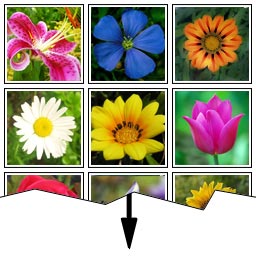
Gallery Slice
The standard gallery in WordPress has one limitation — it always shows all the pictures in the gallery. I know there are alternative galleries available, which support pagination, but I never thought this is a good approach. The reader never wants to see n-th page of the gallery — if the first page got his attention, then he wants to see all of the rest, not split into pages anymore. At least, this is how I see it. So, if you run a blog, on which you publish huge galleries with many many many pictures, maybe you want to show only preview of the gallery on archive pages (homepage, categories, archives etc.), so the individual posts are not too long. The gallery-preview then contains a link, which loads the rest of the gallery if the reader wishes so, via Ajax. Well, this plugin brings exactly that, all with standard WordPress gallery. Single posts are untouched, they still show full galleries, at least for now. You can reach similar functionality just by creating two galleries and putting the tag in between them — and the archive page shows only the first gallery, while single post shows the whole gallery. But, this plugin has several advantages: it can be set and forget, and then the plugin automatically applies it for every post/gallery published. If the gallery is followed by another text, then this text is still displayed on the archives page. Loading of the rest of gallery is handled by Ajax (with fallback to single-post URL if Ajax fails). In options, you specify two values: first one threshold — amount of images, if the gallery exceeds this many, it is sliced into a preview. This is the second value, how many images should be shown in a preview. This allows to have 2 different values for that, e.g. 9 images for preview, but 12 images for threshold, which makes some flexibility, that if the gallery is 10 images big, then it is not shortening by jsut one image. Anyway, you can also specify the same values, if you wish. These two values are specified on three levels: global (per blog), per post and per gallery tag. You can also specify not to slice a gallery in specific post, resp. not to slice a specific gallery. Plugin supports several lightbox implementations. License WTFPL License 2.0 applies DO WHAT THE FUCK YOU WANT TO PUBLIC LICENSE Version 2, December 2004 Copyright (C) 2004 Sam Hocevar Everyone is permitted to copy and distribute verbatim or modified copies of this license document, and changing it is allowed as long as the name is changed. DO WHAT THE FUCK YOU WANT TO PUBLIC LICENSE TERMS AND CONDITIONS FOR COPYING, DISTRIBUTION AND MODIFICATION 0. You just DO WHAT THE FUCK YOU WANT TO. ToDo's * enable plugin to work in opposite manner - do not automatically slice down galleries, but only on posts / tags where the downto attr is set * re-check WP-Minify on possibility to use the compiled JS files (internal) * enable slicing w/ Ajax loading on single posts
Top keywords
- gallery16×3.14%
- galleries5×0.98%
- images5×0.98%
- license5×0.98%
- many5×0.98%
- ajax4×0.79%
- page4×0.79%
- post4×0.79%
- posts4×0.79%
- preview4×0.79%
- values4×0.79%
- want4×0.79%
Search Live
Search Live supplies effective integrated live search facilities and advanced search features. This plugins delivers a smooth interactive experience with immediate results for your site’s visitors, making it easier and more efficient to find the right results. It provides instant live search results with thumbnails where matches are found for one or multiple search keywords in titles, excerpts or content, allows to enhance the standard search form with this functionality, provides a flexible shortcode [search_live] that can be placed anywhere to provide an interactive search form and a widget for use in sidebars. The shortcode and widget can be fine-tuned with sensible options to improve the search experience for your visitors. Instant search results replace the standard WordPress search form. This is enabled by default but you can turn it off. You can use the shortcode [search_live] to place a search form anywhere. You can use the Search Live widget in your sidebars. Supports Custom Post Types. Full multilanguage support and compatible with WPML. Search Live can show instant search results including thumbnails and short descriptions or manual excerpts. Among other useful options, you can determine the number of results shown and whether to search in any combination of titles, excerpts or contents. These can be determined individually for each instance of Search Live’s shortcode or widget. Search Live supplies results from posts, pages and other public post types. Search Live fully supports multilanguage sites with WPML. We are working on an extended version that will provide enhanced features. If you would support our work using a premium version, we would love to hear from you. Please share your enthusiasm by leaving a comment on the Search Live page, follow @wpsearchlive and browse our Shop. Feedback Feedback is welcome! If you need help, have problems, want to leave feedback or want to provide constructive criticism, please do so here at the Search Live plugin page. Please try to solve problems there before you rate this plugin or say it doesn’t work. There goes a lot of work into providing you with quality plugins! Please help with your feedback and we’re also grateful if you help spread the word about this plugin. Thanks! Twitter Follow @wpsearchlive for updates on this plugin. Follow @itthinx on Twitter for updates on this and other plugins. Translations Brazilian Portuguese translation by Henrique Avila Vianna. Many thanks for your help! If you would like to have your translation added, please contact us.
Top keywords
- search22×5.34%
- live12×2.91%