Finale Lite – Sales Countdown Timer & Discount for WooCommerce
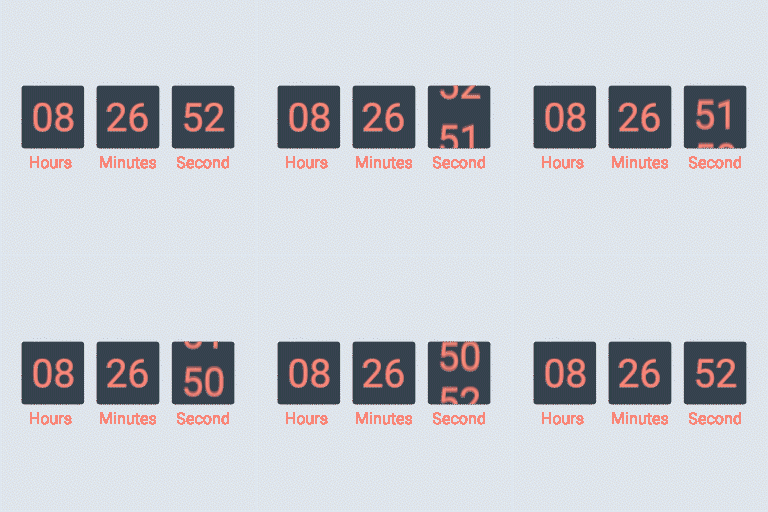
Finale is the ONLY WooCommerce plugin that allows you to create urgency and scarcity inducing promotional campaigns. Urgency and scarcity are both powerful psychological triggers that motivate shoppers to take fast action and avoid missing out. You can use Finale to run scheduled sales campaigns such as flash sales, seasonal promotions, coupon code led discounts, pre-launch offers, daily deals, faster shipping deadline campaigns, instant discounts, early bird deals, recurring offers and more. Explore full capabilities of Finale in this article about WooCommerce Discounts Just plug in the promotion details and get started in minutes. Here’s how: Finale is built to empower store owners who want to run promotions and convert more visitors into buyers. It’s for those who don’t believe in ‘let’s hope they’ll buy someday’ philosophy. Instead want to seize every opportunity to generate more orders. “This plugin is everything I was looking for and more. The best part is that all the settings are intuitive- I didn’t have to spend hours figuring things out. I could get started within minutes of installation. And yes, a big thumbs up for support, they ensure you win with the plugin.” -Phil de Gruchy Founder, Blue Lama Finale’s Lite Features Set Up Sales Between Two Fixed Dates and Time In WooCommerce you cannot start a campaign at a set time. But Finale allows you to pick a time. This is great for running flash sales like happy hours, deals of the day (Wow Wednesdays, Tipsy Thursdays), prime time specials, lunch hour deals and more. Run a Countdown Timer to Give Shoppers a Clear Deadline for Action Most shoppers wait until the last few hours to make their purchase. In fact a typical sales graph shows that 90% of sales happen on the big last day. It’s when the fear of missing out is at its peak. Make this insight into buyer psyche work in your favor. Use Finale to set up stunning countdown timers on the product page to remind shoppers about the deadline. You’ll be surprised by the power of a subtle reminder. Set up a counter bar to show the real-time stock status Visualization is powerful. Don’t tell your visitors the number of items left in stock, show them. A counter bar shows the real time stock status and gives people a compelling reason to hurry up. It’s persuasive and moves as more and more people buy. Similar to Amazon’s counter bar on daily deals that says ‘x% of deal claimed’, it gives you the power to use scarcity with class! Create rules to customize campaigns Rule builder allows you to create your rules to customize campaigns. It makes the experience of using Finale hassle-free. No need to visit individual product pages to set up campaigns. Choose from 4 nifty rules to customize your campaigns. Set up campaigns: On certain hand-picked products, or all products in a specified product category, or chosen product type or only on products under or above a certain price point. Finale: The Must Have Tool For Running Scarcity & Urgency Led Promotions At Any Time of The Year Set up your deals of the day, clearance sales, end-of-season offers, early bird discounts, members-only offers, and festive campaigns in minutes. “Finale is a game changer. It’s one of the most effective sales-booster I’ve ever tried! It’s amazing how easy is to manage sales and display triggers that motivate customers to purchase more and come back to the store. Different sets of conditions and types of rules lead to impressive results. The outcome is almost unbelievable! Also the support is outstanding… Thanks, Daman you did a great job!” – Razvan Popescu Watch this video to set up your first promotion in 2 minutes. No matter what time of the year, people always need a push or a reason to make a decision. Finale gives them that credible reason they need to say yes. Use Cases of Finale Lite Here are just a few use cases of Finale Set up Flash sales scheduled to start on a set date/time Create Seasonal offers scheduled to trigger on set dates Run Exclusive Happy Hour Deals that only last for a few hours Set up Store Anniversary/Birthday Specials that last for a day and end at 11:59 pm Run Store-wide campaigns or only setup product category-wide sales Run Exclusive Festive deals that last till the stock lasts and end once the inventory goal is met Feed your entire promotional calendar in one go Show the depleting stock size through a counter bar to sell limited stock products There’s more ground you can cover with Finale Pro Finale PRO’s Features In addition to the features in Lite, Finale pro has the following core features: Set Up Recurring Campaigns That Stop And Re-Start On Automation Do you want to run frequent offers and campaigns without having to go to admin panel to re-start? Choose the start date/time, duration, pause period and number of recurrences. The campaign will start, pause and re-start as per your inputs. Never again log back in to re-start campaigns. Set up High-Converting Sticky Header & Footer Announce new campaigns in style. Put up urgency-triggering elements like the sticky header/footer on your store. Introduce new arrivals, announce campaigns, category-wide or store-wide discounts, time-limited offers with class. Increase click-through rate to the relevant product pages/ category pages with offers. Display Countdown Timer In Your Email Campaigns & More Grab the shortCodes and display these visually compelling countdown timers or counter bars on dedicated landing pages, blog posts, pop-ups and more. Generate buzz for upcoming products Lift curtains off new products in style. Set up a countdown timer on upcoming products and hide the ‘Add to Cart’ button during the waiting period. Set it to become auto-visible as soon as the counter strikes zero. Maximize conversions through Smart Events Instruct Finale to execute decisions based on real-time status. Bump up discounts when the campaign expiry time is close. Or increase the prices of products when remaining stock is little. Or bump up total units when few items are left in stock. You can even use Events to offer Early Bird Discounts (limit discounts to the first set of buyers). Embed Shortcodes Finale has 3 short codes for your campaigns (countdown timer, counter bar and custom text). Grab these short codes and embed them in your site and also in emails. Think dedicated landing pages, blog posts, urgency-inducing emails etc. Great for flash sales, festive campaigns, new launches and more. Finale Deal Pages List all your deals on a single page so that shoppers can discover and browse them easily. They’ll no longer have to scout for good deals and offers in your store. You can choose from a well-presented grid and list format to display your deals. List all your Christmas sale or Black Friday offers on one page during the promotion season. Also, show countdown timers and scarcity bar on this special curated page. Use Cases of Finale PRO Here’s a snapshot of a few interesting use cases of Finale Pro. The possibilities are endless. Run store-wide recurring flash sales or only on certain products/product category Automate your regular weekend offers on chosen products Spotlight special campaigns such as Christmas/ Black Friday/Mother’s Day etc. through sticky headers/footers Use Short codes to embed countdown timers on popups, landing pages, blog posts and sidebars Create buzz for upcoming products: Start countdown timers gearing up to the launch date/time Run campaigns on products with a specified stock status Set up frequent ‘Deals of the Day’ campaigns on automation Show a certain campaign to people from a chosen country. And another campaign to people from another country Personalize your campaigns and show them to logged in members only Hide ‘Add to Cart’ button on Out of Stock Products Trigger Early Bird Discounts on new arrivals that expire after a specified number of units sell Increase/Decrease discounts based on the units sold/left Set up a countdown timer to nudge shoppers to buy before same/next day shipment deadline expires Quick Start Tutorial Watch this ‘Quick Start Tutorial’ to hit the ground running with Finale: Frontend Demo: Experience all the visual elements of Finale Imagine Having all the tools you need to shed your visitors’ inertia and to jolt them into action Having the controls to plan and set up your promotional calendars in one go Being able to customize your campaigns based on 15 different conditions Owning a high-converting store that consistently clocks high sales Who should use Finale? Ambitious store owners committed to driving more revenue to their business this season. Store owners tired of letting interested shoppers leave their site and postponing their purchase decision Store owners who’re ready to generate more cash from the same traffic without spending a dime more on ads Those who understand the importance of shopper psychology in sales If this is you, you’re the right fit for Finale. Think About This Would you ever make it to the airport on time if flights didn’t have a set departure time? No. We speed our car, grab coffee on the way and do whatever it takes to make it on time. Why? Because there is a definite deadline attached to the task. We experience fear of missing out and fear of losing money on the tickets. This propels us into fast action. Similarly deadline-based campaigns and stock scarcity make people experience fear of missing out. This acts against their natural procrastination and nudges them to the finish line. Why We Built Finale? Most store owners run campaigns. But they are ineffective without awareness and definitive expiry deadline. We studied several top stores to see what they were doing to clock high conversion rates. And discovered they had the master key to sales i.e. shopper psychology nailed. Here is what Top store owners do to increase conversions: Run Time-bound flash sales Introduce Limited-edition products Announce Exclusive deals of the day and weekend offers Build hype around new launches Create awareness around festive campaigns through visual elements on the store Put up a faster shipment deadline. These well-planned campaigns help them set high sales records. We wanted to bring the same bag o’ nifty conversion hacks to small WooCommerce store owners. And that’s what led to Finale. Also, store owners like you told us they wanted us to build a plugin that could help them run recurring campaigns. They found it a tedious task to go back to the admin panel to re-start campaigns. These demands solidified the core features of Finale. About The Team Finale is backed and supported by a strong team of developers, support engineers and marketers from XLPlugins. The team is constantly updating the plugin and ensuring its compatibility with the latest WooCommerce versions. We’re also coming up with new and varied use cases of Finale and creating short videos around it. Our aim is to educate store owners to make the most of our tools.
Top keywords
- finale30×1.62%
- campaigns29×1.57%
- set22×1.19%
- sales17×0.92%
- store15×0.81%
- products14×0.76%
- time14×0.76%
- deals13×0.70%
- offers12×0.65%
- run12×0.65%
- stock11×0.59%
- countdown10×0.54%
Sales Countdown Timer
WooCommerce countdown timer helps to motivate customers purchasing. Many shop owners use WooCommerce countdown timer in sale events, promotions to boost sale, improve sales and revenue. Has your site have WooCommerce countdown timer plugin yet, let’s find out the WooCommerce countdown timer plugin from VillaTheme. Sales Countdown Timer is a plugin that allows shop owners to boost the Sales in the Sale Campaigns. The plugin can display WooCommerce countdown timer any pages by shortcodes. It is a must-have plugin for encouraging customers to purchase by creating urgency psychology. Try the Demo |Documents |Pro Version | Facebook group FEATURES ► WooCommerce Countdown Timer: The plugin displays sales countdown timers in single product pages and the shop page of WooCommerce. The clocks will notify customers when the sales end or how many sale product quantities left. In WooCommerce single product, you can select Sales Countdown Timer settings and schedule sale campaigns. Select Sales Countdown Timer profile in WooCommerce single product page, variation products, and select Sales Countdown Timer for bulk products. Display countdown clock base on WooCommerce sale scheduled time Select specific sale time: WooCommerce allows you to schedule sale time by date. With Sale Countdown Timer you are able to select specific sale time by hours and minutes. Position in single product pages: select where the countdown clock will be displayed in single product pages. There are many options for you to select: before product price, after product price, before sale flash badges, after sale flash badges, before “add to cart” button, after “add to cart” button, in the product picture. Position in archive pages: select where will the countdown click appear in archive pages like shop page, categories pages. There are many options for you to select: before product price, after product price, before sale flash badges, after sale flash badges, before “add to cart” button, after “add to cart” button, in the product picture. Display in shop page, categories page, related products: you have options to choose display or hide the countdown clock on these pages. Upcoming sale message: When you schedule a sale campaign in future, you can choose to display an upcoming sale message in the single product page. The messages can be customized with a shortcode display how many time left until the sale time. Sale ends message: display when will the sale finish message with the shortcode {countdown_timer}. Shortcode: the shortcode {countdown_timer} will display the countdown clock. ► Sale Progress bar – Stock quantity bar: The plugin displays a progress bar display how many products are available for the sale campaign, how many products are sold and how many left. Progress bar message: Configure the sale progress bar message as you want with shortcodes. Shortcodes: -{quantity_left} – Number of products left -{quantity_sold} – Number of products sold -{percentage_left} – Percentage of products left -{percentage_sold} – Percentage of products sold -{goal} – The goal that you set on the single product page Progress bar type: select to display the sale progress as increase or dicrease. Order status: select what order status that will be counted in the progress bar. Position: there are 2 positions for the sale progress bar above the countdown clock and below the countdown clock. Design: configure the frontend of the progress bar with options for width, height, background color, text color and border-radius. ► Shortcodes Countdown Timer:The plugin does not require WooCommerce to work. You can display countdown clocks anywhere by using shortcodes. Settings for Countdown Timer shortcode are similar with the WooCommerce Countdown Timer, the difference is that WooCommerce Countdown Timer displays WooCommerce sale time and the Countdown Timer shortcode display your chosen time. Display countdown timer by shortcodes. Select countdown time in the plugin backend. ► Multiple setting profiles:The plugin allows you to set up as many Countdown Timer profiles as you want. Each profile is completely a standalone Sales Countdown Timer. With each profile, you are able to set up full settings include General settings, Design settings. ► Design:Feel free to design the sales countdown timer to fit with your website front-end. Time display: select the time separator style and time format style. Countdown timer clock design: configure front-end style with text color, background color, border color, padding, and border-radius. Countdown timer item design: design the items inside the countdown timer, such as date item, hour item. Design the time value: time value includes the time number and unit. Custom it with font size, text color, and background color. PREMIUM FEATURES All features from the free version. ► Checkout countdown timer: Set the checkout countdown timer for a minimum cart total to get a special offer. The reset mode will be applied only to Administrators for testing purposes. Reset checkout countdown for a cart after this time if the customer does not place the order during checkout countdown. Give offers before the checkout countdown timer hits zero: Free shipping and/or discount amount (percentage/fixed amount). Integrates options that allow you to change offers when the countdown timer hits specific values. Assign pages where the checkout countdown timer shows up. Design the checkout countdown timer on the checkout page and other assigned pages. ► 6 months of support: with each purchase, you will have 6 months of support from VillaTheme. Our developers will help if you have any problem with Sales Countdown Timer. ► GET PREMIUM VERSION NOW MAY BE YOU NEED 9Map – Map Multi Locations Abandoned Cart Recovery for WooCommerce Advanced Product Information for WooCommerce AFFI – Affiliate Marketing for WooCommerce ALD – Dropshipping and Fulfillment for AliExpress and WooCommerce Boost Sales for WooCommerce – Set up Up-Sells & Cross-Sells Popups & Auto Apply Coupon Bopo – WooCommerce Product Bundle Builder Bulky – Bulk Edit Products for WooCommerce Cart All In One For WooCommerce Catna – Woo Name Your Price and Offers Checkout Upsell Funnel for WooCommerce ChinaDS – Tmall-Taobao Dropshipping for WooCommerce Clear Autoptimize Cache Automatically COMPE – WooCommerce Compare Products Coreem – Coupon Reminder for WooCommerce Coupon Box for WooCommerce CURCY – Multi Currency for WooCommerce – Smoothly on WooCommerce 9.x Customer Coupons for WooCommerce DEPART – Deposit and Part payment for Woo Email Template Customizer for WooCommerce EPOI – WP Points and Rewards EPOW – Custom Product Options for WooCommerce EU Cookies Bar for WordPress EXMAGE – WordPress Image Links Faview – Virtual Reviews for WooCommerce FEWC – Extra Checkout Fields For WooCommerce Free Shipping Bar for WooCommerce GIFT4U – Gift Cards All in One for Woo HANDMADE – Dropshipping for Etsy and WooCommerce HAPPY – Helpdesk Support Ticket System Jagif – WooCommerce Free Gift LookBook for WooCommerce – Shoppable with Product Tags Lucky Wheel for WooCommerce – Spin a Sale Lucky Wheel Giveaway Notification for WooCommerce | Boost Your Sales – Recent Sales Popup – Live Feed Sales – Upsells Orders Tracking for WooCommerce Photo Reviews for WooCommerce Pofily – WooCommerce Product Filters PRENA – Product Pre-Orders for WooCommerce Product Builder for WooCommerce – Custom PC Builder Product Size Chart For WooCommerce Product Variations Swatches for WooCommerce REDIS – WooCommerce Dynamic Pricing and Discounts REES – Real Estate for Woo S2W – Import Shopify to WooCommerce Sales Countdown Timer SUBRE – Product Subscription for WooCommerce – Recurring Payments Suggestion Engine for WooCommerce Thank You Page Customizer for WooCommerce – Increase Your Sales TMDS – Dropshipping for TEMU and Woo VARGAL – Additional Variation Gallery for WooCommerce VillaTheme Core VIMA – Multi Customer Addresses for Woo VISeek – Easy Custom Search W2S – Migrate WooCommerce to Shopify WebPOS – Point of Sale for WooCommerce WPBulky – WordPress Bulk Edit Post Types Documentation Getting Started Plugin Links Project Page Documentation Report Bugs/Issues