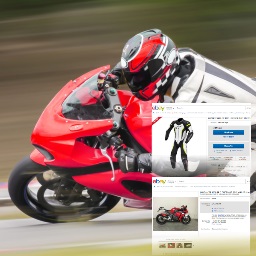
Fast eBay Listings
Use Fast eBay Listings to integrate WordPress with eBay. Quickly display up-to-date eBay items and feedback on your WordPress blog. Promote items from your eBay store or promote any items on eBay as part of an affiliate marketing strategy using the eBay Partner Network. Fast eBay Listings is a certified eBay Compatible Application and is actively maintained to ensure continued support for the latest eBay API updates. Display single items or a grid of search results from eBay Show feedback ratings and comments from your eBay seller account Slideshow presentation or ‘load more’ buttons for continuous scrolling Simple to use Blocks with live preview to arrange eBay items in the WordPress Block Editor Easy UI to add eBay search shortcodes in Classic Editor Dynamic widget to show eBay items relevant to the current page Show items from a given seller, any seller, or items specific to a post’s author Filter results by category, price range, seller type, buying options etc. Handy eBay category chooser tool – no manual lookup of category ID numbers by hand! Items are shown with thumbnail size and aspect ratio of your choice Full item details can be shown: price, end date, BIN, condition, location, description etc Deferred loading and inbuilt caching of listing for faster page loads Geotarget eBay results to the local eBay site of your visitors Earn commission on click-throughs via the eBay Partner Network and track with your own reference IDs Highlighting of priority listings that earn high rates of commission SmartLinks features to make other eBay links on your site promotable affiliate links → More details and documentation can be found at fubaby.com A key feature of Fast eBay Listings is the ability to utilize the eBay Partner Network to earn commission on click-throughs from the listings to eBay. A great way to monetize your website, whether you present your own items on eBay or others. With the free version of this plugin, 50% of the links presented will earn the developer commission to cover the support and maintenance of this plugin. As such, the display of an ad disclosure notice is mandatory. A premium subscription version of the plugin is available that will attribute 100% of all clicks to your eBay Partner Network account, to maximize your earnings. It also provides full control of the ad disclosure notice, including the option to remove it. Do also check out the sibling Fast Etsy Listings plugin, offering similar functionality to integrate your WordPress site with Etsy. Support Fast eBay Listings has been maintained and supported since 2016 and has been kept up to date with the latest eBay API changes. You will be supported for many more years. You can get support, help, or assistance in using Fast eBay Listings in a number of ways: Visit the plugin support forum on the WordPress.org site here Contact me directly via email here I’ll endeavor to follow up as soon as I can and resolve any issues you’re having. Usage Utilize either easy-to-use Blocks in the Block Editor or visual editors for Classic Editor shortcodes, no need for you to type any shortcodes manually. The key blocks / shortcodes you can add to your pages are: eBay Search Presents a list of eBay items, based on given search criteria. You can narrow down items to display by entering eBay search query, an eBay category, eBay seller(s) or min/max prices. The display of the results can be tailored into a grid with dimensions of your choosing and optionally as a slideshow. If any parameters are left blank, defaults from the plugin setting will be used. eBay Seller Feedback Present the feedback rating and comments from your eBay seller account or shop, with links to it. A great way to show your reputation on your company website. eBay Item Present details of a single eBay item listing. Simply enter the eBay item ID of the product. eBay RSS Feed Present a list of eBay items from an RSS Feed as generated from RSS Ground or Auction Request. Results can be presented in a grid with dimensions of your choosing and optionally as a slideshow. Use this to migrate your existing RSS feeds until you can replace them with the more feature-rich eBay search Block/Shortcode. Shortcodes For reference, if you wish to manually enter shortcodes in the Classic Editor text view, you can find the syntax and details of shortcode parameters supported here. Fixed Search Widget This widget presents an eBay search similar to the eBay Search shortcode and will show the results from a fixed eBay search query. Dynamic Search Widget This widget presents an eBay search similar to the Fixed Search widget, however, the search query is dynamically driven by the current page displayed. For pages and posts, either custom metadata can drive the query, or the title is used as the search query. Custom meta key you can use are: ‘ebay-query’, ‘ebay-category’, ‘ebay-seller’, ‘ebay-minprice’, ‘ebay-maxprice’, ‘ebay-minbids’ and ‘ebay-maxbids’. When browsing categories or tags, the category or tag is used as the eBay query. As a fallback, a default query can be specified in the widget settings for other pages. Use this widget to display eBay items related to the page visitors are reading. You can of course filter this by a given eBay category, seller, price, etc. SmartLinks Fast eBay Listings includes a SmartLinks tool to turn all other eBay links on your site into promotable affiliate links. When enabled, it will automatically convert all of your eBay links and connect them to your Campaign ID. This is a great feature if your site already has many links to eBay that you wish to make affiliate links and thus earn on click-throughs via the eBay Partner Network. SmartLinks will not update any existing affiliate eBay links, it will only update unaffiliated eBay links you may have on your site. Affiliated links will be made ‘nofollow’ links and optionally, open in a new window/tab. Terms & Conditions By using this plugin you must abide by the eBay and eBay Partner Network code of conduct. Including, but not limited to: Always display the ‘Right Now on eBay’ logo alongside eBay results. Promote eBay items alongside unacceptable topics, e.g. sexually explicit material, violence, weapons, illegal goods, and discriminatory or hate-orientated content. Improper influence, to trick or mislead an end user into clicking a link to eBay (ensure links to eBay contain the term ‘eBay’ in their text). All sites displaying links monetized via the eBay Partner Network (EPN) must show an ad disclosure notice in accordance with the EPN Network Agreement. Fast eBay Listings reserves the right to block usage for non-complying sites.
Top keywords
- ebay64×5.76%
- items15×1.35%
- links15×1.35%
- search15×1.35%
- listings10×0.90%
- ebay search8×0.72%
- fast8×0.72%
- network8×0.72%
- seller8×0.72%
- widget8×0.72%
- display7×0.63%
- ebay items7×0.63%
Testimonial Slider
Testimonial Slider shows the testimonials and feedbacks submitted by your Happy Customers in a clean, responsive and beautiful Slider format. The “Testimonials” are a Custom Post Type so it is very easy to add, modify and delete testimonials. You can enter the Customer’s Image/Avatar, Name, Company, Website in the Custom Fields for the Testimonial and the actual Testimonial text in the “Description”. It is as simple as that! Important notice about this plugin’s maintainership and future This plugin is (October 2018) under new maintainership. The previous maintainer (whom we sincerely thank for his work) was no longer working on it. Security issues had been discovered, and not fixed, and the wordpress.org repository had closed the plugin. We have taken over maintainership solely for the purposes of keeping the plugin alive (since we were using it on our own live sites) and secure. No future feature developments are planned, though, you are welcome to send in new code for us to evaluate for inclusion if you are interested yourself. As such, we do not particularly recommend using this plugin on new sites, as it has no planned future of new features, only of being kept alive. Accordingly, whilst users are of course welcome and encouraged to support eachother in the wordpress.org forums, we will be quite likely to pass over anything found there except significant bug reports. Features: 5 Stylish Skins Create Unlimited Testimonials Slider Settings Add List View of Slider Quickly Add only specific “Testimonials” to Custom Slider Show “Category” specific Testimonials Show “Recent” testimonials auto fetched by the slider Show the Testimonials List using Template tag or Shortcode Shortcodes and Widgets available Multiple Sliders, Multiple Settings and Multiple transition effects supported. Language Files Available Spanish Dutch French Usage Option 1 – Widget Use Testimonial Slider – Simple Widget, Testimonial Category Widget or Testimonial Recent Slider Widget to insert the Slider in the Widgetized area of your WordPress theme Option 2 – Manual Insertion of Shortcode To insert the Testimonial Slider, paste the below shortcode in the content section of your WordPress post/page: [testimonialslider] Category Shortcode [testimonialcategory catg_slug=”support”] Recent Testimoniials in Slider [testimonialrecent] Testimonials List [testimonialList] Please refer the Testimonial Slider Documentation for more details. N.B. The linked site is maintained by a previous maintainer. We cannot guarantee it will remain operative into the future.
Top keywords
- slider12×3.07%
- testimonials9×2.30%