Dashdig
The only WordPress URL shortener that enforces your UTM rules before a link ever goes out. Turn bit.ly/3xK9fML into dashdig.com/Nike.Summer.Sale — a link people trust, tagged the way your reports expect. Broken UTMs are why campaign data never adds up: utm_source=Facebook in one post, facebook in the next, nothing at all in the third. Dashdig lets you set the rules once and enforces them everywhere links get made — this plugin, the dashboard, the API, the browser extension, bulk import. Warn on drift, or block it outright. Every link is also a Dig: a human-readable slug that describes the destination in plain English, so visitors know where they’re going before they click. The Dashdig Humanizer block brings both into the Gutenberg editor. Features: AI-powered human-readable slugs — links like dashdig.com/Nike.Summer.Sale instead of random strings UTM governance — define campaign rules once; Dashdig warns or blocks untagged and misspelled links at creation Dashdig Humanizer Gutenberg block — shorten URLs directly from the post editor with a live slug preview Link management — create, edit, and organize all your short links from one place Click analytics — see who clicked, when, and from where QR code generation — every link gets a downloadable QR code automatically Easy one-time API key setup — connect in under 60 seconds Automatic tracking script injection — zero code required on your site Header or footer placement — choose where the script loads for optimal performance Exclude admin users from tracking — keep your own visits out of the data GDPR compliant — built with privacy in mind Lightweight and fast — async loading, zero impact on page speed Perfect For: Bloggers sharing affiliate links who want higher click-through rates Marketers tracking campaign performance across multiple channels Content creators building trust with their audience E-commerce stores driving traffic with branded, readable links Anyone tired of random-character short links that look like phishing attempts How It Works: Install and activate the plugin Create a free account at https://dashdig.com Enter your API key in Settings > Dashdig Start creating human-readable short links from your WordPress dashboard or the Dashdig Humanizer block in the post editor Why Dashdig vs Bitly? Comparison Dashdig Bitly Cryptic random-character links ❌ Never — every link is human-readable ✅ Default output is cryptic Human-readable Digs ✅ dashdig.com/Best.Coffee.In.Seattle ❌ Not supported AI slug suggestions ✅ AI suggests humanized slug options ❌ No AI features WordPress plugin ✅ This plugin ❌ No official plugin Gutenberg block ✅ Shorten in the post editor ❌ Copy/paste workflow only QR codes ✅ Free on every Dig ⚠️ Paid plans only Free tier ✅ 5 Digs/month free forever ⚠️ Limited, ads added The bottom line: Bitly gives you a short link. Dashdig gives you a short link your reports can trust. External Services This plugin connects to external Dashdig API services to provide analytics and tracking functionality. Please review this disclosure to understand how external services are used. Service Used: This plugin connects to the Dashdig API hosted at: * API Endpoint: https://dashdig.onrender.com/api * Service Provider: Dashdig (https://dashdig.com) When Connection Occurs: API Key Verification – When you click “Test API Key” in plugin settings, a request is sent to verify your credentials Front-End Tracking – When enabled, the tracking script loads on public pages to collect analytics data Analytics Dashboard – When viewing analytics data in your WordPress dashboard (if applicable) Dashdig Humanizer block – When an editor clicks “Humanize” in the block editor, the URL is sent through a secure WordPress REST proxy to create a short link Data Transmitted: The following data may be sent to Dashdig servers: During API Verification: Your API key and Tracking ID WordPress site URL Plugin version information During Front-End Tracking: Page URLs visited Referrer information User interaction data Anonymous visitor metrics Browser and device information (user agent) User Privacy: No personally identifiable information (PII) is collected without user consent IP addresses may be processed for analytics purposes Users can be excluded from tracking (administrators by default) Tracking can be disabled at any time in plugin settings Important Links: Dashdig Website: https://dashdig.com Terms of Service: https://dashdig.com/terms Privacy Policy: https://dashdig.com/privacy API Documentation: https://dashdig.com/docs By using this plugin, you acknowledge that data will be transmitted to Dashdig’s servers as described above. Please review Dashdig’s Terms of Service and Privacy Policy before using this plugin.
Top keywords
- dashdig27×3.73%
- api12×1.66%
- com10×1.38%
- links10×1.38%
- tracking10×1.38%
- dashdig com9×1.24%
- link9×1.24%
- data8×1.11%
- block7×0.97%
- https7×0.97%
- https dashdig7×0.97%
- analytics6×0.83%
Master QR Code Generator – Fast & Easy QR Code Solution
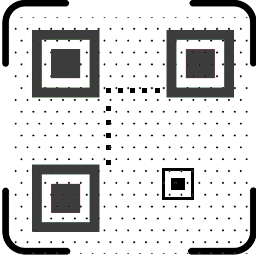
Automatically generate and display QR codes for WordPress posts, pages, WooCommerce products, and custom post types. Master QR Generator is a powerful and user-friendly WordPress QR code generator plugin that lets you create professional QR codes directly from your WordPress dashboard. Customize colors, shapes, eyes, logos, and styles with ease. No coding required. Generate QR codes for multiple content types including URLs, text, phone numbers, email, WiFi access, vCard, Google Maps, WhatsApp Chat, and more. Key Features ⚡ Automatically Generate QR Codes for All WordPress Content Save time with automated QR code creation! Master QR Generator automatically generates and displays dynamic QR codes for your Posts, Pages, WooCommerce Products, and Custom Post Types without any manual setup. 🎯 Supports 9+ QR Code Content Types Instantly generate functional QR codes for: Web URLs & Custom Links Plain Text & Messages Email Addresses Phone Numbers & SMS Wi-Fi Credentials Google Maps Locations (Latitude & Longitude) WhatsApp Direct Chat vCards (Contact Information) 🎨 Complete Visual & Style Customization Customize colors, eye styles, shapes, and sizes Transform standard designs using DotScale styling technology Add your brand logo or custom icons to the center of any QR code Generate sleek, high-res, and modern QR designs effortlessly 🧩 Effortless Display Anywhere on Your Site Easy-to-use Shortcodes for any location 100% compatible with all major WordPress themes & page builders (Elementor, Divi, etc.) 📥 One-Click High-Resolution Downloads Download generated QR codes as crisp PNG images instantly for print or marketing materials No coding required • 100% Beginner-Friendly • Built for Marketers, WooCommerce Stores, Businesses & Agencies. Why Use Master QR Code Generator? Master QR Code Generator helps you boost engagement, increase conversions, and connect offline users to your online content easily. Ideal for: – Marketing campaigns – Product packaging – Event promotions – Magazine ads – Business cards – Contactless menus – Service promotions – Store locations This plugin helps you build interactive, scannable experiences that improve user engagement and brand visibility. Premium Features Explained Try the Demo | Premium version | Documents Stylish QR Codes for WordPress Use DotScale customization to create beautiful, unique, and branded QR codes. Custom Text / Number / Link QR Quickly generate QR codes for text, contact numbers, or any custom URL. Google Map QR Code Add your business location using Google Maps QR codes. Supports latitude and longitude. WhatsApp Chat QR Code Create instant WhatsApp chat QR codes by entering your WhatsApp number. WiFi QR Code Allow visitors to connect to your Wi-Fi network by scanning a QR code. Email Address QR Code Share email addresses instantly via QR code. Phone Number QR Code Visitors can call you instantly with one scan. vCard QR Code Generate digital business card QR codes containing full contact details. EXTRA FEATURES FOR PREMIUM ► ADD QR CODE EYE COLOR: Make QR code attractive using QR code eye color in the premium version ► ADD QR CODE EYE BORDER COLOR: Make QR code attractive using QR code eye border color in the premium version ► ADD QR CODE VERTICAL TIMING COLOR: Make QR code attractive using QR code Vertical Timing Color in the premium version. ► ADD QR CODE HAORIZONTAL TIMING COLOR: Make QR code attractive using QR code Haorizontal Timing Color in the premium version. ► ADD CENTER LOGO: The premium version allows you to place your website’s Brand logo/image in the center of the QR code. ► ADD BACKGROUND IMAGE: The premium version allows you to place your website’s Brand logo/image in the background of the QR code. ► BULK VCARD QR CODE GENERATOR: In the premium version, you can create as many vCard QR codes as you want. vCard allows the sharing of basic information like name, contact information, job title, address, and website URL via QR code. ► ADD LOGO FOR DIFFERENT POST TYPES: You can set different logo based on post type. So you can manage the brand logo and increase brand value with a QR code. Upload different images based on different post types and improve site quality. View Demo ► SHORTCODE WITH ATTRIBUTES:In the free version, you can use QR code shortcode one time. But in the premium version, you can use attributes for each shortcode. You can design QR codes differently using the shortcode features, change content elements, and generate QR codes in bulk using the features. Read Docs. ► WORDPRESS WIDGET SUPPORTED: The premium plugin has powerful WordPress widget facilities for creating QR. You can easily create custom text, links, current page links, numbers, WhatsApp chat access, and tax code for email addresses using this widget. ► QR CODE GENERATE WITH ELEMENTOR: Elementor users can easily generate QR codes with the “Master QR” addon. Master QR addon is excellent for generating current page URLs, custom links, email addresses, phone numbers, wifi access, WhatsApp chat, and vCard QR code. ► QR CODE BULK PRINT: Post-type-based QR codes can be easily printed from one page. In bulk print settings, you can choose a post type like ‘Product’, ‘Post’, ‘Page’, ‘Custom Post’, etc., for filtering. You will receive a printout as a PDF. Live Demo : ► DOWNLOAD QR CODES FROM ONE PAGE: This is a powerful advantage for the website owner. They can easily download QR images from one page. This option is available for post-type QR. Live Demo : And many more things are waiting for you to discover Preview WordPress QR Code Generator GET PRO VERSION Elementor QR Code Generator Privacy This plugin does not connect to any third-party applications. It does not collect or store any user information. This plugin generates QR code images based only on URLs and your custom content. QR code images are not saved to any file Feedback Give any suggestions or feedback, thank you for using or trying our plugin. Please let us know about your experience and rate this plugin. Credits The QR Code generator library is included (based on EasyQRCodeJS written by Ray, EasyProject) and doesn’t need any dependencies.