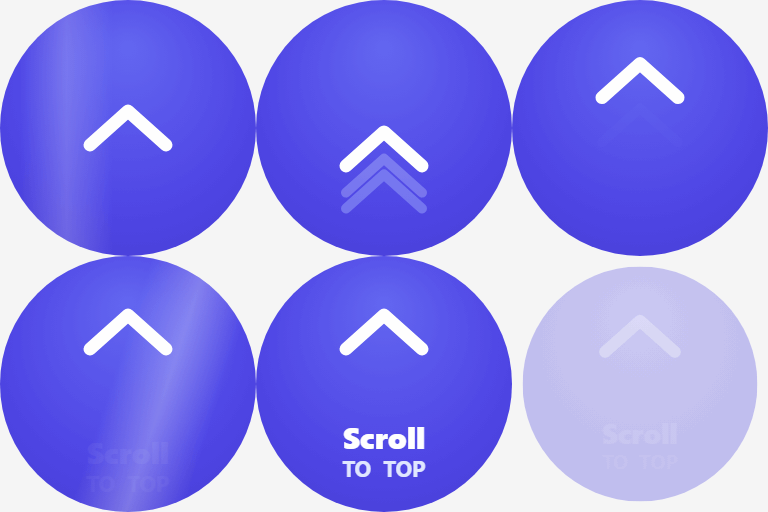
Scroll to Top – Smooth Scroll Up, Back to Top & Reading Progress Bar
Improve your website’s user experience with Scroll to Top, a lightweight and feature-rich plugin that adds a smooth “Back to Top” button and a Reading Progress Bar. Long pages can be frustrating. This plugin helps users navigate seamlessly with a single click. Unlike basic scroll plugins, we offer 16 professionally designed styles, ranging from minimal arrows to gamified animations like Rocket Launch and Cosmic effects. It also includes a visual Reading Progress Bar, perfect for blogs and long-form content to show readers their position on the page. Position the bar at the top, bottom, or right side of the screen — and if you choose the top position, the plugin automatically detects your site’s header (including sticky and FSE block theme headers) and places the bar neatly below it. 🚀 Why Choose This Scroll to Top Plugin? Every website needs smooth navigation. Our plugin boosts user experience by allowing visitors to return to the top of your page instantly, reducing bounce rates and keeping them engaged. We prioritized performance, ensuring the plugin is lightweight and fast, loading assets only when necessary so your site speed remains unaffected. You can fully customize the extensive color options to match your brand identity, complete with live previews. Plus, it’s designed to be mobile-responsive, working perfectly on phones, tablets, and desktops. Boost Navigation: Reduce bounce rates by making it easy to scroll back up. Lightweight & Fast: Optimized for performance; assets load only when needed. Fully Customizable: Match your brand with unlimited colors and live previews. Mobile Responsive: Designed to work perfectly on phones, tablets, and desktops. ✨ Key Features Unlock a suite of powerful features designed for modern websites. Choose from over 16 unique styles, ranging from minimalist designs to fun animations. The integrated Reading Progress Bar gives users a clear visual indicator of their position, while the smooth scroll technology ensures a polished feel. You have full control over positioning, scroll triggers, animation speed, and page targeting to ensure the button appears exactly when and where you need it. 16+ Unique Styles: Choose from minimalist arrows, rockets, bubbles, neon effects, and more. Reading Progress Bar: A sleek bar that fills as users scroll — position it at the top, bottom, or right side. Header Auto-Detection: When placed at the top, the bar automatically detects sticky and FSE block theme headers and sits neatly below them. You can also provide a custom CSS selector. Smooth Scroll Up: Customize the scroll speed (Slow, Normal, Fast) for a polished feel. Smart Positioning: Place the button Bottom-Right, Bottom-Left, or Bottom-Center. Scroll Trigger: Auto-show the button after scrolling a specific distance (e.g., 300px). Page Targeting: Display on specific post types (Homepage, Posts, Pages) or exclude as needed. Accessibility Ready: WCAG compliant with keyboard support and ARIA labels. 🎨 Styles Included We understand that every site has a unique design language. That’s why we’ve included a diverse library of button styles. Whether you need an essential arrow for a professional business site, a visual indicator for a blog, or a fun animation for a creative portfolio, you’ll find the perfect match. Our styles include everything from neon pulses and holographic effects to classic, minimal designs. Essential: Classic Arrow, Minimal Glass, Floating Bubble. Visual Indicators: Progress Circle, Progress Bar (Top / Bottom / Right). Fun Animations: Rocket Launch, Magic Wand, Floating Bubble. Modern Effects: Neon Pulse, Holographic, Cosmic Sparkle. ♿ Accessibility First Web accessibility is at the core of our development. We believe navigation should be seamless for everyone. The plugin is built with strict WCAG compliance, offering full keyboard navigation support (Tab key) and proper ARIA labels for screen readers. It also respects user preferences for reduced motion, ensuring a comfortable experience for all visitors. Keyboard Support: Full keyboard navigation support (Tab key). Screen Readers: Proper ARIA labels for screen readers. Reduced Motion: Respects user “Reduced Motion” settings in browsers. 💡 Pro Tips: * Use the progress circle style for long-form content * Match button colors to your brand palette * Enable the progress bar and set it to “Top” — it will auto-detect your sticky header and sit neatly below it * Use the custom selector option if your theme uses a non-standard header class (e.g. .my-theme-header) * Adjust bottom offset to avoid conflicts with other fixed elements * Position buttons based on your site’s layout
WPFront Scroll Top
Enhance user experience and site navigation with a lightweight, customizable “Scroll to Top” button. This plugin adds a smooth-scrolling button that appears as users scroll down the page and disappears when they return to the top. Designed for speed and seamless integration, it works with any WordPress theme and includes options for custom icons, button position, color, animation, and intelligent display rules. No coding required—just install and configure in minutes. Perfect for blogs, long-form articles, eCommerce sites, or any website where easy navigation improves usability. Key Features & Customization Intelligent Display: Automatically appears as users scroll down, then disappears when at the top. Smooth Scroll Animation: Provides a fluid and pleasant “back to top” experience. Flexible Destinations: Internal Page Scroll: Link the button to any specific element within the current page. External Page Redirection: Redirect users to any other page or URL. Customizable Button Design: Choose between text, custom image (PNG/SVG), or Font Awesome icons. Use any image URL for complete branding control. Responsive Control: Mobile-Friendly: Option to hide the button on smaller devices/windows for better mobile UX. iFrame Compatibility: Ensures it doesn’t appear inappropriately within iframes. Targeted Visibility: Easily show or hide the button on specific pages or posts. Temporary Display: Auto-hide the button after a set duration for a cleaner interface. Optimized Performance: Utilizes Async JavaScript to ensure fast page loading. Accessibility Focused: Built with ARIA labels and screen reader text for inclusive navigation. SEO-Friendly Markup: Employs semantically correct HTML elements for optimal search engine and accessibility performance. Optimized Performance: Adds functionality without slowing down your site. Easy-to-Use Admin Panel: Configure all settings intuitively from your WordPress dashboard.