Courier Notices
Courier Notices is a powerful WordPress plugin that allows you to create and display custom notices, alerts, and modals throughout your website. Perfect for announcements, promotions, warnings, or any important information you want to share with your visitors. Key Features: Easy Customization – Customize colors and icons with no coding required Multiple Notice Types – Create different types of notices (Primary, Success, Alert, Warning, Feedback, Info) Flexible Placement – Display notices in header, footer, as modals, or anywhere using CSS selectors Dismissible Options – Choose whether notices can be dismissed by users Modal Support – Create full-screen overlay popup notices AJAX Loading – Compatible with caching plugins and CDNs Developer Friendly – REST API endpoints and hooks for custom development Perfect for: * Website announcements and updates * Promotional campaigns and special offers * Important warnings or maintenance notices * User feedback and success messages * Emergency alerts and notifications Notice Types Include: * Primary – General information (#039ad6) * Success – Positive confirmations (#04a84e) * Alert – Important warnings (#f97600) * Warning – Critical alerts (#ea3118) * Feedback – Form responses (#8839d3) * Info – General information (#878787) Placement Options: * Header – Displays at the top of the page * Footer – Fixed position at the bottom * Modal – Full-screen overlay popup * Custom – Use CSS selectors for specific placement Shortcodes Note: Shortcodes are deprecated in favor of blocks in the upcoming version 2.0 [courier_notice id="1"] Displays a Courier notice based on the Courier post ID, displays a flag to call out the notice as well. Parameters: id – The ID of the notice to display
MaxBoxy
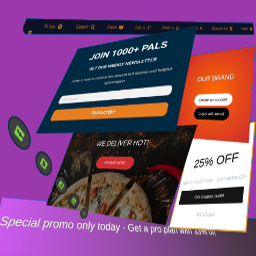
MaxBoxy is a tool that will help you in making engagement and conversion elements for your Website. To be concrete, with MaxBoxy create floating content, menus, info bars, popup or slide-in panels. Set them into rotating notification system, introduce them on page’s load or exit intend, offer coupons and much more. It can be used, for example, to: Engage visitors with your products and items Turn over site visitors to consumers, followers or buyers Increase social followers & connect with your social sites Get additional email subscribers Create eminent floating menus Stick necessary announcements Rotate exciting news and messages about your products Manage content boxes through different panel strains. Lets see beneath. Strain FloatAny Basically, with FloatAny strain – float any content on your site. Whatever you make with inside the panel will appear as a floating content box on your WordPress Website. Create popup boxes, notifications, alerts, info bars, banners, display ads… Strain InjectAny In essence, with InjectAny strain – inject any content on specified pages or over the whole site. Create alerts or highlighted content boxes and even dismissible notes. You can also inject CSS and JS code in predefined head and footer locations. Simplicity, Performance and Design The big chance is you’re going to like this, MaxBoxy’s interface is the same that WordPress is using for publishing posts and pages. This means that content of the panels are built with native WordPress’ blocks. This creates lightweight outcome, outputting mostly the resources your site is already using. This should produce faster page loading compared to the tools competitors provide. Conversion Set the goals inside your MaxBoxy content boxes and measure conversions. These goals can be set as click on buttons or newsletter/sign-up forms submission. So, after setting the panels, see the stats and how the visitors are engaging with your messages and action calls. Therefore, MaxBoxy allows you to simply extend the functionality of your Website and to create floating content or injecting content box in an easy and a way you should be already familiar with. Multiple styles and functionalities are there which will help you to engage your site’s guests and will enable additional interactions for them on the site. You see, by using WordPress blocks you assemble components to form different site elements, i.e. floating menus, popup boxes, newsletter signup forms, important announcements and alerts, rotating messages. As you guess, the way you form the content, is up to you. You can get really creative by yourself or use existing patterns. Documentation and other help when you need it After installing the plugin, the best way to start is to check the documentation on our site. We explain in details all the features the plugin have. To fully understand MaxBoxy’s features you can visit Demo section from our site. At the end, to get things easier we’ve created the import/export feature. This permits you to quickly move FloatAny and InjectAny content from one Website to a different one or to begin simply with the examples we have prepared for you. Once imported, you’ll be able to test different content panel types. More information on how to import exemple content is provided on our site. Note: Some features are part of the Premium addon. Free version allows usege of InjectAny with pre-defined locations and you can create FloatAny panels for the site overall disposal, while the Premium addon gives you more flexibility. With free version obtain the general impression regarding the plugin and if the site overall functionallity is all you need, you’re free to use it. However, with Premium version you get more features and options. Go Premium Premium Version Conditional appearance Restriction for any page, categories, user logged status, user roles, etc. Appear after event (time, scrolling, page’s element in view), etc. Scheduling campaings Geolocation targeting Trigger a panel “On click”, “On hover” – from the content’s button, link or image Output as a shortcode or through WordPress block interface and much more customization options… For additional information visit our site and see all features and benefits of upgrading to the MaxBoxy’s Premium version.