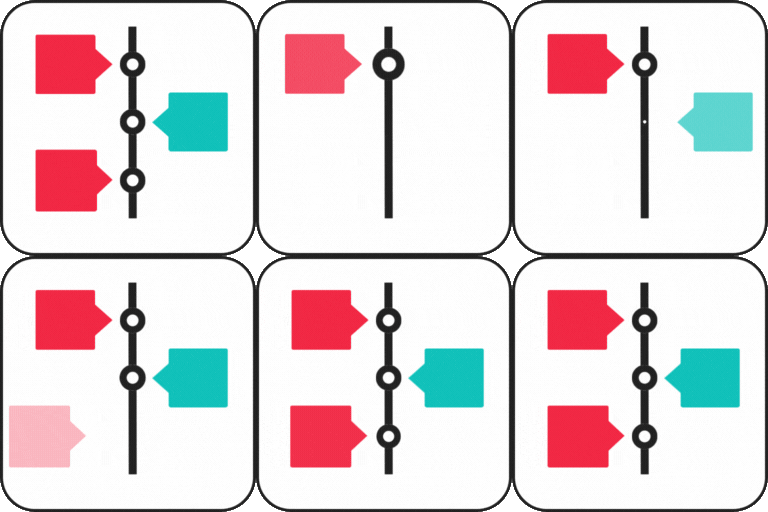
Cool Timeline (Horizontal & Vertical Timeline)
Horizontal & Vertical Timeline, History Timeline Slider Cool Timeline is an advanced WordPress plugin that helps you easily create timeline sliders for your website. You can use it to display your company’s history, product roadmaps, personal stories, or key events in a vertical layout. Using Cool Timeline, you can create timeline stories in two ways: Gutenberg Timeline Block: Add and manage timeline stories easily using the built-in block in the WordPress editor. Great for showing steps, events, or roadmaps with a clean design. Shortcode-Based Classic Timelines: Using the classic editor? Just add a simple shortcode to display your timeline on any page or post and customize it the way you like. Key Features Timeline Slider: Display your stories in a stunning vertical or horizontal timeline layout. Gutenberg and Classic Editor Support: Create timelines easily using the Gutenberg block or a simple shortcode. This works with both new and classic WordPress editors. Smart Shortcode Generator: Use shortcodes to display timeline slider anywhere on your site without needing the code. Cool Timeline Shortcode: [cool-timeline layout=”default” skin=”default” date-format=”F j” icons=”YES” show-posts=”20″ order=”DESC” story-content=”full”] Works with Page Builders: Compatible with popular page builders like Gutenberg, WPBakery, and Classic Editor. Elementor and Divi users can also create timelines with additional plugins. ASC/DESC Order: Arrange your timeline stories in ascending or descending order as needed. Customizable Description: Choose to show either a summary or the full description for each timeline story, depending on how much detail you want to present. Story Order (ASC / DESC): Sort your stories in ascending (oldest to newest) or descending (newest to oldest) order based on your timeline. Date Format: Choose from various date formats to display your timeline stories according to your requirements. Customizable Colors & Fonts: Change colors, fonts, and styles to fit your brand or website design. Pagination: Set how many stories you want to display per page to easily manage multiple timelines. Icons or Dots: Highlight events using custom icons or simple dots to visually distinguish each story on the timeline. Content Alignment: Align your timeline content left, right, or center to match your website’s style and improve readability. Multiple Timelines: Create and manage several timeline sliders on one site, like company history, product updates, or personal stories. Animation Effects: Add subtle animations to your timeline items as they appear, making the overall experience more interactive and engaging. 🔗Check Free Version Demos Where can you use the Cool Timeline? Company History Showcase: Display your company’s growth and key milestones in a timeline format. Event Highlights: Present a timeline of events for conferences, seminars, or special occasions. Product Launch Timeline: Highlight the different stages and key dates leading up to a product or service launch. Personal Journey: Share your personal story, career progression, or life journey using a timeline. Project Roadmap: Create a visual timeline of project phases, deadlines, and achievements. Achievements and Awards: Showcase significant accomplishments, recognitions, and awards over time. Nonprofit or Charity Timeline: Present the key initiatives and impact of your nonprofit organization through a timeline. Portfolio Showcase: Display your work history or project portfolio in chronological order. Historical Events Documentation: Document important historical events or milestones in a timeline. School or Educational Timeline: Highlight significant academic events, school history, or student progress. Wedding or Family Timeline: Capture important family milestones like weddings, anniversaries, or life events. Event Planning: Outline and share a detailed timeline for upcoming events or project plans. Real Estate Development: Display the various stages of a property’s development from start to completion. Startup Journey: Share your startup’s timeline, from idea conception to growth and scaling phases. Sports Achievements: Highlight key moments and accomplishments in an athlete’s or team’s career. Cool Timeline Pro Features Upgrading to the Cool Timeline Pro plugin unlocks the advanced features like access to multiple layouts, including Horizontal layout, Category-Based Timelines, Ajax Load More, Multimedia ( images, videos & slideshow), and more: Timeline Slider Designs: Cool Timeline Pro offers 4 layout types Vertical Timeline Vertical Compact Timeline Vertical One-Side Timeline Horizontal Timeline Each with 6+ design styles like Classic, Modern, Elegant, etc., and 3 skins (Light, Dark, Colorful). Check All Demos. Advance Customization: Set different colors for each timeline story, making your timeline more visually interesting. Add Images & Videos: Make your timeline stories more interactive by adding images, videos, and slideshows. Multiple Timelines: Create and manage several timelines on one site, like company history, product updates, or personal stories. Smart Shortcode Generator: Use shortcodes to display timelines anywhere on your site without needing to code. Works with Page Builders: Compatible with popular page builders like Gutenberg, WPBakery, and Classic Editor. Elementor and Divi users can also create timelines with additional plugins. Custom Labels: Use labels instead of dates for events, such as process steps or historical periods like AD/BC. Category Filters: Add filters so users can sort timeline stories by category. Blog Post Timeline: Display your blog posts in a timeline layout, highlighting your content by date. Ajax Load More & Pagination: Add pagination and “load more” buttons to easily manage timelines with many stories. Scrolling Navigation: Add scrolling navigation to let users move through long timelines more quickly. Custom Icons: Replace default dots with icons or custom images to make your timeline more personalized. HTML/Links Support: Add “Read More” links or custom HTML in timeline stories to guide users to full content or other pages. Customizable Date Formats: Choose from various date formats to display your timeline stories as you like. Animation Effects: Add animation effects to your timelines to make them more engaging for visitors. Premium Support: Get dedicated support as a Pro user for any help or questions. 🔗Check Pro Version Demos | Get Pro Check Our Other Timeline Plugins Timeline Widget For Elementor: Showcase your company history, product roadmap, and personal journey in vertical & horizontal layout directly inside Elementor. View Demo Timeline Block For Gutenberg: Create interactive timelines directly within the WordPress Block Editor to display step-by-step tutorials, a company’s history, and a product roadmap. View Demo Timeline Builder: Create a small timeline inside the Gutenberg block editor using a vertical or horizontal timeline. View Demo Timeline Module Pro For Divi: Showcase your personal story or company history using stunning vertical or horizontal timelines directly inside the Divi Builder. View Demo Use of 3rd Party Services: This plugin connects to the Cool Plugins API to display information about related plugins inside the dashboard. It also offers optional usage tracking and optional feedback submission on deactivation. Data is sent only after explicit user consent. No hidden tracking is performed, and no frontend visitor or site user data is collected. For more details, please review our Data Usage Policy, TOS, and Privacy Policy.
Top keywords
- timeline58×5.19%
- stories15×1.34%
- timelines15×1.34%
- display14×1.25%
- events10×0.89%
- history10×0.89%
- add9×0.81%
- vertical9×0.81%
- company8×0.72%
- cool8×0.72%
- timeline stories8×0.72%
- classic7×0.63%
Translate WordPress with GTranslate
Translate WordPress with GTranslate plugin uses Google Translate AI translation service to translate wordpress site with Google power and make it multilingual. With 103 available languages your site will be available to more than 99% of internet users. Our paid versions are fully SEO compatible which will increase your international traffic and sales. This translate plugin is a budget multilingual WordPress solution which combines automatic and human translations to save money and is easy to implement. GTranslate is a leading website translation services provider since 2008, it moves away the language barriers. Compared to other translation plugins for WordPress, we use cloud based approach which does not slow down your website. In addition to that, we can offer complete SEO features based on sub-domains with our paid options, which can make your website appear in search engines in different languages which will increase your international traffic and sales. In our paid versions we DO NOT limit the number of words or the number of translated pageviews. You DO NOT pay additionally for automatic translations. Please use GTranslate Support for your questions and support requests! We are multilingual! Please check our FAQ to get quick answers. Features Free Google automatic machine translation Hides Google top frame after translation Translate website on the fly Translate posts and pages Translate categories and tags Menus and widgets translation Themes and plugins translation Right to left language support Google language translator widget Auto-switch language based on browser defined language Available styles Float, Dropdown, Flags, Flags with dropdown, Nice dropdown with flags, Flags with language names, Flags with language codes, Language names, Language codes, Globe, Popup Floating language selector WooCommerce shop translation Multilingual language names in native alphabet Alternative flags for Quebec, Canada, USA, Brazil, Mexico, Argentina, Colombia Lazy loading for language flags and js libraries to boost performance Lightweight vanilla javascript without dependencies Forum Support Paid Features Multilingual SEO – Enable search engine indexing Neural machine translations with human level translation quality Increase traffic and AdSense revenue Search engine friendly (SEF) URLs Yoast SEO compatible – translate meta keywords, meta description, schema.org data structures, translate sitemaps WooCommerce compatible – translate products, schema.org data structures You can have sub-directory (example.com/es/) or sub-domain (es.example.com) URL structure URL Translation aka slug translation is possible (example.com/about-us → example.es/sobre-nosotros) Add hreflang tags for translated alternatives You can manually correct translations In context translation interface (make corrections without losing the context) Meta data translation (meta keywords, meta description) Translating schema.org microdata for better search engine appearance Seamless updates (cloud service updated on our side – SaaS, you do not need to worry about backups on your side) JSON format translation Translate WooCommerce emails AMP translation (Accelerated Mobile Pages translation) Image localization – Media translation Translation Proxy (aka Translation Delivery Network) Centralized Translation Cache – We revise and improve translations over time Language Hosting (example.fr) User Dashboard with Analytics Live Chat Support See also If you are looking for unlimited, high-quality automatic translations, check out TranslateX – an automatic translation API offering unlimited translation for your website or application. We also offer integration plugins: TranslateX for Loco Translate – integrate TranslateX API directly into Loco Translate for seamless, unlimited automatic translations. TranslateX for TranslatePress – bring unlimited automatic translation to TranslatePress using TranslateX API. These solutions make it easy to supercharge your WordPress multilingual setup with TranslateX’s secure and affordable API. GTranslate WordPress Demo Watch GTranslate Tour Edit Translations Demo (paid)